
Rate Calculator SOP’s
Standard Rates SOP
Standard Rates SOP
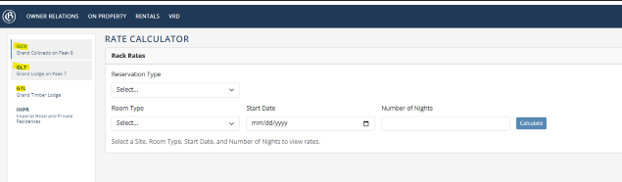
- Select Applicable Resort
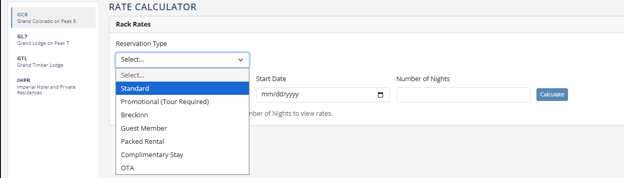
- Select “Standard” Reservation Type
- Select Applicable Room Type, Reservation Start Date, and Number of Nights
- Press “Calculate”
- Type Applicable Discount Percentage in the “Guest Discount %” text bar and press “Calculate”
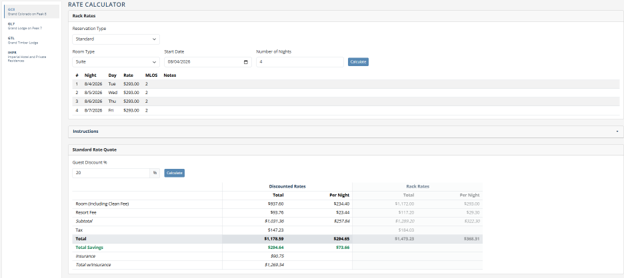
- Under “Rate Builder” section, enter the “Known Guest Total After Tax” in the text bar
- You can use the “Use Quote Total” button to add the total from above section
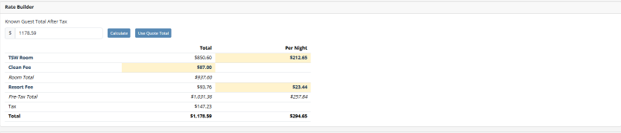
- Enter Applicable Rate Builder Items From Highlighted sections.
- Please Note: Resort Fee and Clean Fee will be a single charge. Not a Per Night charge
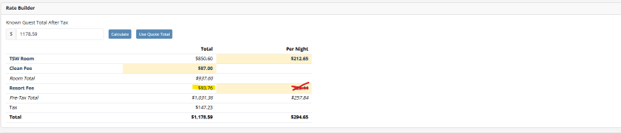
-
- Transaction Codes
- “Room GC8/GL7/GTL” (Per Night)
- “Clean Taxable GC8/GL7/GTL” (Single Item
- “Resort Fee 10%” (Single Night)
- Total in TSW Should Match The Total At The Bottom
- Transaction Codes
Tour Rates SOP
- Select Applicable Resort
- Select “Promotional (Tour Required)” Reservation Type
- Select Applicable Room Type, Reservation Start Date, and Number of Nights
- Press “Calculate”
- The text bar for “Tour Discount %” should be auto-filled with 40%.
- All Owner Support Tour Discounts Are 40% Regardless Of Resort.
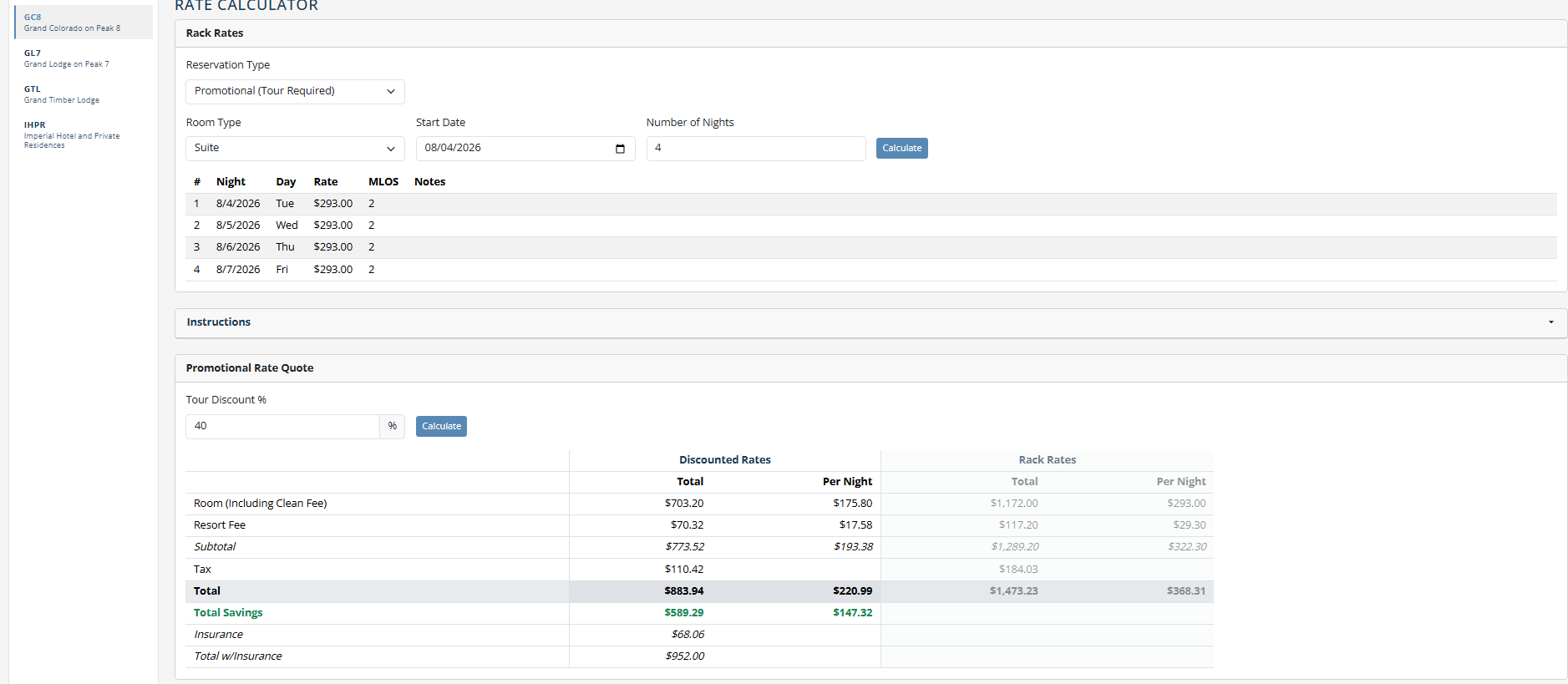
- Under “Rate Builder” section, enter the “Known Guest Total After Tax” in the text bar
- You can use the “Use Quote Total” button to add the total from above section
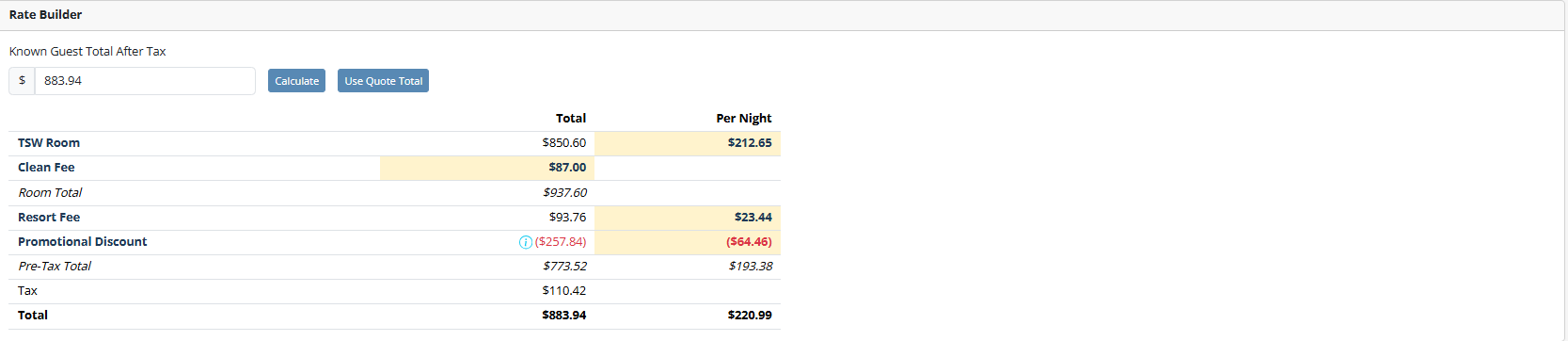
- Enter Applicable Rate Builder Items From Highlighted sections.
- Please Note: Resort Fee and Clean Fee will be a single charge. Not a Per Night charge
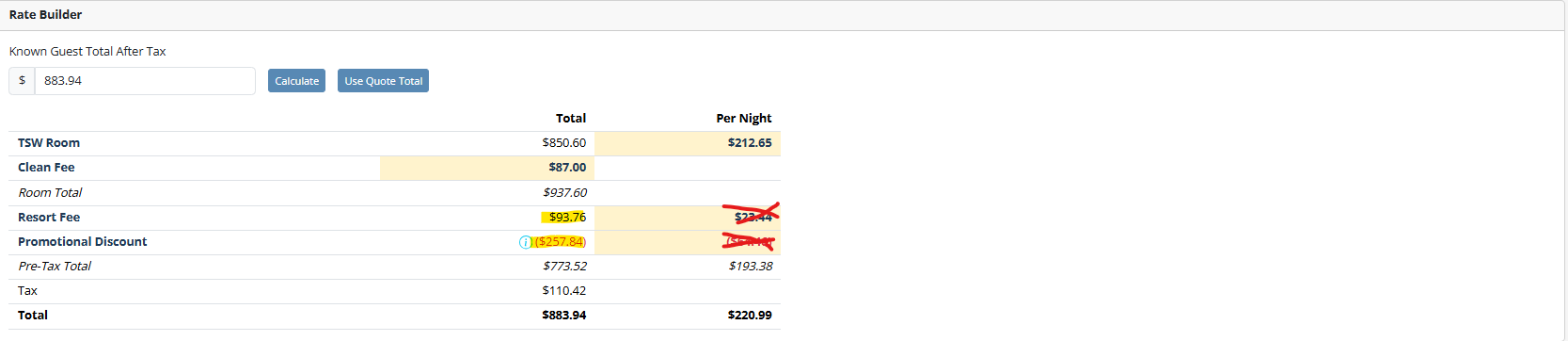
-
- Transaction Codes for TSW Rate Builder
- “Room GC8/GL7/GTL” (Per Night)
- “Clean Taxable GC8/GL7/GTL” (Single Item)
- “Resort Fee 10%” (Single Night)
- “Promotional Discount GC8/GL7/GTL” (entered as a negative)
- Total in TSW Should Match The Total At The Bottom
- Transaction Codes for TSW Rate Builder
RRF Rates SOP
- Select Applicable Resort
- Select “Standard” Reservation Type
- Select Applicable Room Type, Reservation Start Date, and Number of Nights
- Press “Calculate”
- Type Applicable Discount Percentage (20%) in the “Guest Discount %” text bar and press “Calculate”
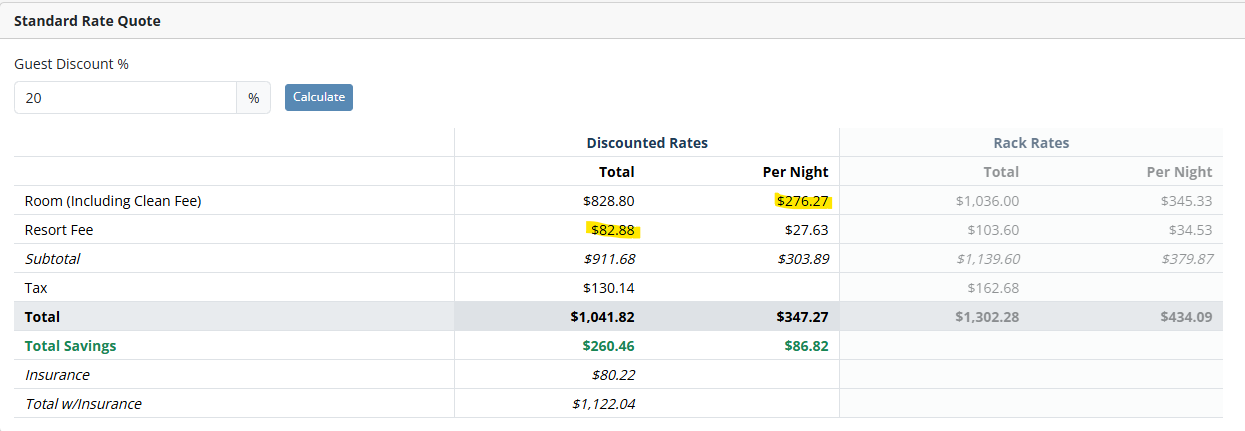
- Enter Applicable Rate Builder Items From Highlighted sections. DO NOT USE BOTTOM SECTION!
- Please Note: Resort Fee and Sales Payment will be a single charge. Not a Per Night charge.
- Transaction Codes
- “Room (Including Clean Fee) GC8/GL7/GTL” (Per Night)
- “Resort Fee 10%” (Single Charge)
- “PYMT – Sales Purchase” (GC8, GL7, GTL based on where the purchase was made)
- The “Visit Cost” in TSW should equal $0