
Interval World
Searching Vacations
Exchanges
+
Basic Exchange
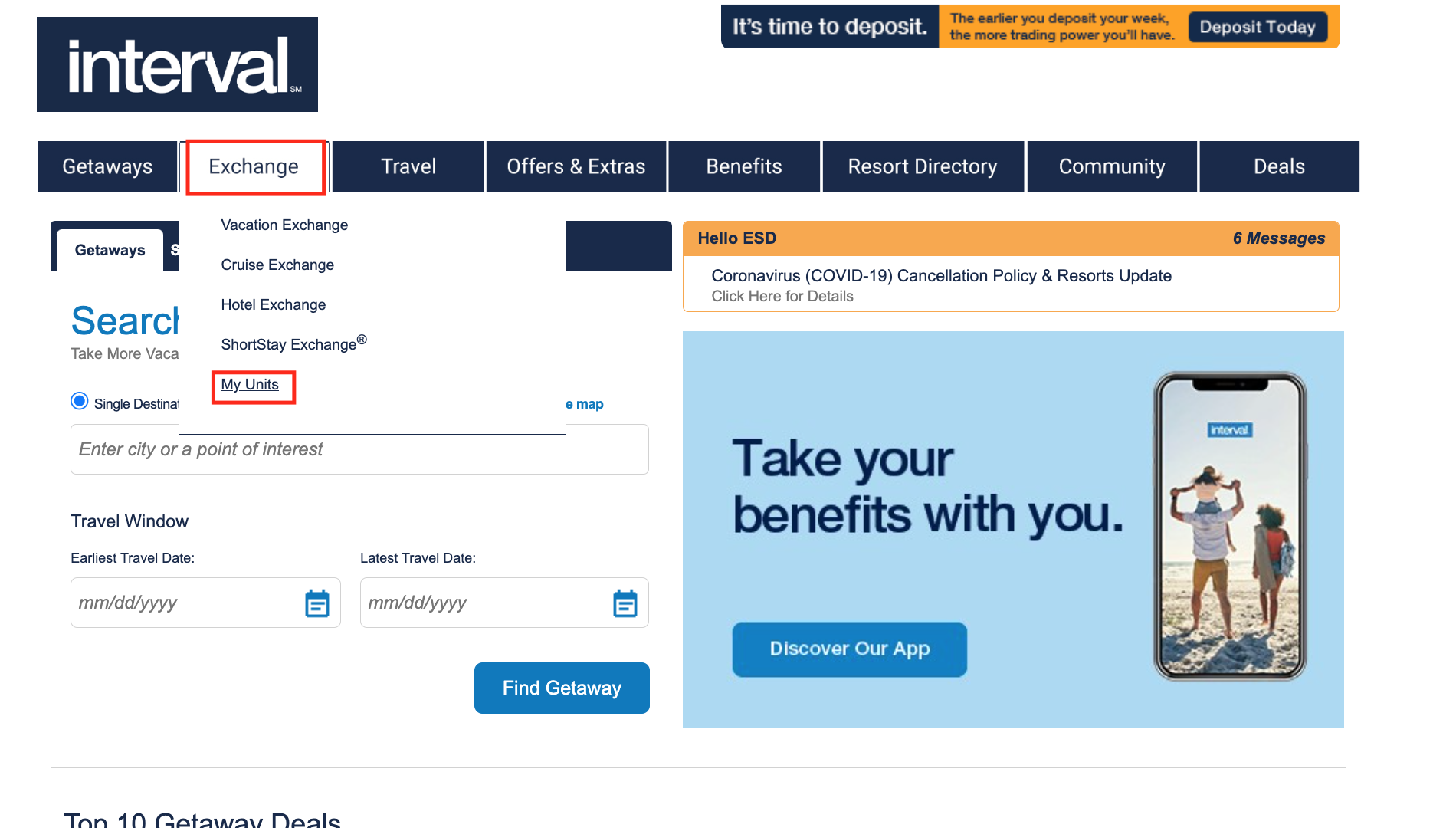
- Sign in to Intervalworld.com
- Hover over Exchange in the bar and select ‘My Units’
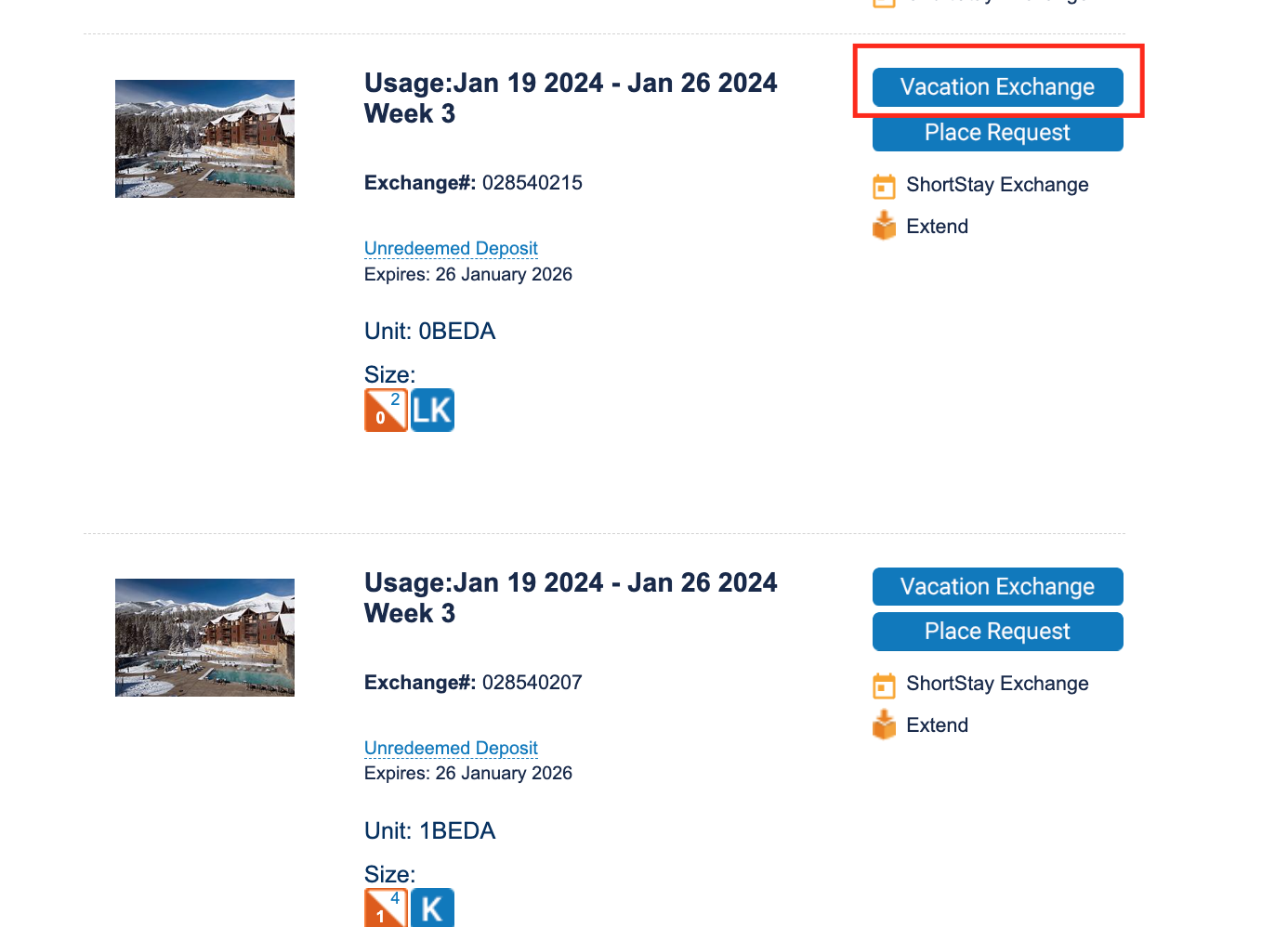
- From ‘My Units’ scroll down to the deposit – it will ‘not’ have a blue deposit button on the right.
- Select ‘Vacation Exchange’
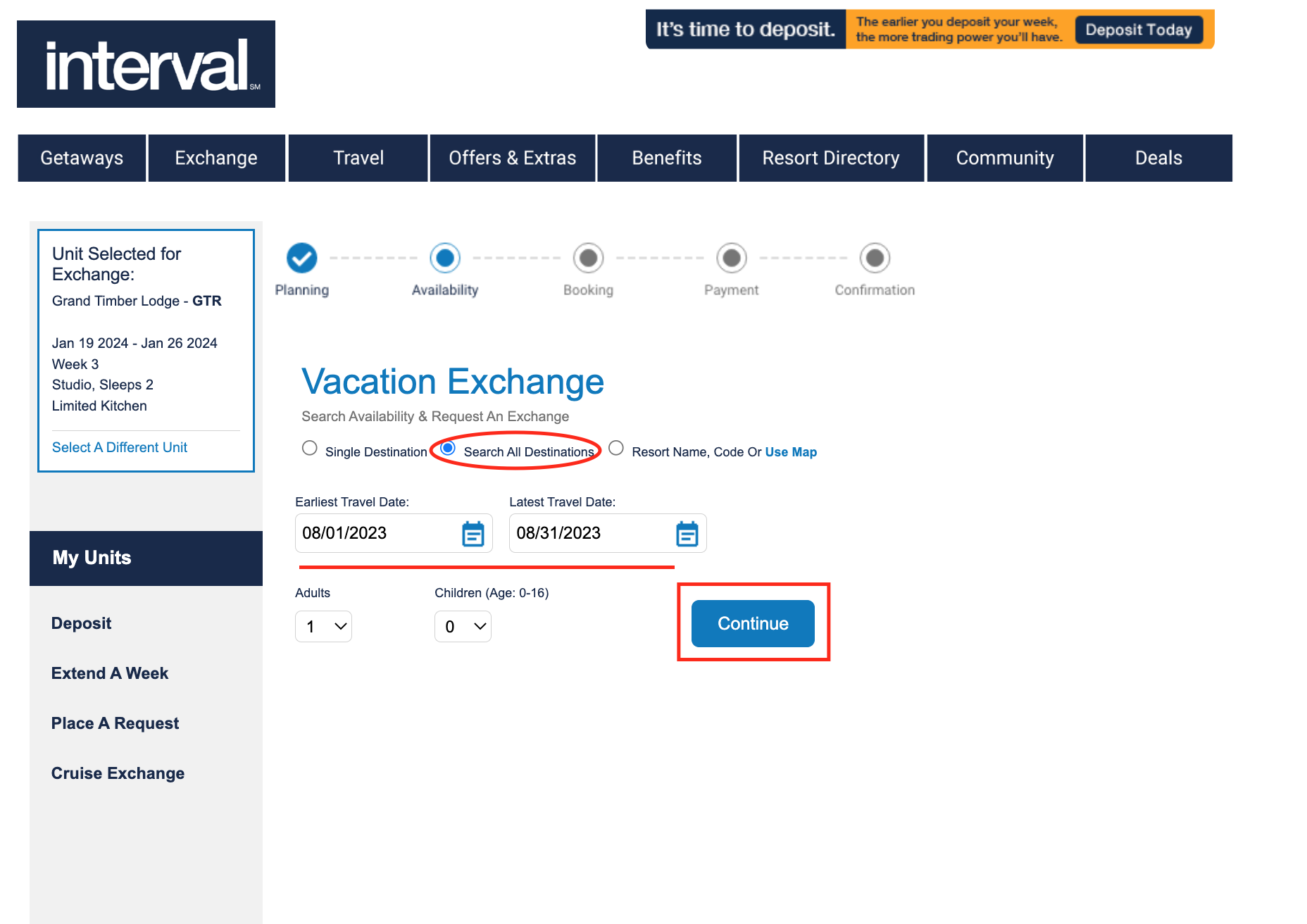
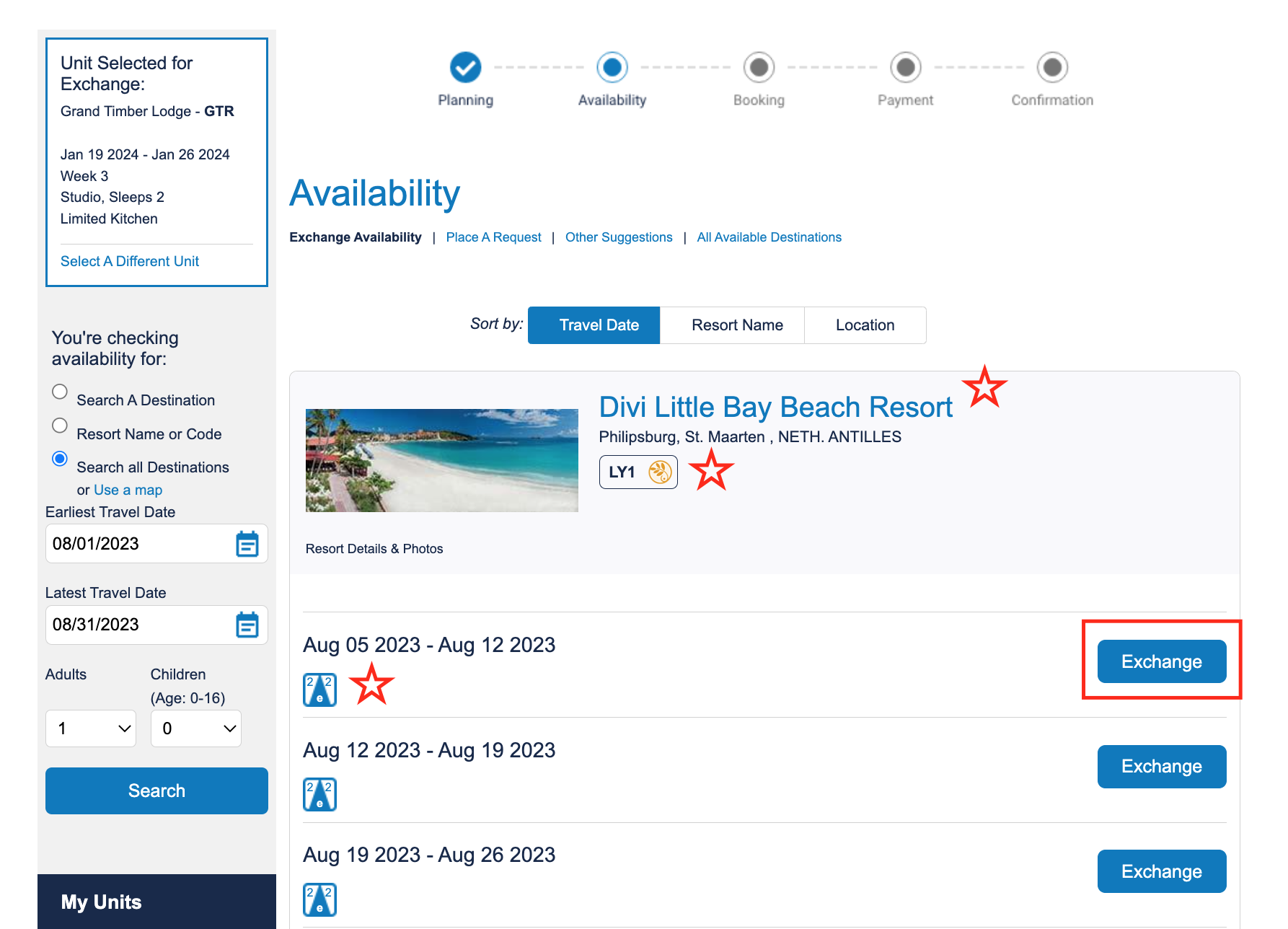
- Click bubble for ‘Search All Destinations’; select a date range; leave adults and kids 1 & 0; continue
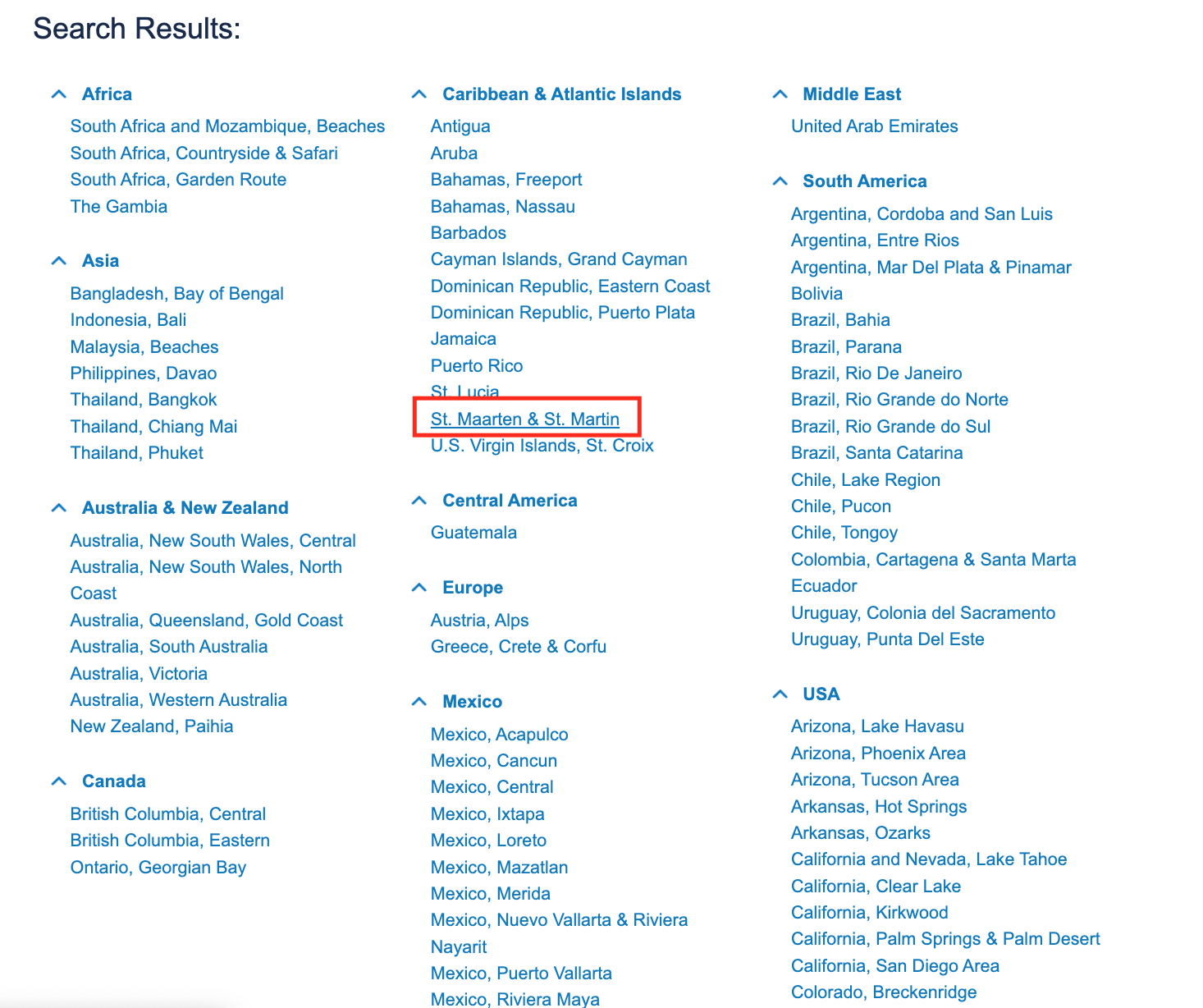
- Choose the desired location (if location isn’t present see Request List tutorial)
- Within the desired location review available resorts & unit sizes; select Exchange
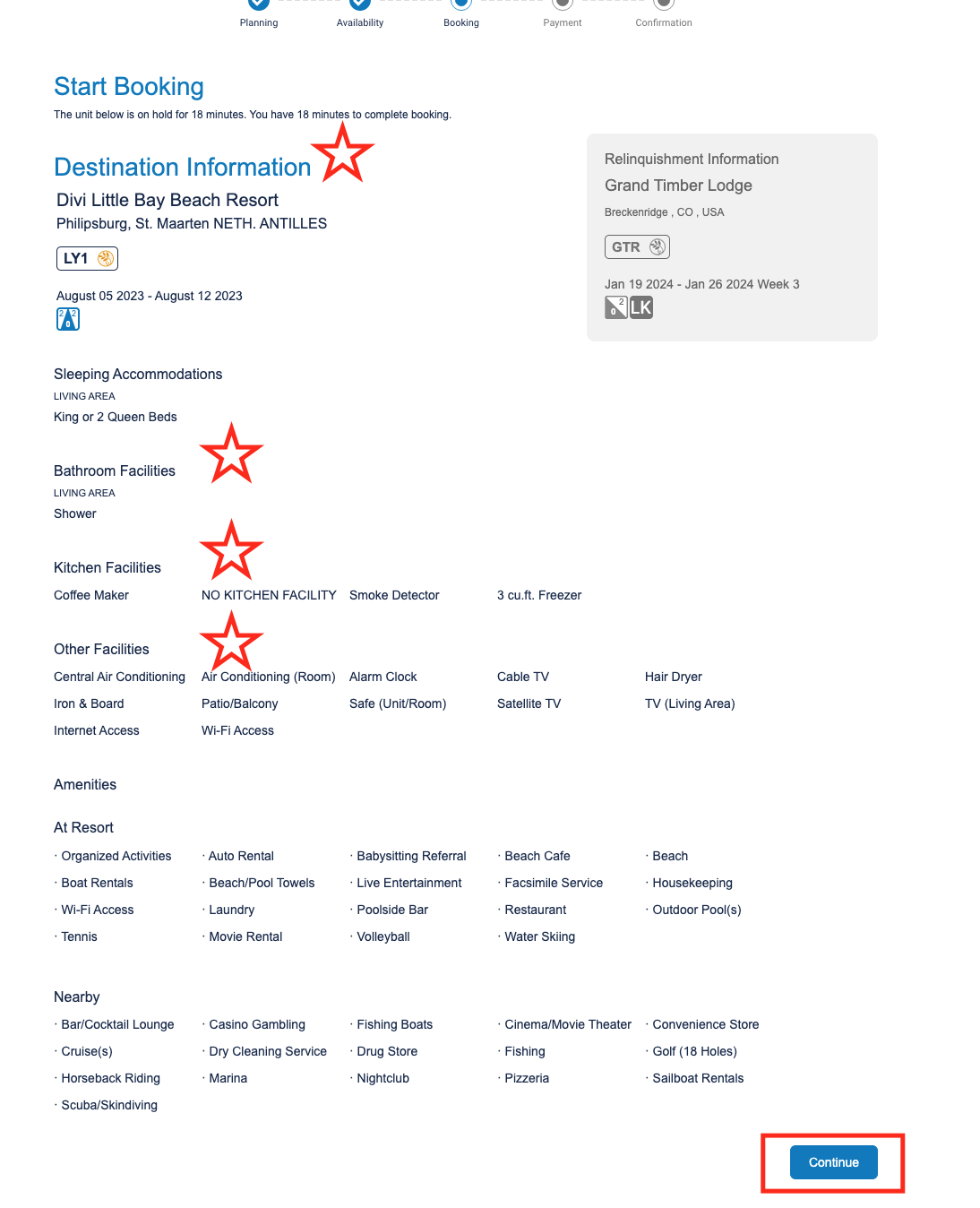
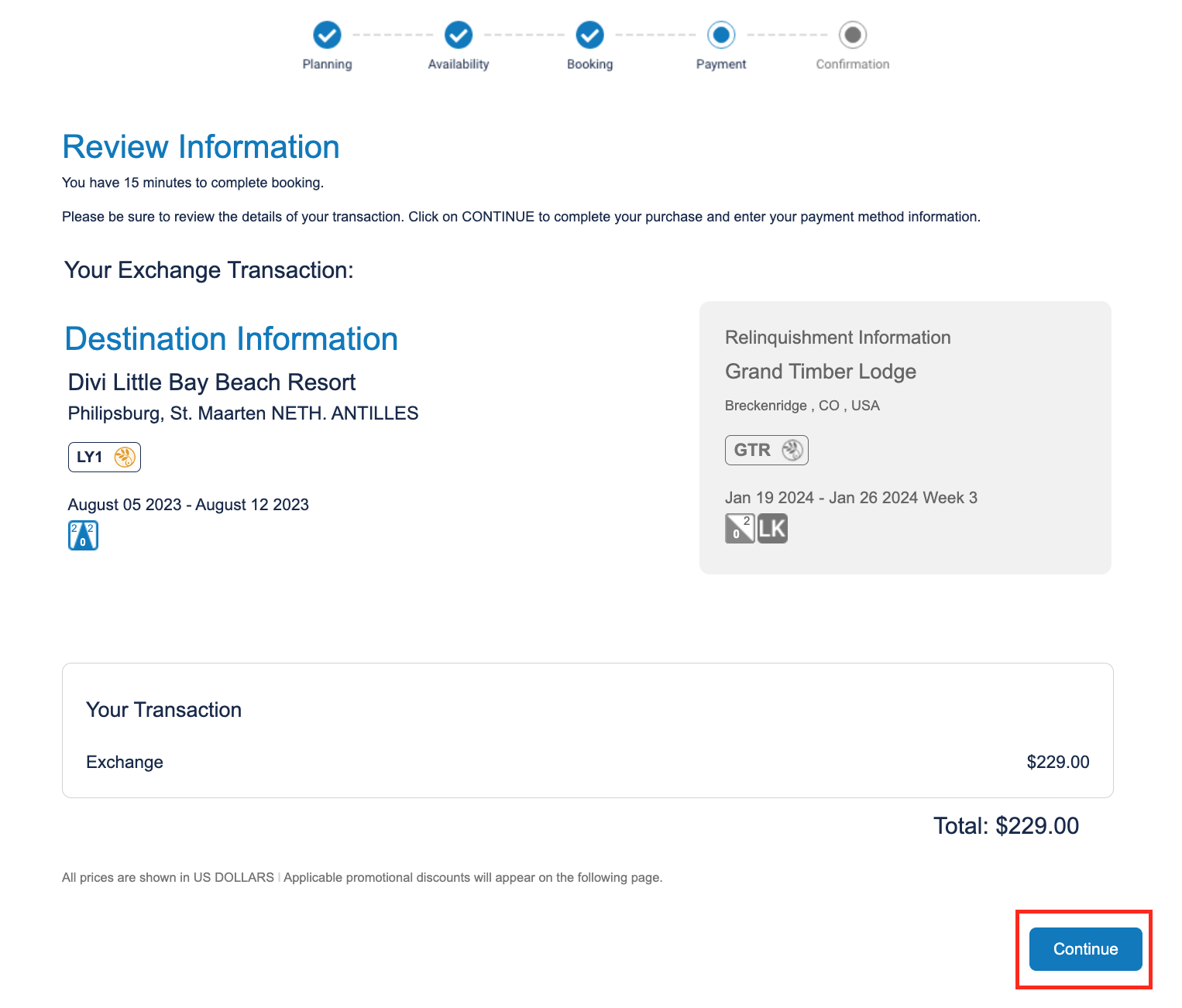
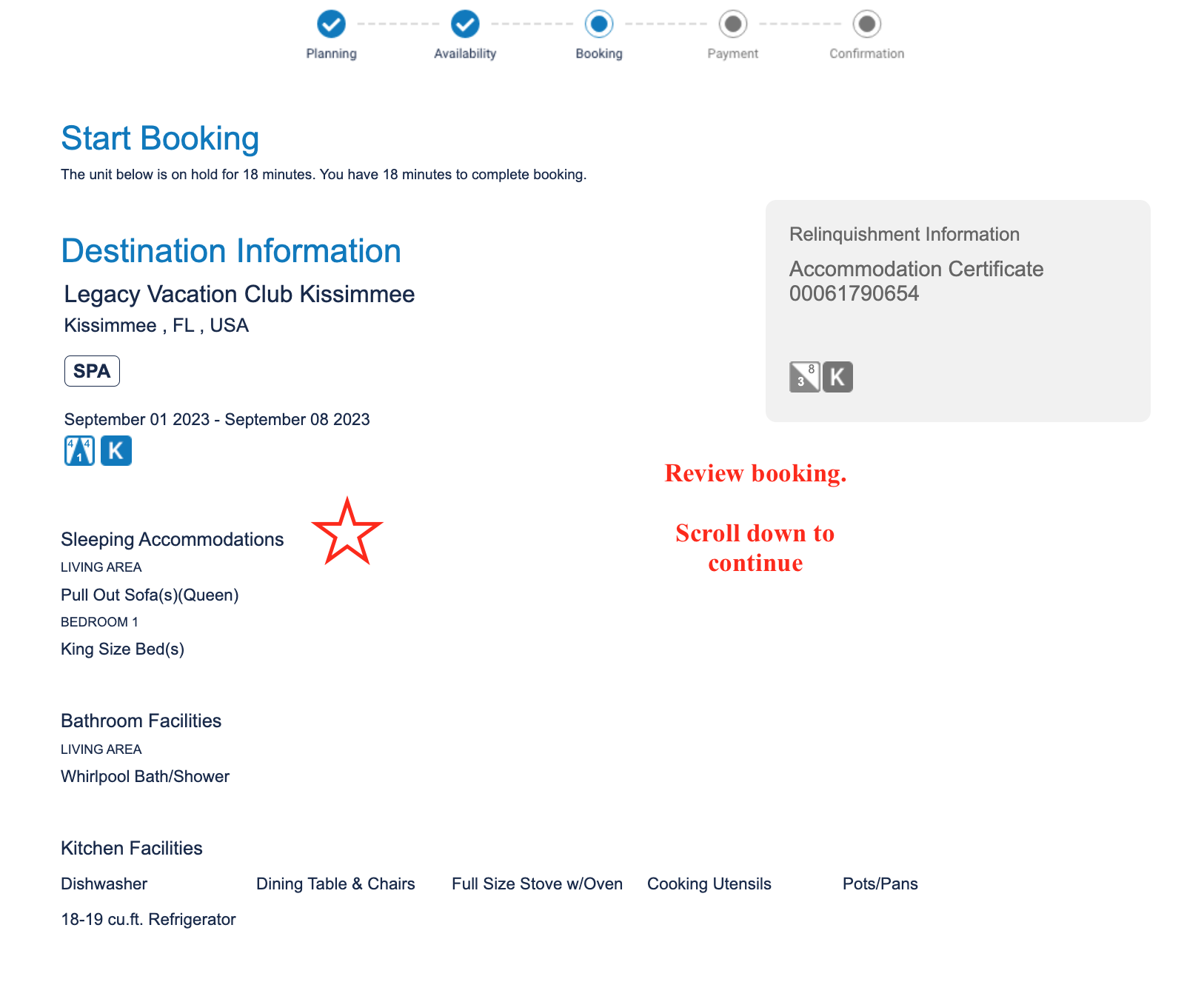
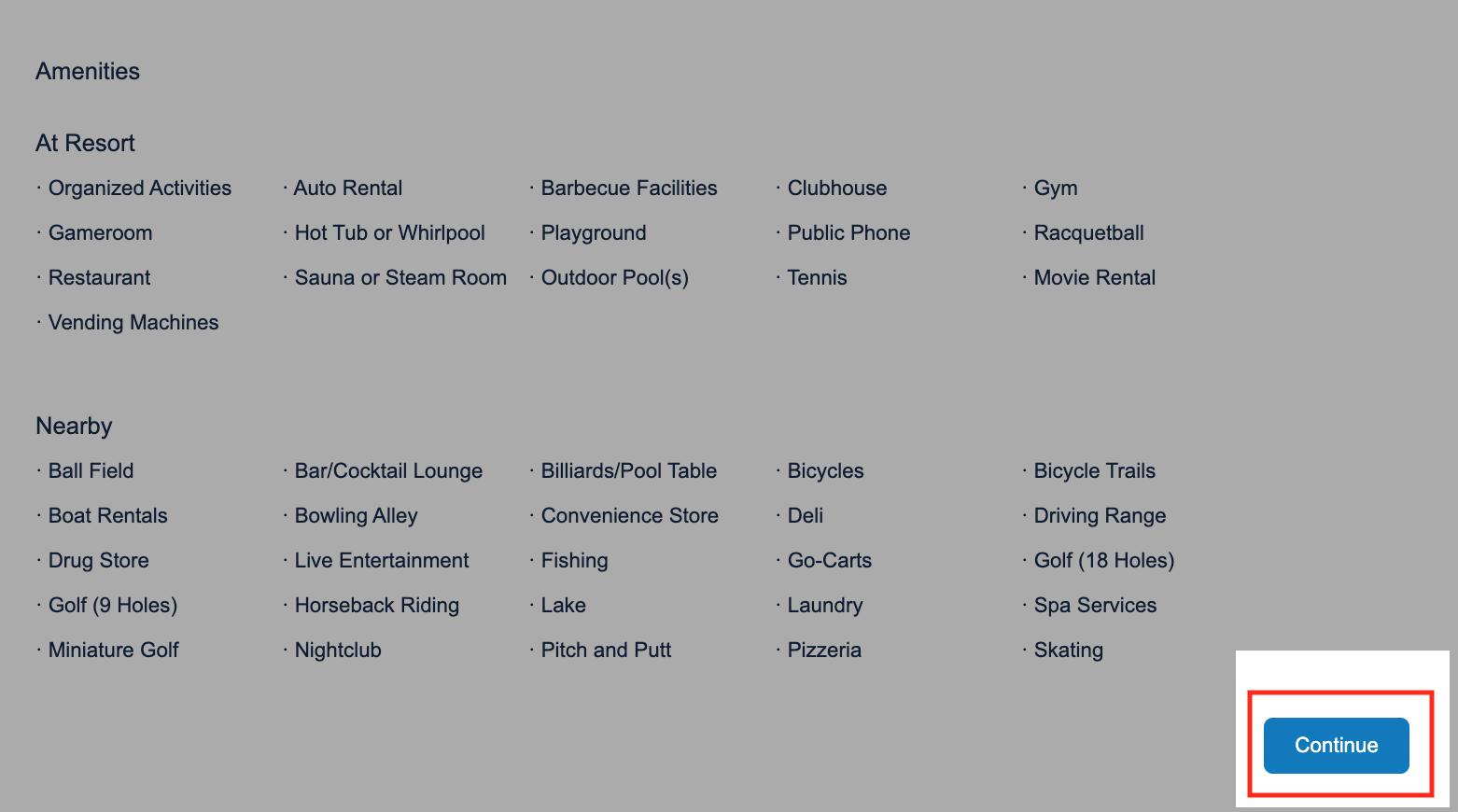
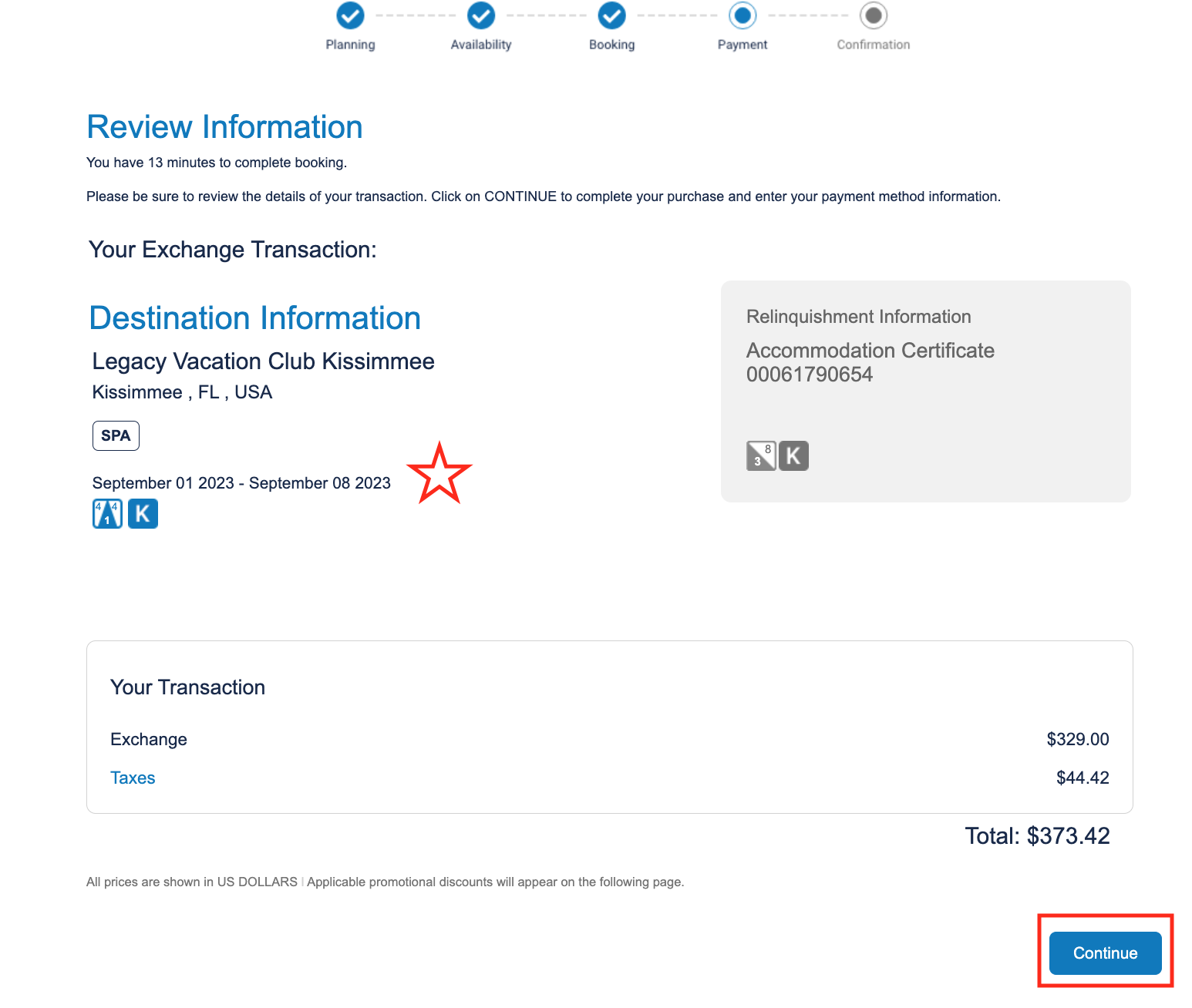
- Review the booking information and continue
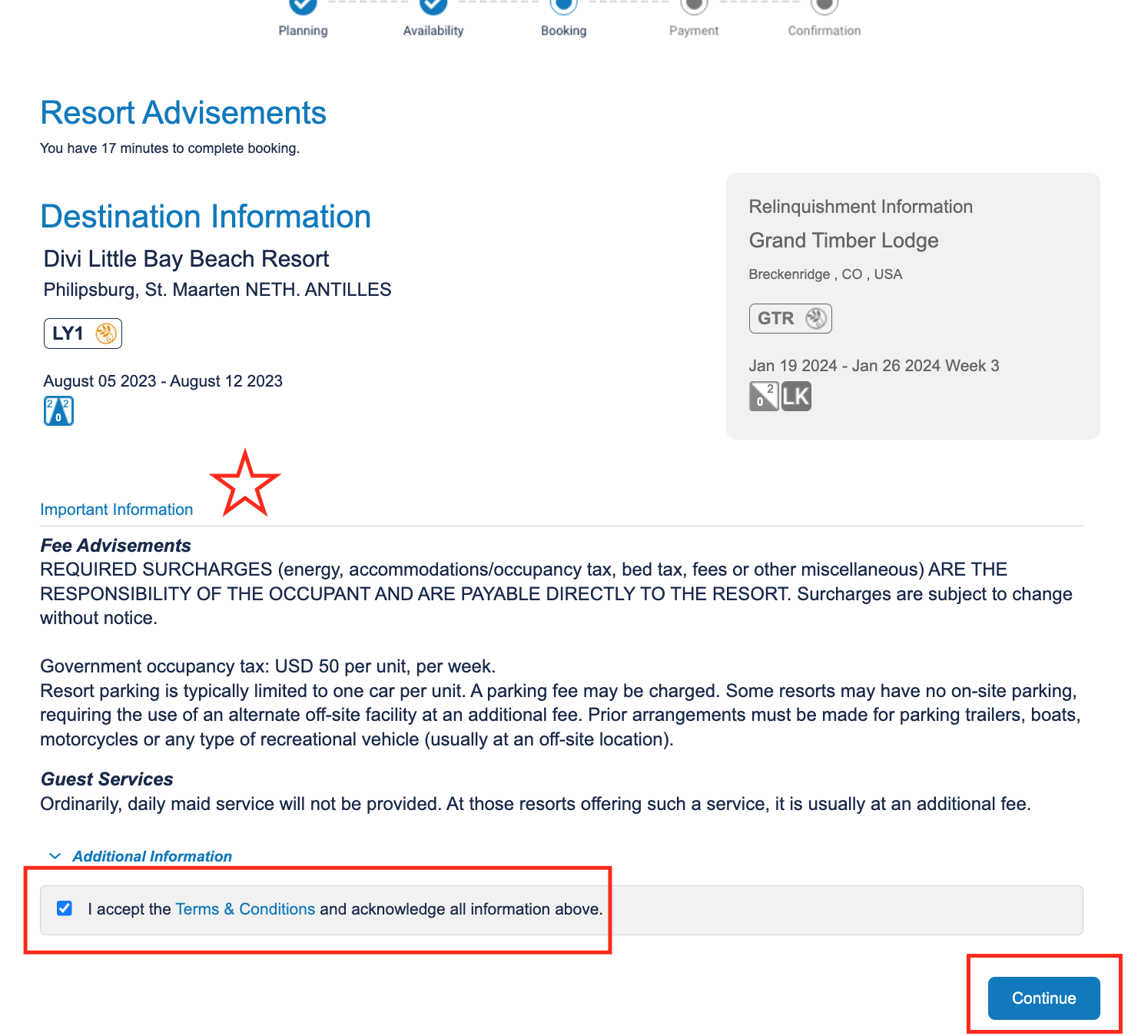
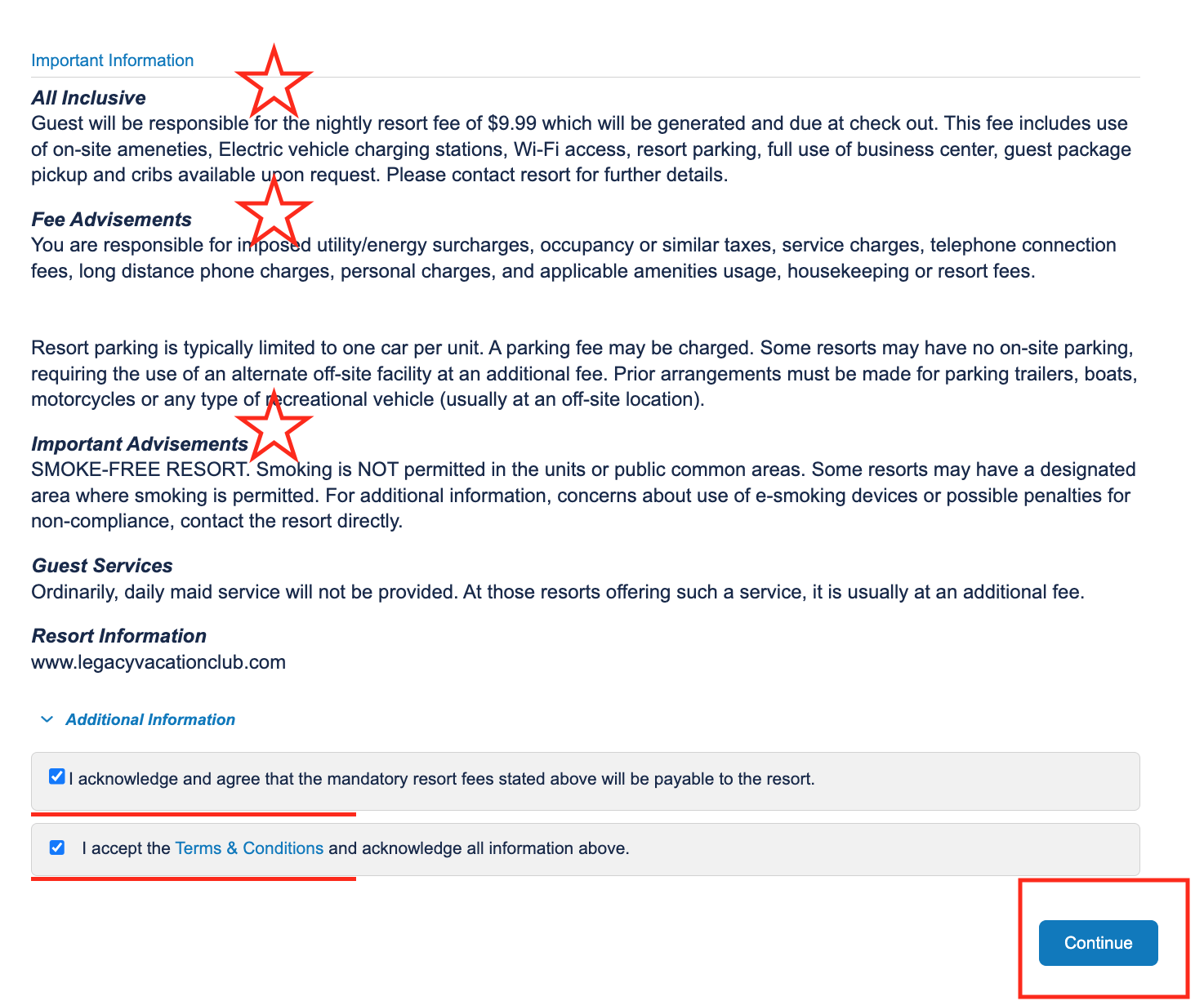
- Review the important advisements; accept terms & conditions; continue
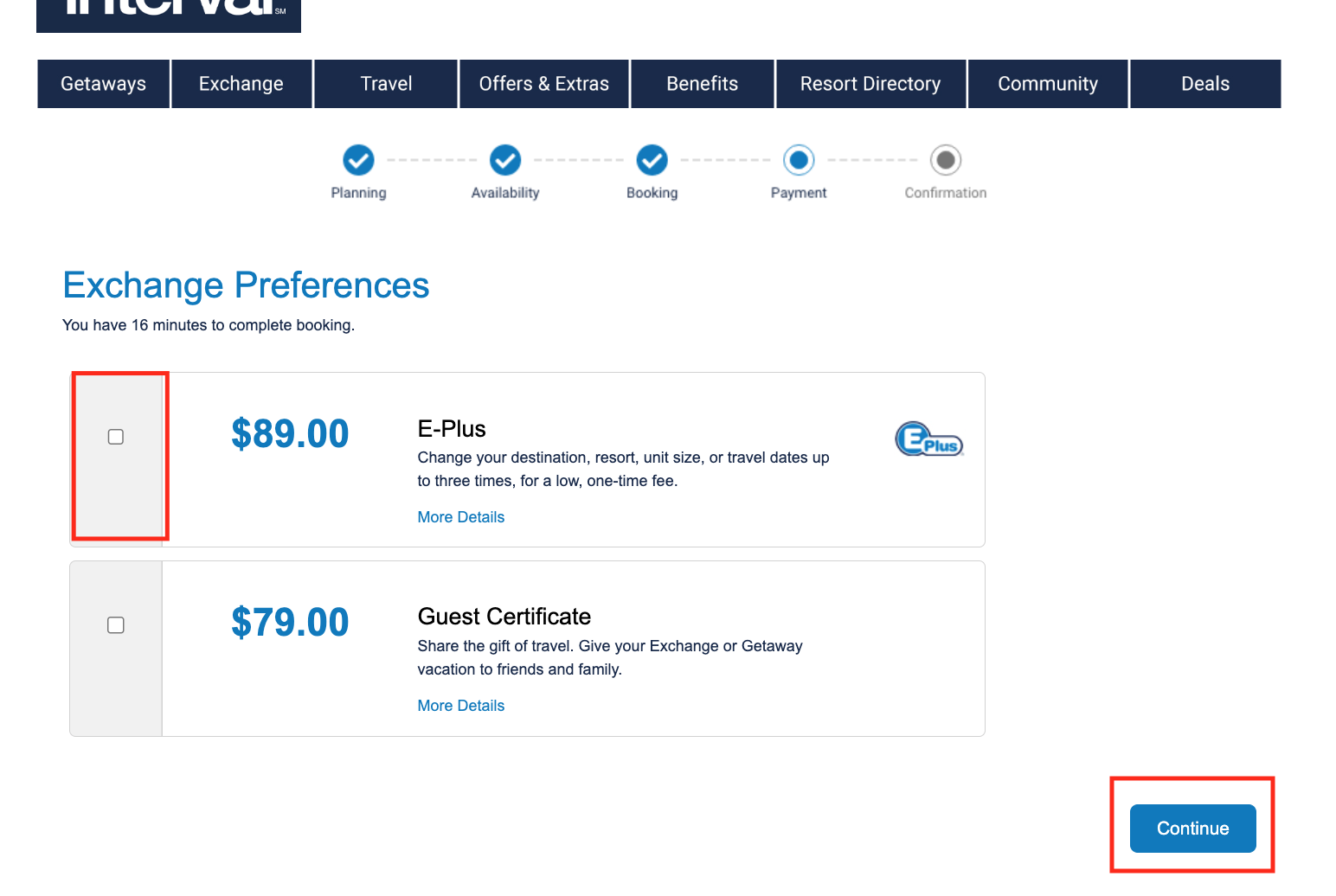
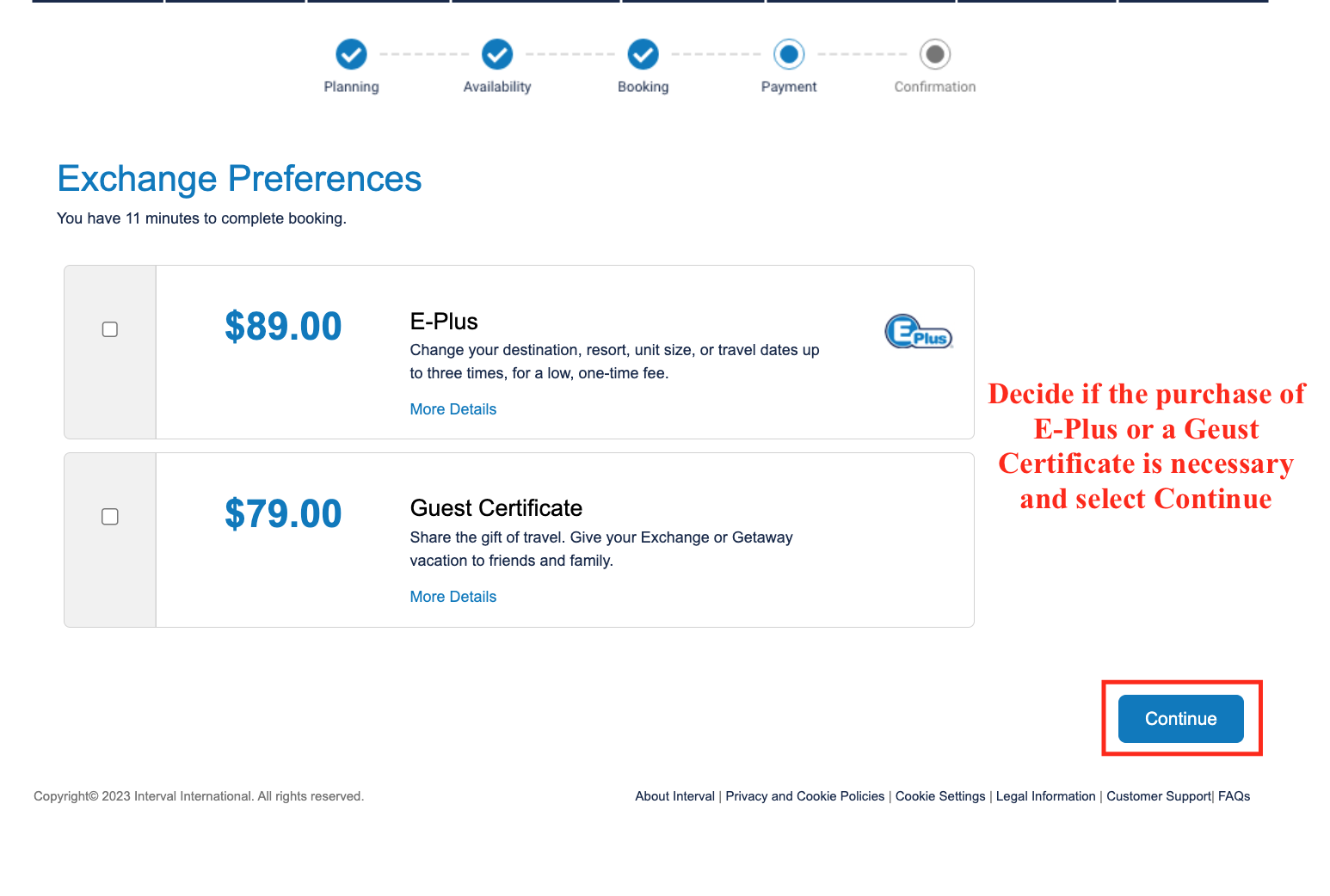
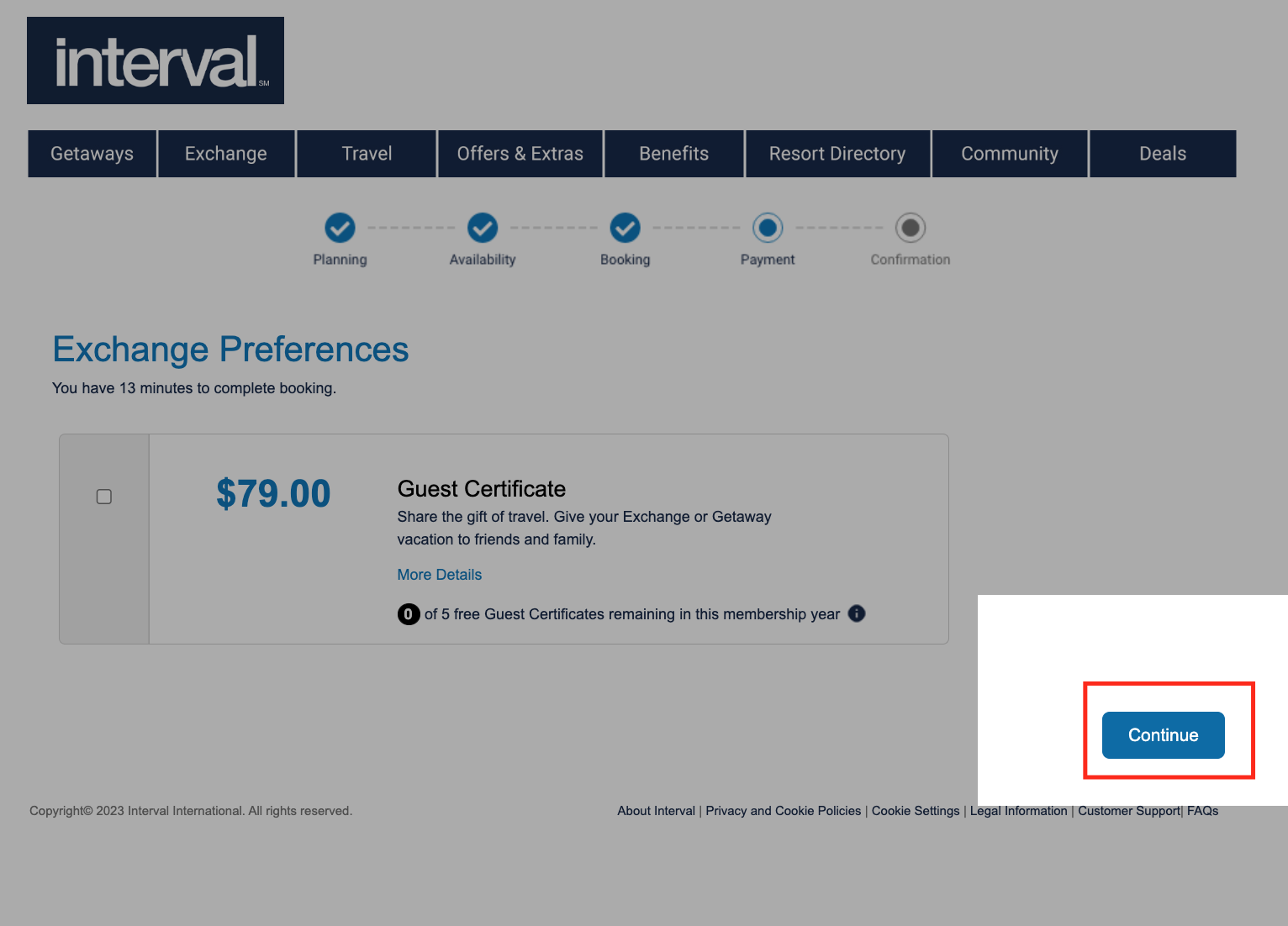
- Decide if E-Plus or a Guest Cert should be added
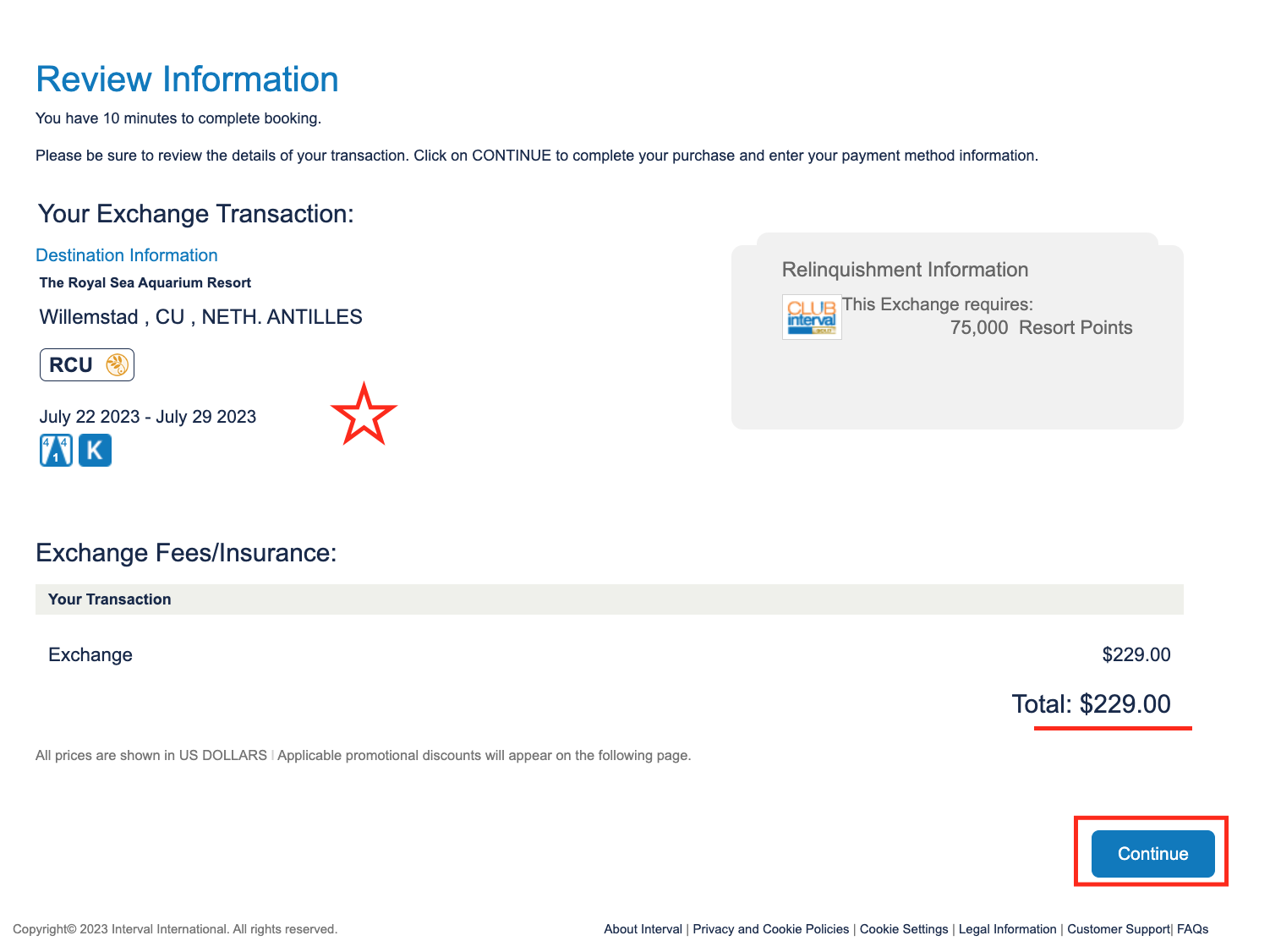
- Review the booking one last time and continue
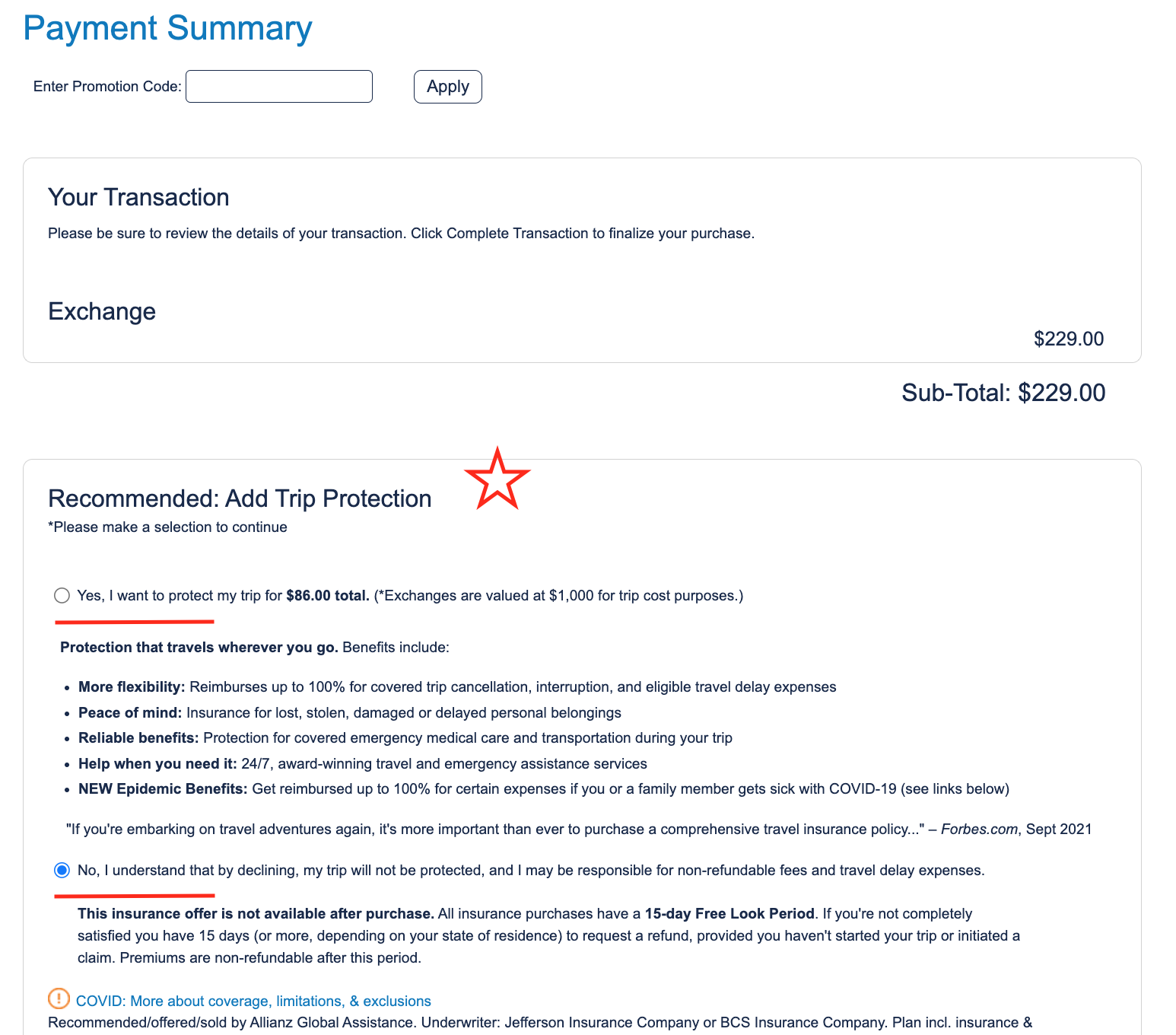
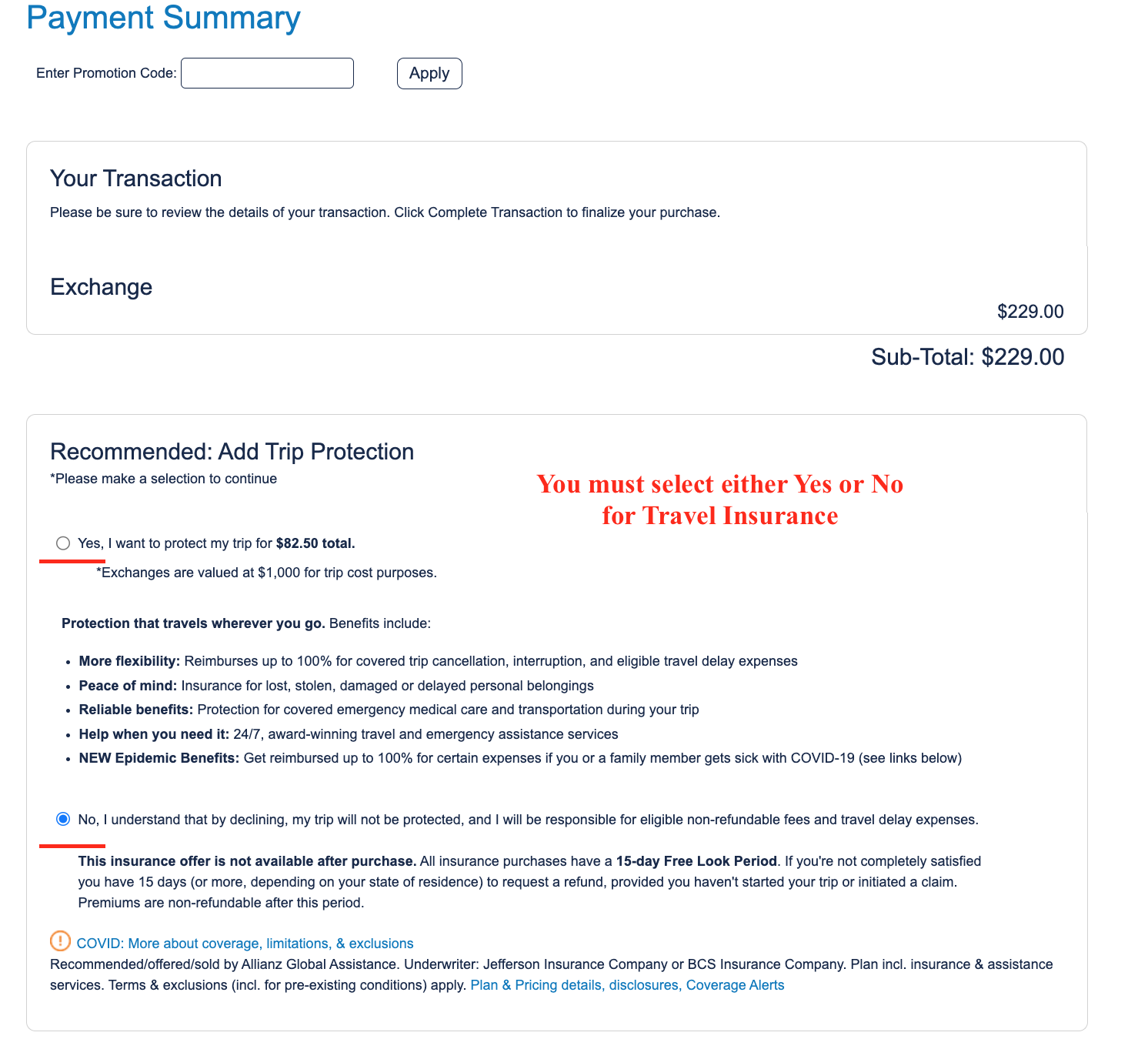
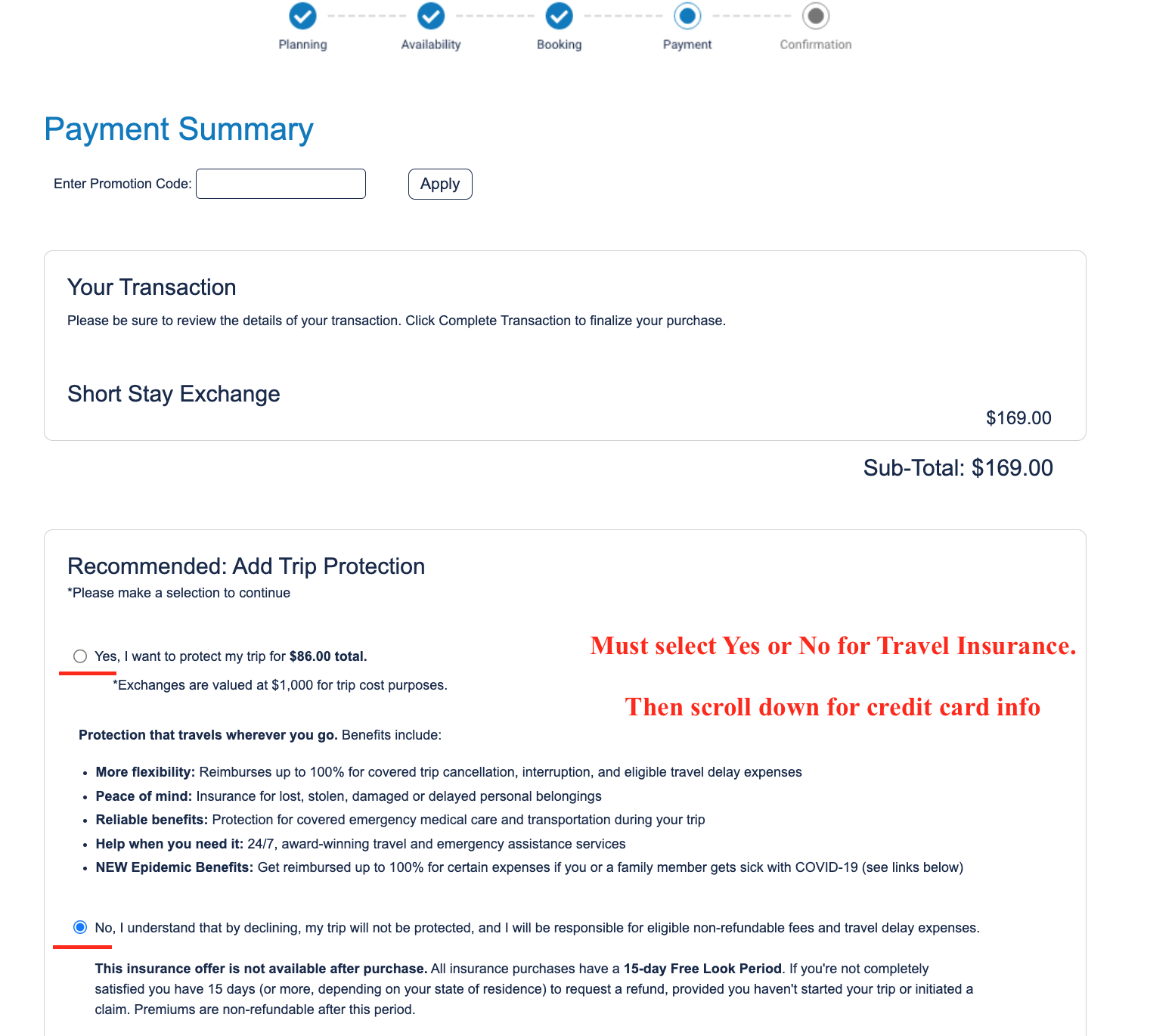
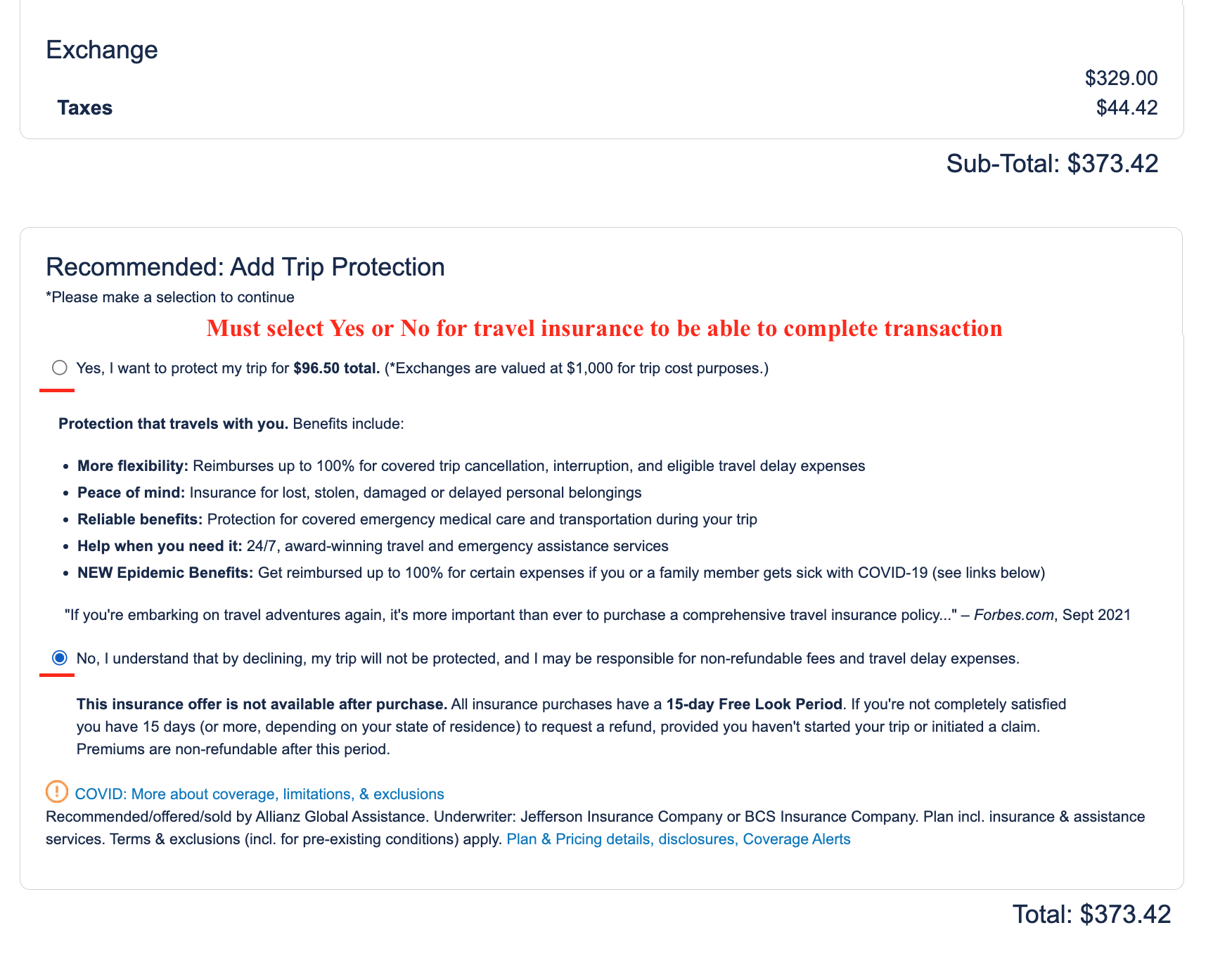
- Must select yes or no for travel insurance – cannot add afterwards
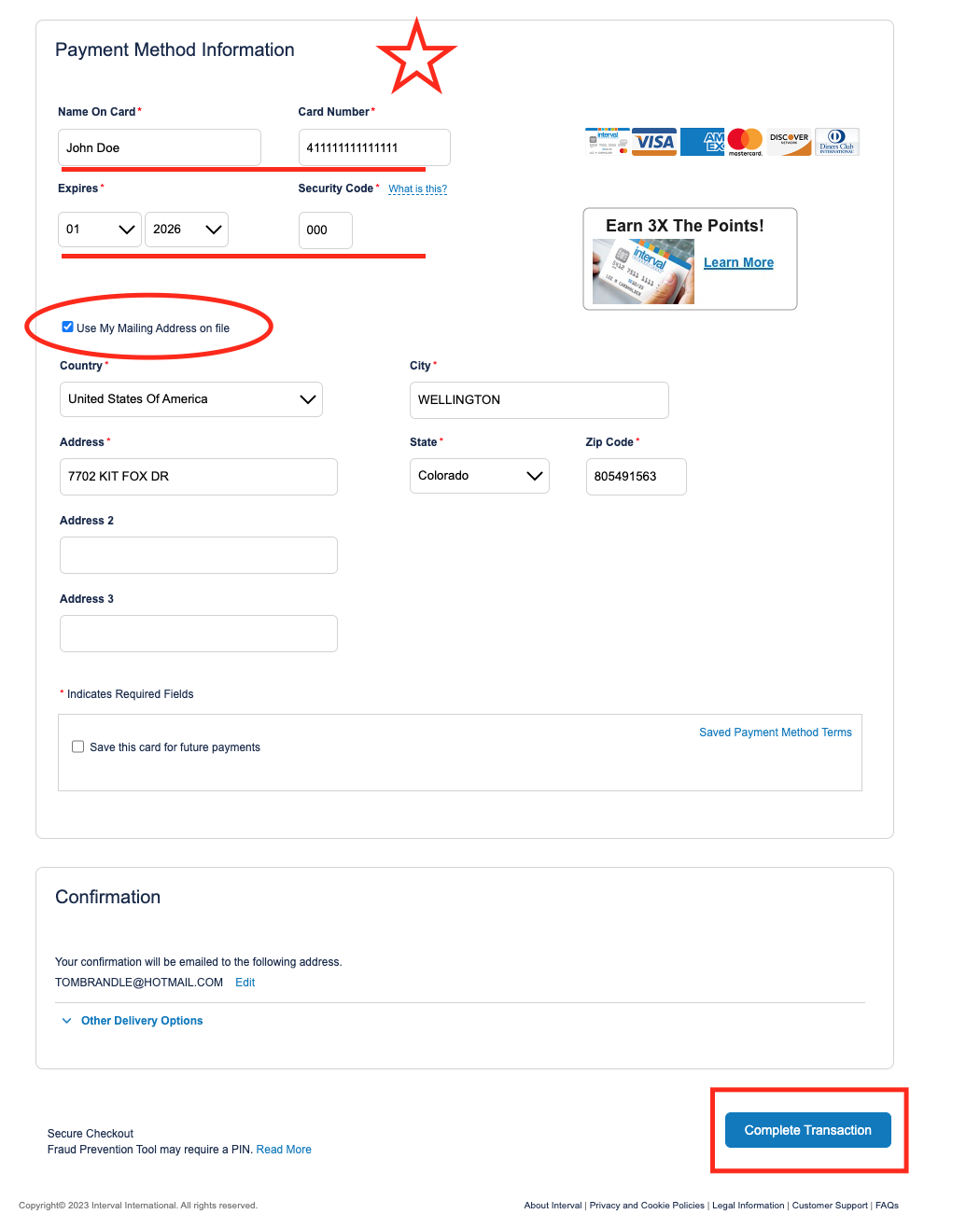
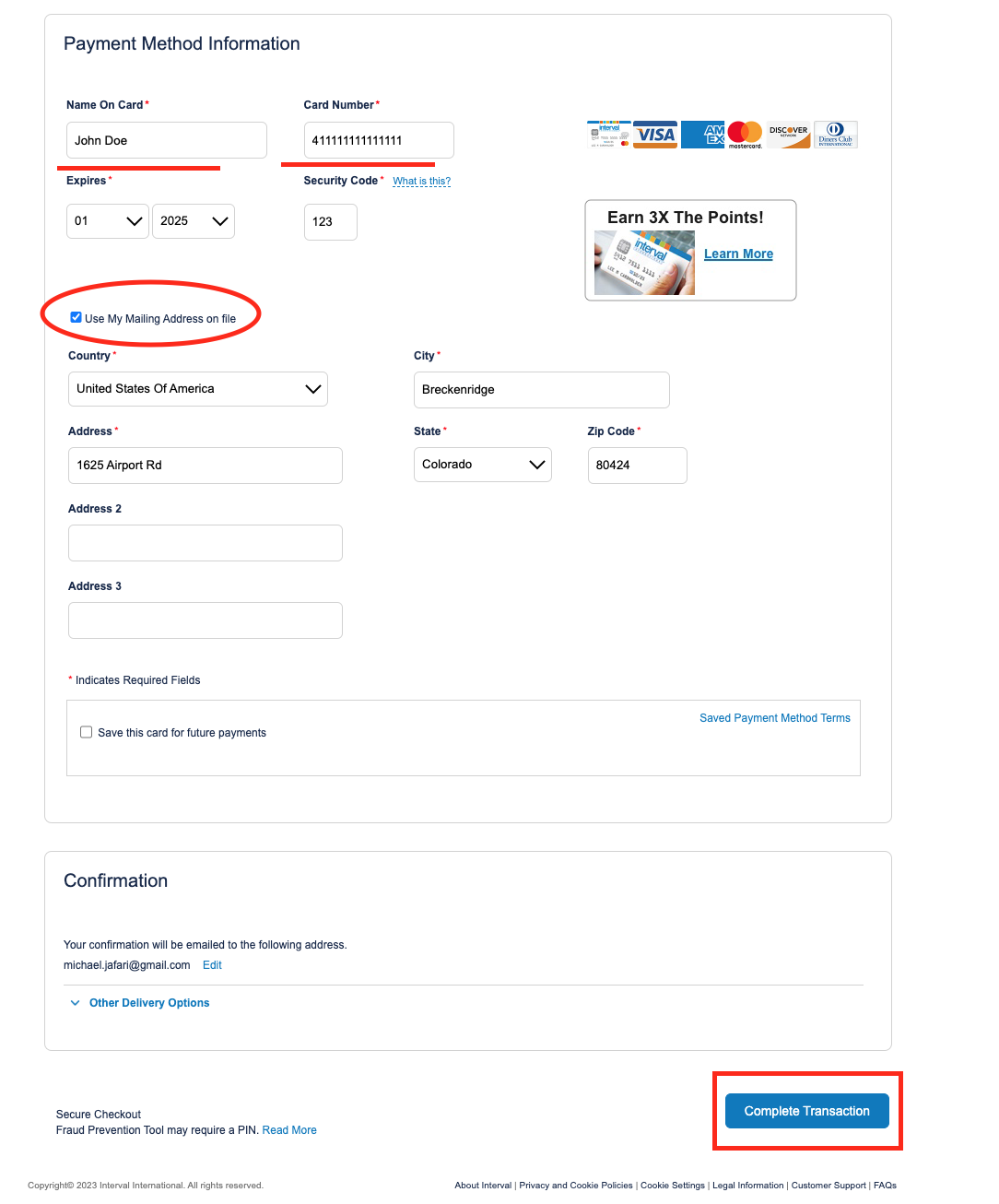
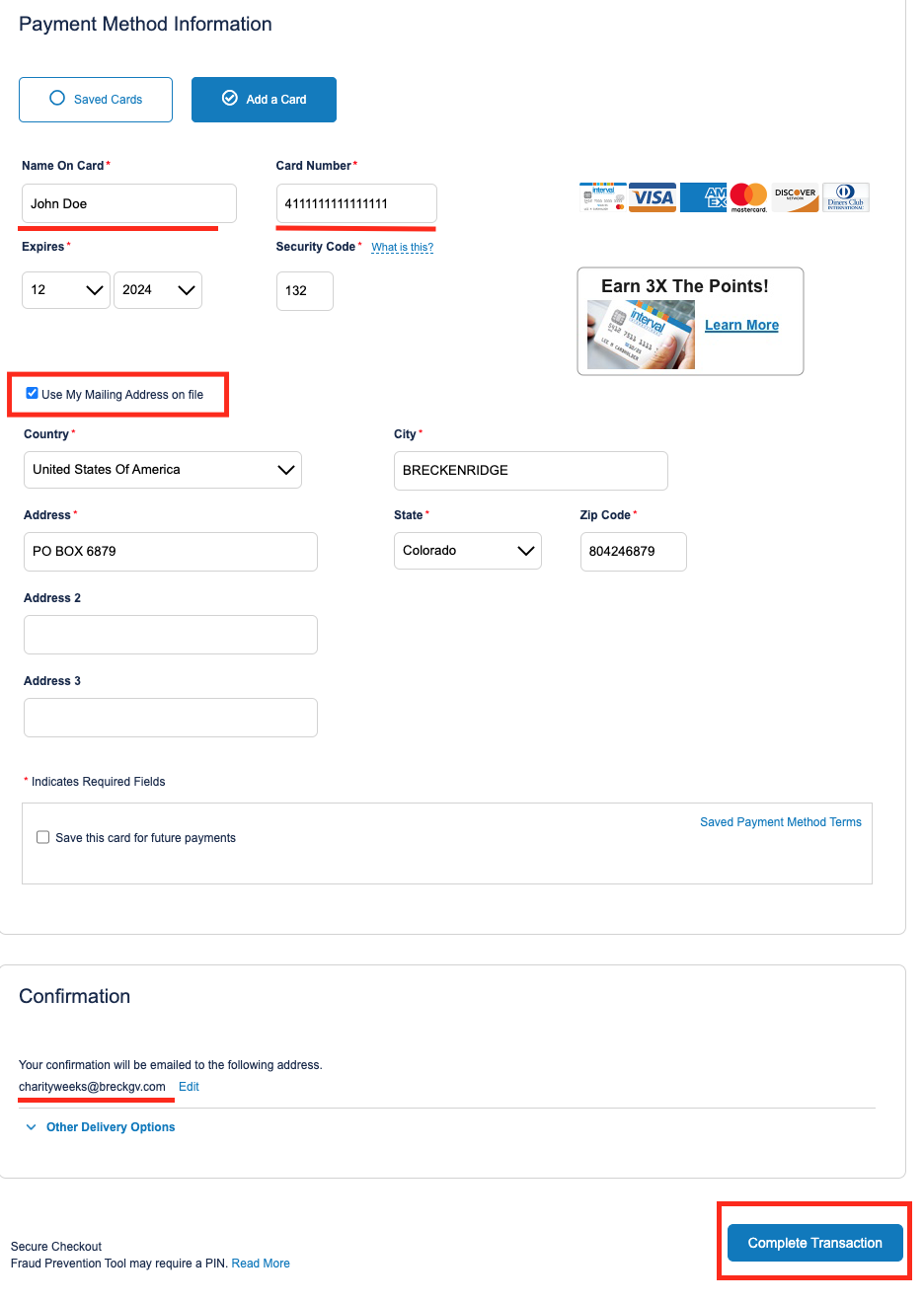
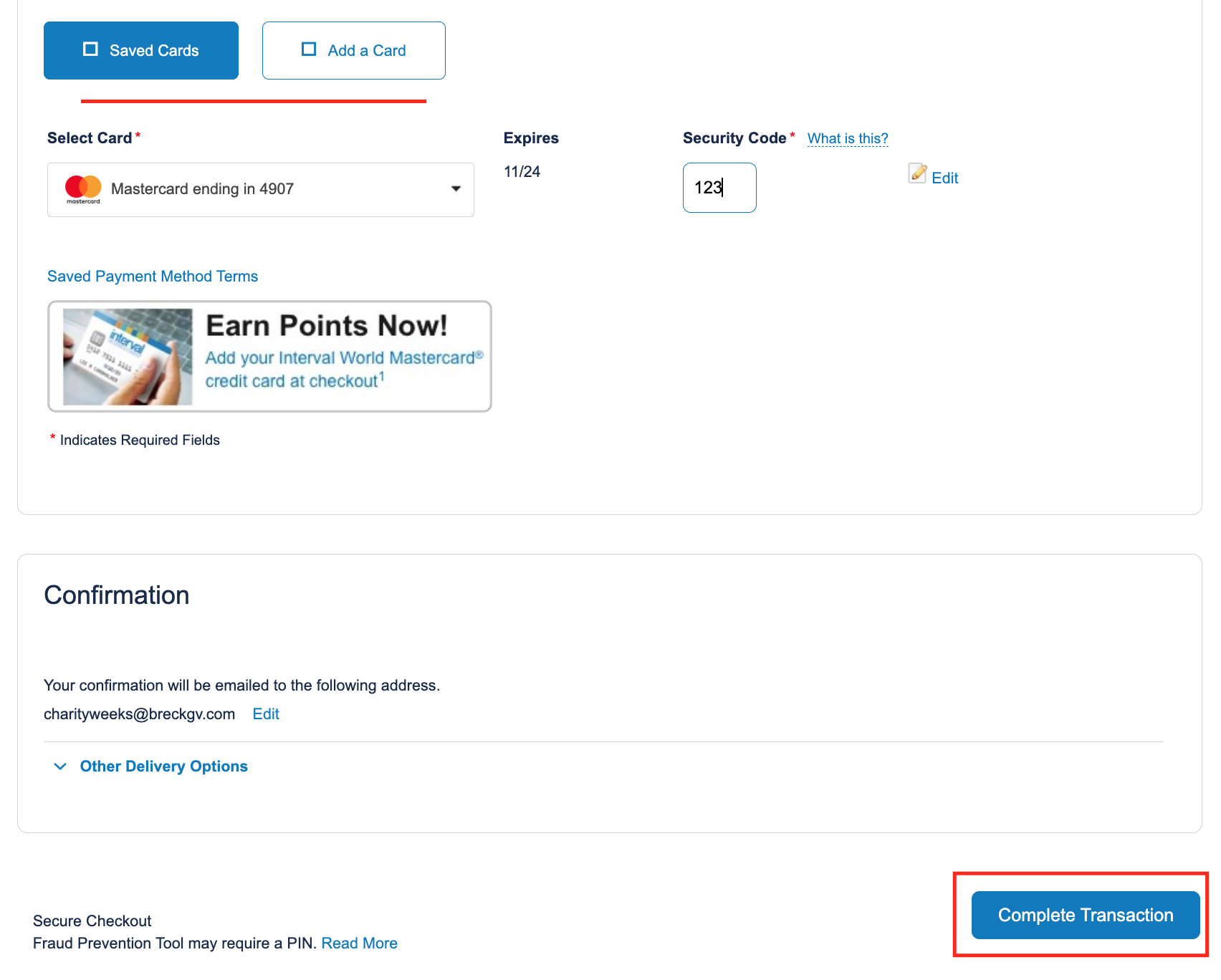
- Enter credit card info, select use mailing address on file; complete transaction
Basic Short Stay
- Sign into intervalworld.com
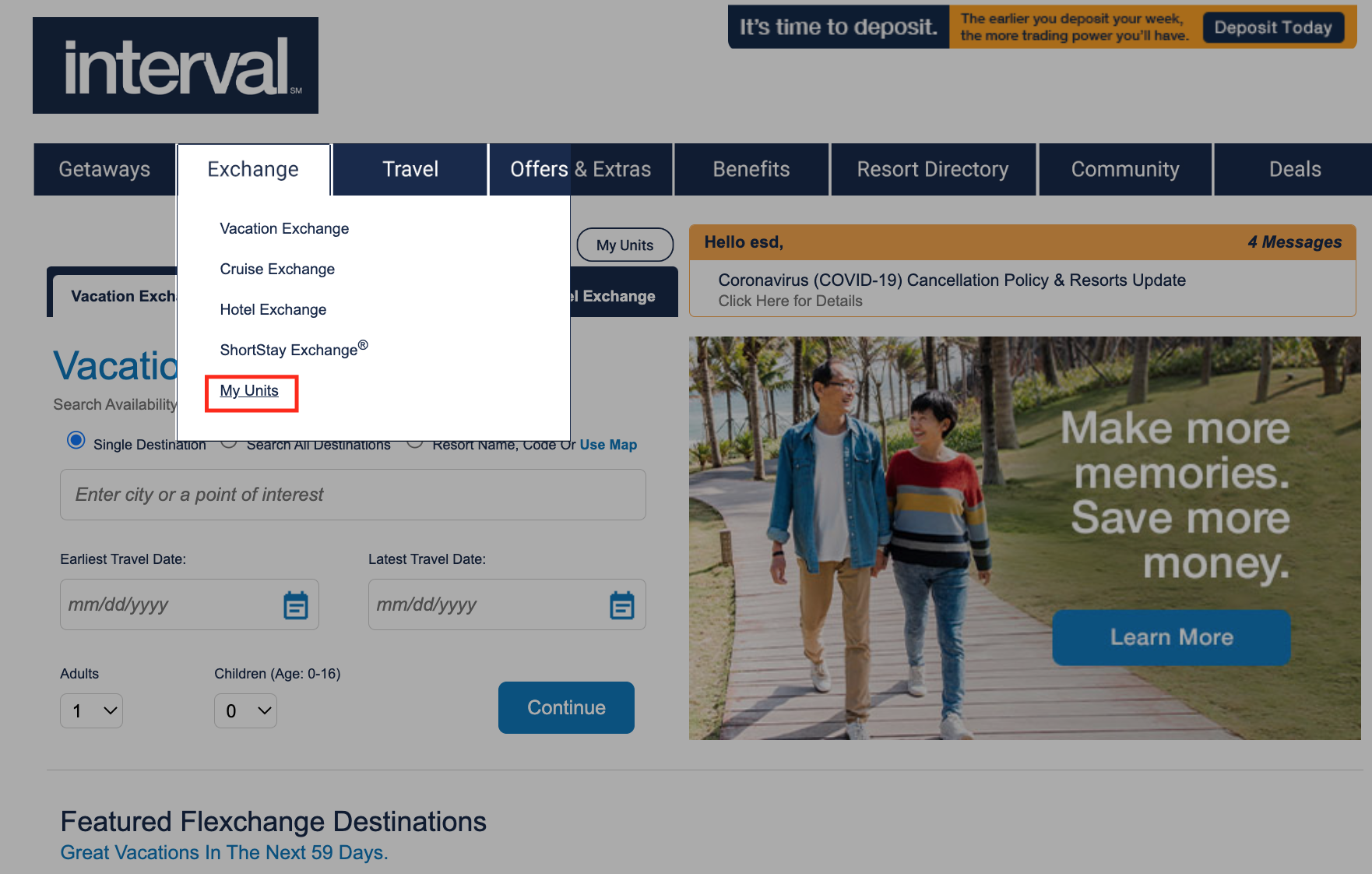
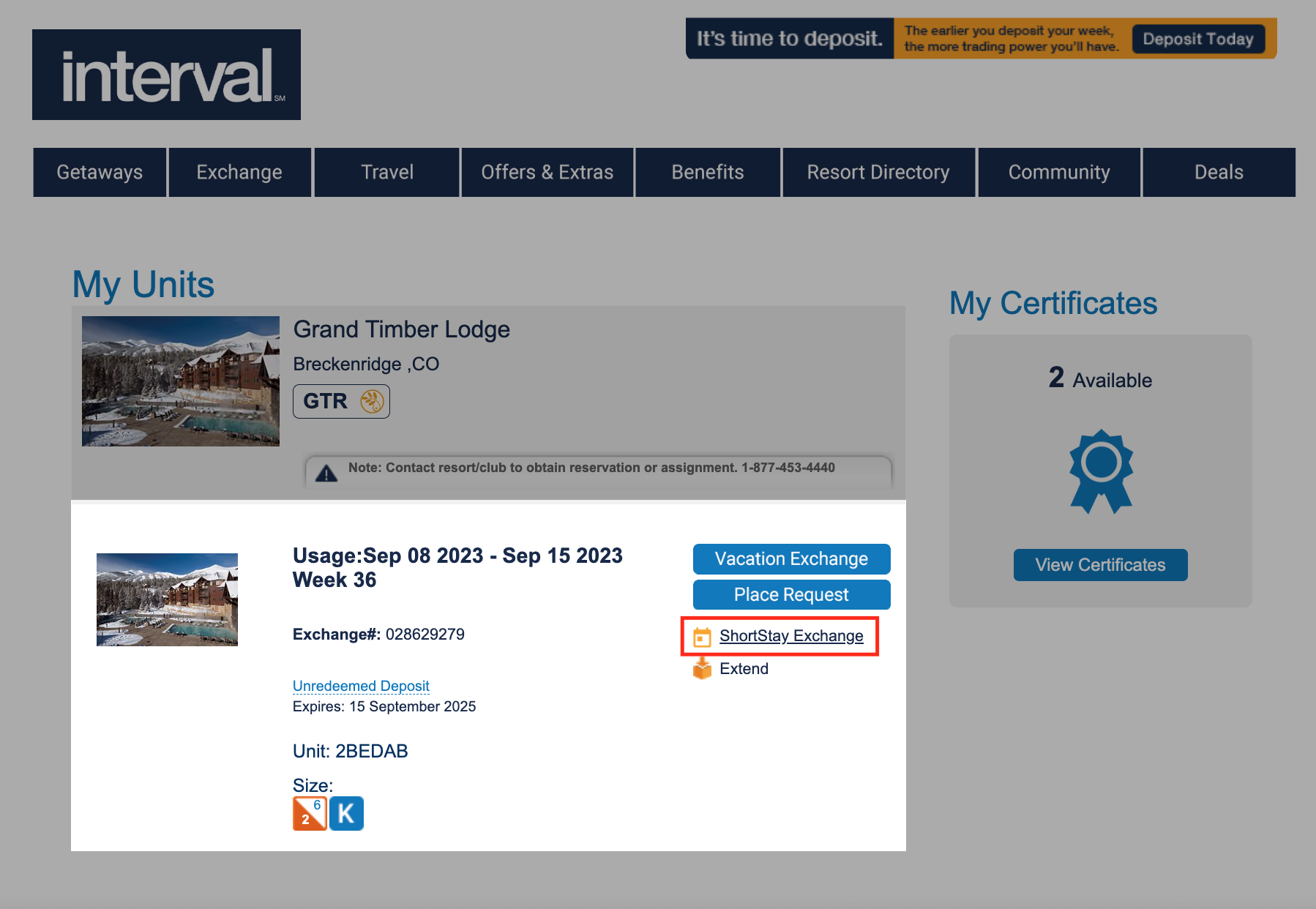
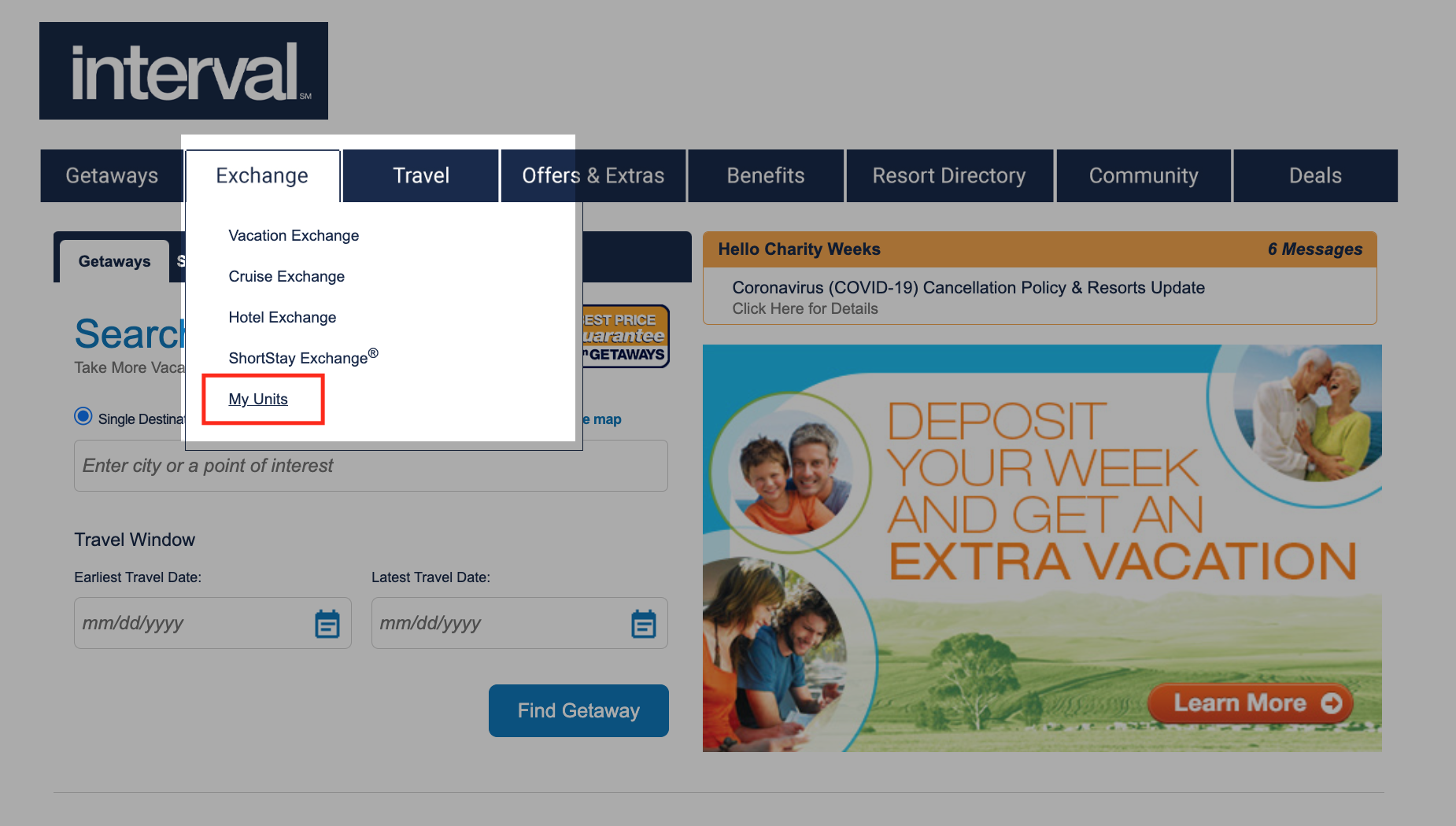
- Hover over ‘Exchange’ in the bar and scroll down to ‘My Units’
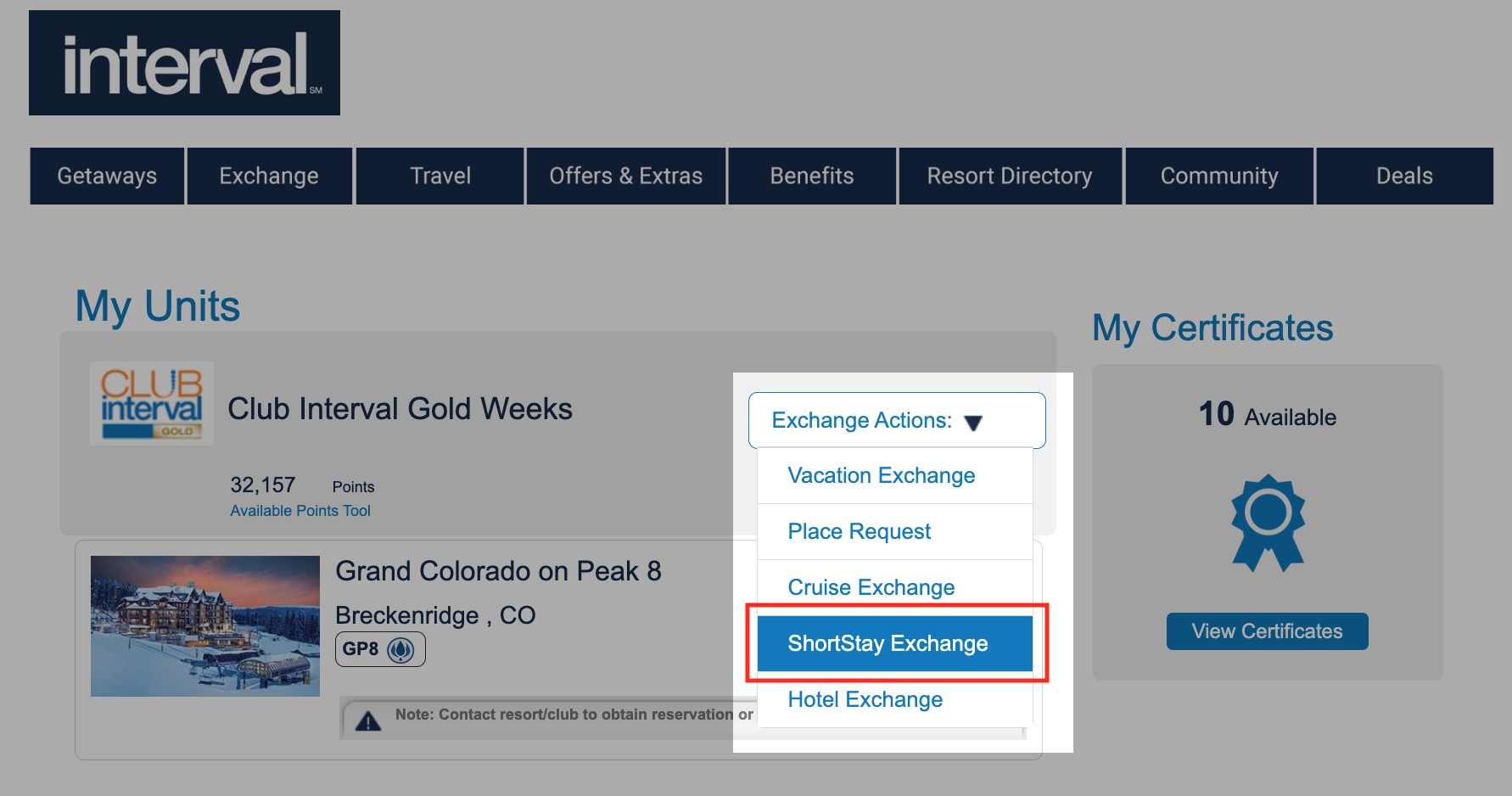
- Scroll down the deposited week and select ‘ShortStay Exchange’
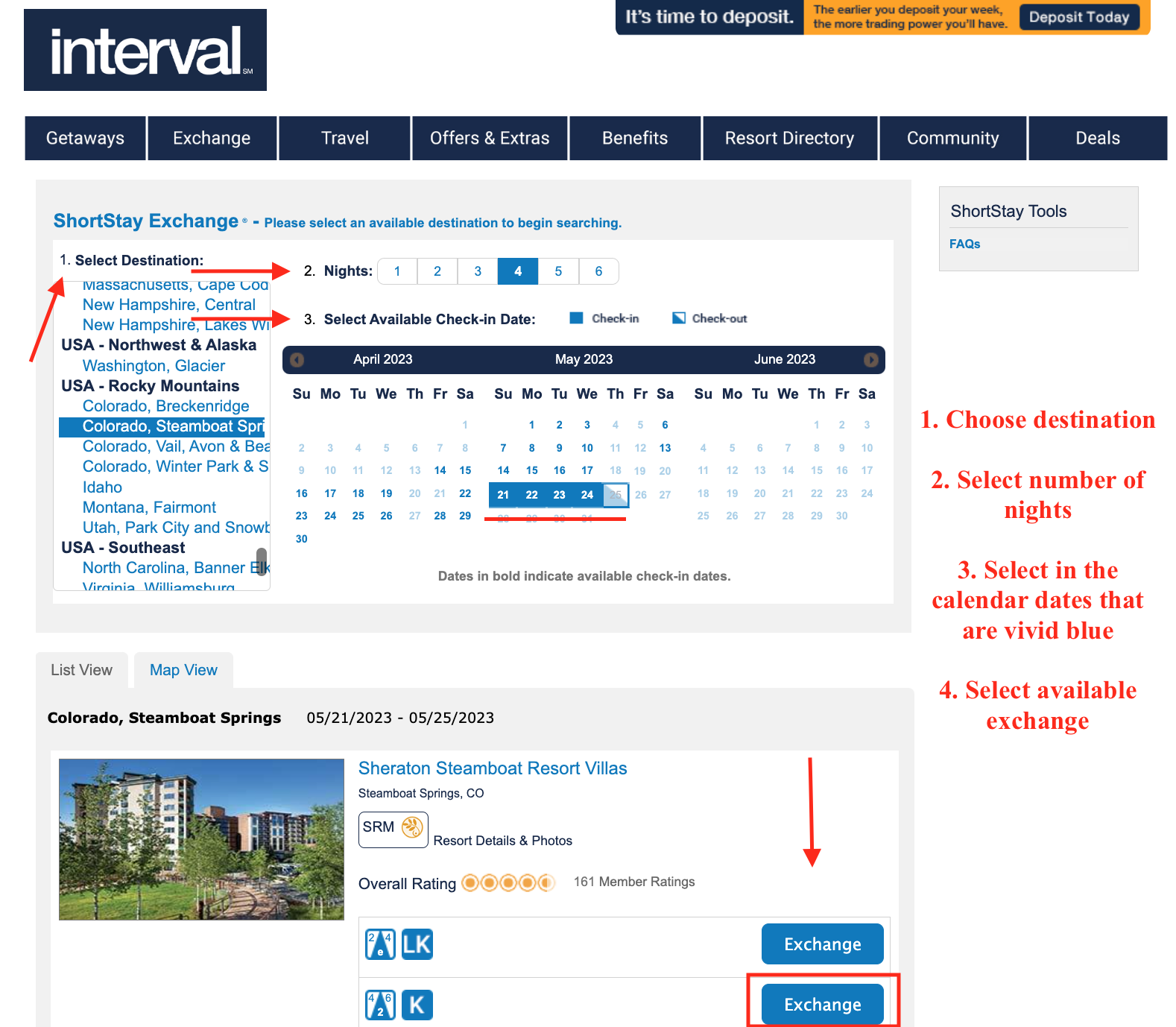
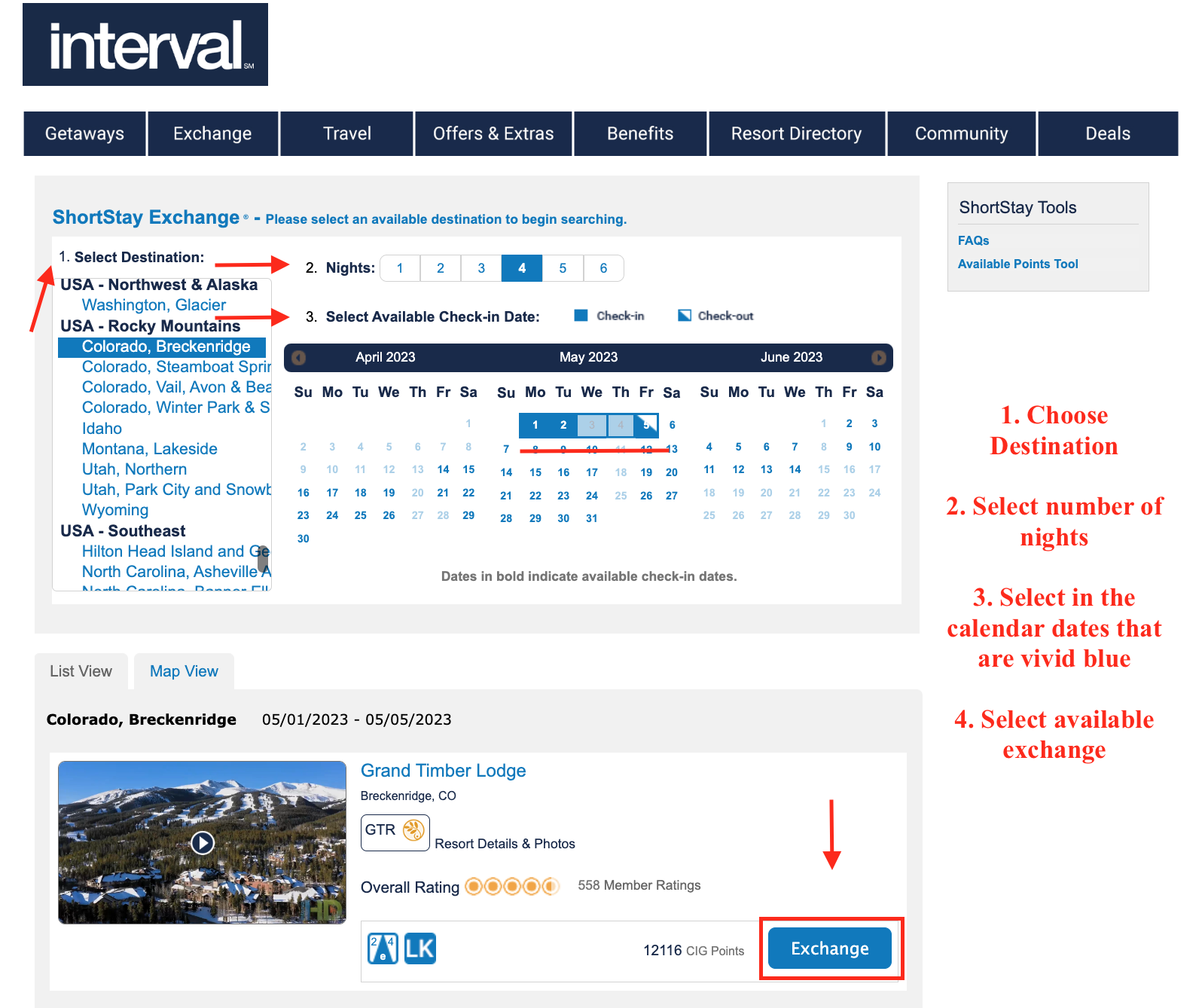
- From left to right to center of page:
- Select destination
- Select number of nights
- Select available check-in date
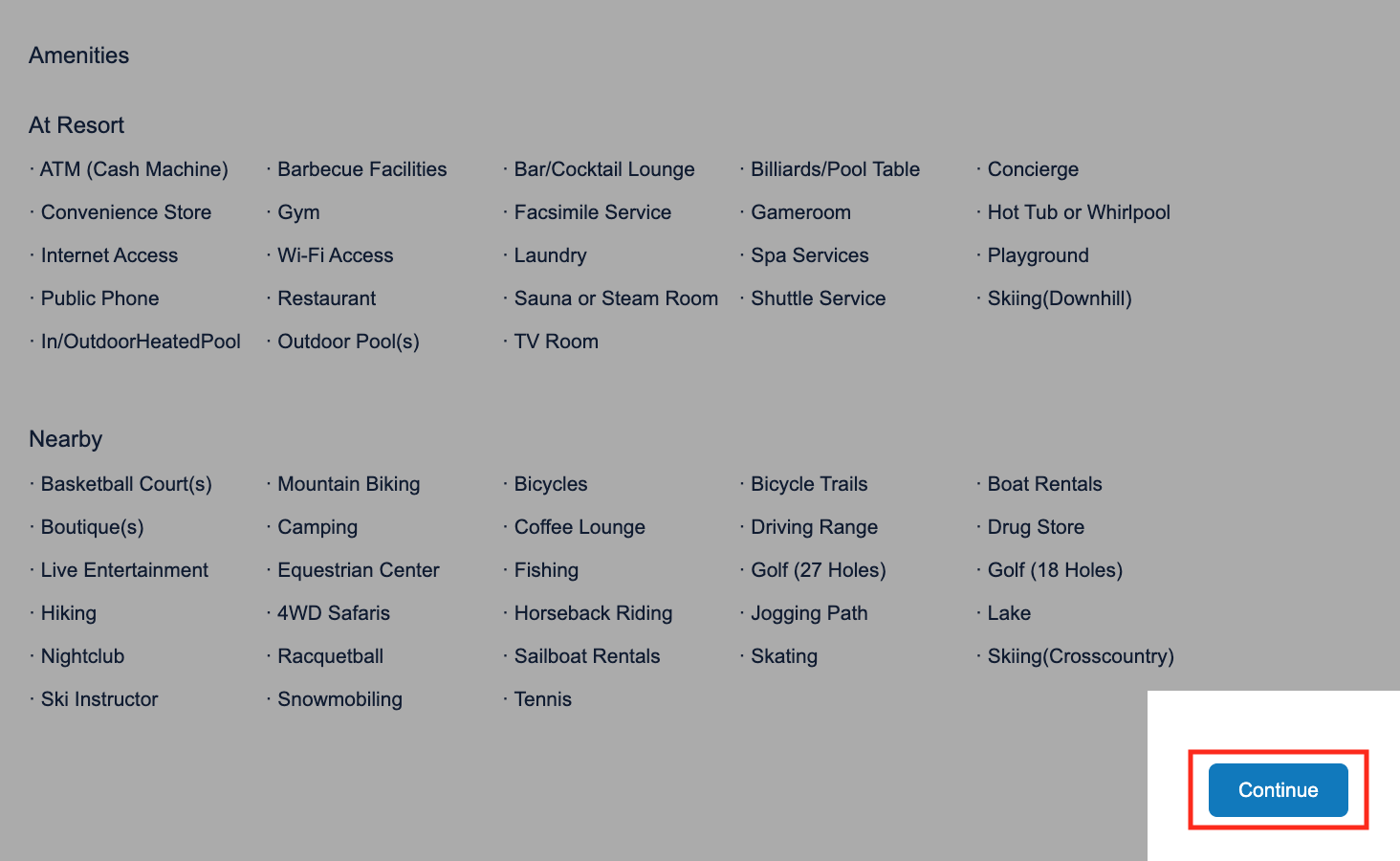
- Review resorts, unit sizes and select ‘Exchange’
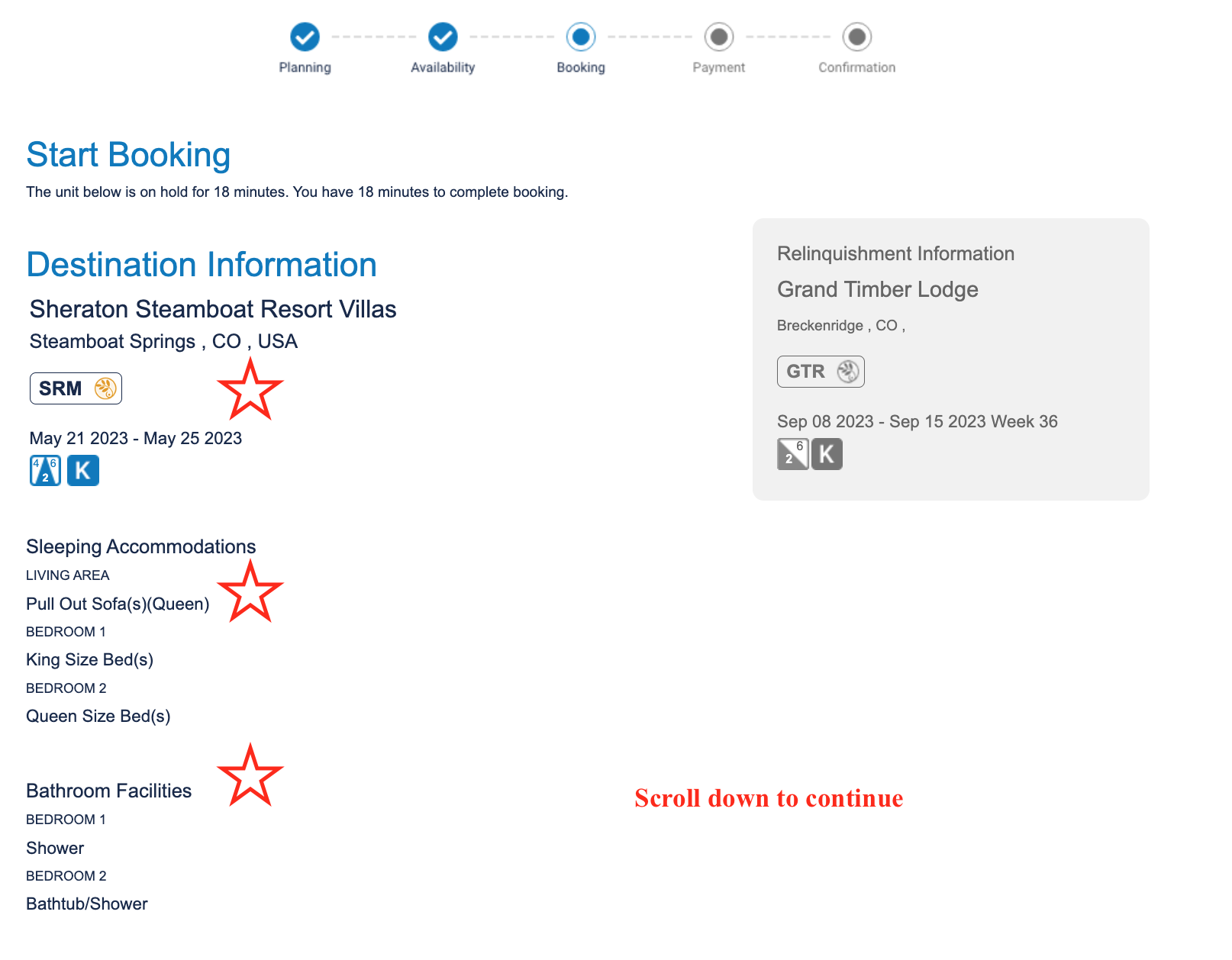
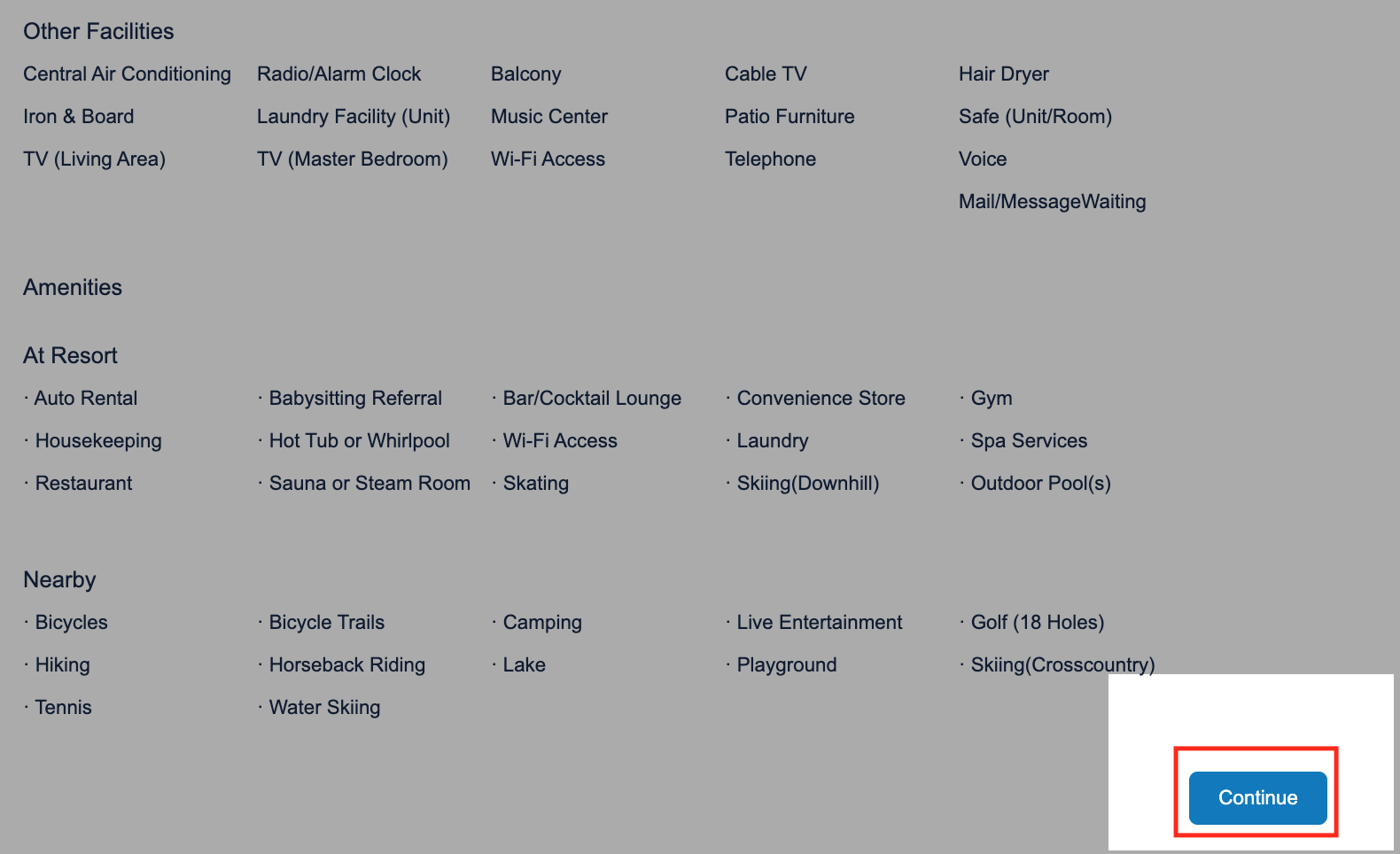
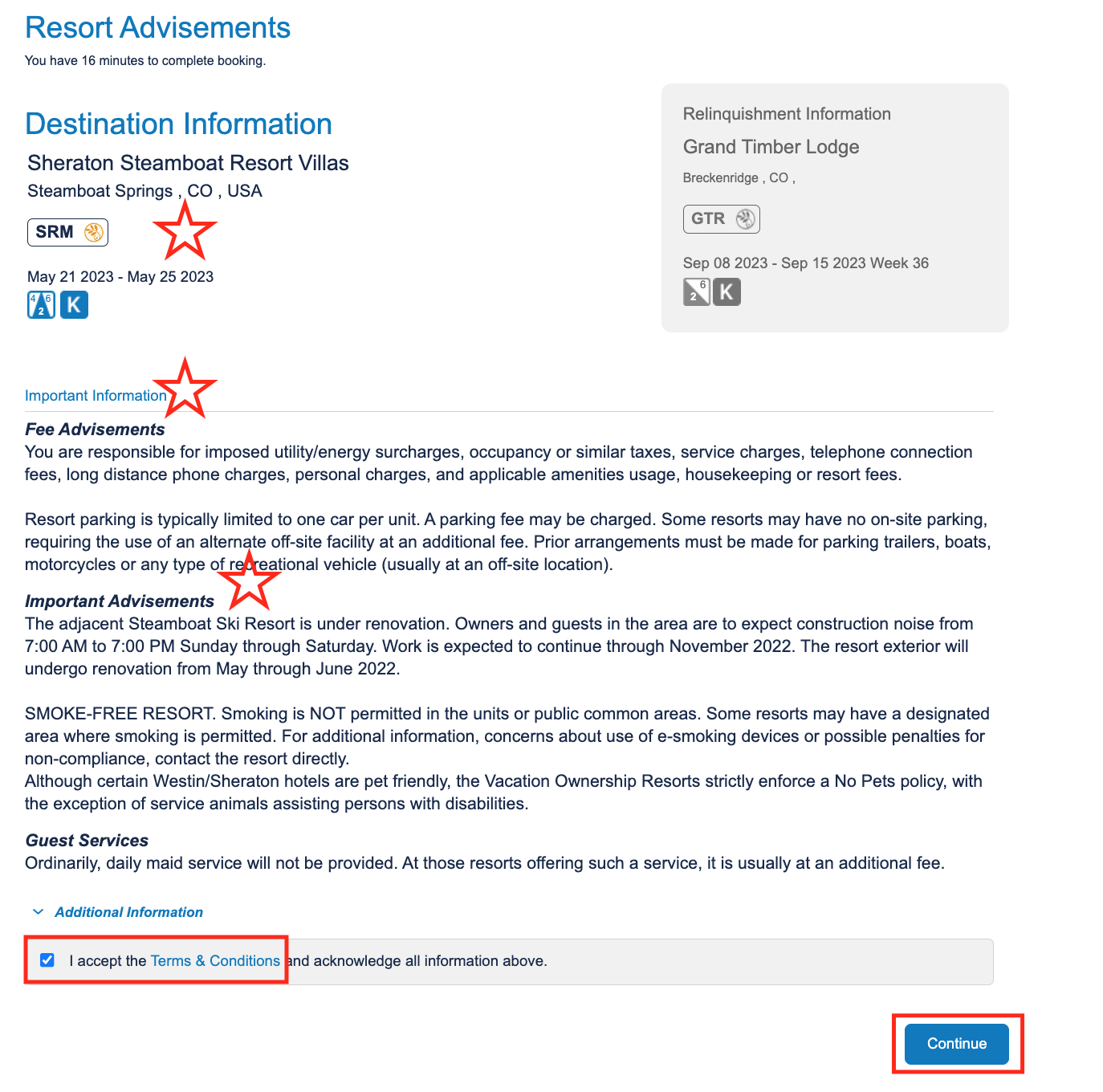
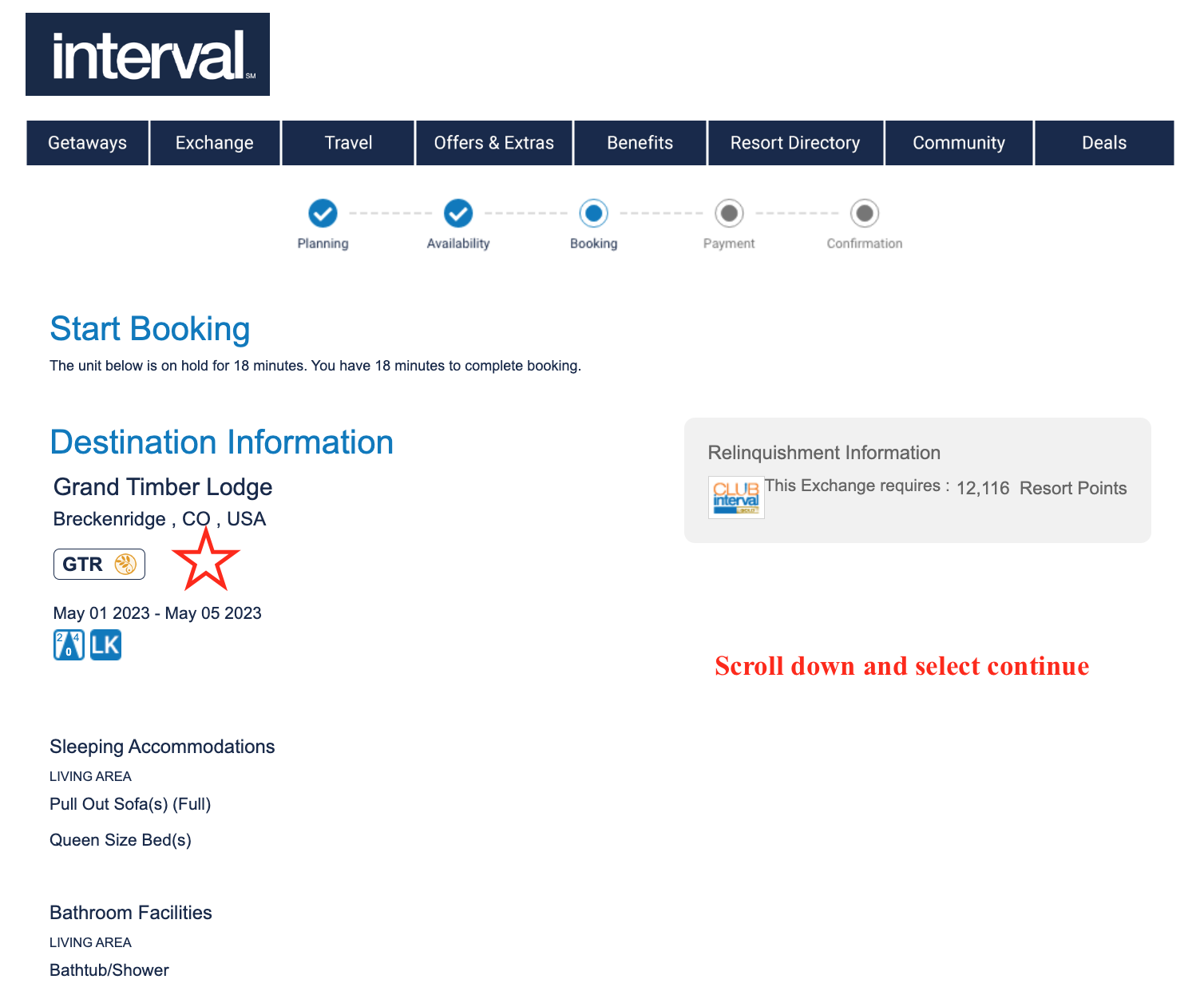
- Review booking information and scroll down to ‘Continue”
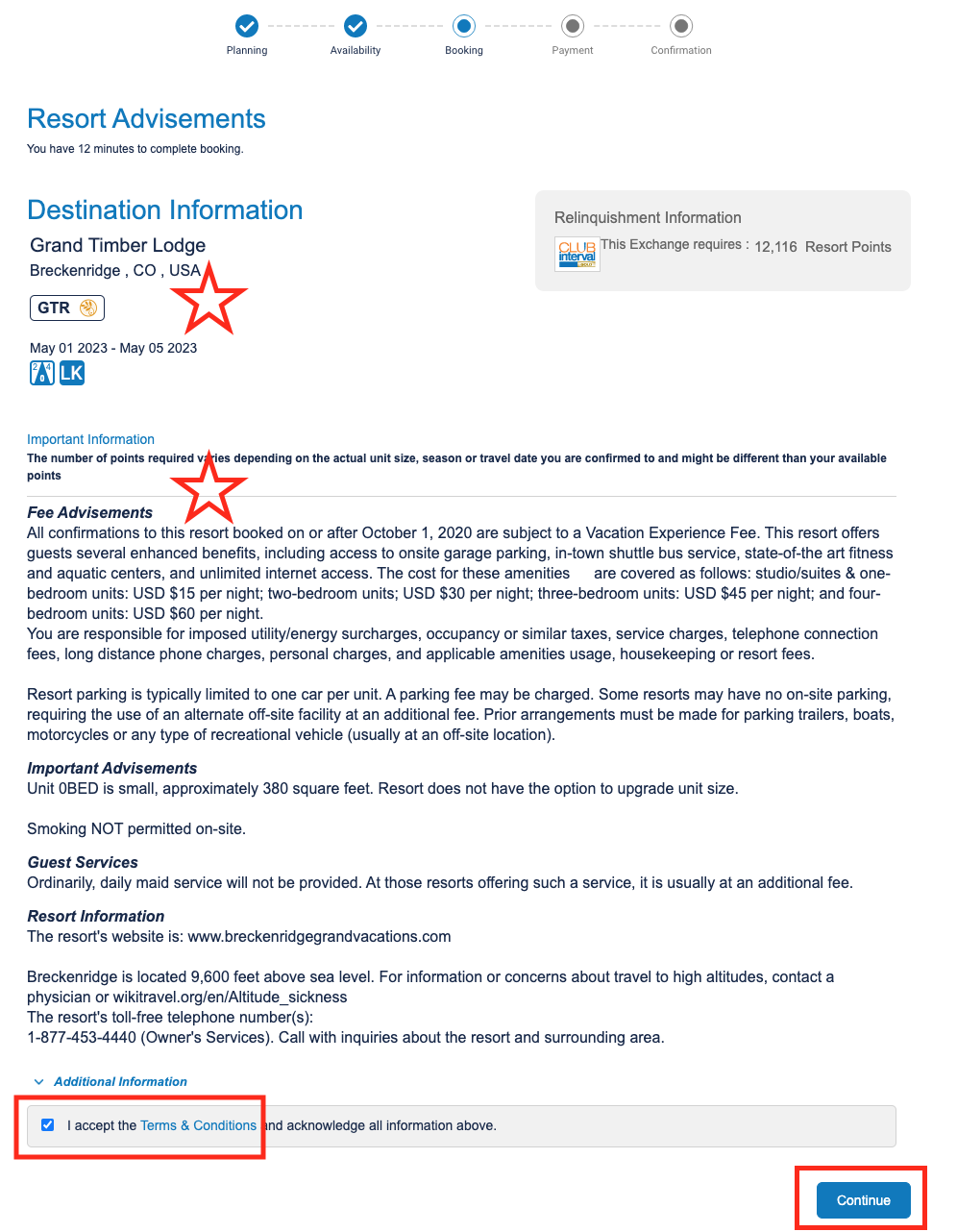
- Read the Important Advisements; accept the Terms and Conditions; select ‘Continue’
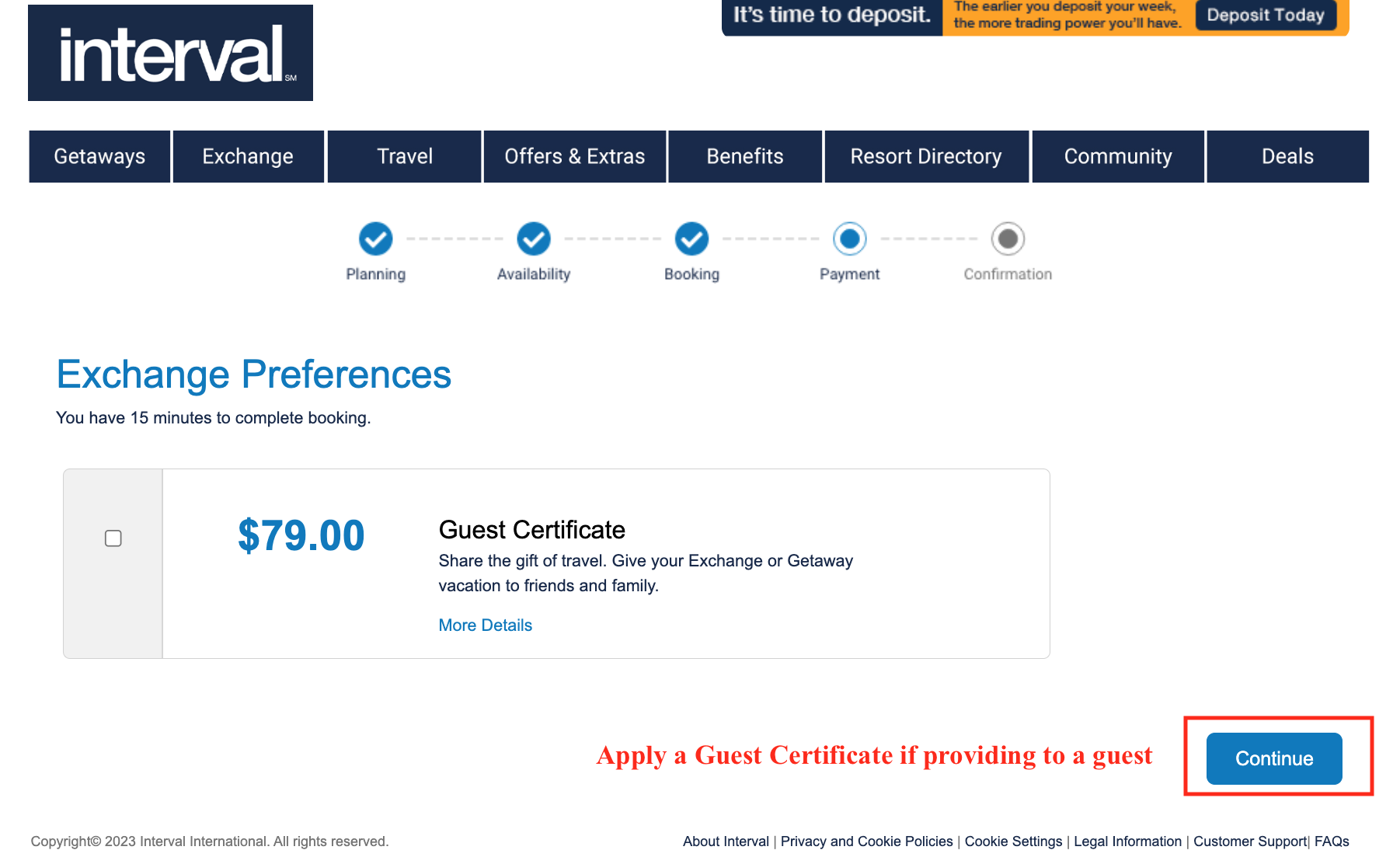
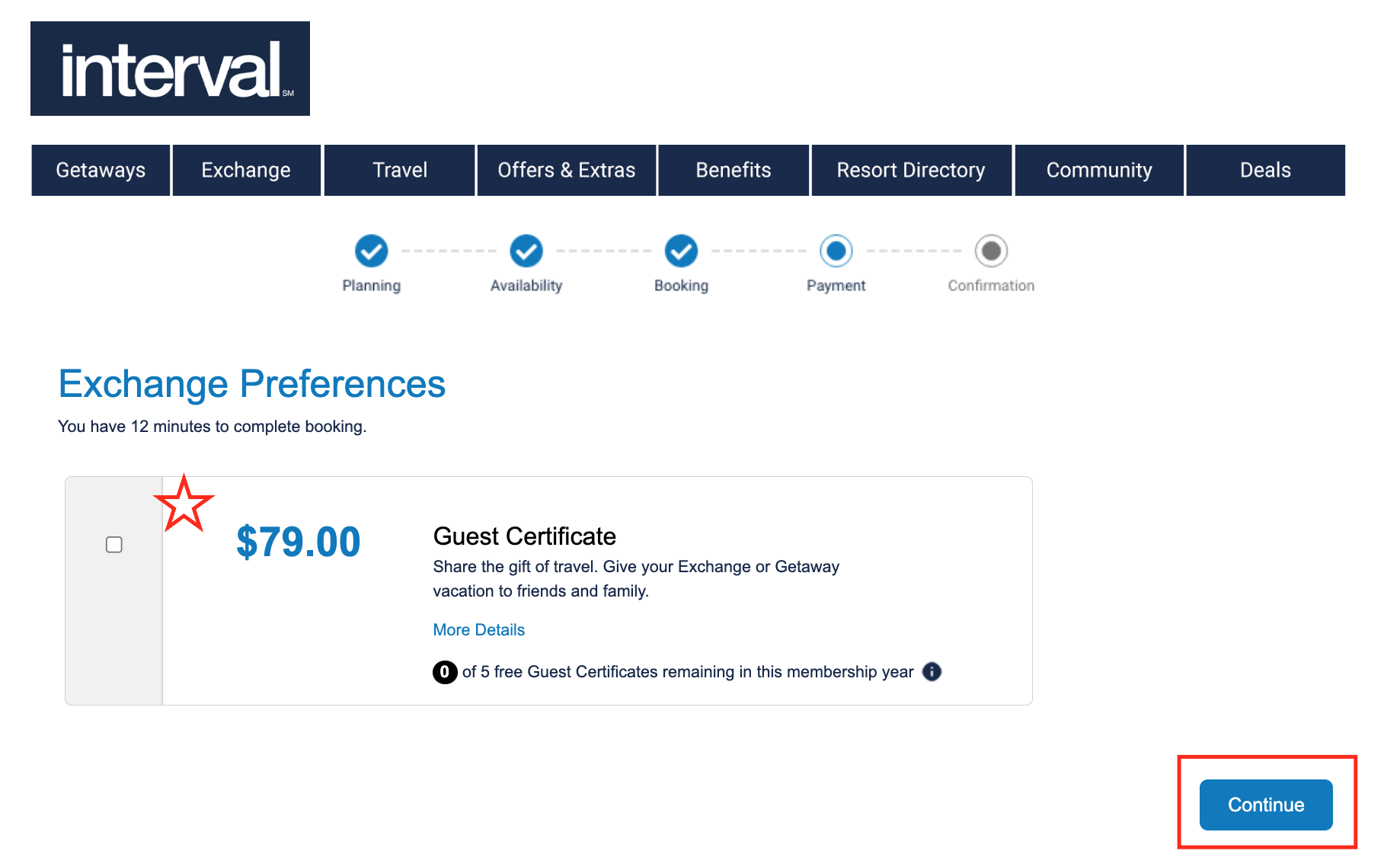
- Select box for Guest Certificate if necessary and ‘Continue’
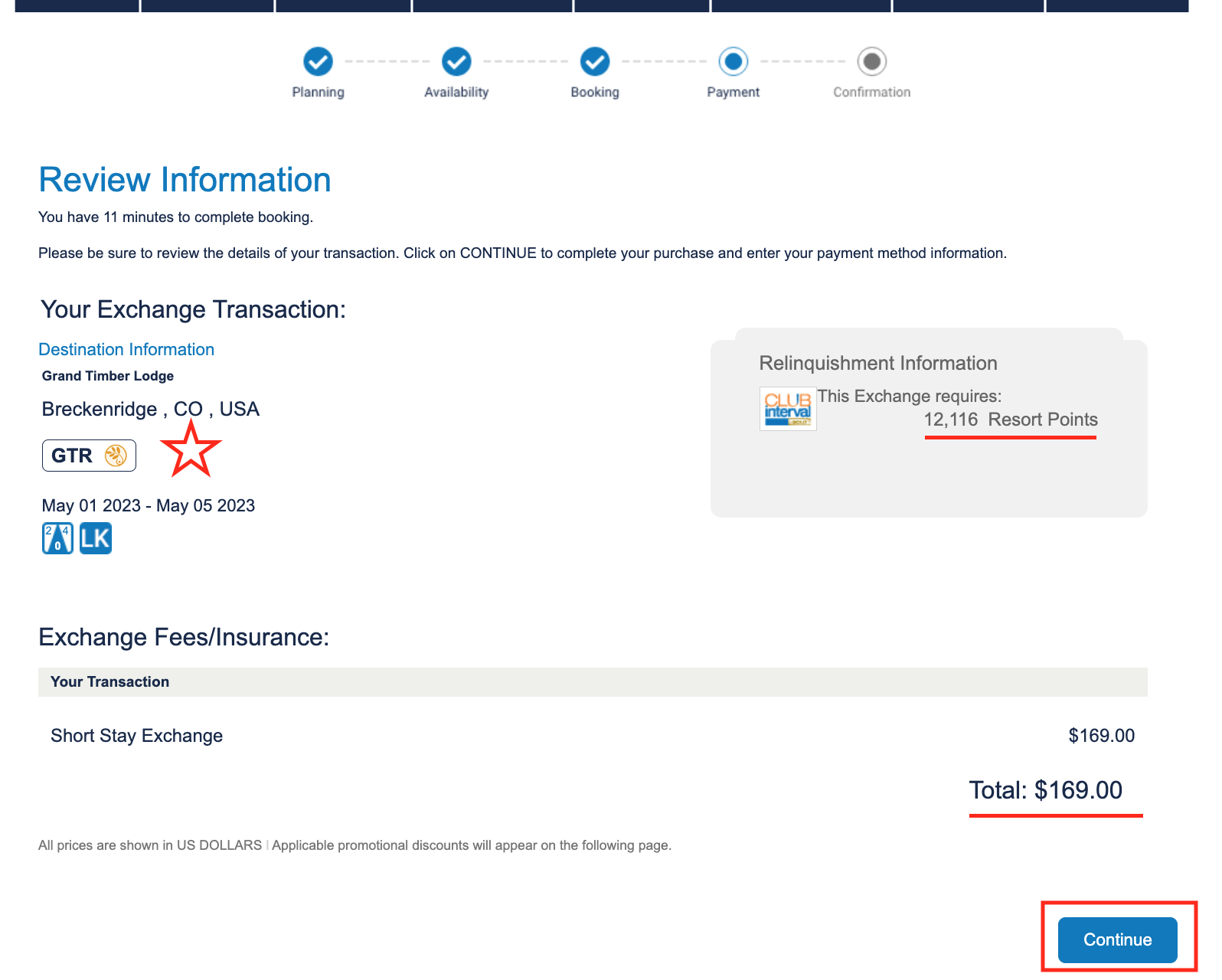
- Review the booking, points relinquished, price and ‘Continue’
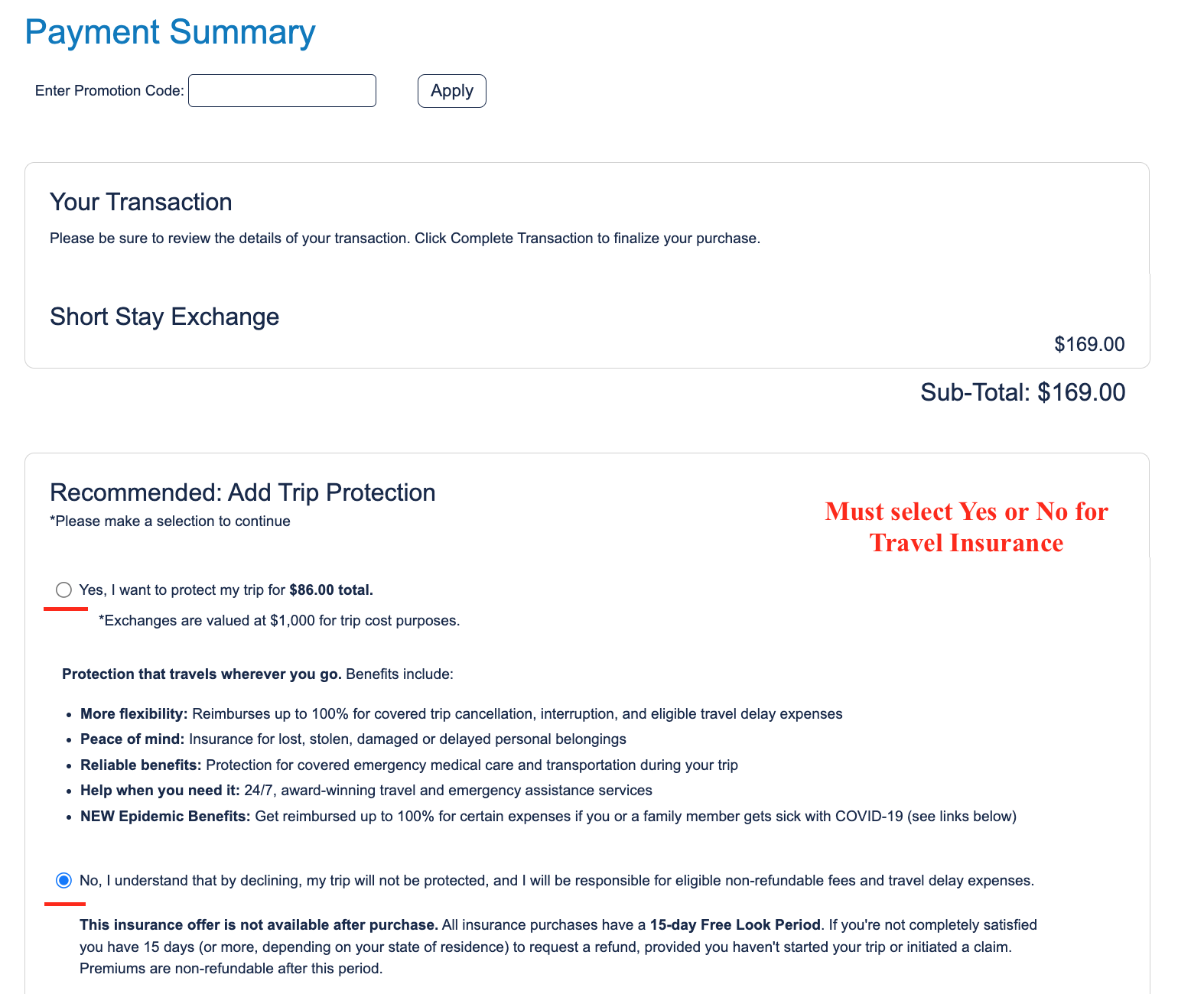
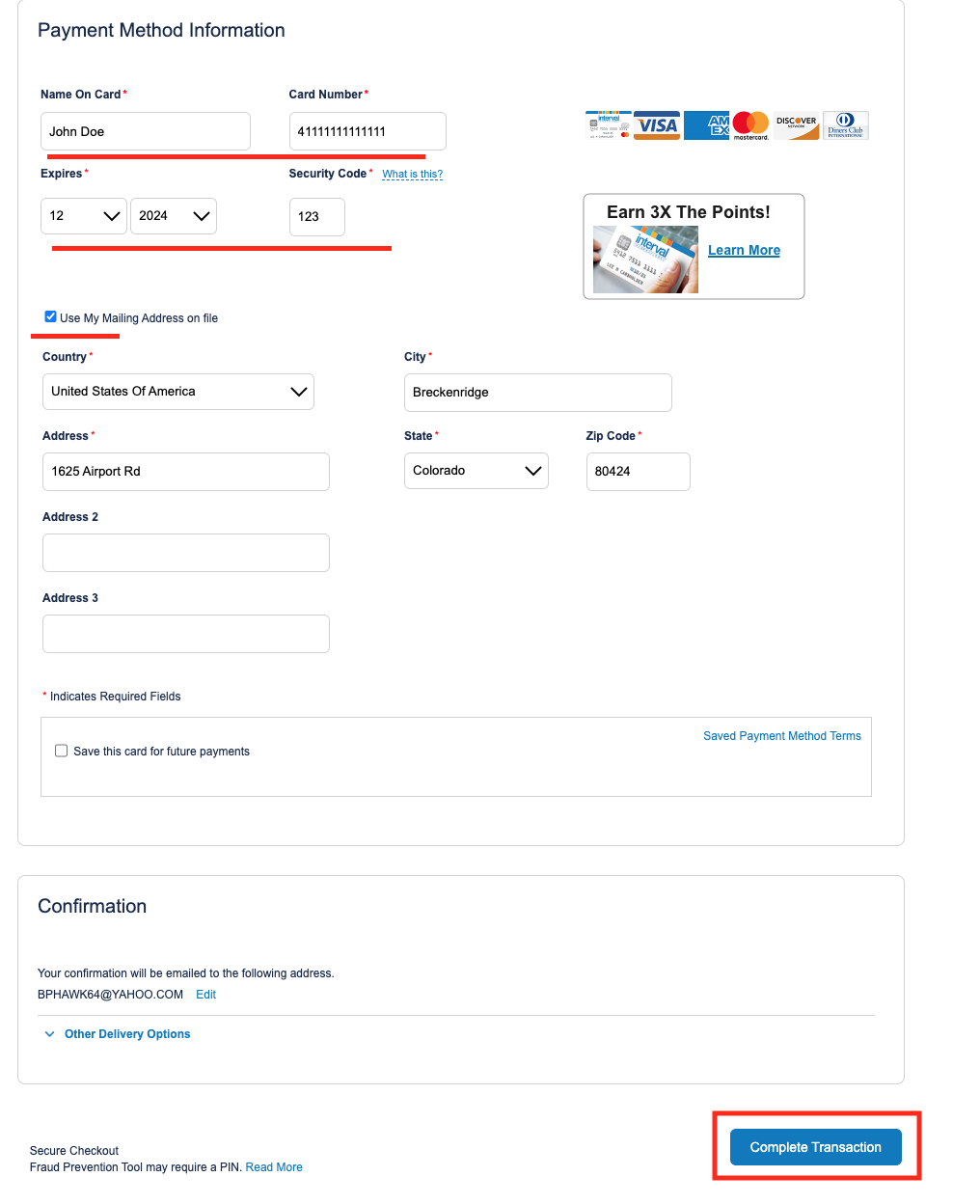
- Select Yes or No for Travel insurance and scroll down to enter credit card
- Select ‘Complete Transaction’
CIG Exchange
- Sign in to Intervalworld.com
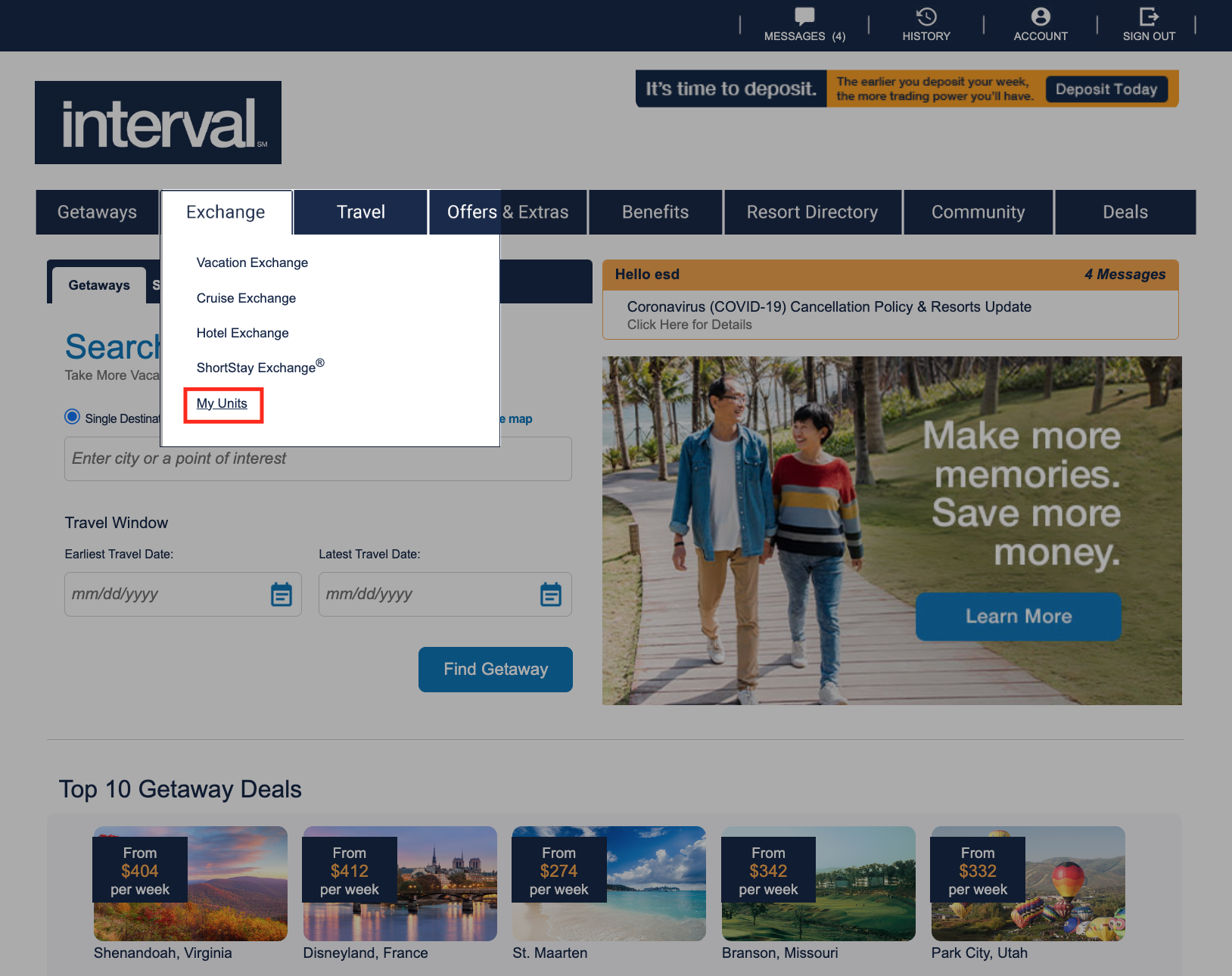
- Hover over Exchange in the bar and select ‘My Units’
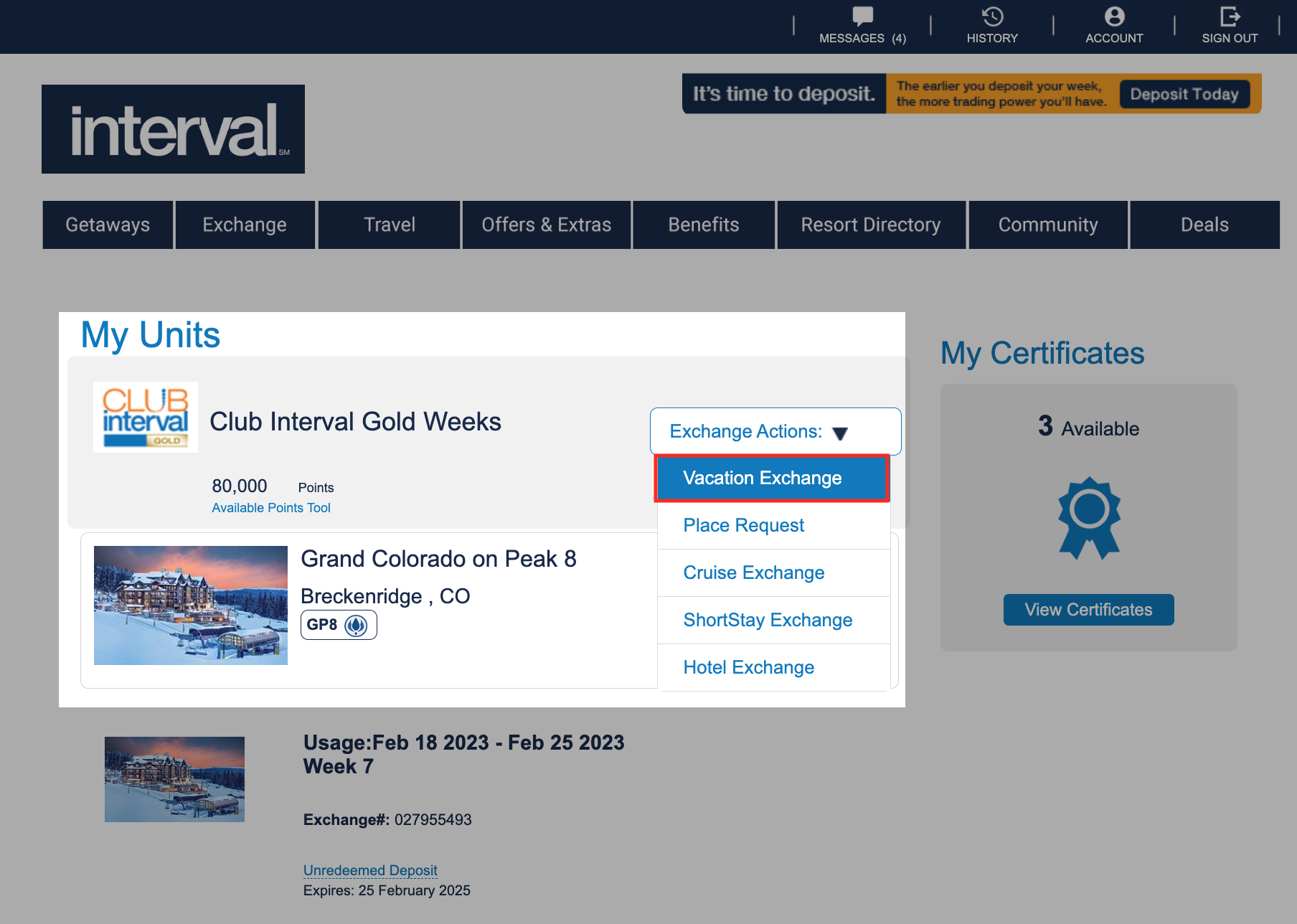
- Select the ‘Exchange Actions’ menu and select ‘Vacation Exchange’
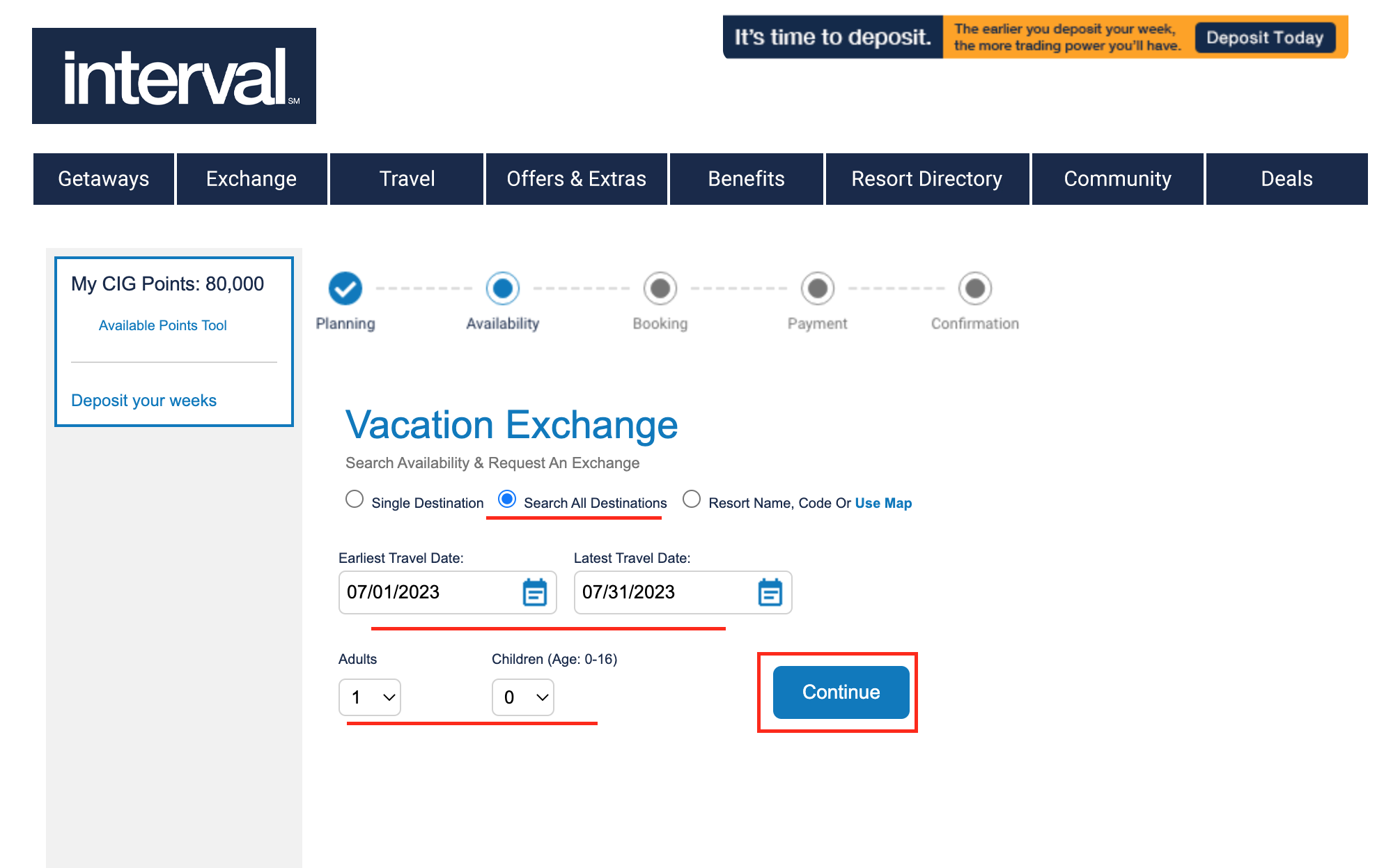
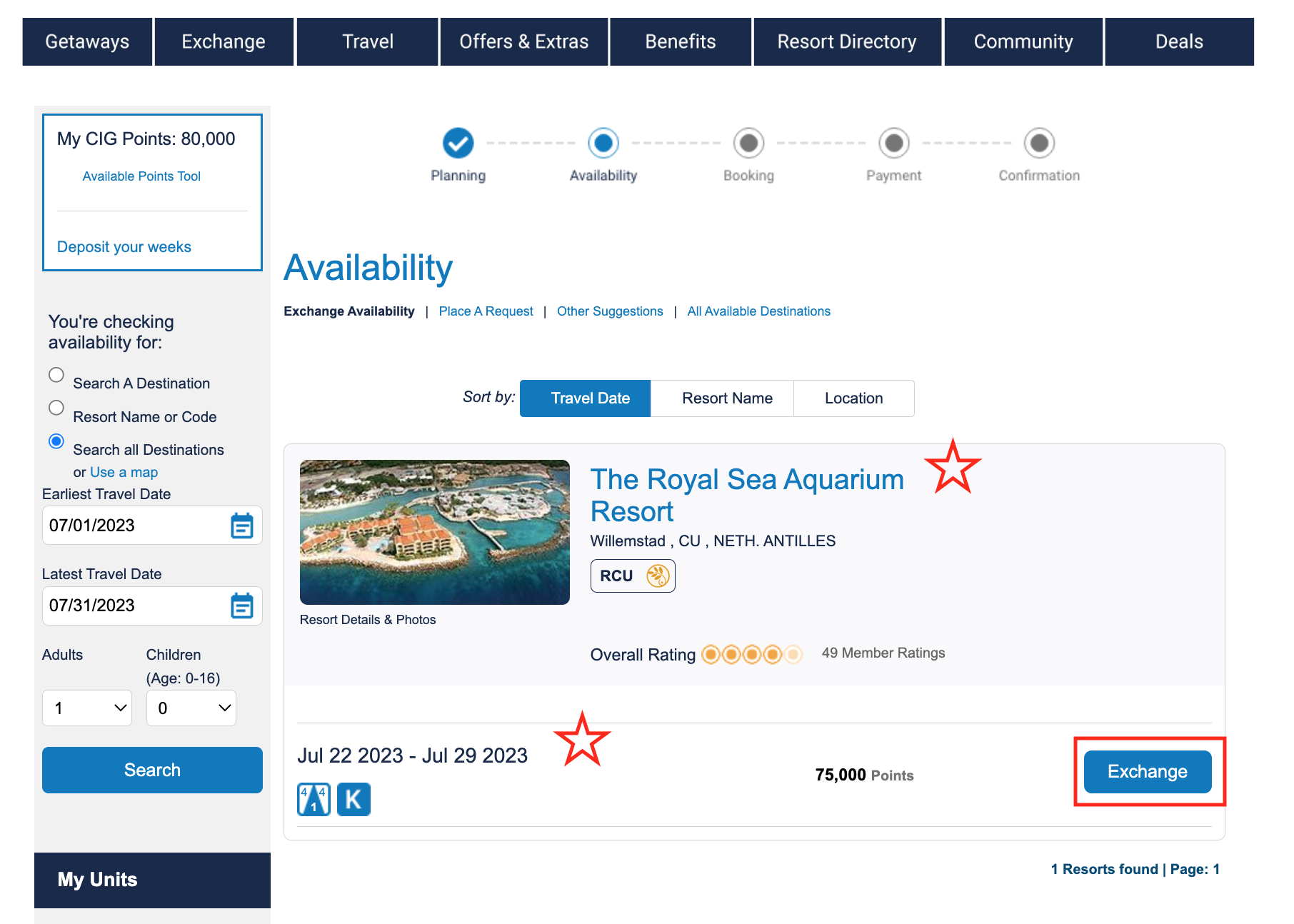
- Click bubble for ‘Search All Destinations’; select a date range; leave adults and kids 1 & 0; continue
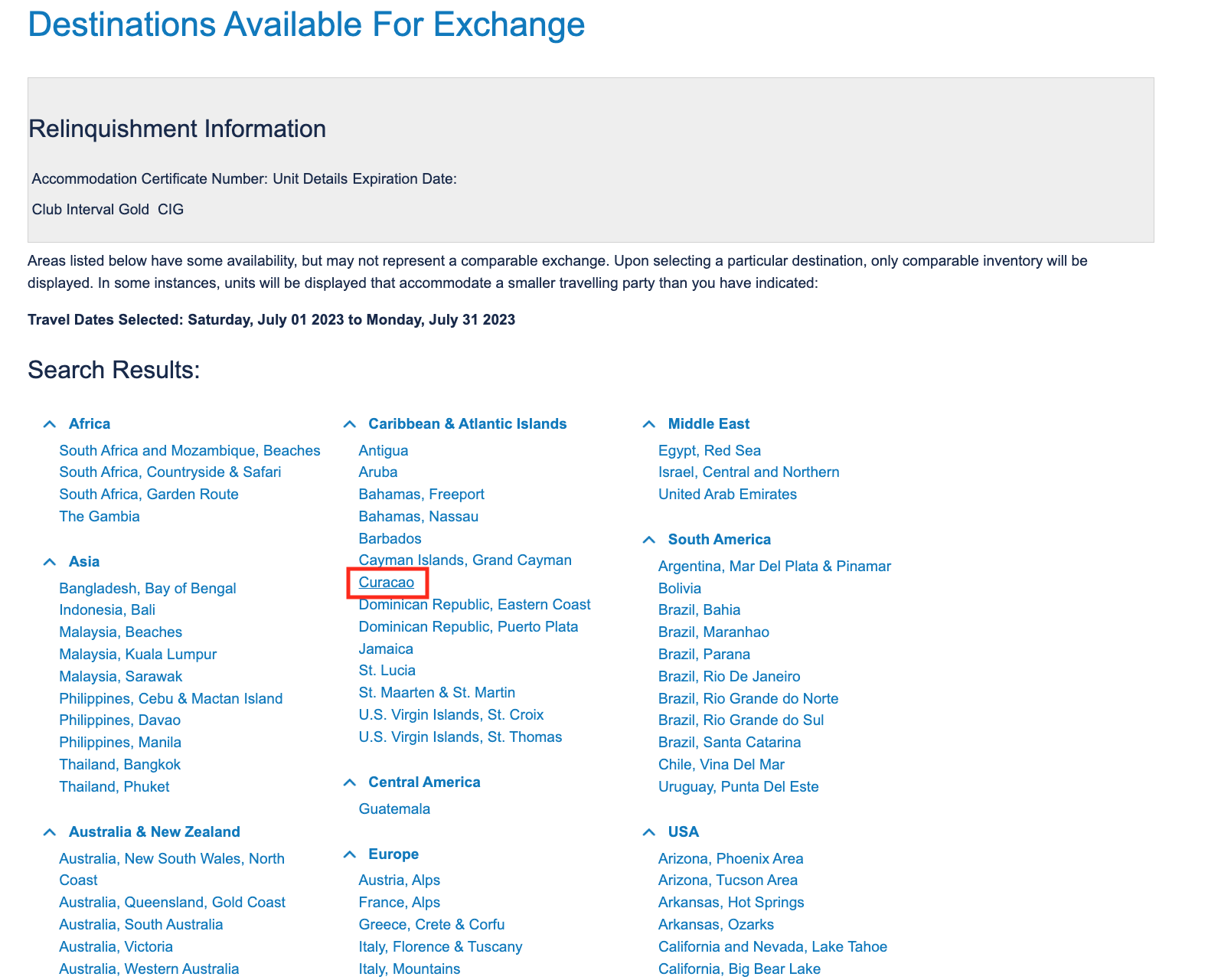
- Choose the desired location (if location isn’t present see Request List tutorial)
- Within the desired location review available resorts & unit sizes; select Exchange
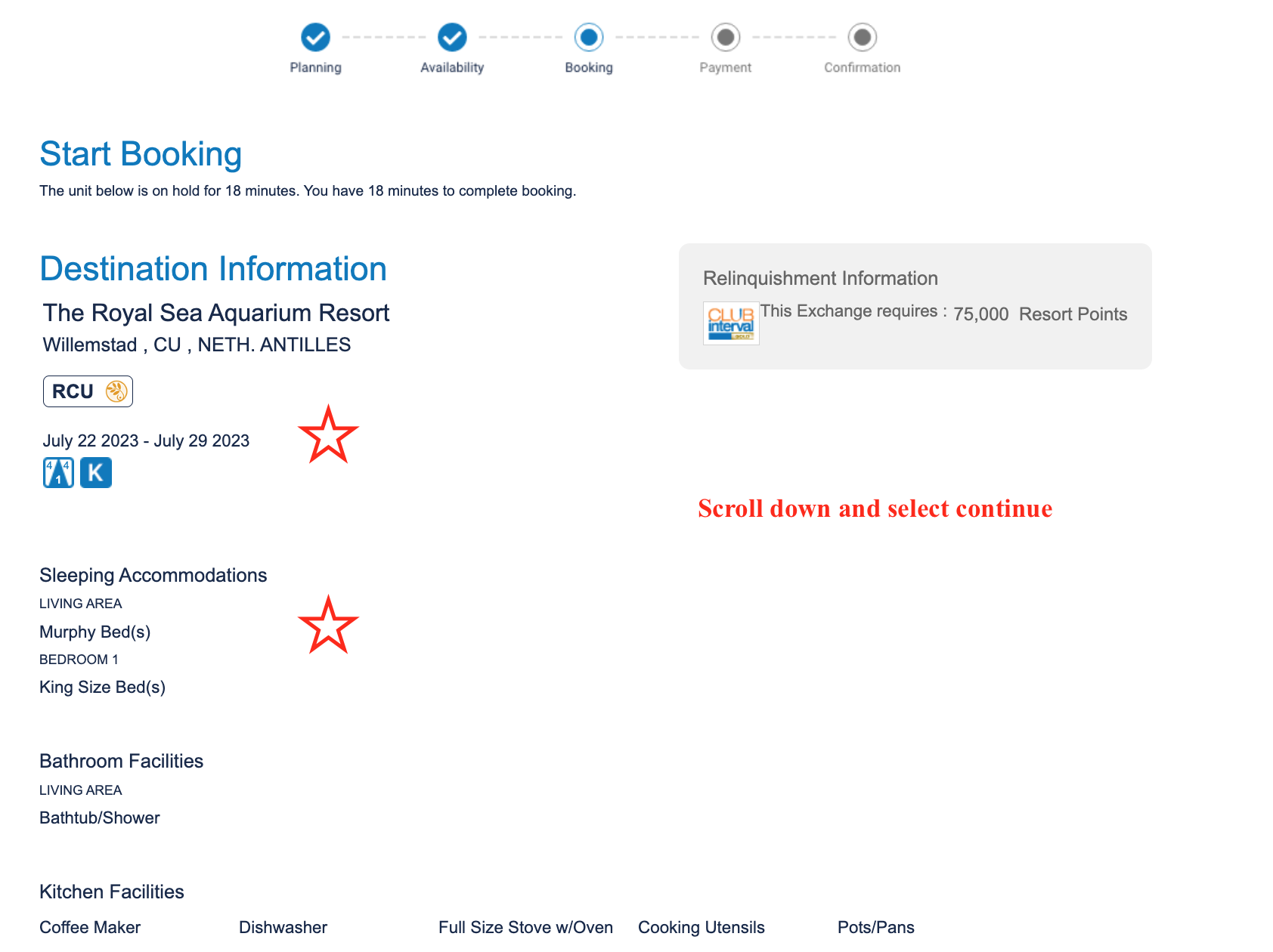
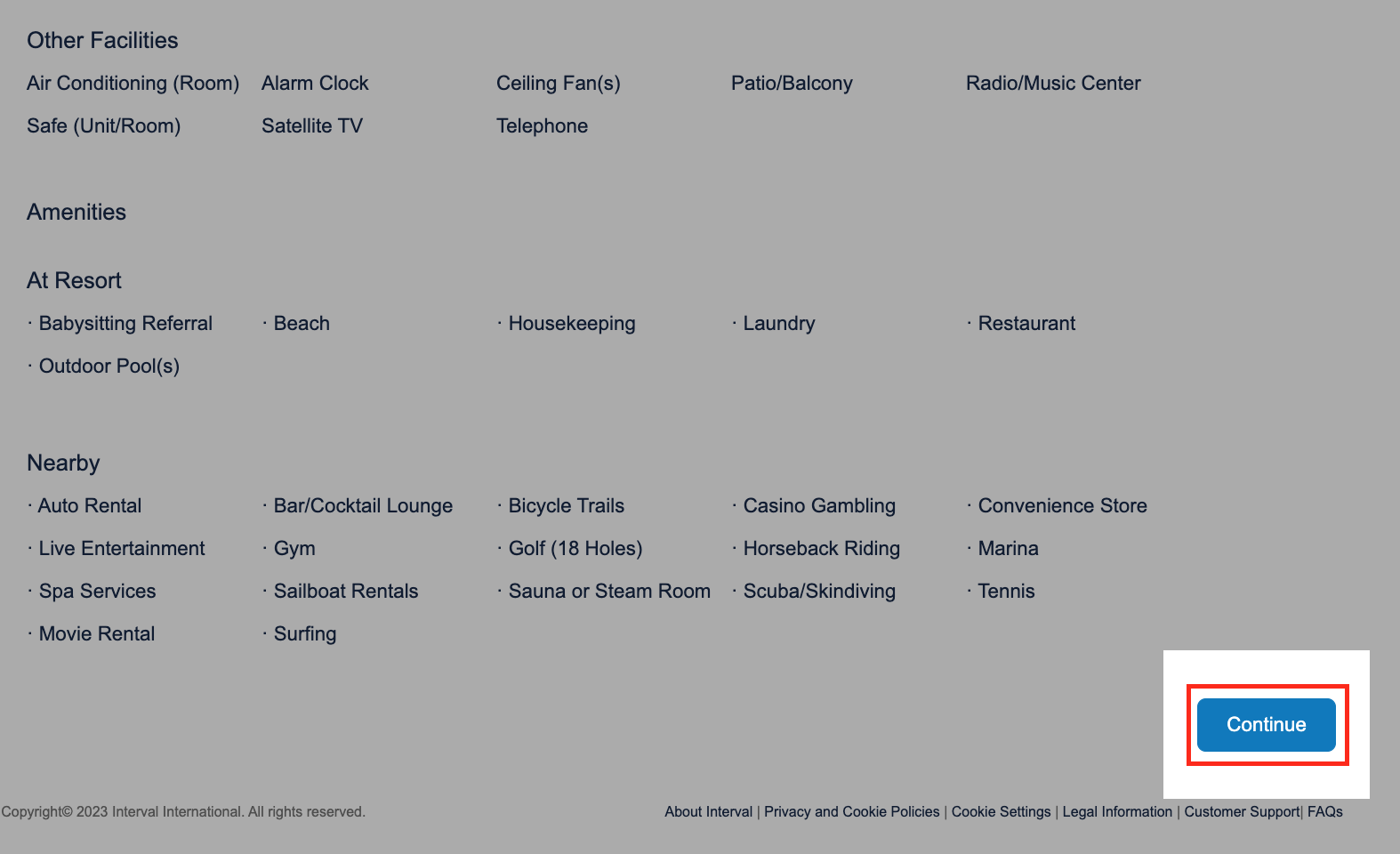
- Review the booking information and continue
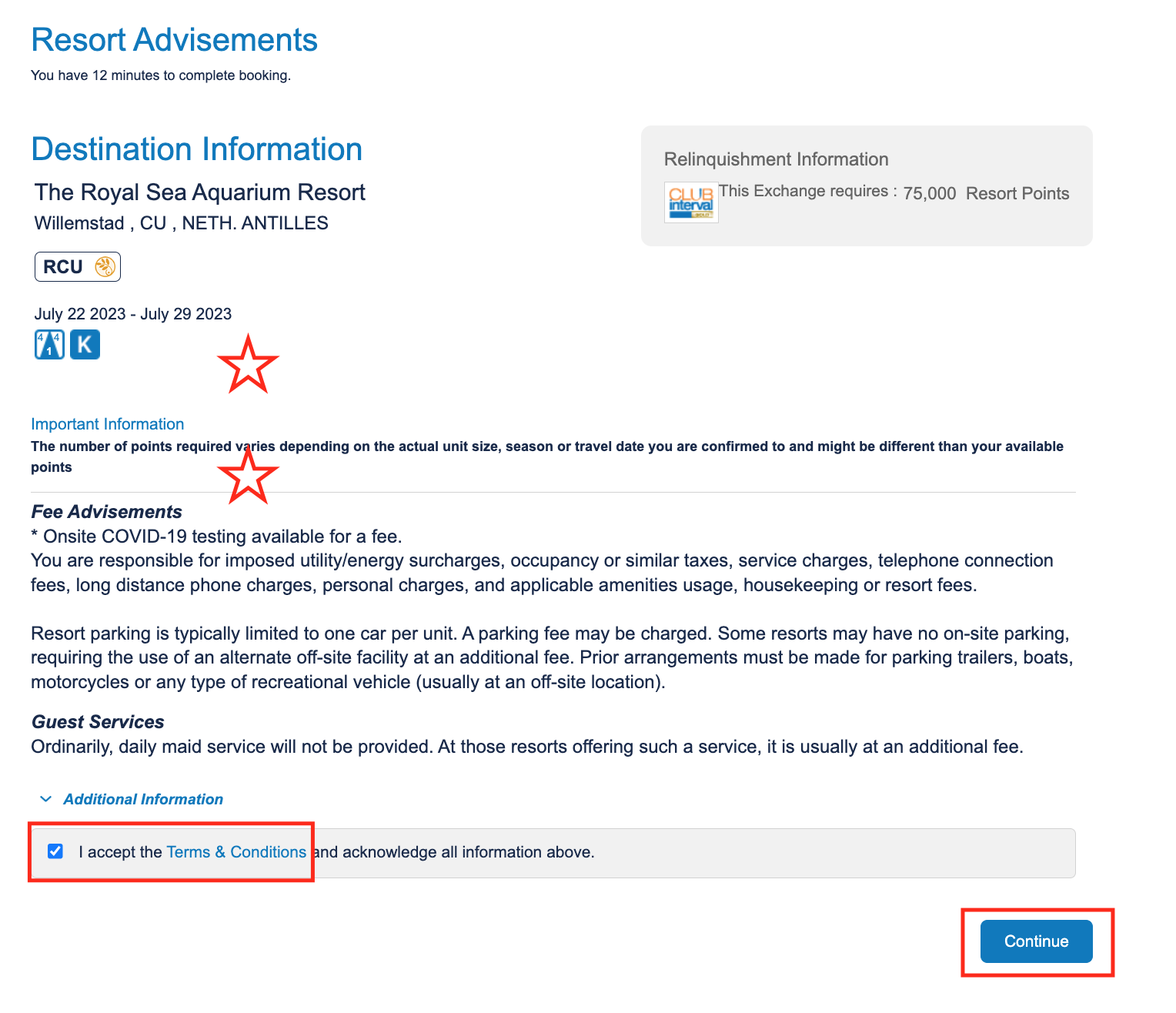
- Review the important advisements; accept terms & conditions; continue
- Decide if E-Plus or a Guest Cert should be added
- Review the booking one last time and continue
- Must select yes or no for travel insurance – cannot add afterwards
- Enter credit card info, select use mailing address on file; complete transaction
CIG Short Stay
- Sign into intervalworld.com
- Hover over ‘Exchange’ in the bar and scroll down to ‘My Units’
- Select the ‘Exchange Actions’ menu and scroll down to ‘ShortStay Exchange’
- From left to right to center of page:
- Select destination
- Select number of nights
- Select available check-in date
- Review resorts, unit sizes and select ‘Exchange’
- Review booking information and scroll down to ‘Continue”
- Read the Important Advisements; accept the Terms and Conditions; select ‘Continue’
- Select box for Guest Certificate if necessary and ‘Continue’
- Review the booking, points relinquished, price and ‘Continue’
- Select Yes or No for Travel insurance and scroll down to enter credit card
- Select ‘Complete Transaction’
Getaways & Bonus Weeks
+
Getaways
- Sign into Intervalworld.com
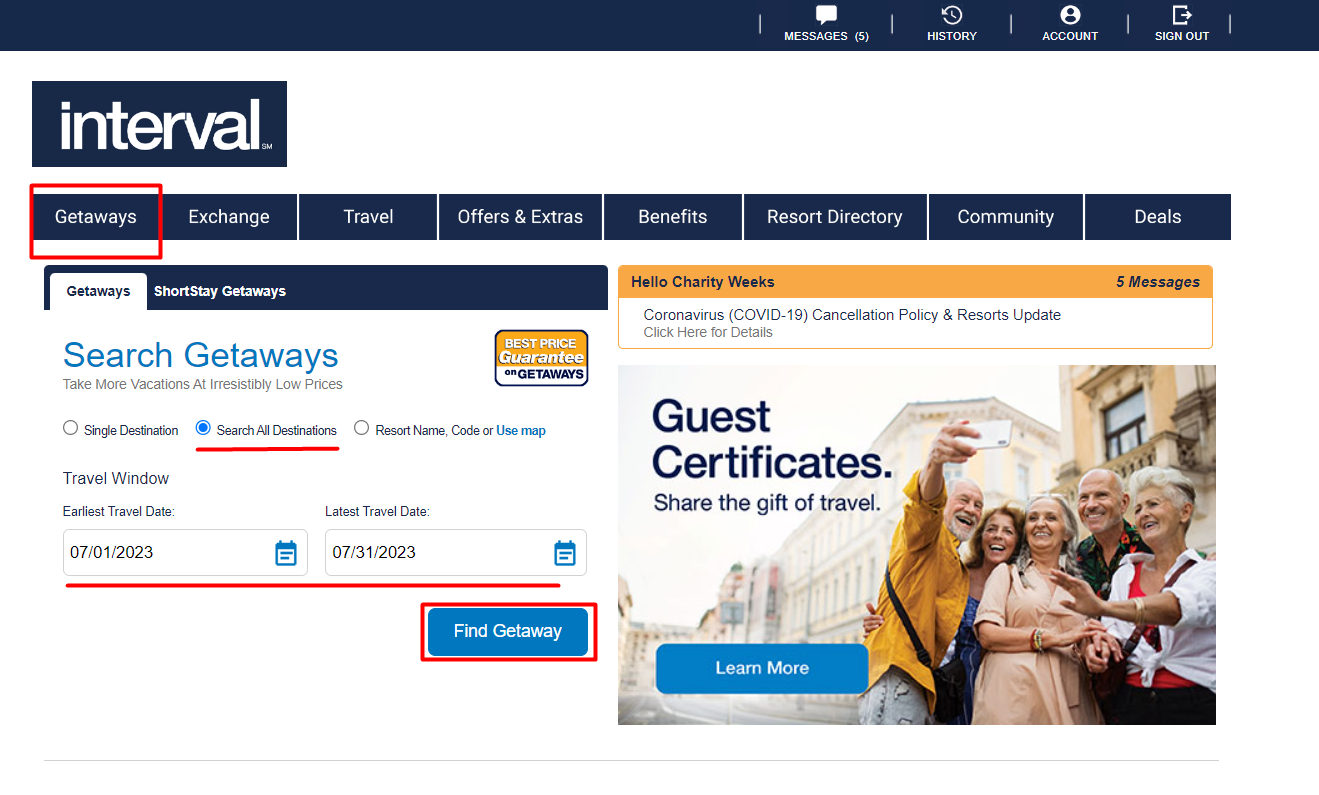
- Getaways appear front and center, but note the link is first in the blue bar
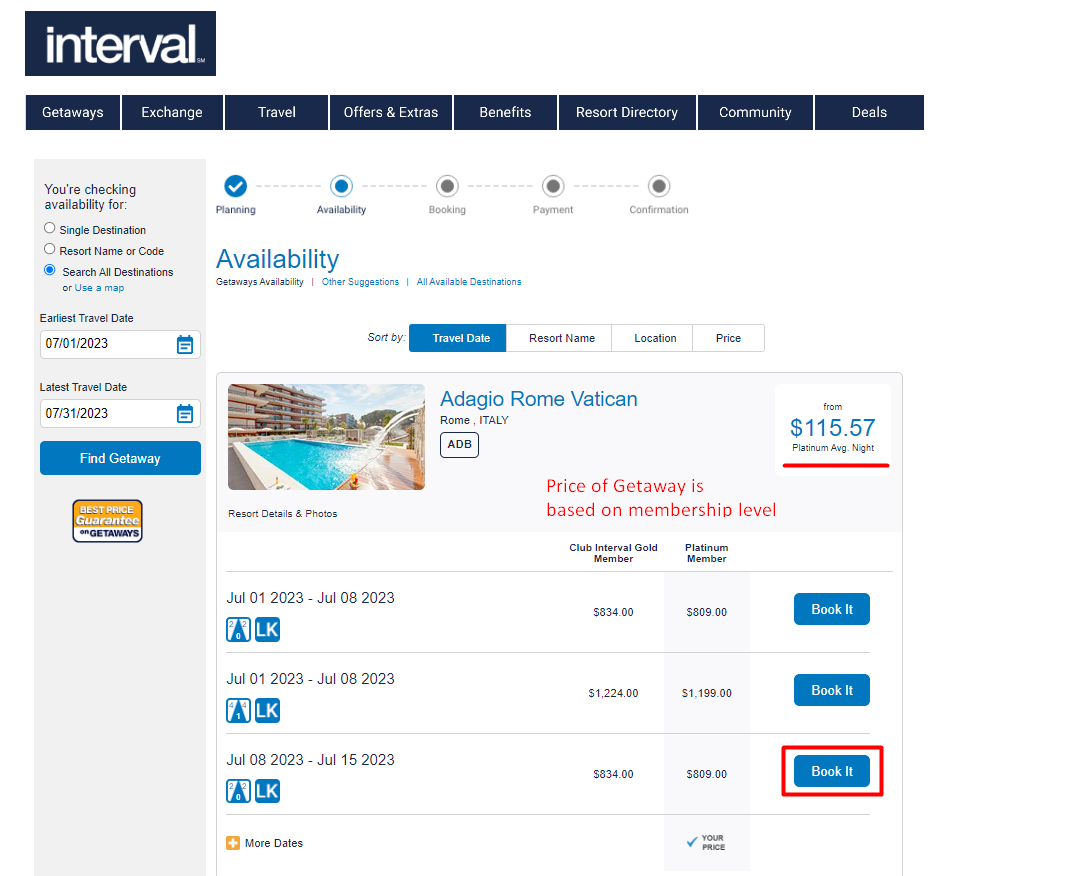
- Fill in the bubble for ‘Search All Destinations’
- Choose a date for both earliest travel and latest travel
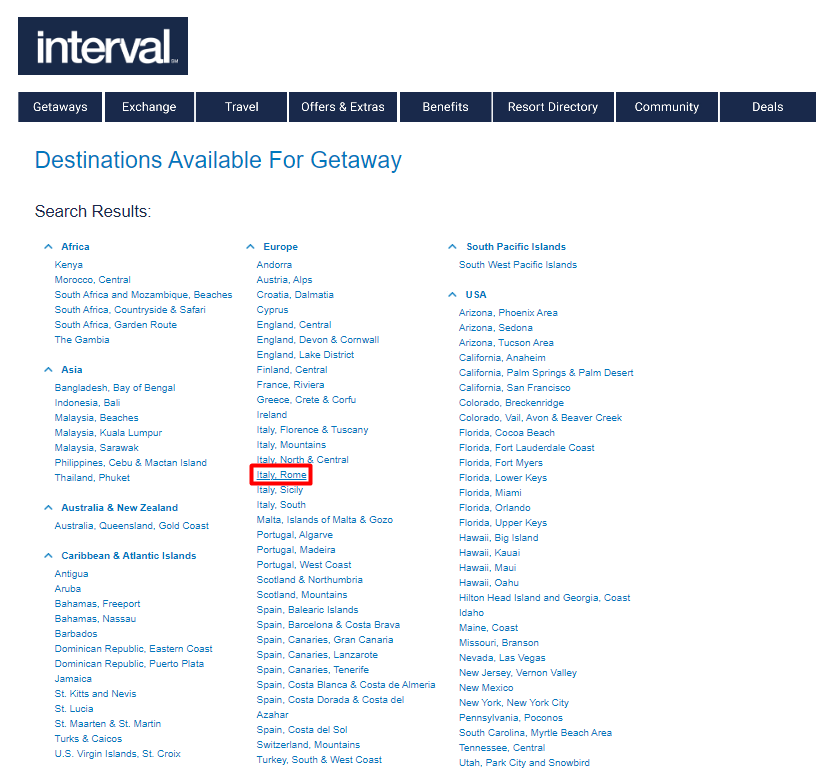
- Click ‘Find Getaway’ and choose desired location
- In the resort menu choose the desired date under the desired resort
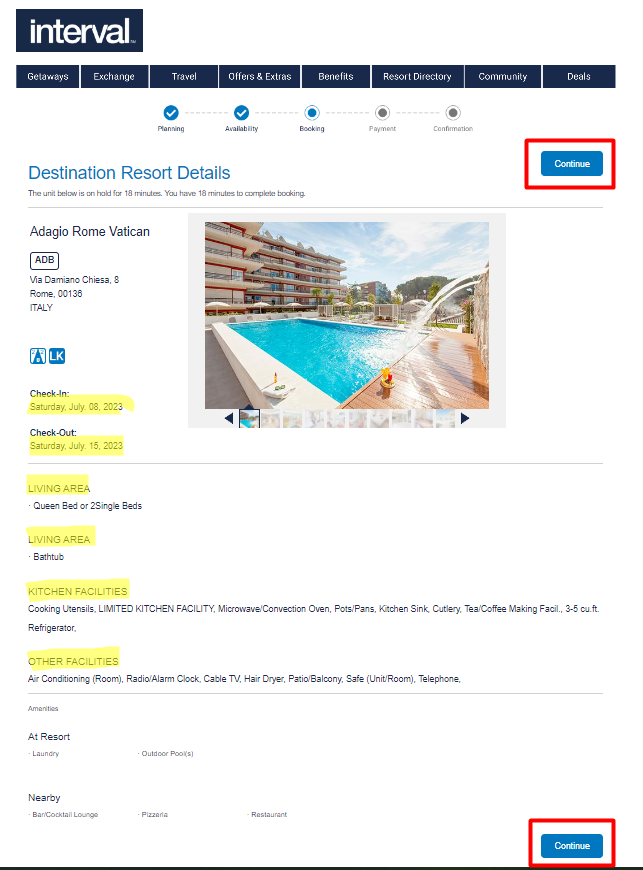
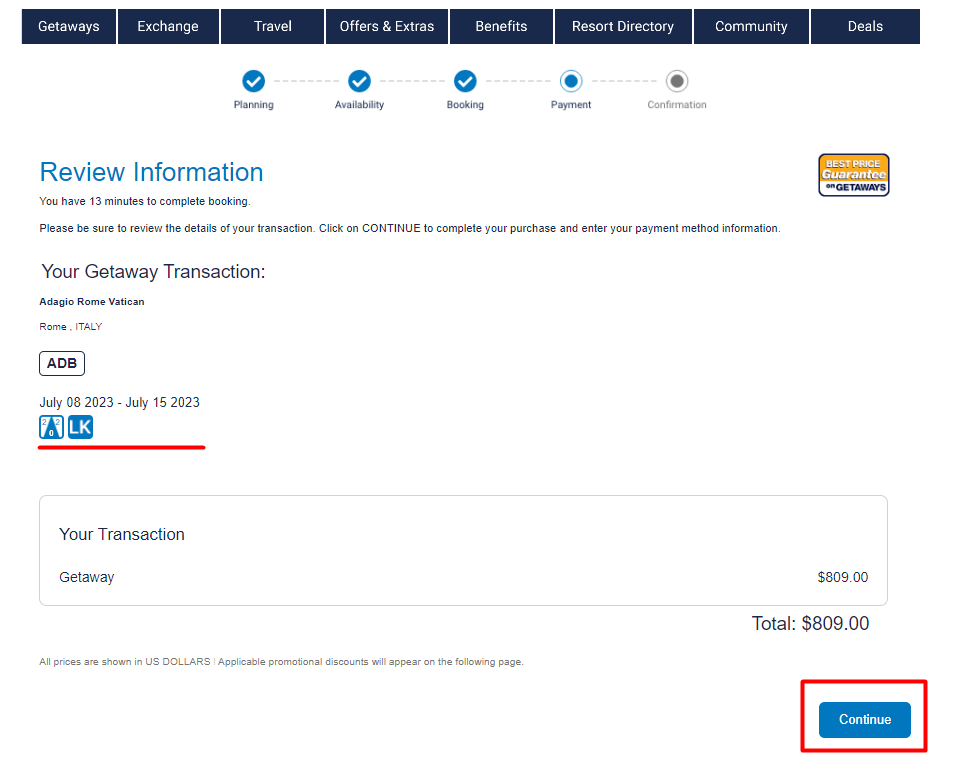
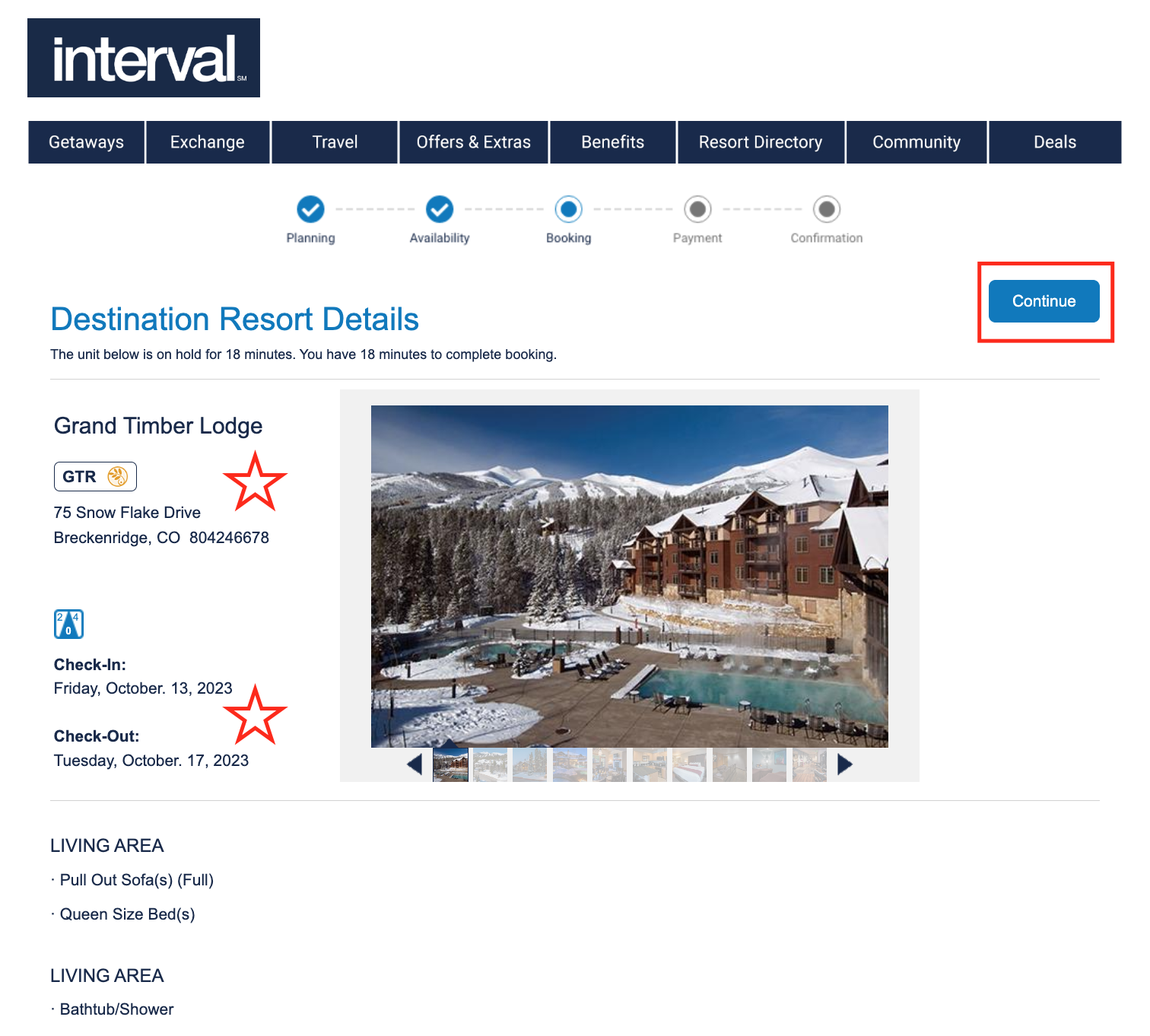
- Review the unit specifications and the important advisements
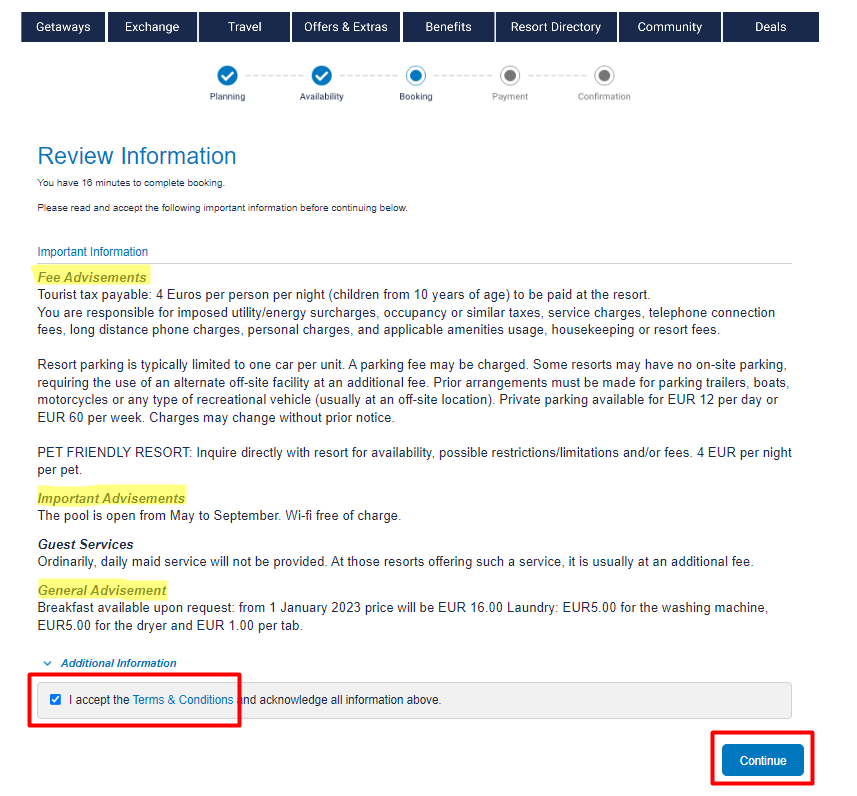
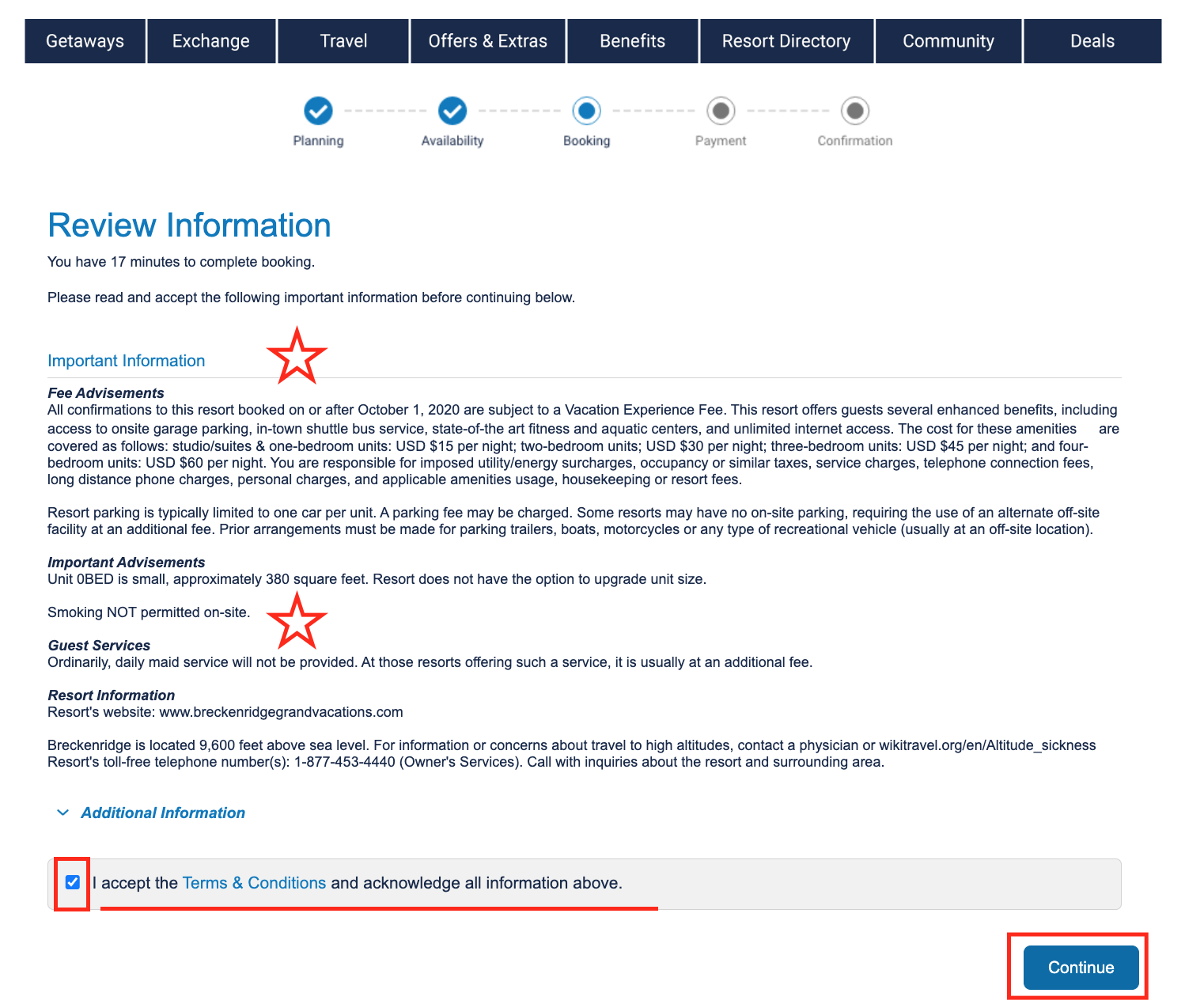
- Review the information once more and accept terms and conditions
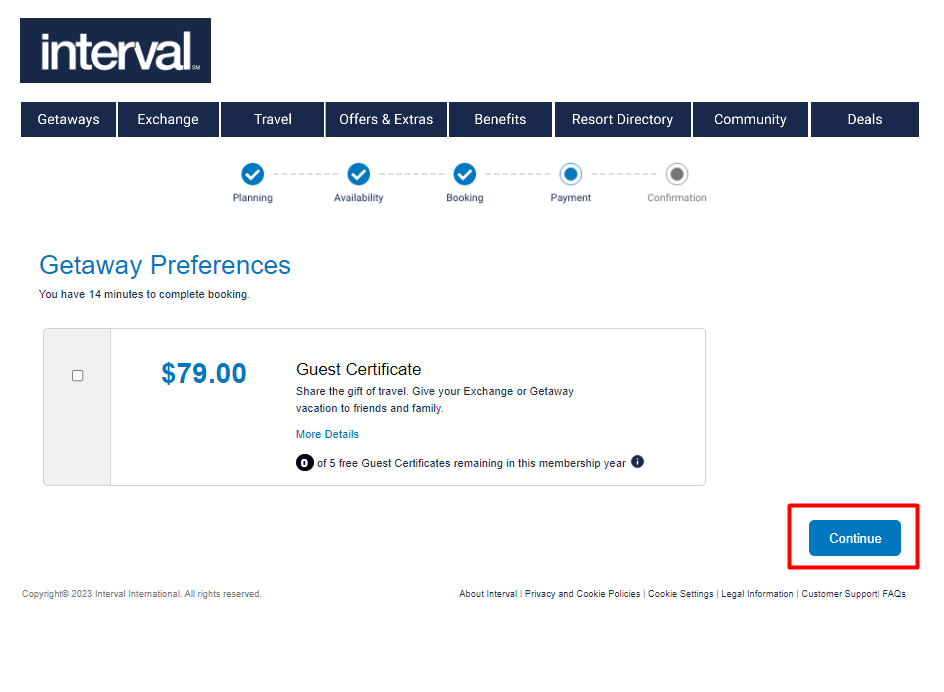
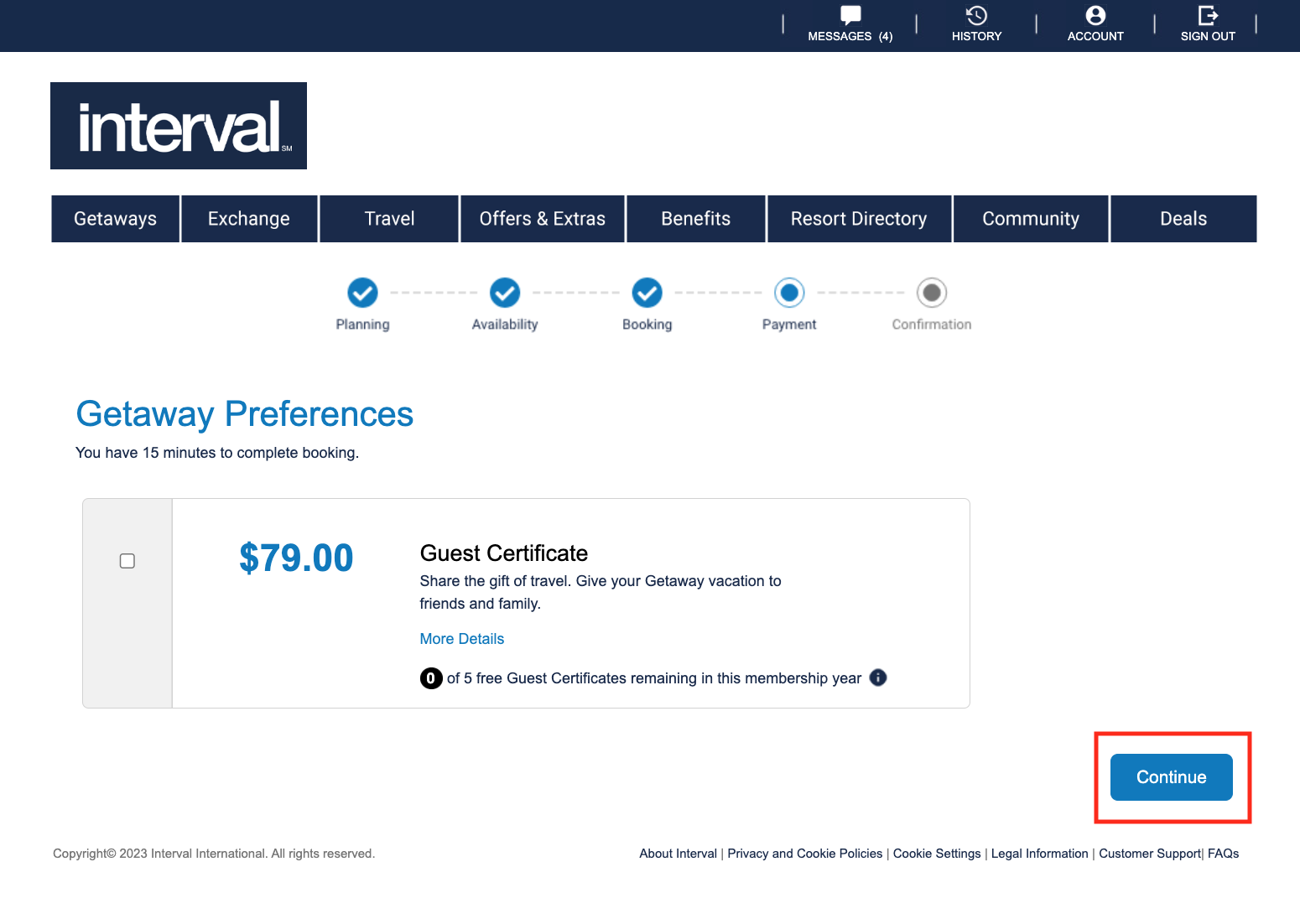
- Decide if this is stay is intended for a Guest and if not leave option unchecked
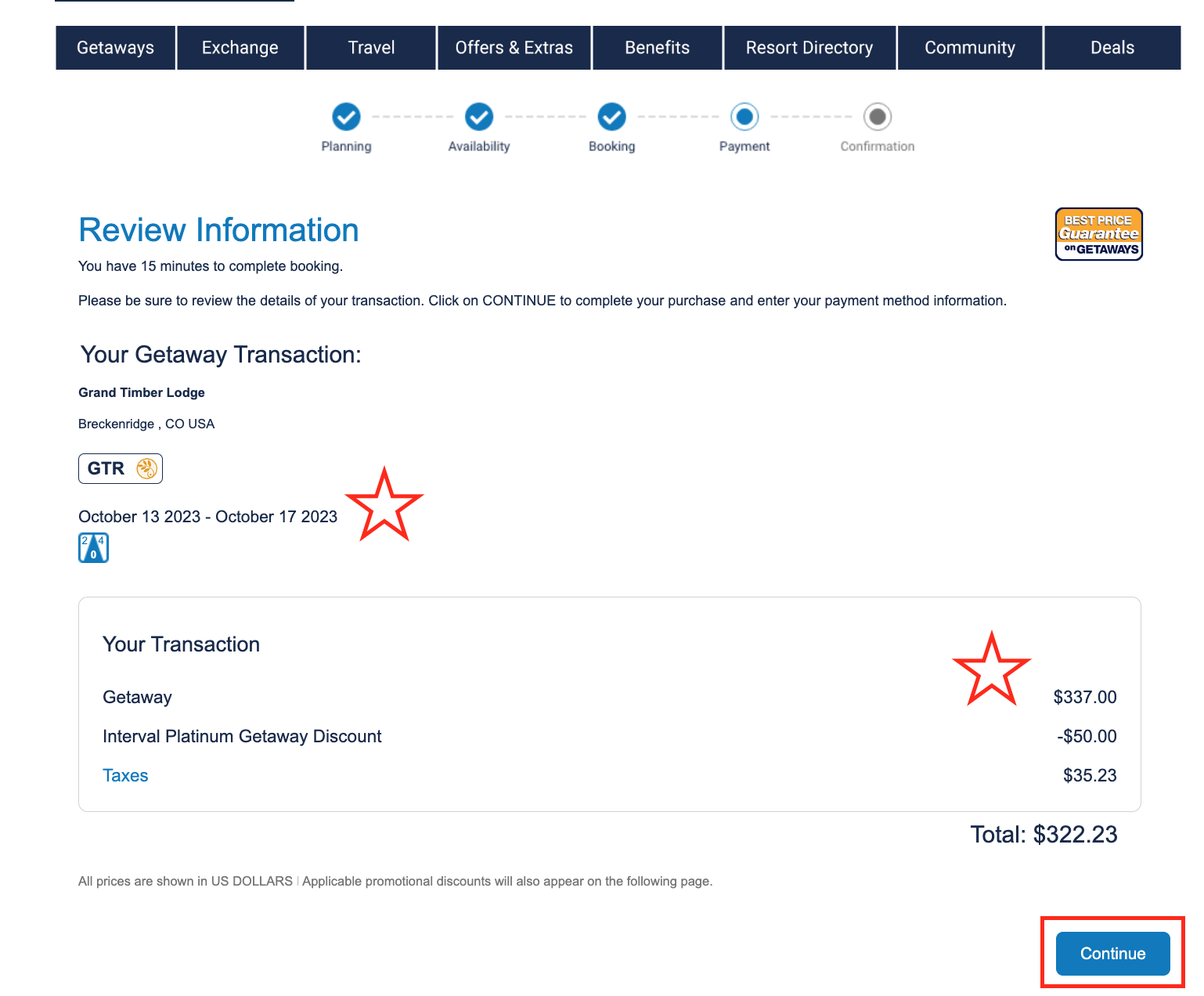
- Review unit description and any additional taxes
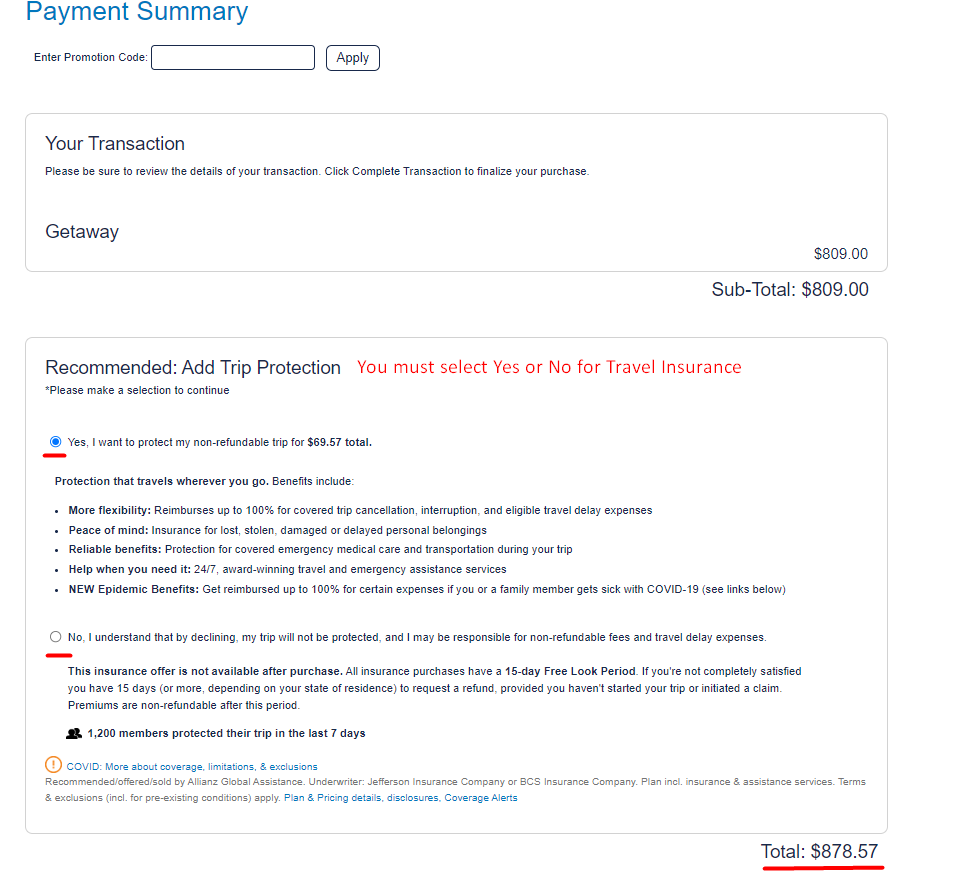
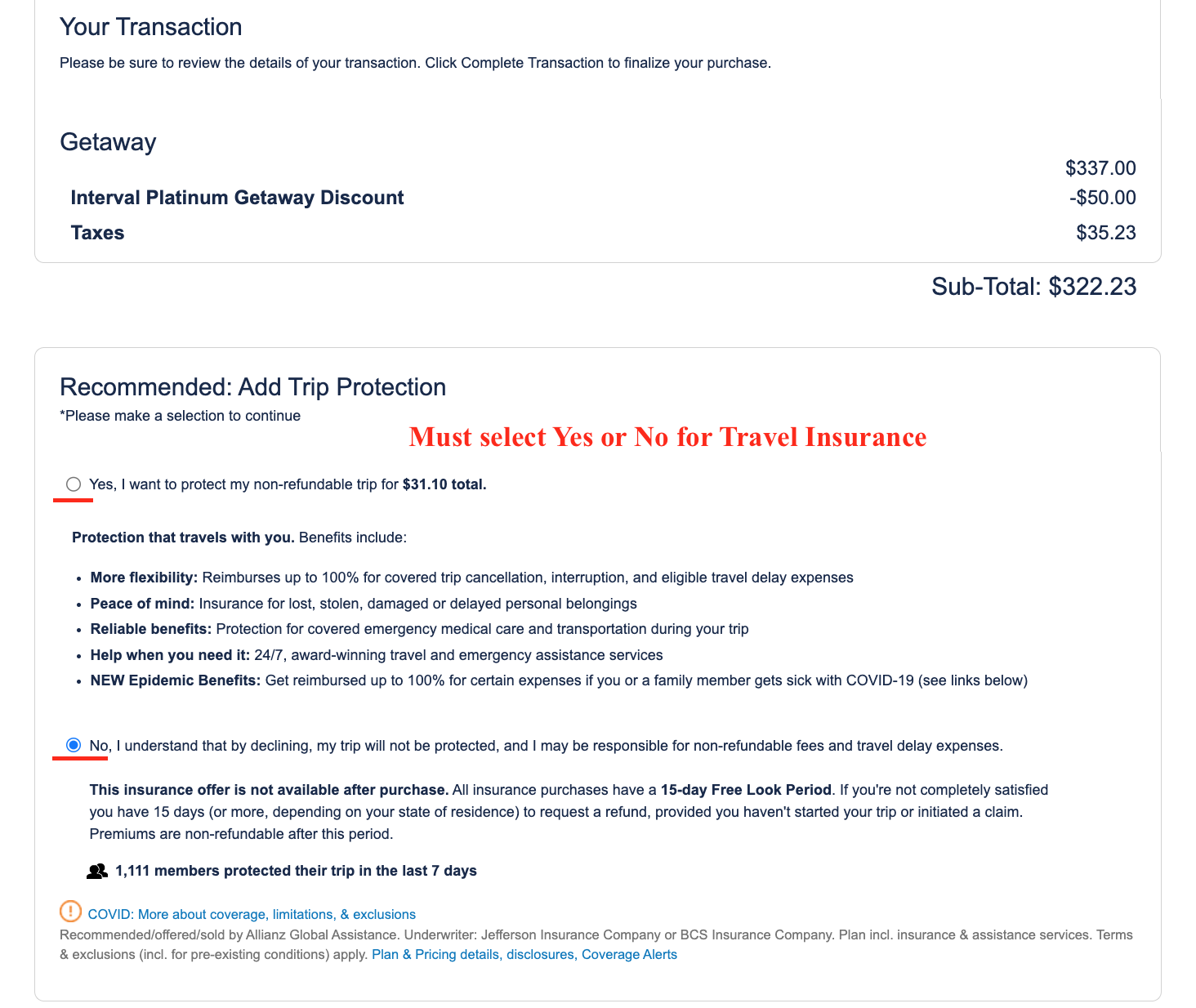
- Select Yes or No for travel insurance
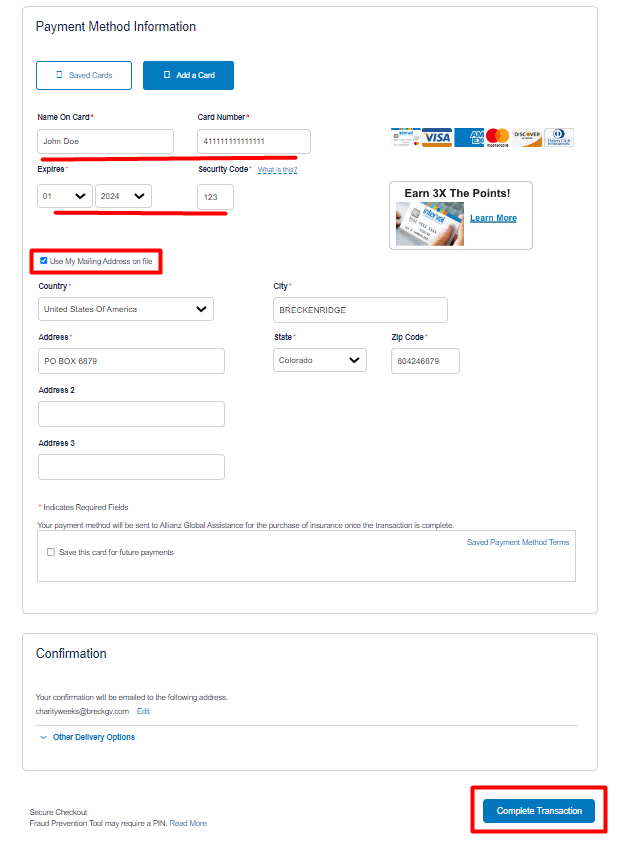
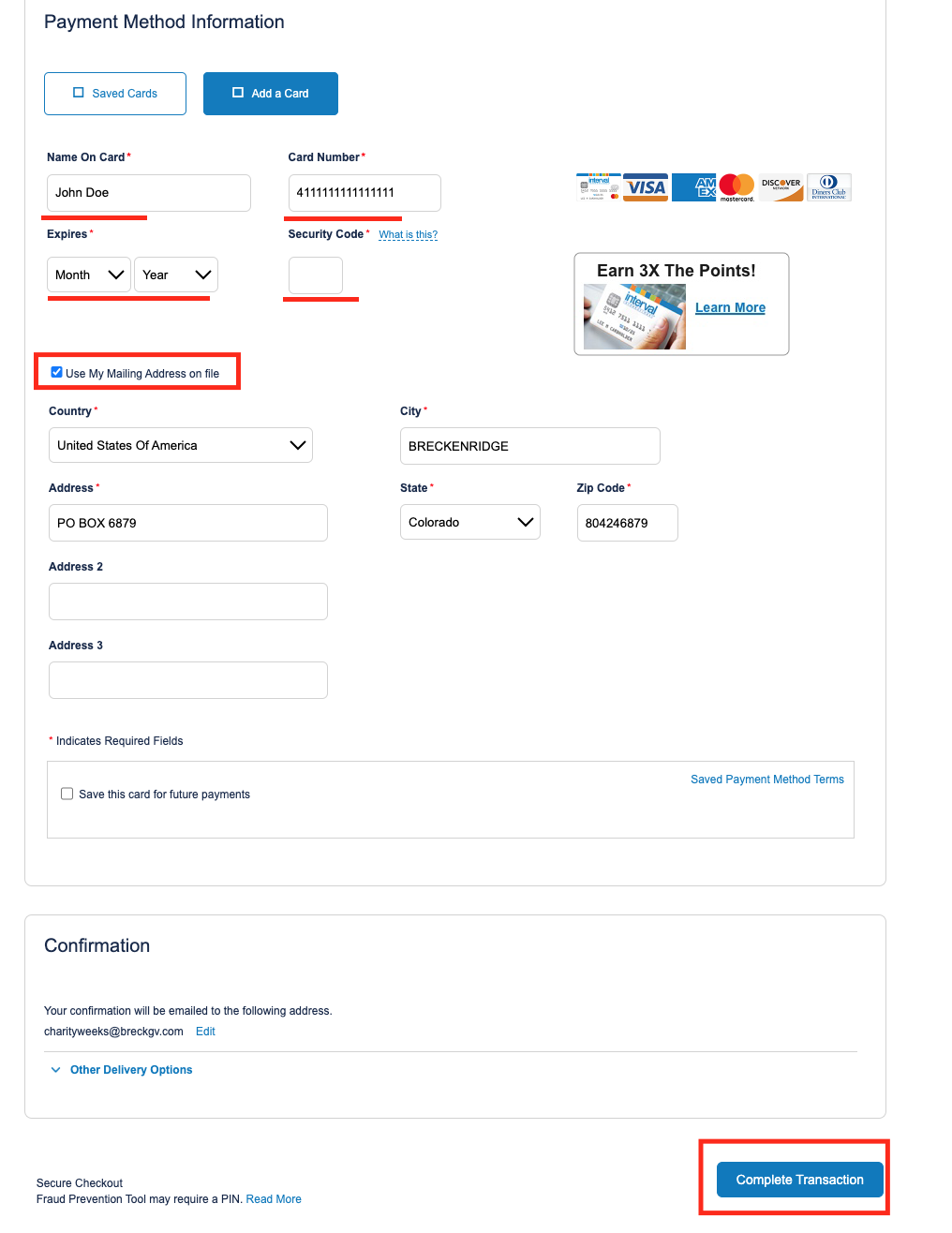
- Enter credit card and billing address and complete transaction


Getaway ShortStay
- Sign into Intervalworld.com
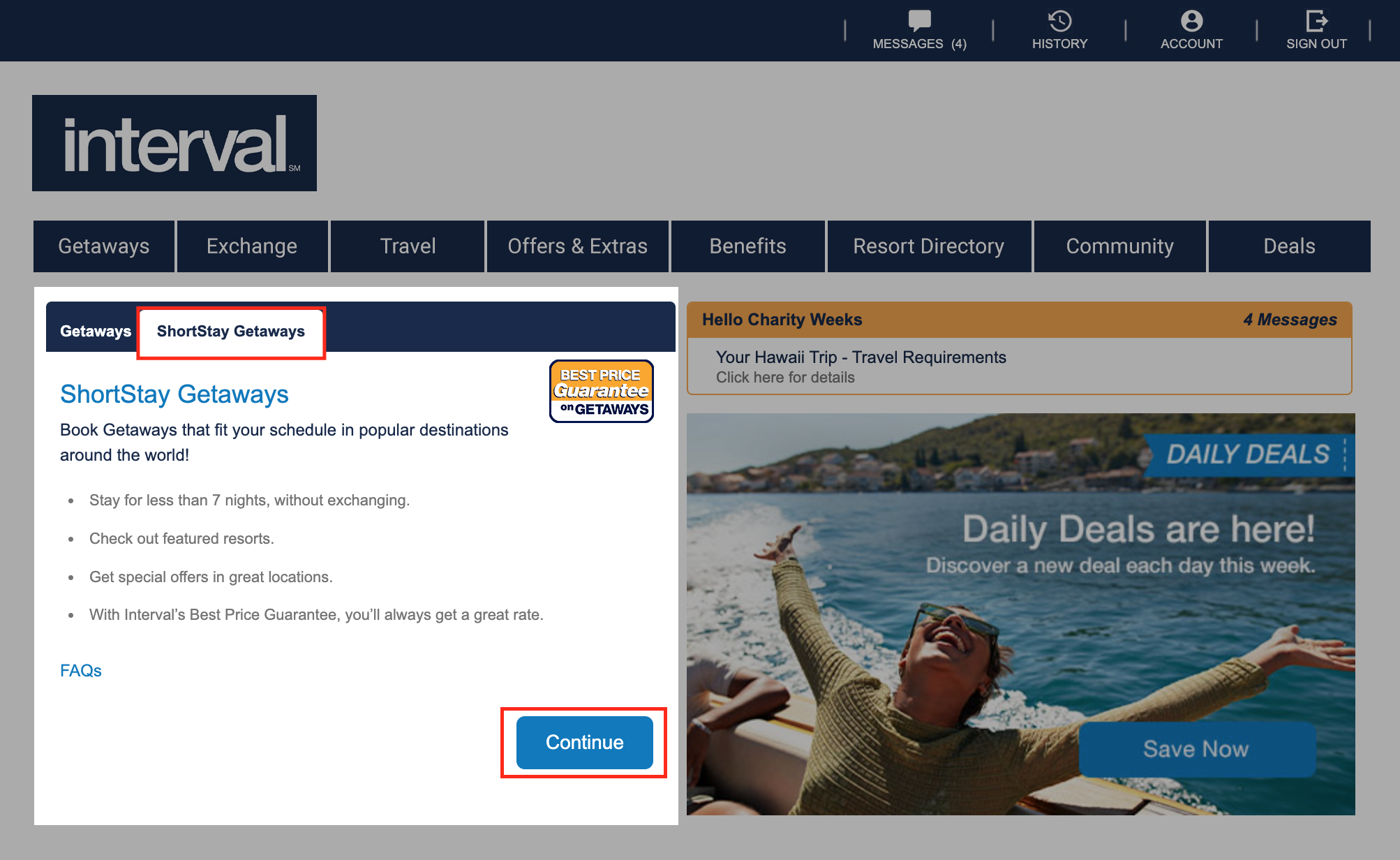
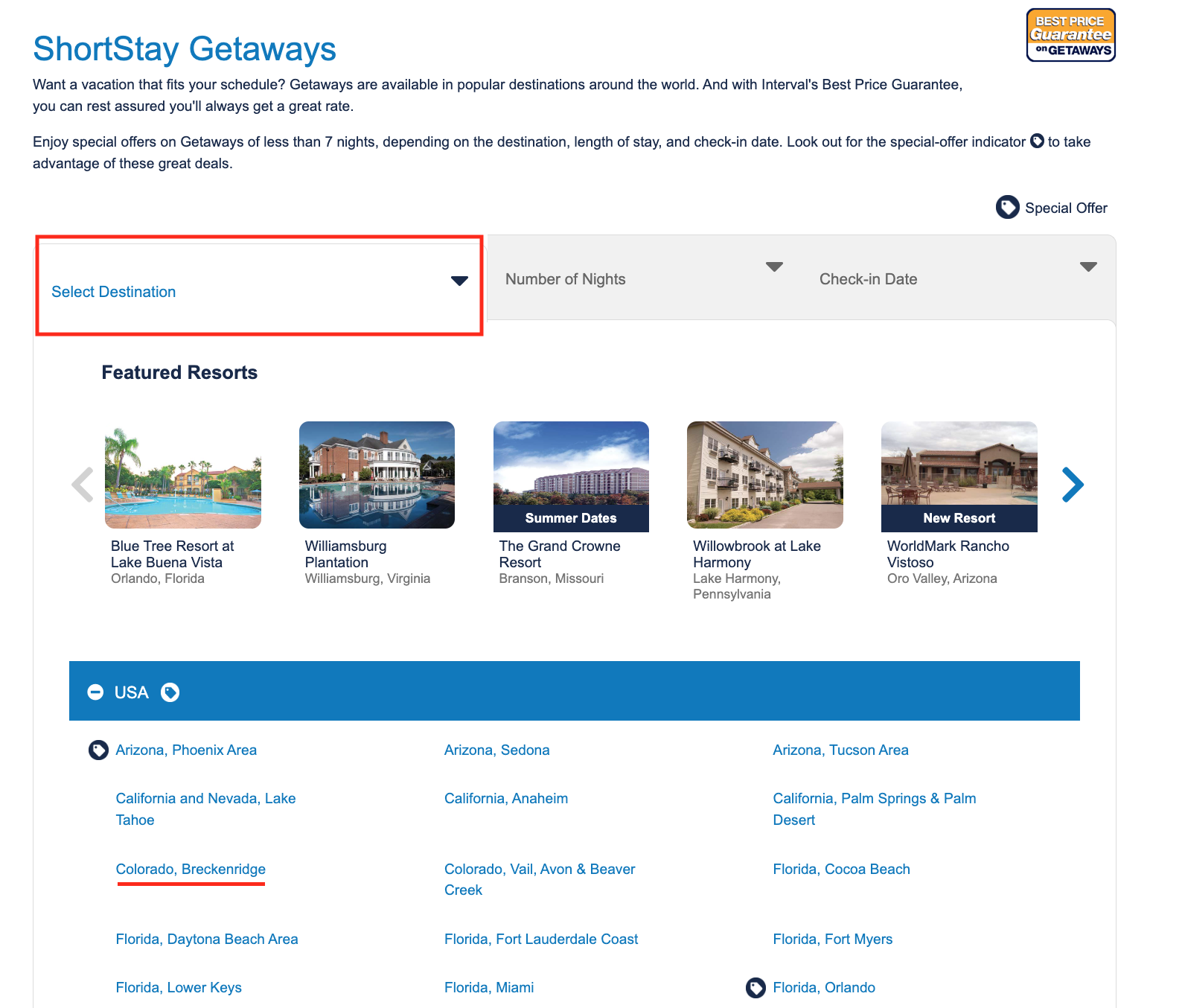
- Select ‘ShortStay Getaways’ and then ‘Continue’
- Below ‘Select Destination’ choose desired location
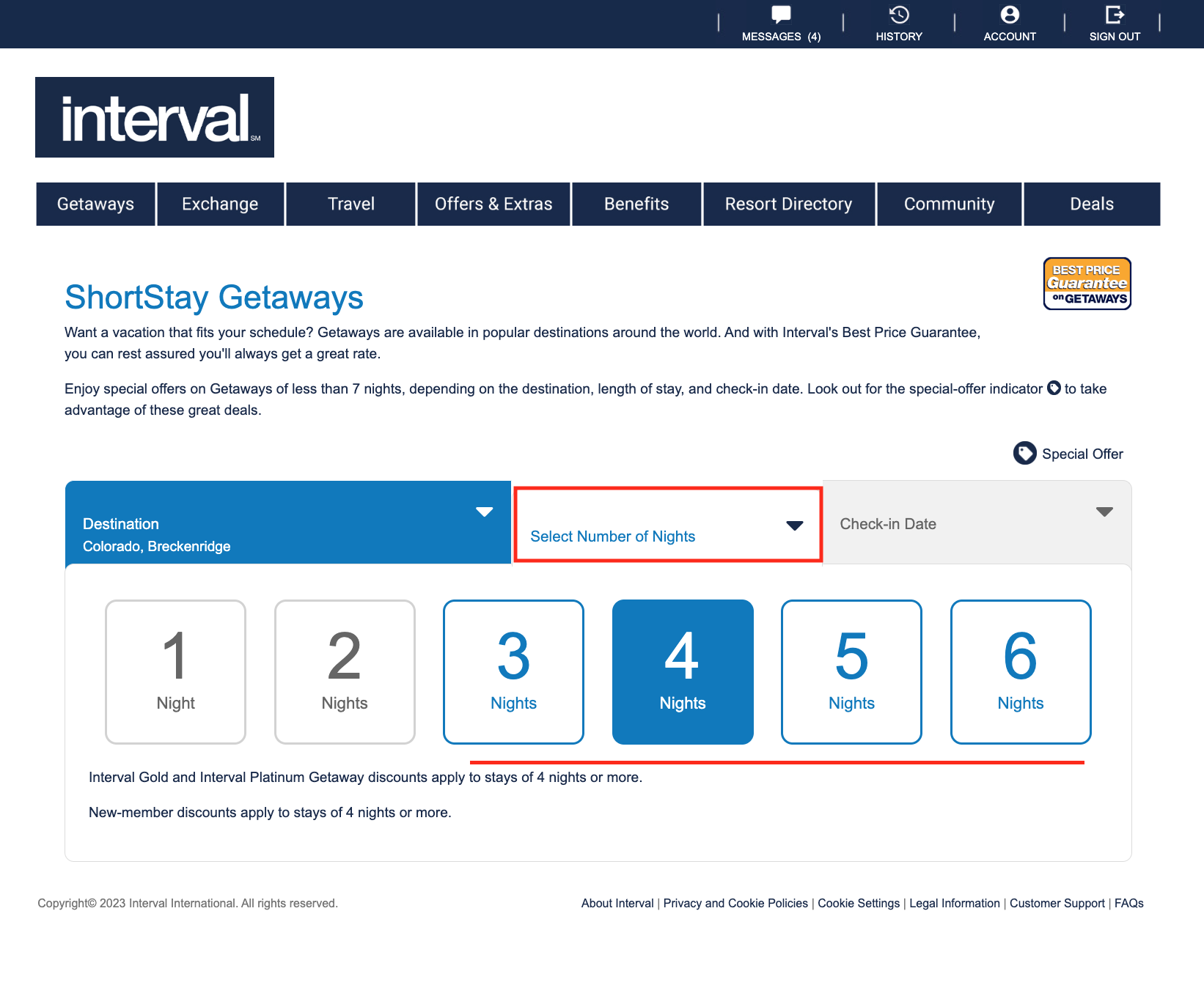
- Below ‘Select Number of Nights’ choose length of stay – 1 & 2 nights are not allowed.
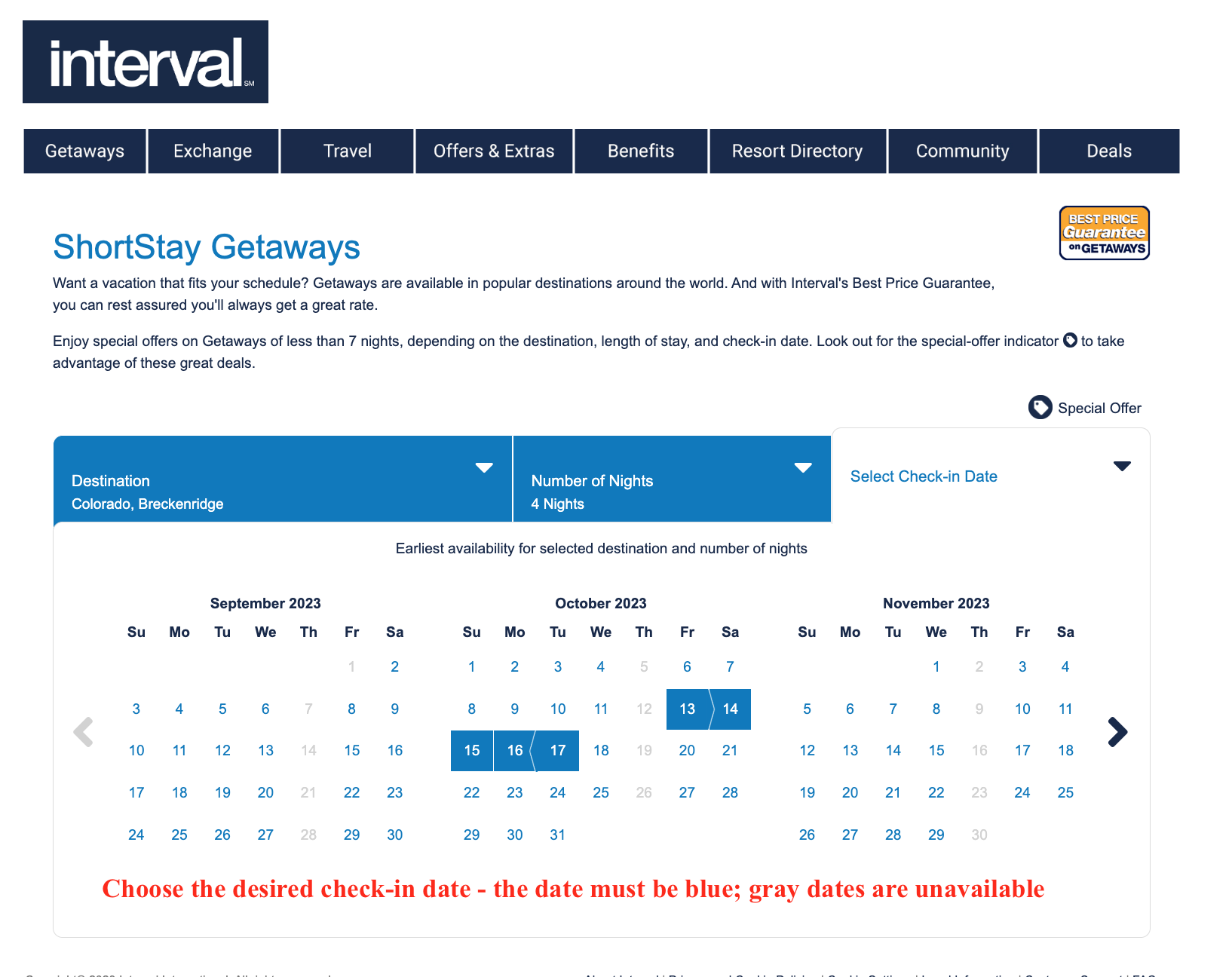
- From the calendar choose a check-in date; the date must be shaded blue.
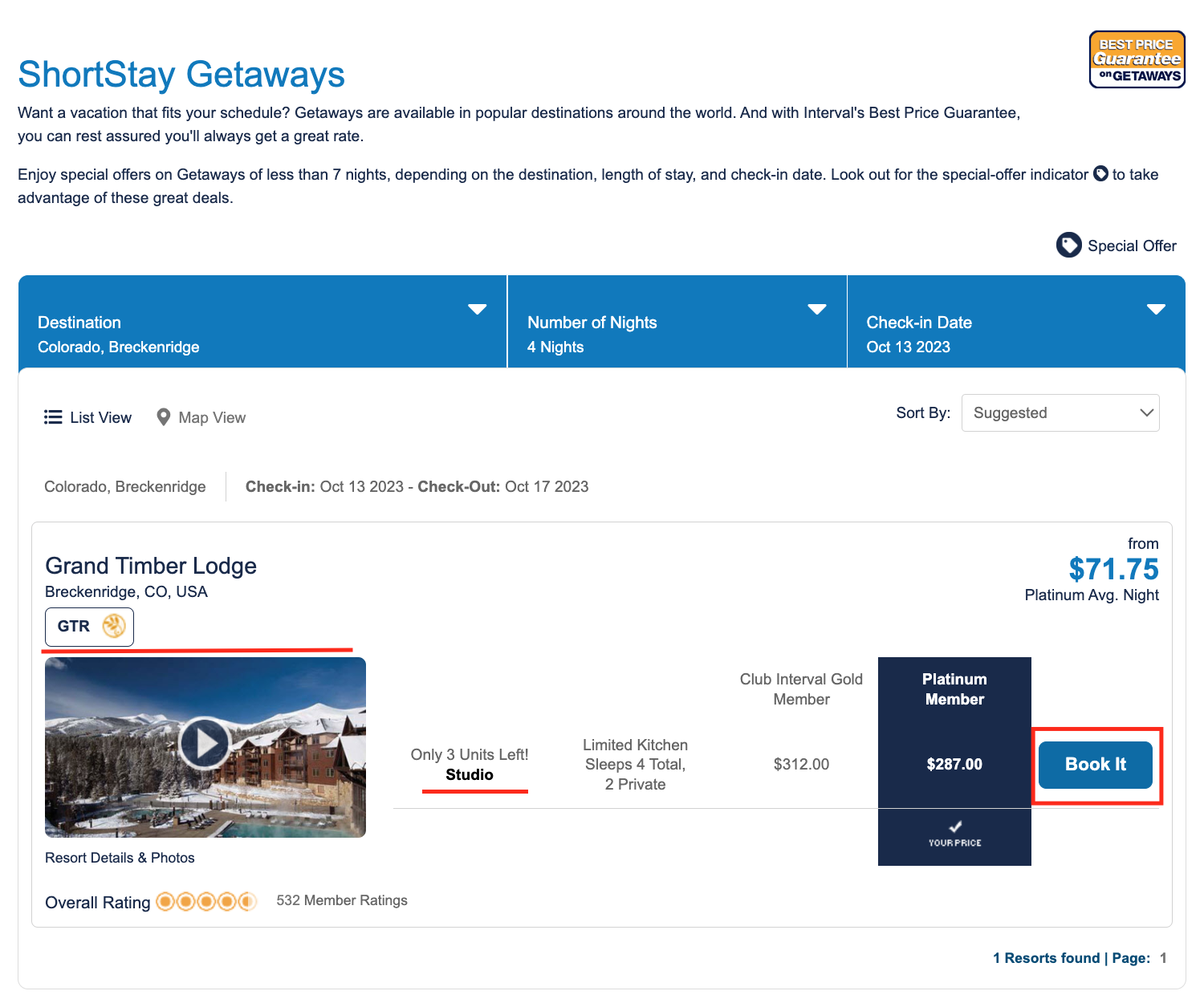
- Choose from the list of resorts and unit sizes and select ‘Book It’
- Review the unit specifications and the important advisements
- Review the information once more and accept terms and conditions
- Decide if this is stay is intended for a Guest and if not leave option unchecked
- Review unit description and any additional taxes
- Select Yes or No for travel insurance
- Enter credit card and billing address and complete transaction
Bonus Week
- Sign in to Intervalworld.com
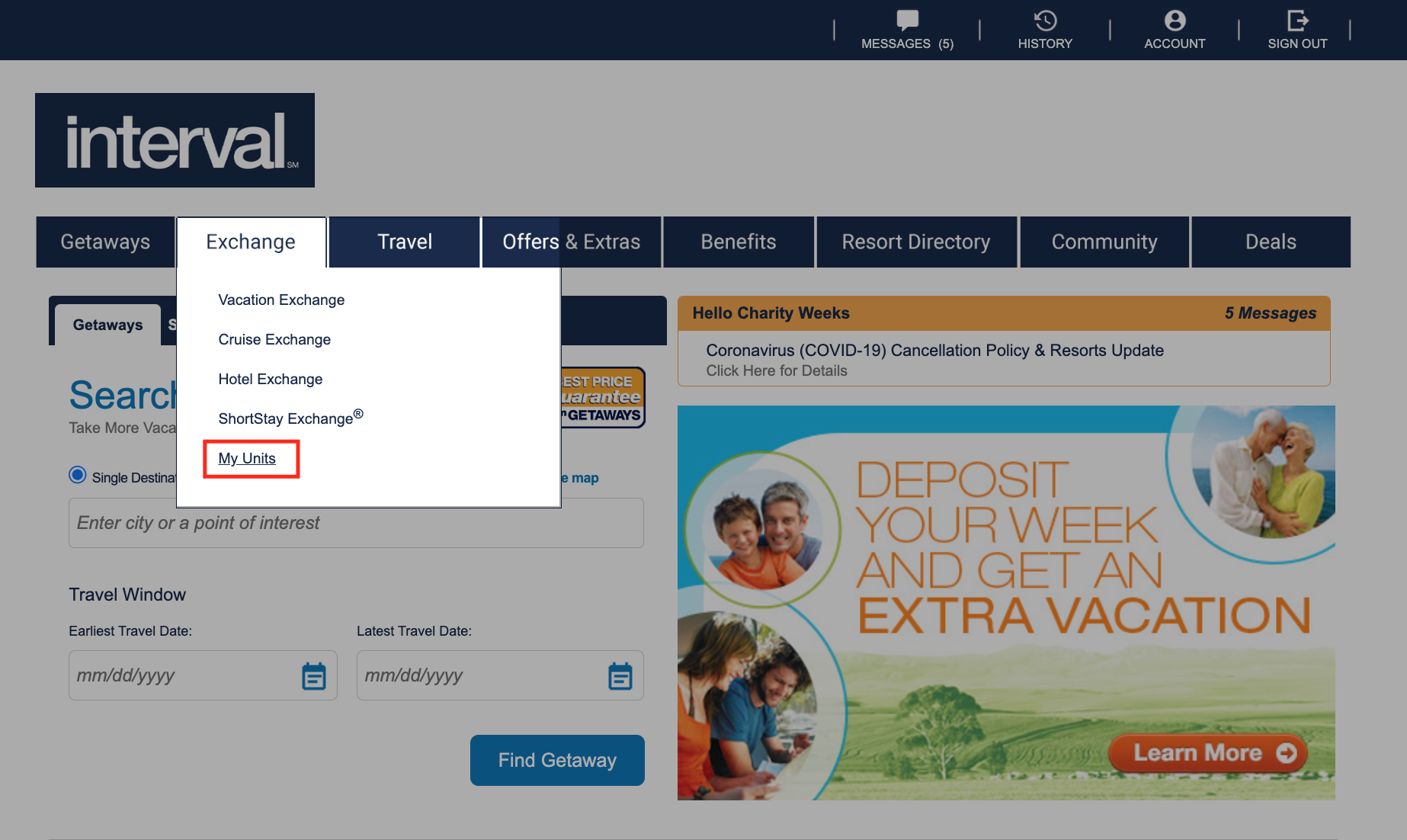
- Hover over Exchange and select My Units
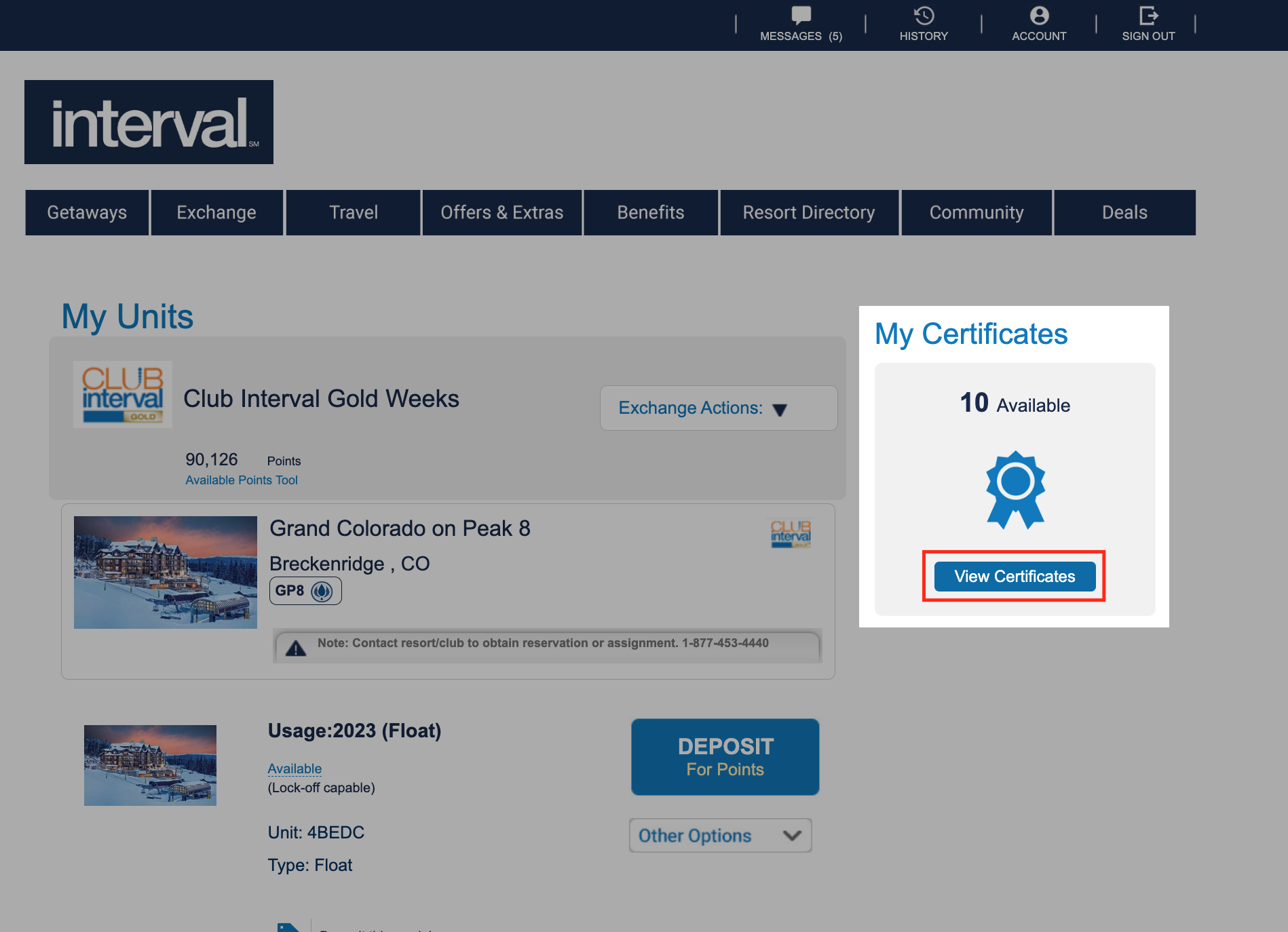
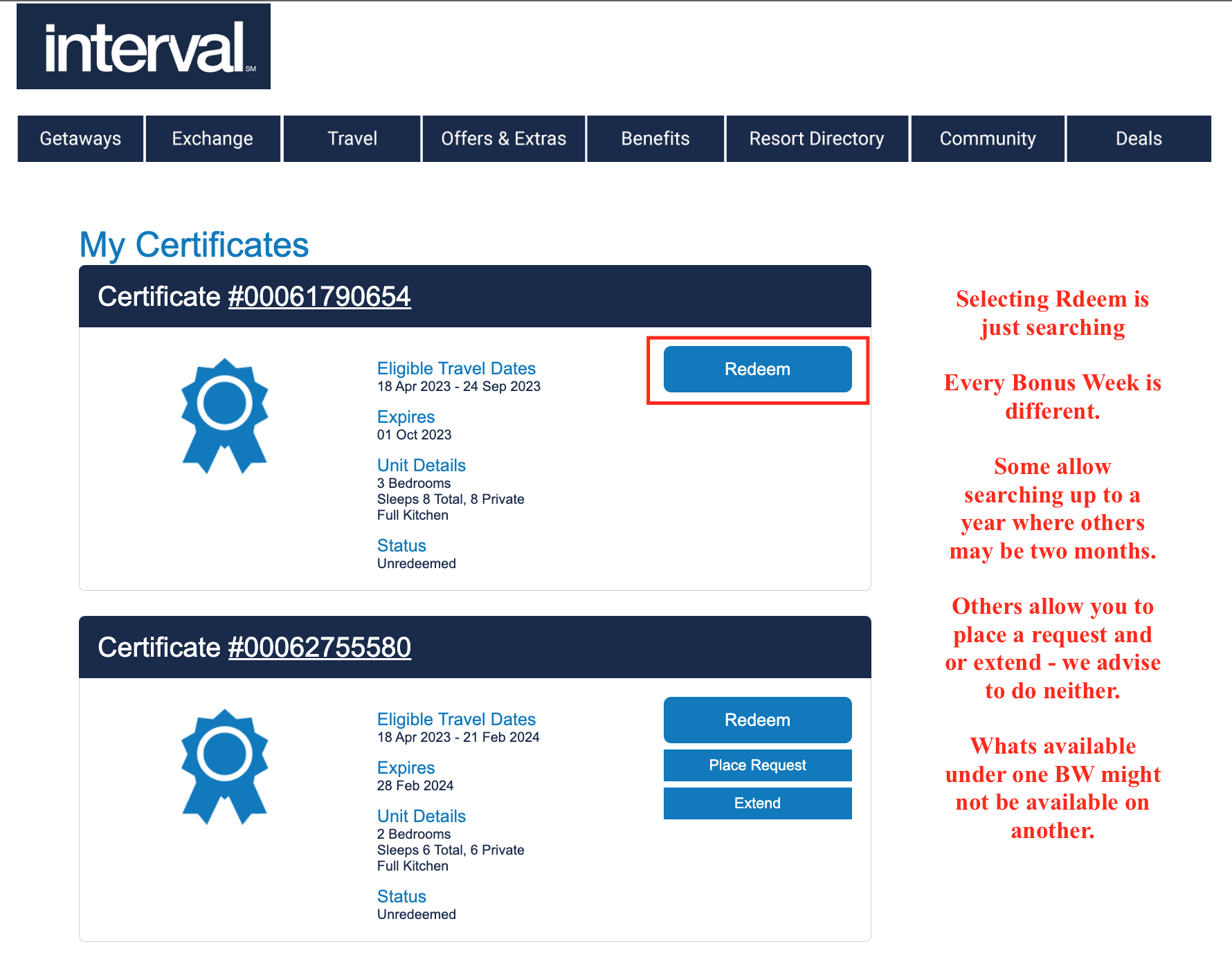
- Bonus Weeks aka Accommodation Certificates are located in the upper right corner
- Select View Certificates – not all certificates are the same
- Click Redeem for the desired certificate – redeem is just searching
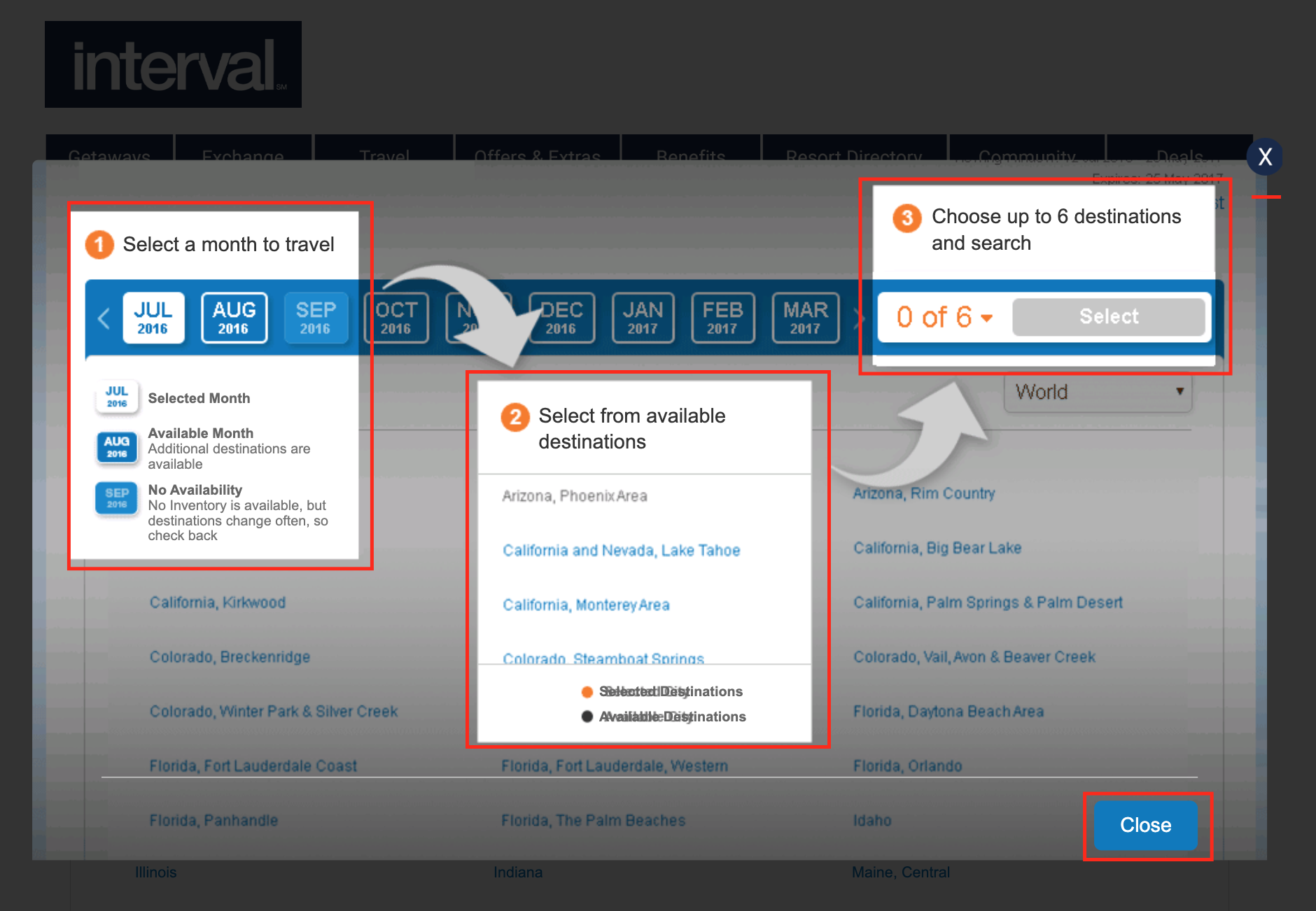
- Read the instructions provided on searching process
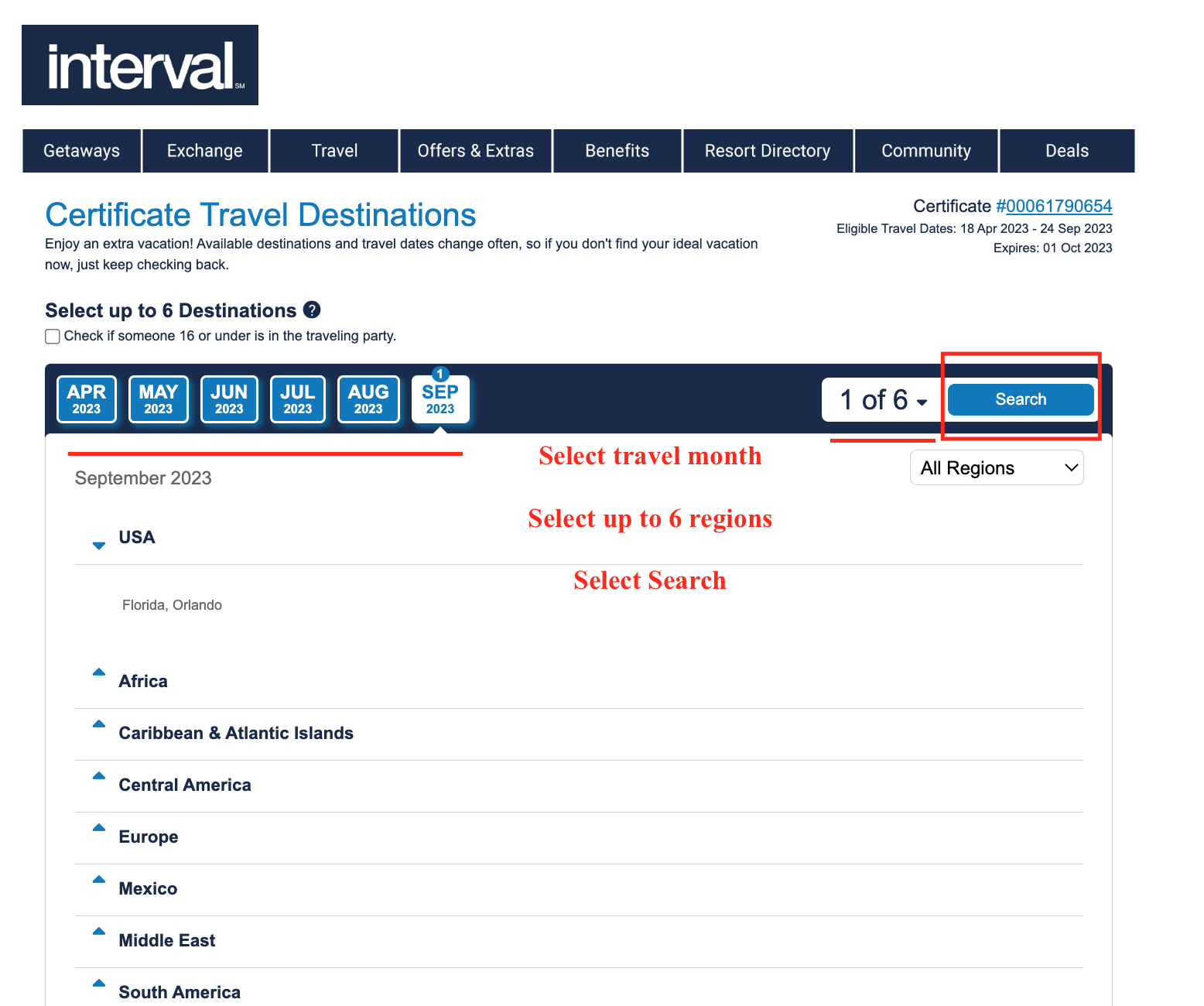
- Select travel month, up to 6 regions and then search
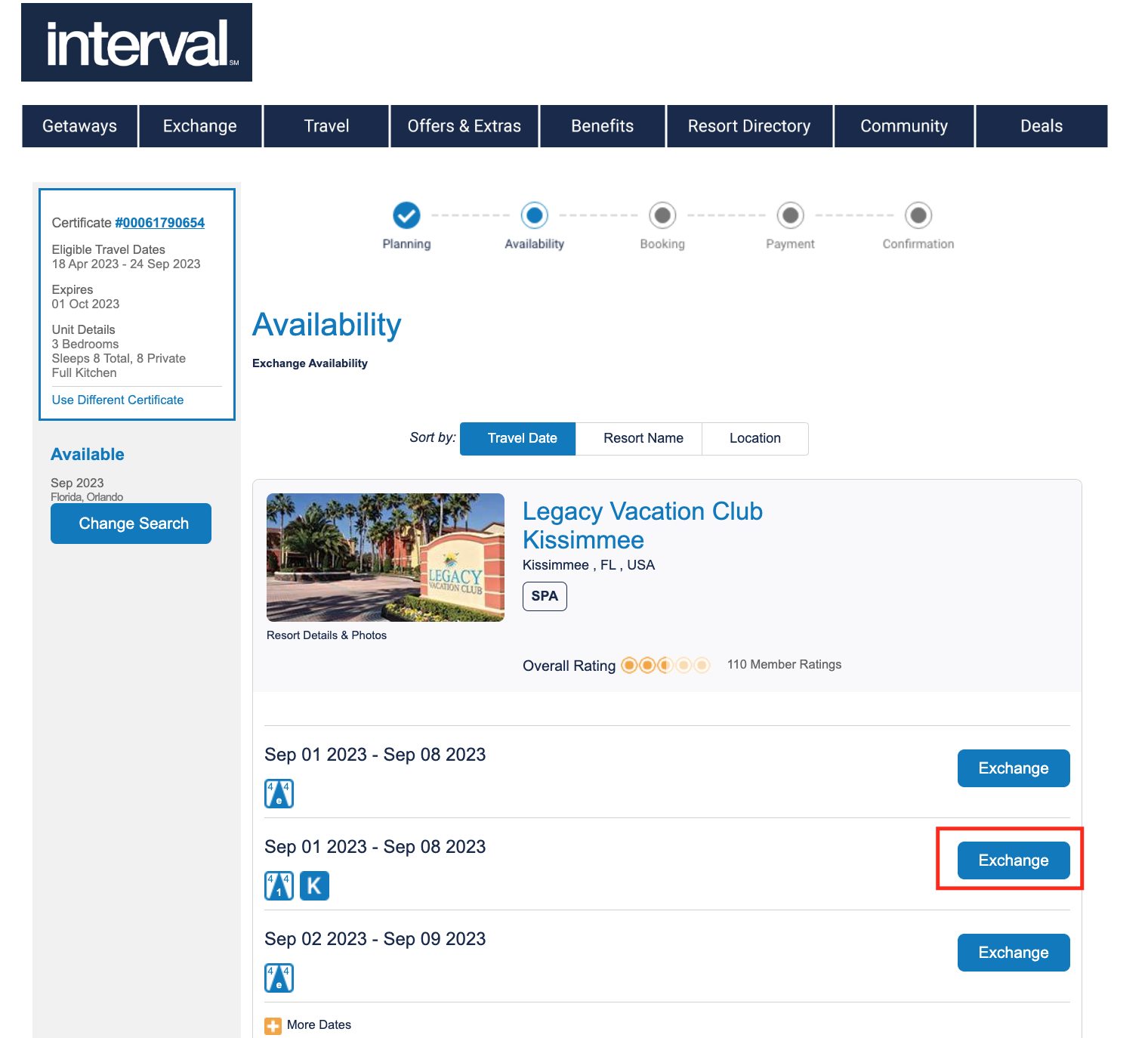
- Click Exchange for desired vacation week
- Review booking information and continue
- Review the important advisements; accept terms and continue
- Apply a guest certificate if needed, otherwise continue
- Review booking and payment
- Must select Yes or No for travel insurance
- Apply a credit card and complete transaction
Reschedules
+
Basic E-Plus
- Start by signing in
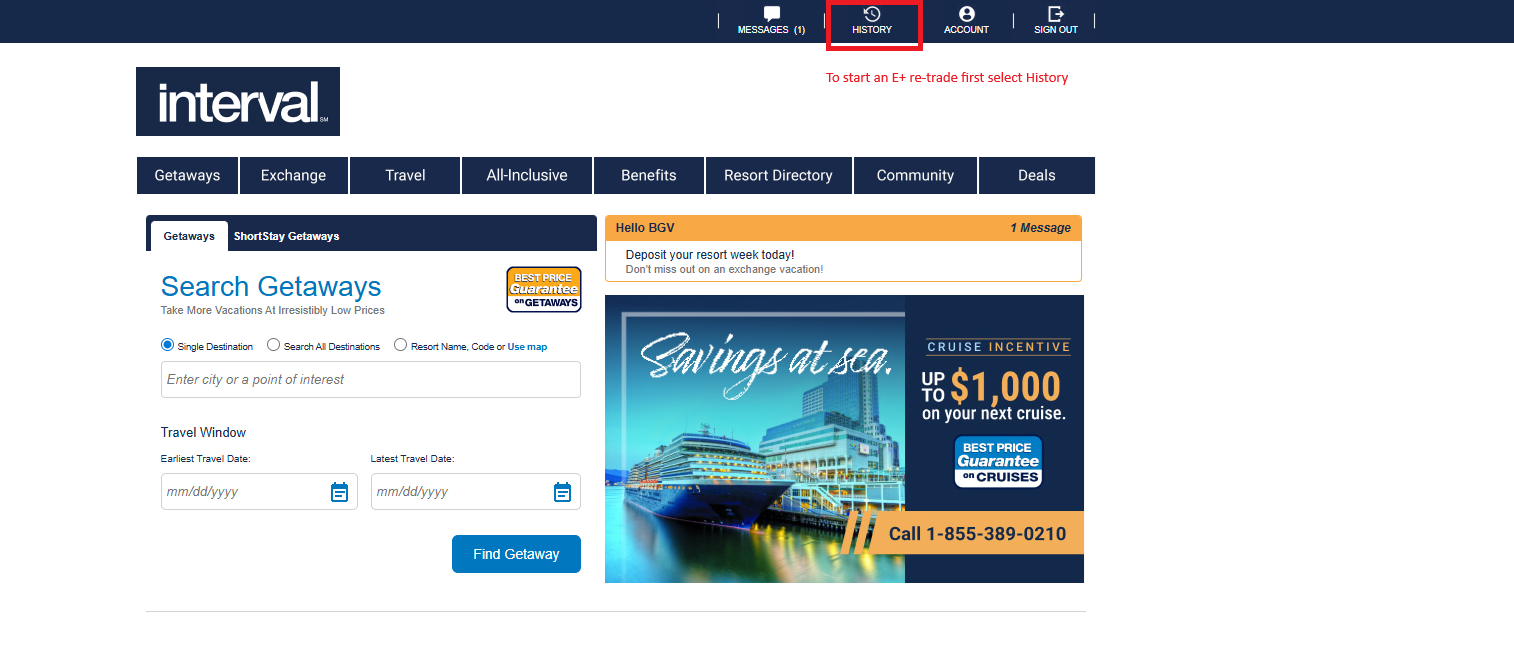
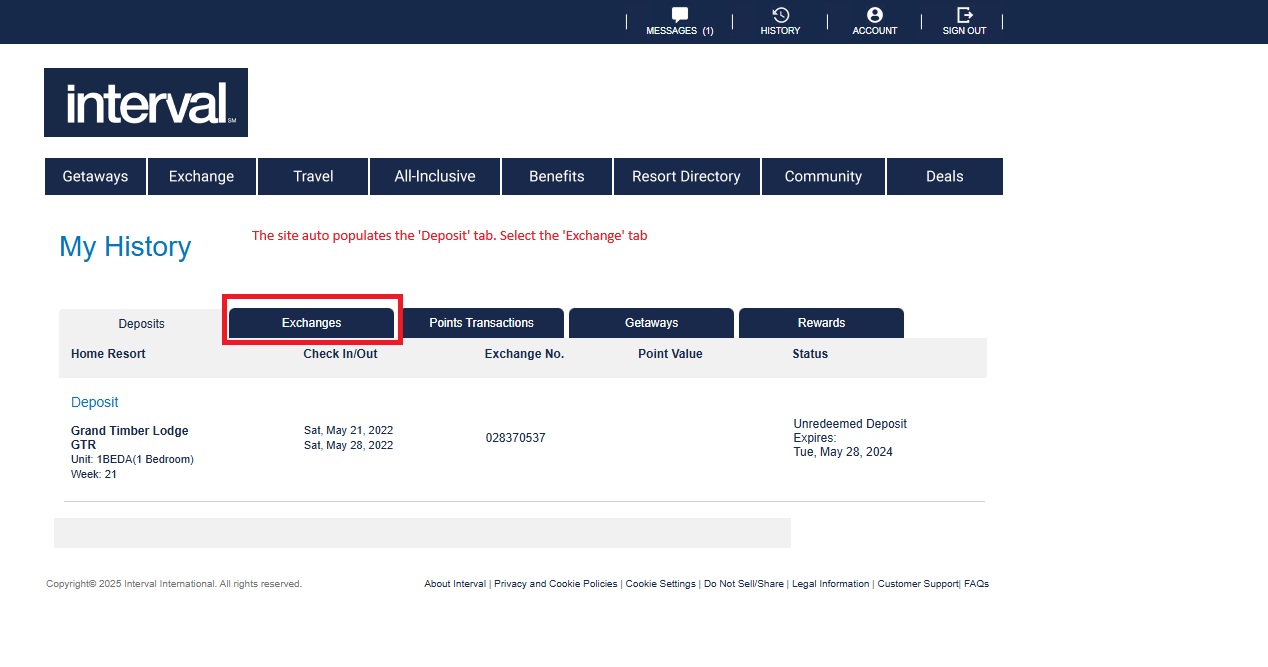
- Go to ‘History’ at the top of the page
- Change the tab from ‘Deposit’ to ‘Exchange’
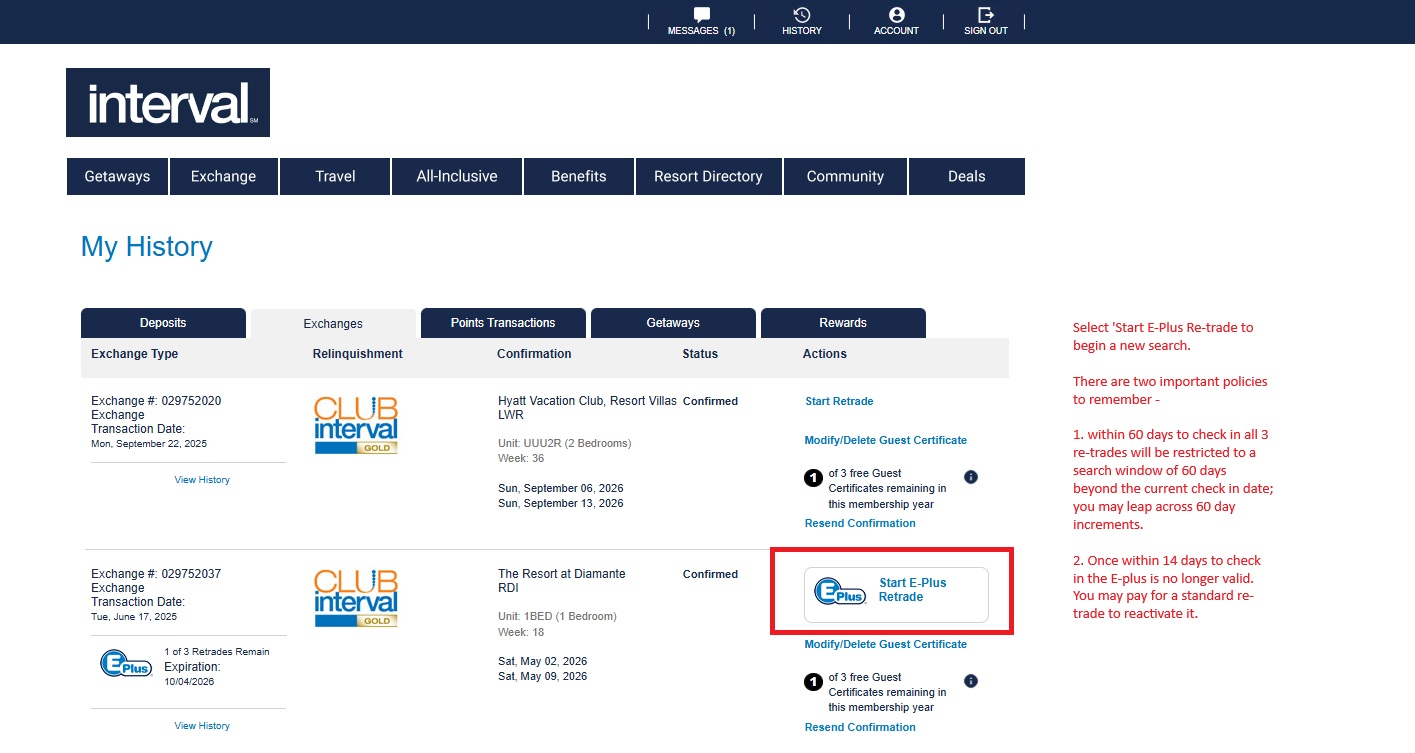
- All of the confirmations will be listed
- Find the exchange with the E-Plus
- Select ‘Start E-Plus Retrade’
- Select Search all Destinations, enter a date range, and search.


Basic Retrade
CIG E-Plus
CIG Retrade