Standard and Upgrade Stays (GM ROC Rate Calc)
Standard Stay
How to calculate the standard stay included with their package:
3-day, 2-night stay: included with OG1 & GM1
5-day, 4-night stay: included with OG2 & GM2
- Select Property
- Select “Guest Member” tab
- Select room type, check in date, and length of stay. Select Calculate
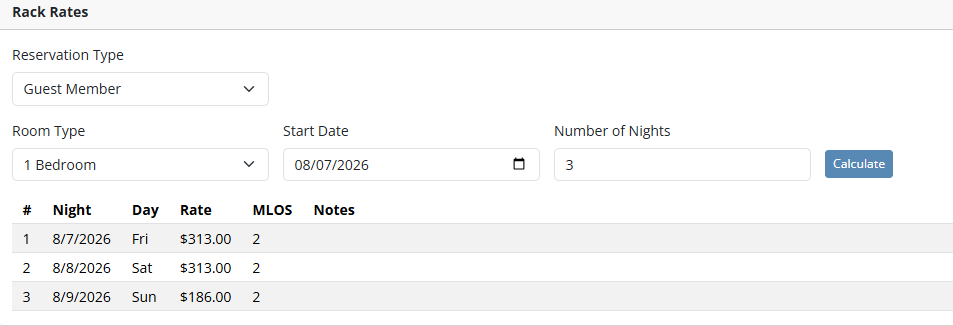
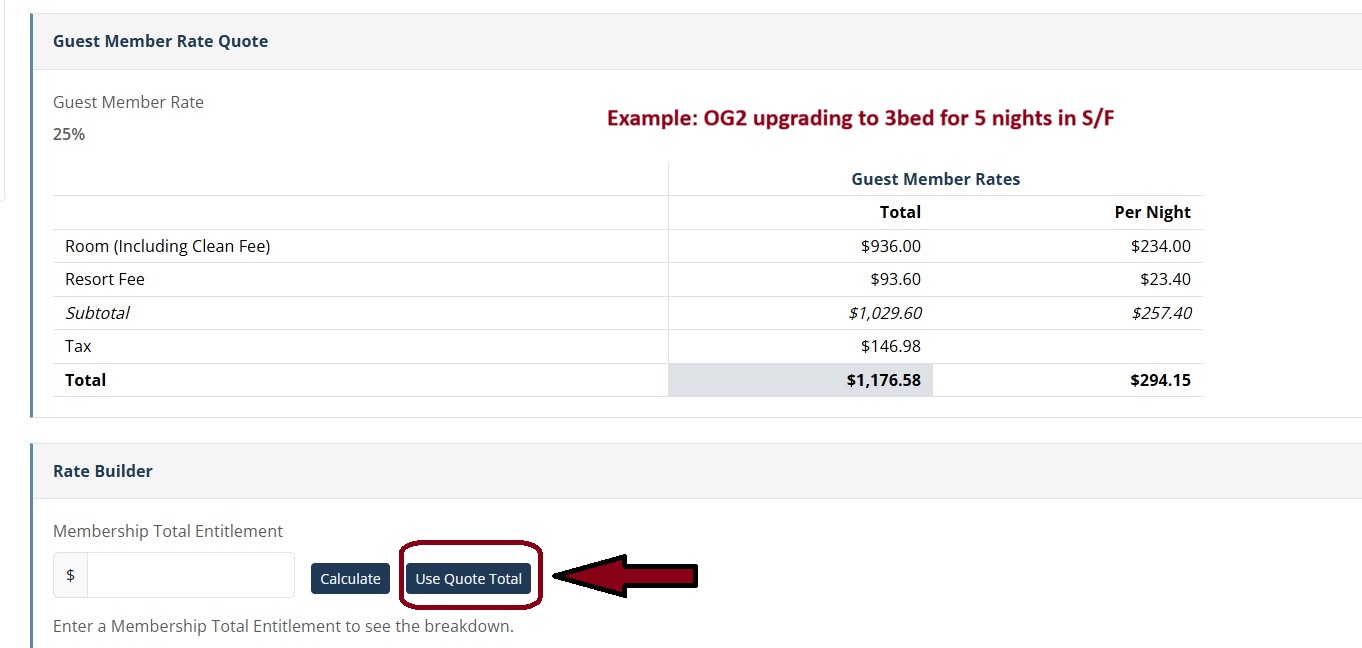
- Rate Quote Automatically Selects 25% Discount
- Select “Use Quote Total” in Rate Builder section
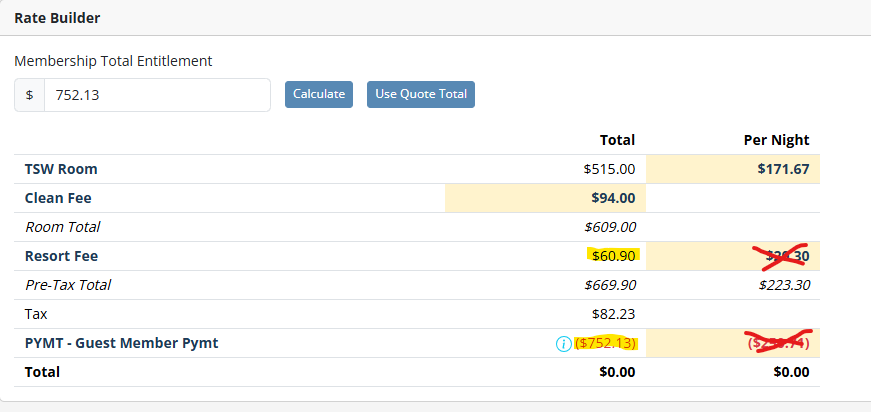
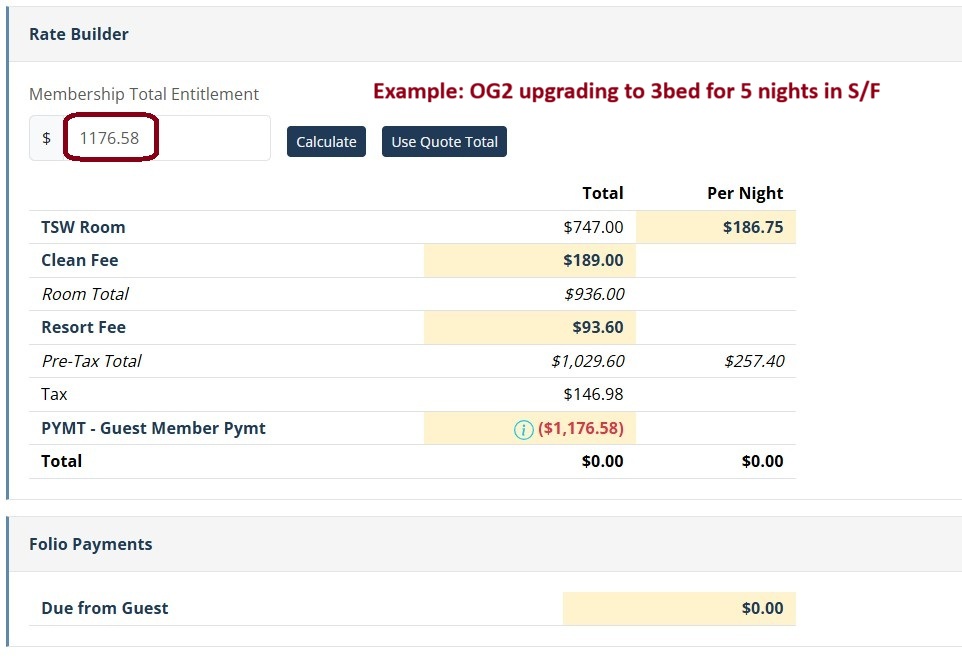
- Add Rate Builder Items In TSW
- Room Rate
- Clean Fee
- Resort Fee
- Pymt – Guest Member (Entered as a negative)
- Total In Rate Builder Should Equal $0.00
Upgrade Stays
Room Upgrades, Property Upgrades, Additional Nights, and Combined Rentals
Get Membership Total Entitlement
- Select Property that comes with the package type they are booking
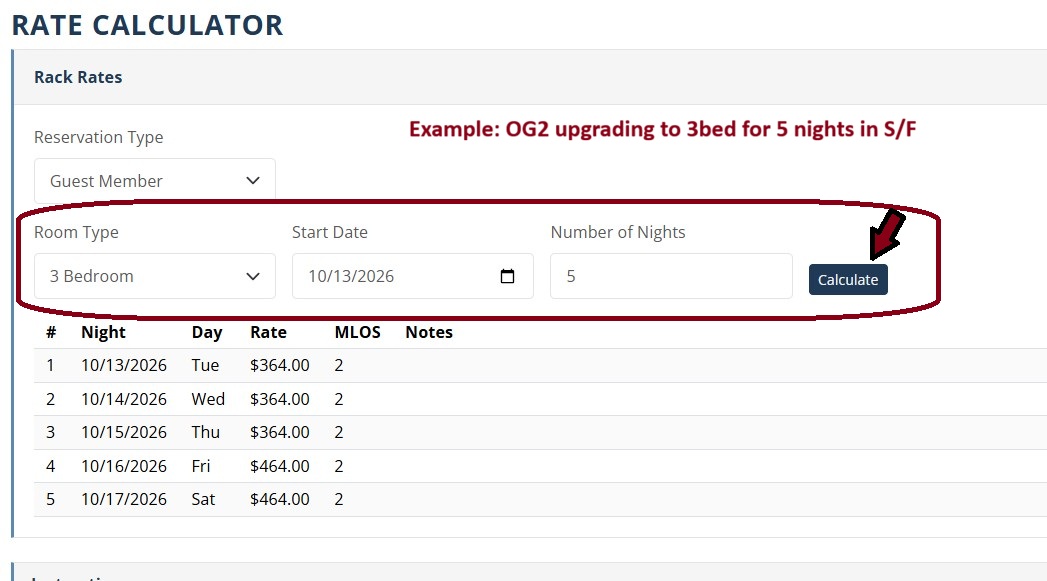
- Select Guest Member in Reservation Type Drop-down
- Select room size covered in their program
- Enter the check-in date
- Enter number of nights covered with their package.
- Hit Calculate
- Scroll down
- Click “Use Quote Total” to fill in Membership Total Entitlement box
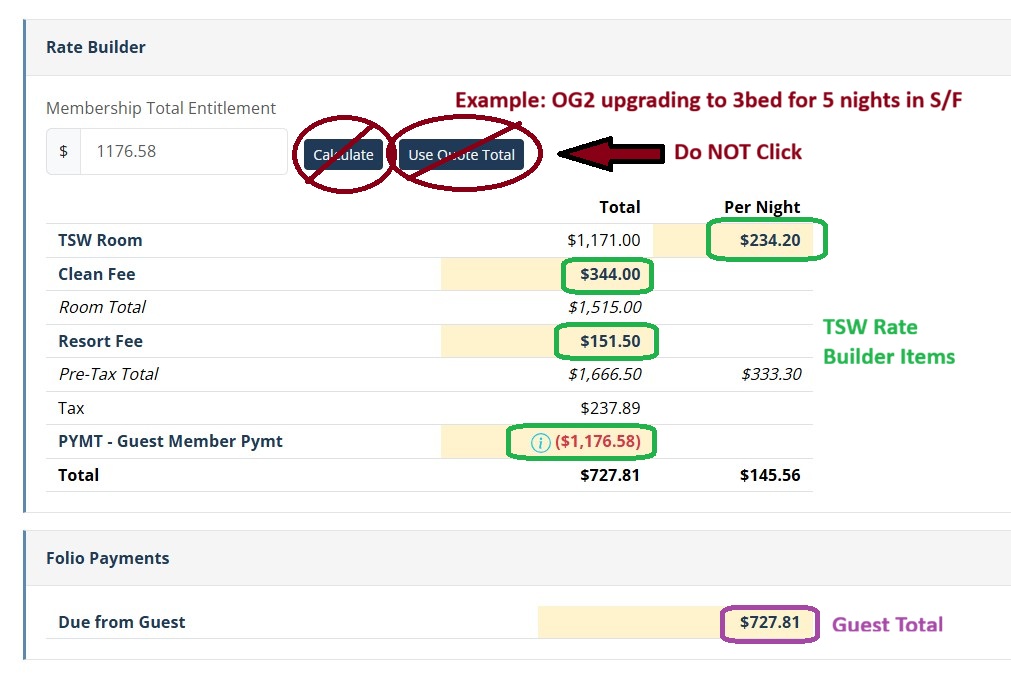
Get Guest Total / TSW Rates
- Go back to top
- Select property, room size, and number of nights they are actually booking
- Hit Calculate
- DO NOT CHANGE membership total entitlement (previous process number will remain)
-
- GM PYMT will stay the same from calculating what they get with package
-
- Quote Total for GM upgrade cost
- Use these rates for TSW Rate Builder
Xmas/NYE Stays
Holiday Upgrades
- Select Property, room type, dates and number of nights the guest is booking
- Hit Calculate
- Under Membership Total Entitlement box type in max discount amount
- OG1 = $1000
- OG2 = $2000
- Hit Calculate and use these rates for Rate Builder
Guided Upgrade Steps
Calculate What is Covered
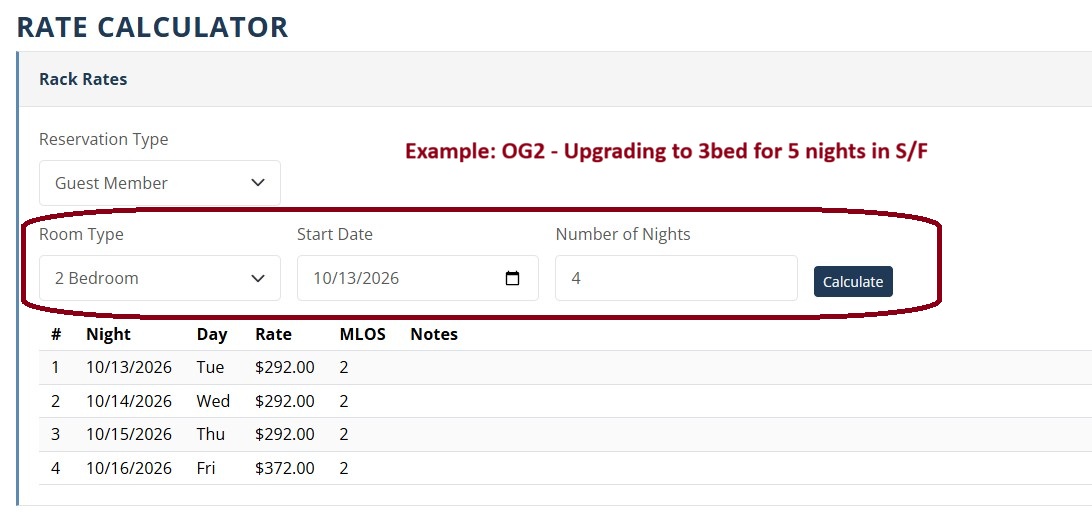
Use Quote Total
Get Membership Total Entitlement
Calculate What is Being Booked
Quote Guest Total / Use Rates in TSW