Day Use For Guest Members
GC8 Day Use
Instructions:
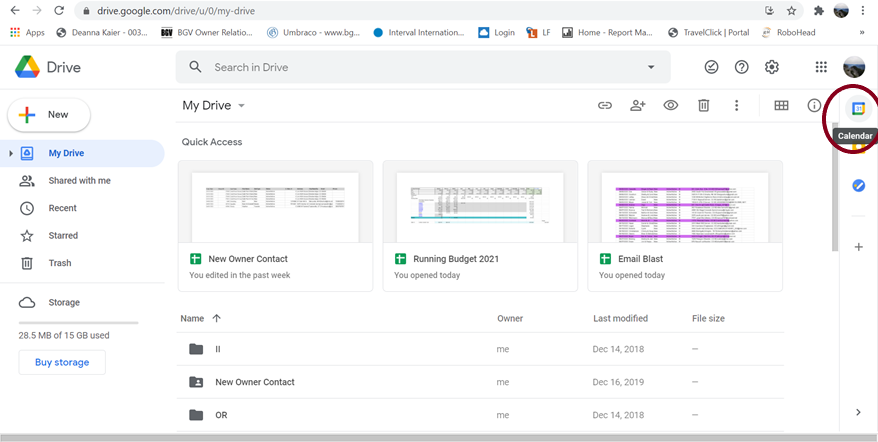
- Go to Google Drive
- Open Calendar in Top Right
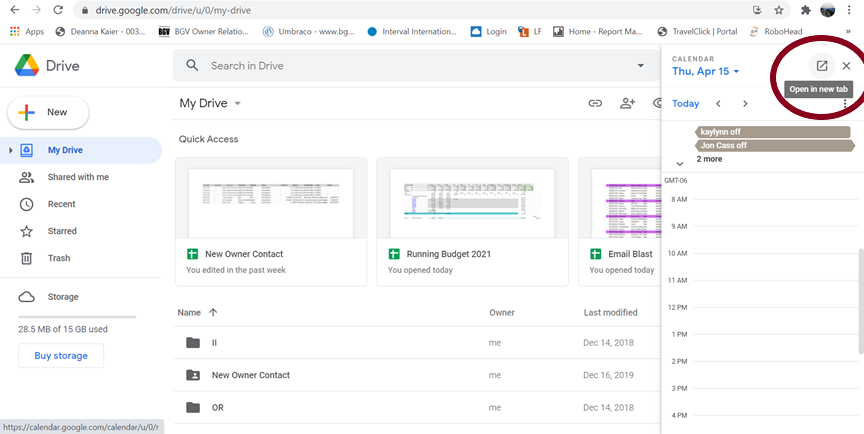
- Popout If You Need
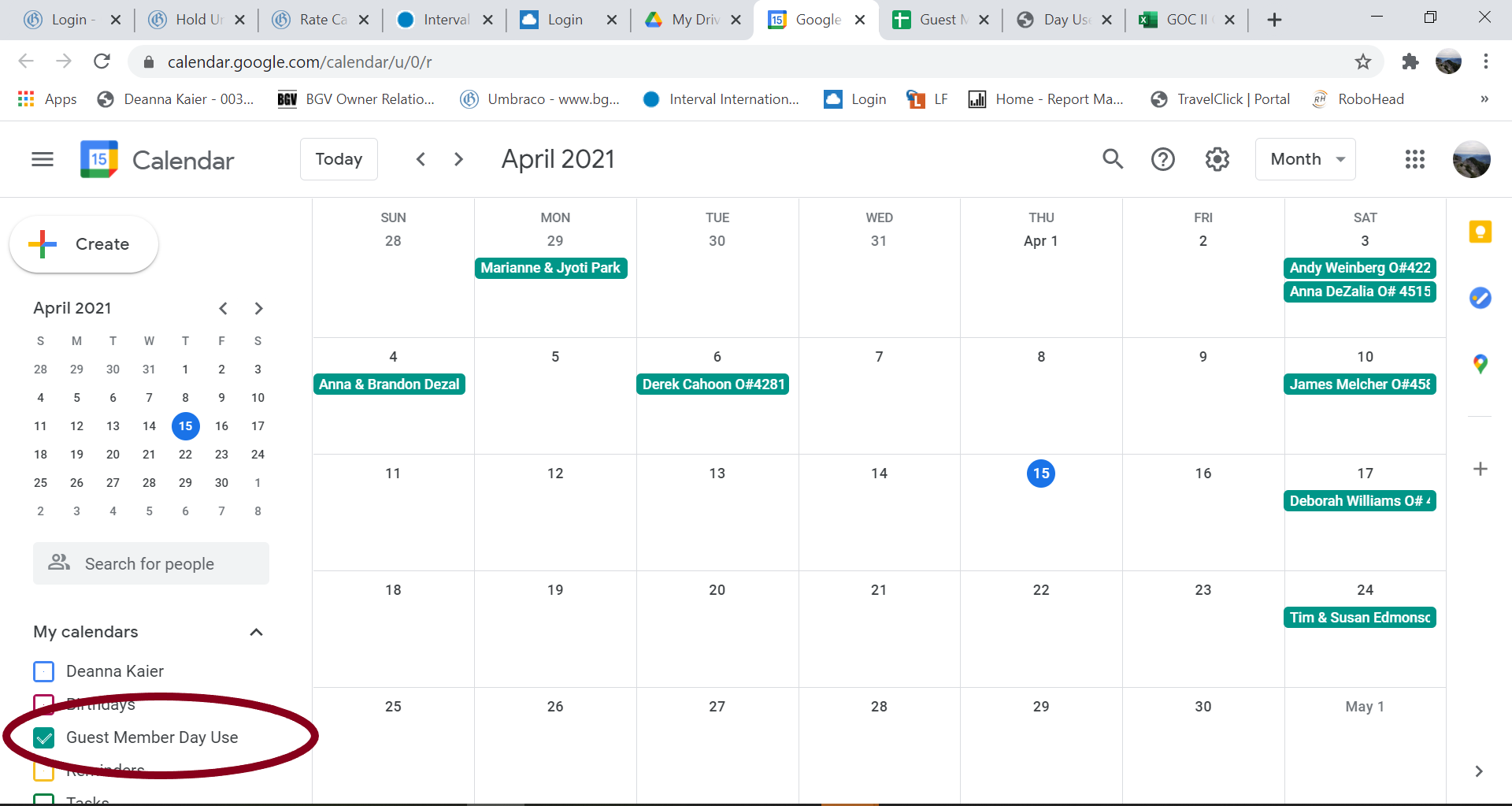
- Select Guest Member Day Use (under My Calendars on left)
- Go to Desired Date
- Enter Owner #/Name Under “Title”
Rules:
- 1 Guest Member Per Day
- Call Concierge if the date’s already booked
- Any Time of the Year
- No Scheduling Parameter (as far out as you want)
- Normal Day Use Rules/Access apply
Go to Google Drive
Pop-Out Calendar
Got to Guest Member Calendar
GTL/GL7 Day Use
Instructions:
- Go to the Owner Relations Dashboard in Umbraco Backoffice
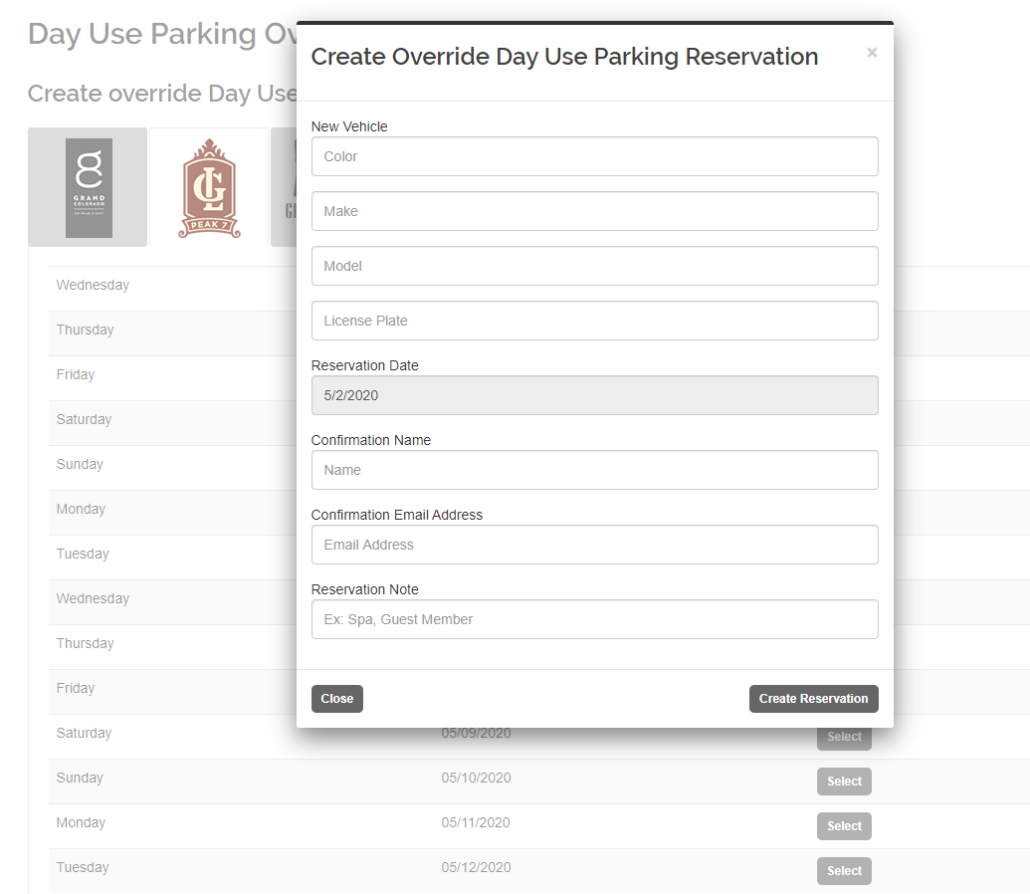
- Click on Day Use Parking Override (Thumbs Up Icon)
- Select the tab of the resort you would like to book parking at
- Click “Select” button next to date you would like to reserve
- Add vehicle and owner information
- Make sure to enter a valid email address as guest will get a Day Use Reservation confirmation email
- In Reservations Note add “Guest Member Day Use”
- Book outside of 7 days, inside of 14 days