
Reservation & Day Use Parking Rules
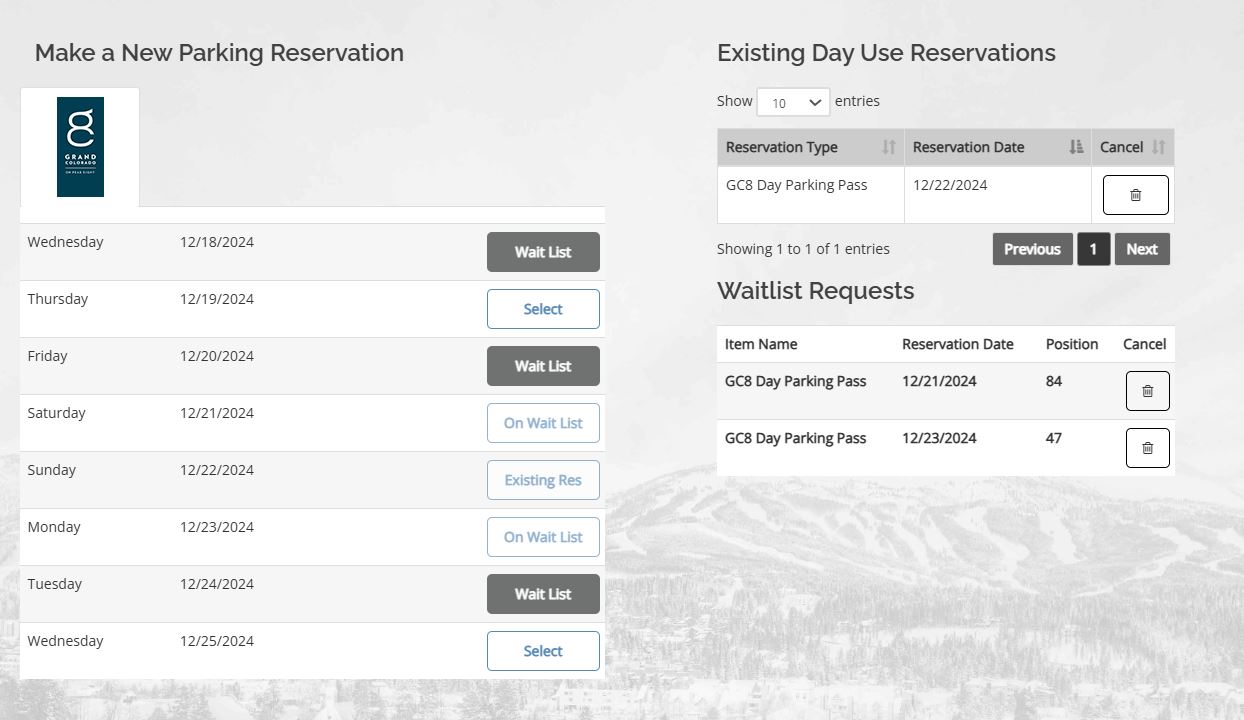
If parking is available to book, this button will display as Select. Click select to book a parking reservation.
Booked Day Use reservations will show in the top right. Click the trashcan icon if the owner needs to cancel.
If there is no parking available and a waitlist, the button will display Waitlist. Click Waitlist to add your owner to the parking waitlist.
If an owner is already added to the waitlist, the button will display On Waitlist. View their waitlist reservations and position in line to the right.
If an owner already has a Day Use parking reservation booked, the button will display as Existing Res. View their existing parking reservations to the right.
Waitlist requests will appear here if an owner is on the waitlist for parking. Here you can view their position in line or cancel their waitlist request.