
Short Stays
Exchanges for 1 – 6 nights
FAQ
Are Short Stays refundable.
No, all Short Stay transactions are final and non-refundable. Additionally, there is no 24 hour cancellation period after confirmation or the ability to reschedule.
How many Short Stays from a deposit?
Basic deposits are provided two Short Stay bookings. CIG deposits may book as many Short Stays as their points allow.
Where do I find the second Short Stay credit/deposit?
The second Short Stay credit/deposit is located at the bottom of the ‘My Units’ page.
I-World
+
Basic Short Stay
- Sign into intervalworld.com
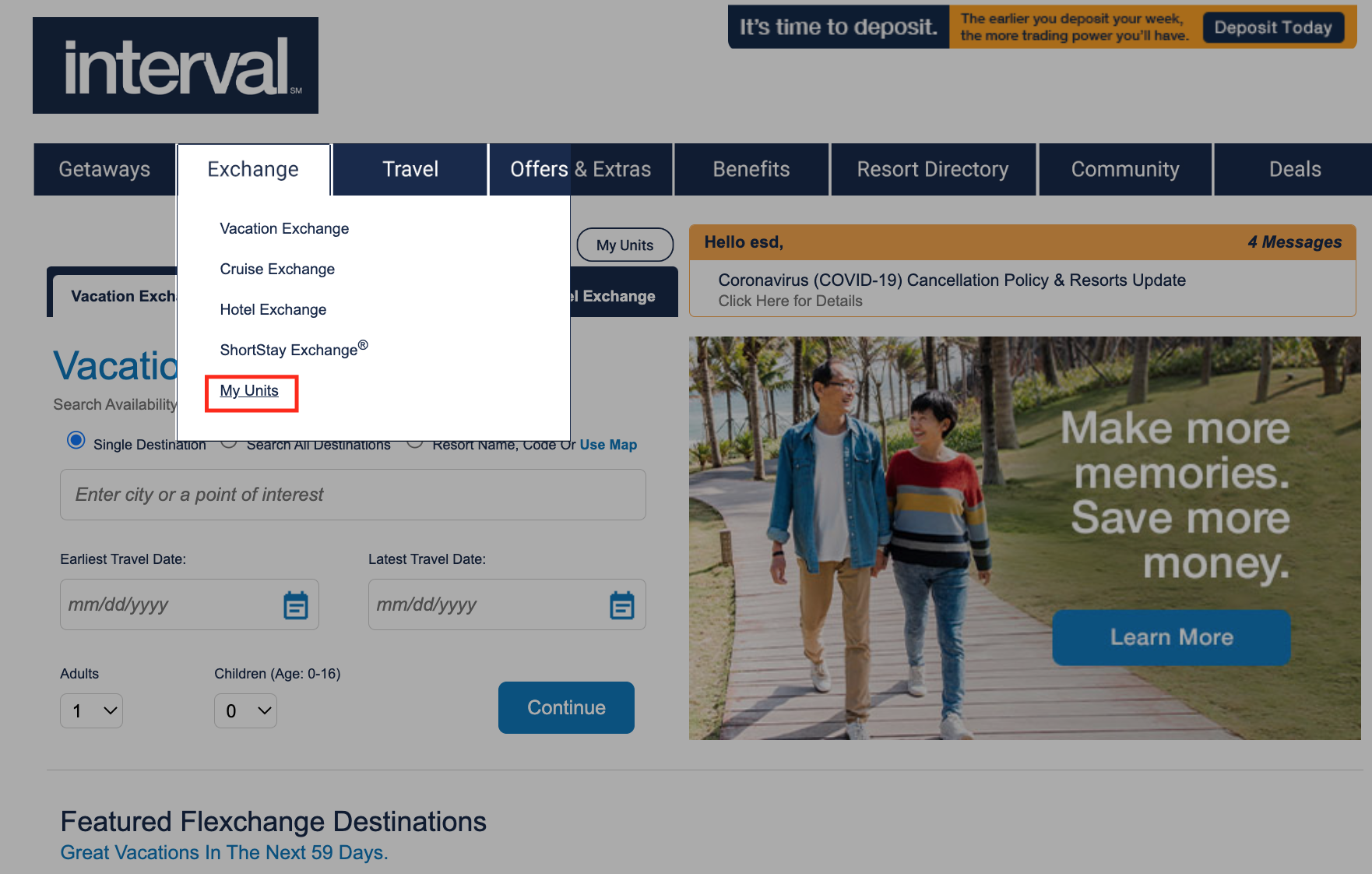
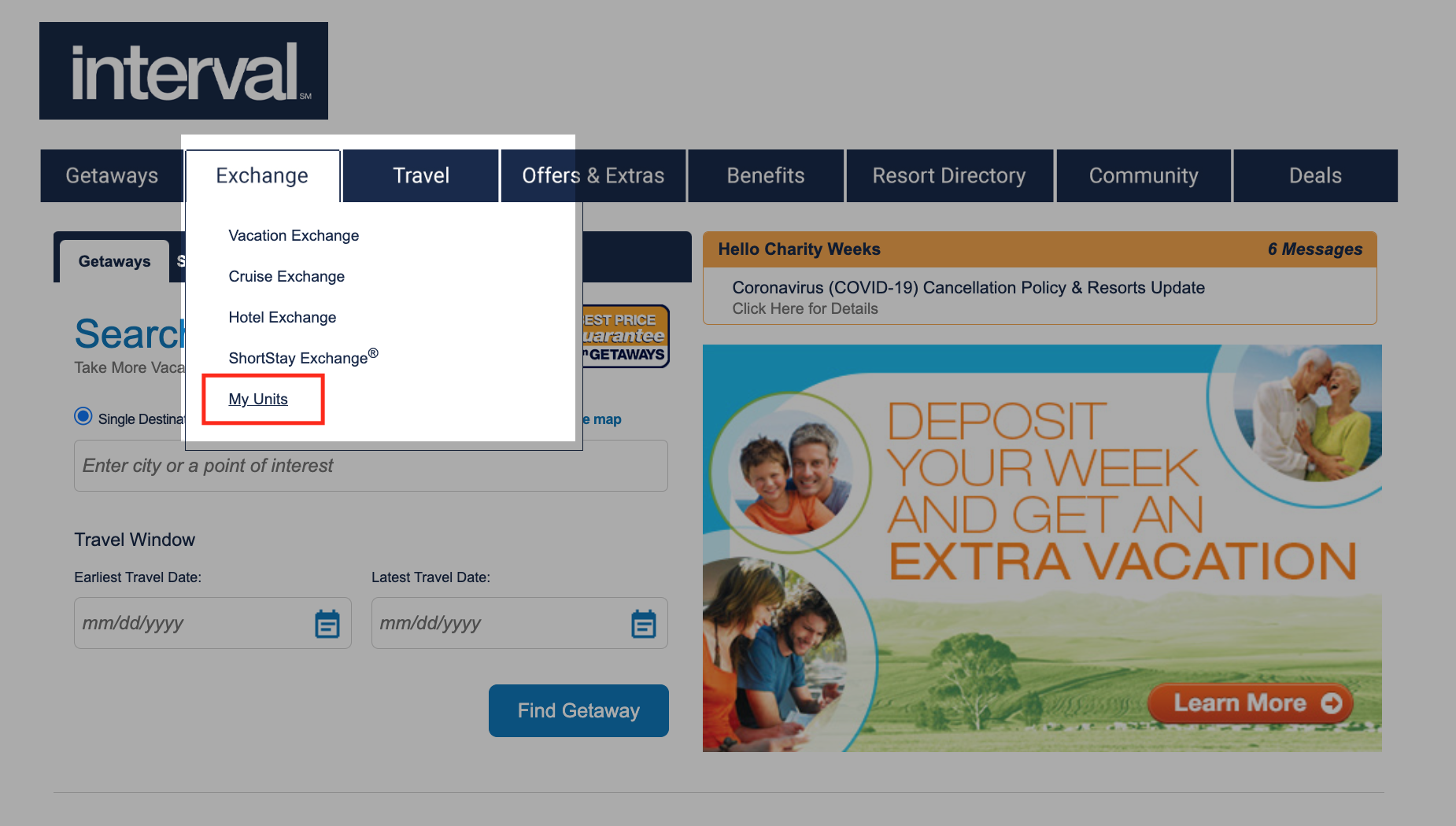
- Hover over ‘Exchange’ in the bar and scroll down to ‘My Units’
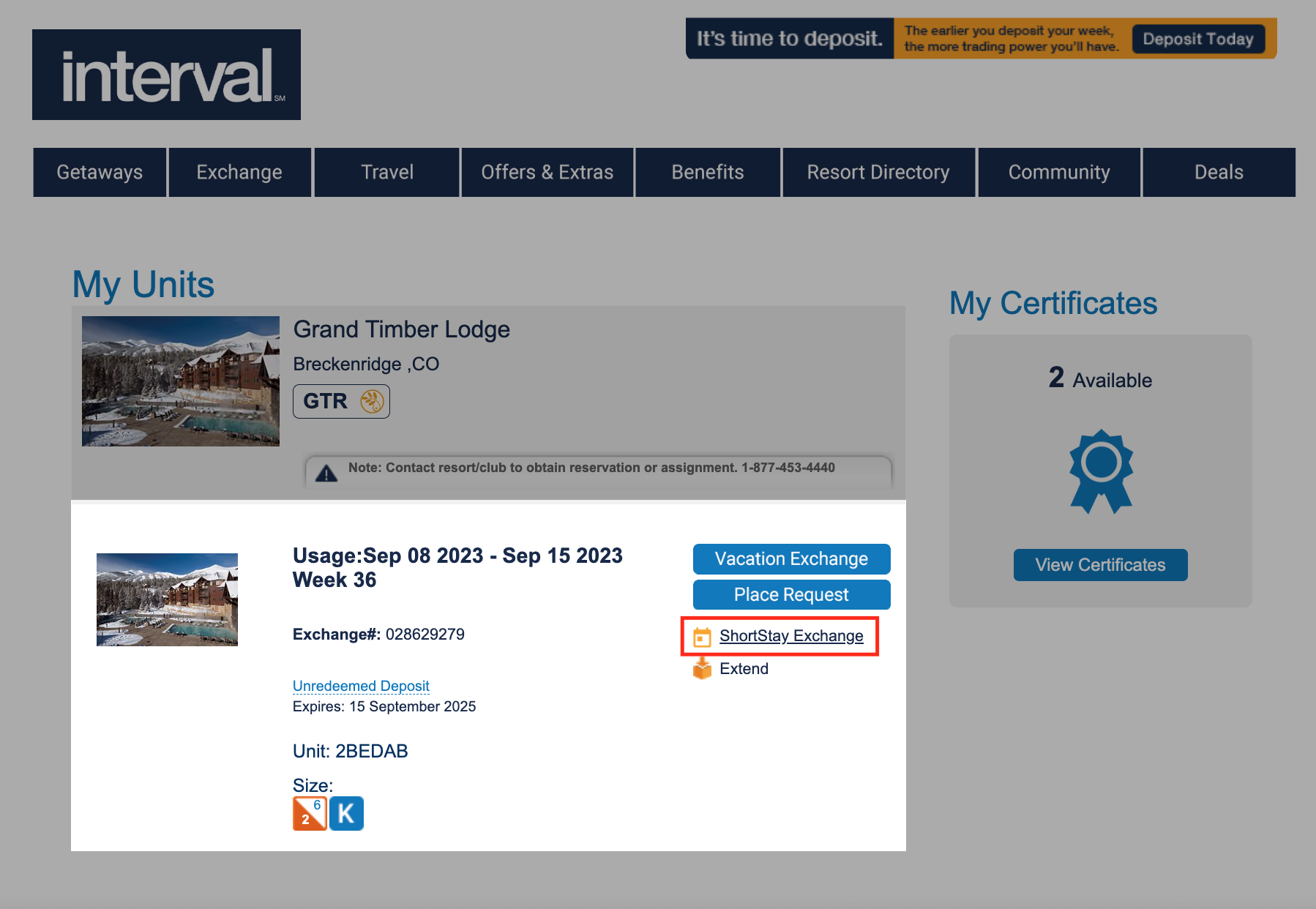
- Scroll down the deposited week and select ‘ShortStay Exchange’
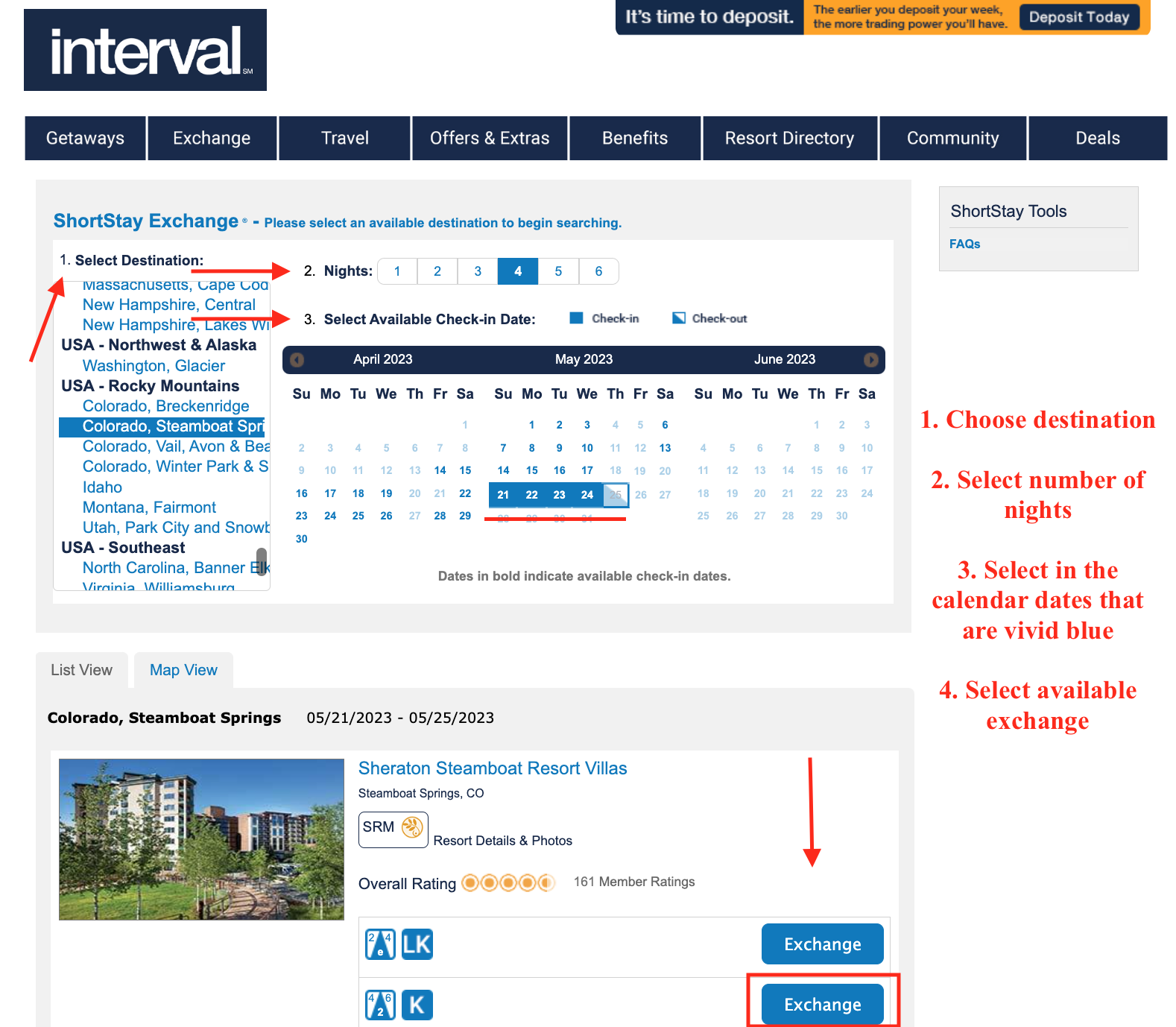
- From left to right to center of page:
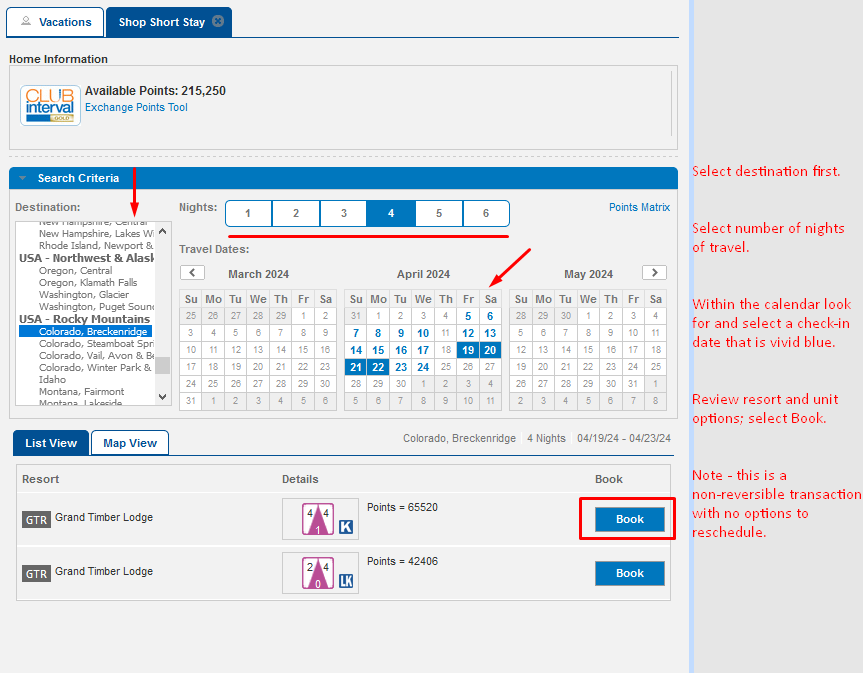
- Select destination
- Select number of nights
- Select available check-in date
- Review resorts, unit sizes and select ‘Exchange’
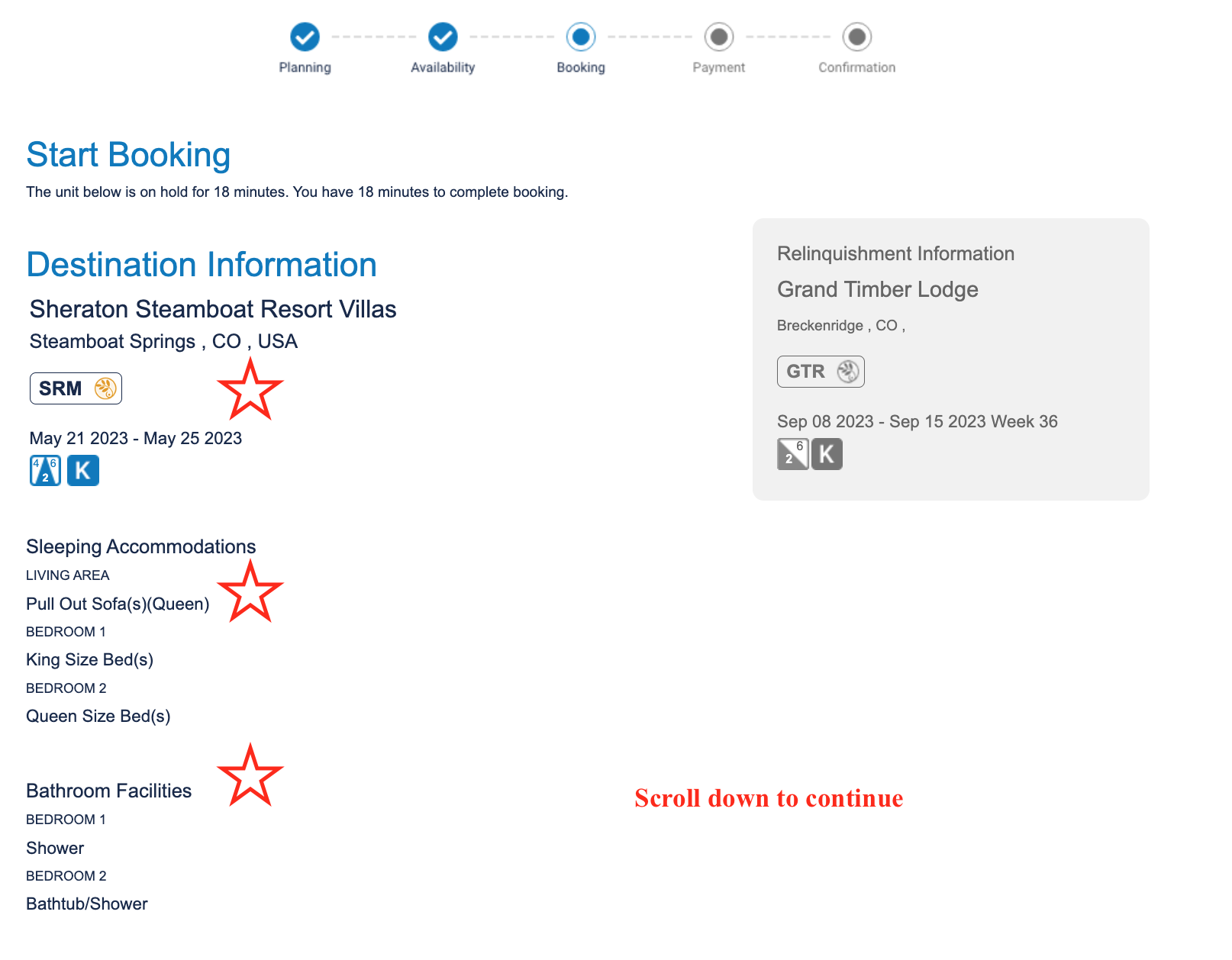
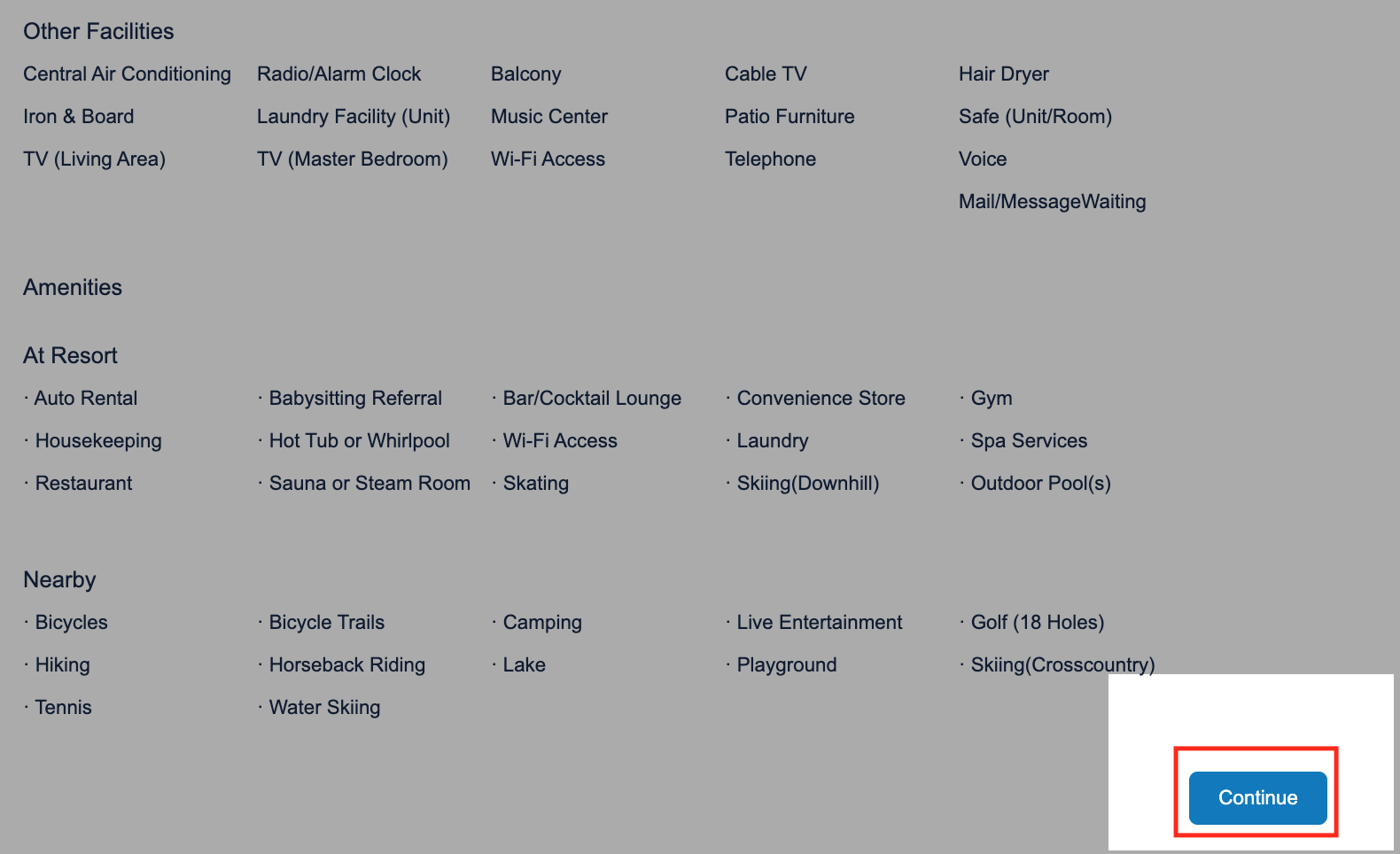
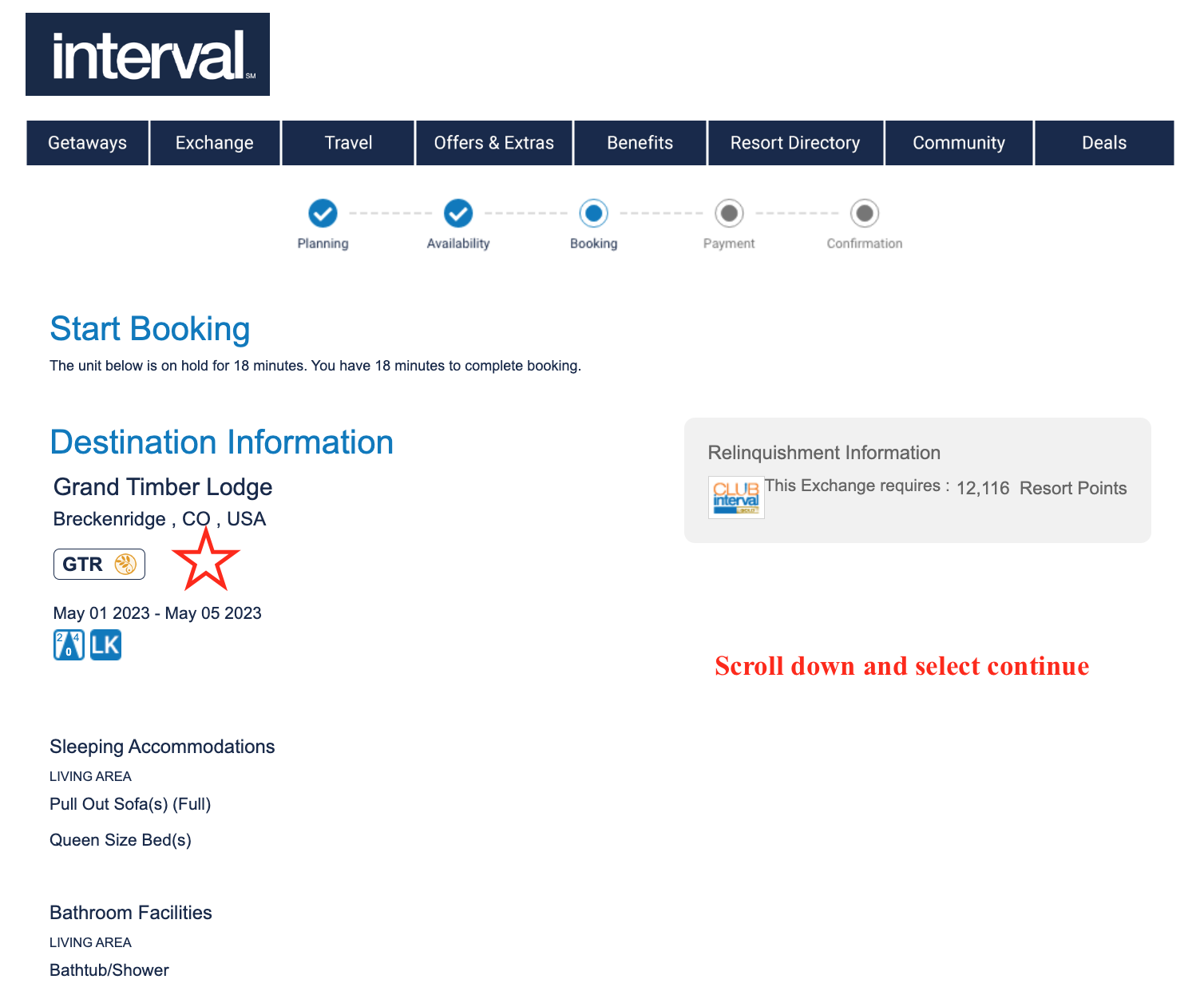
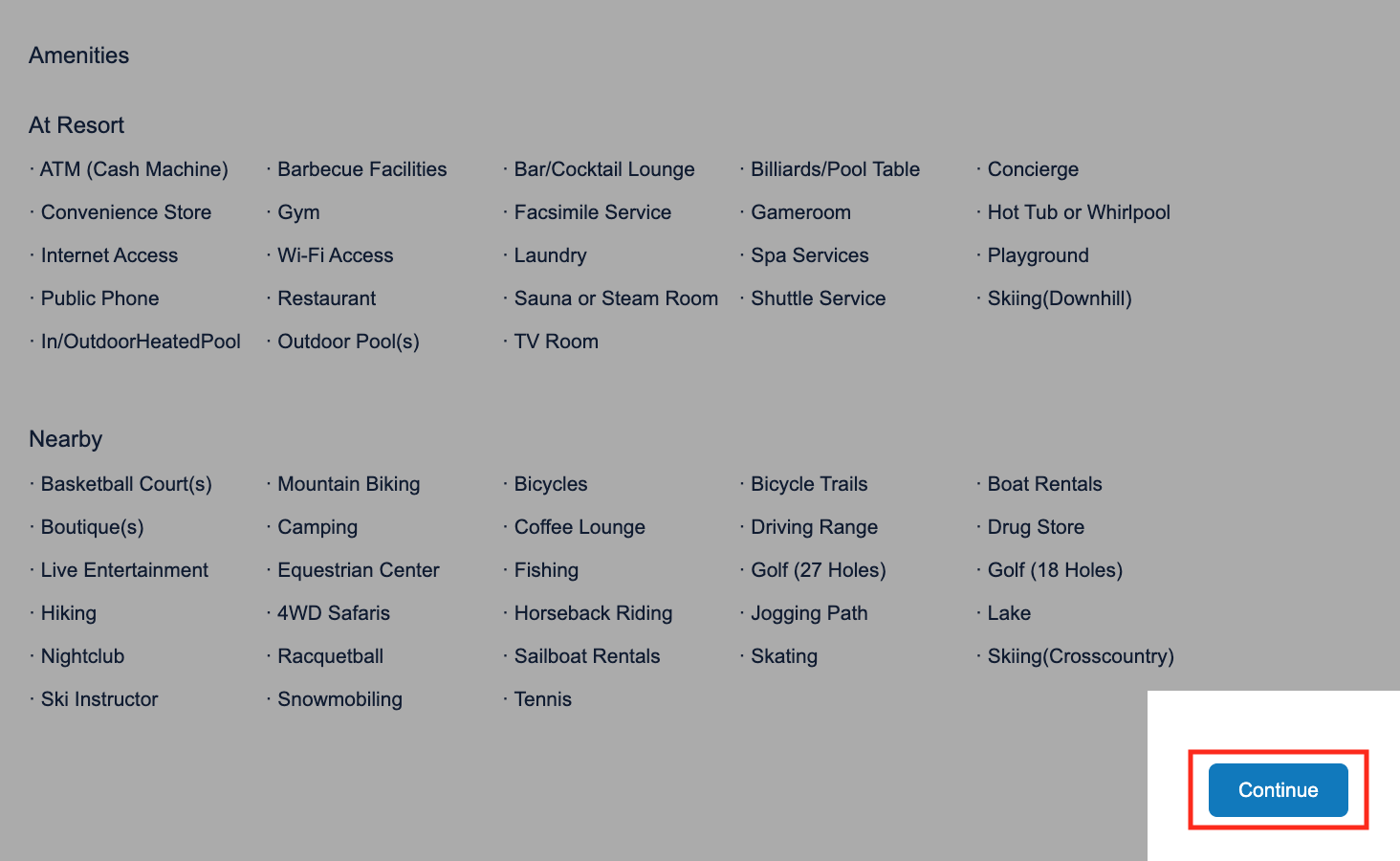
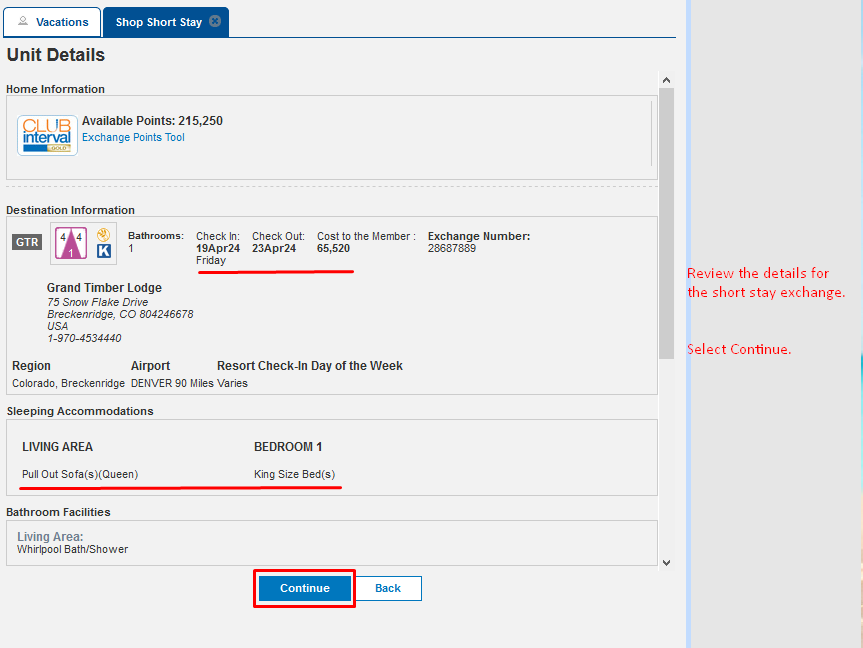
- Review booking information and scroll down to ‘Continue”
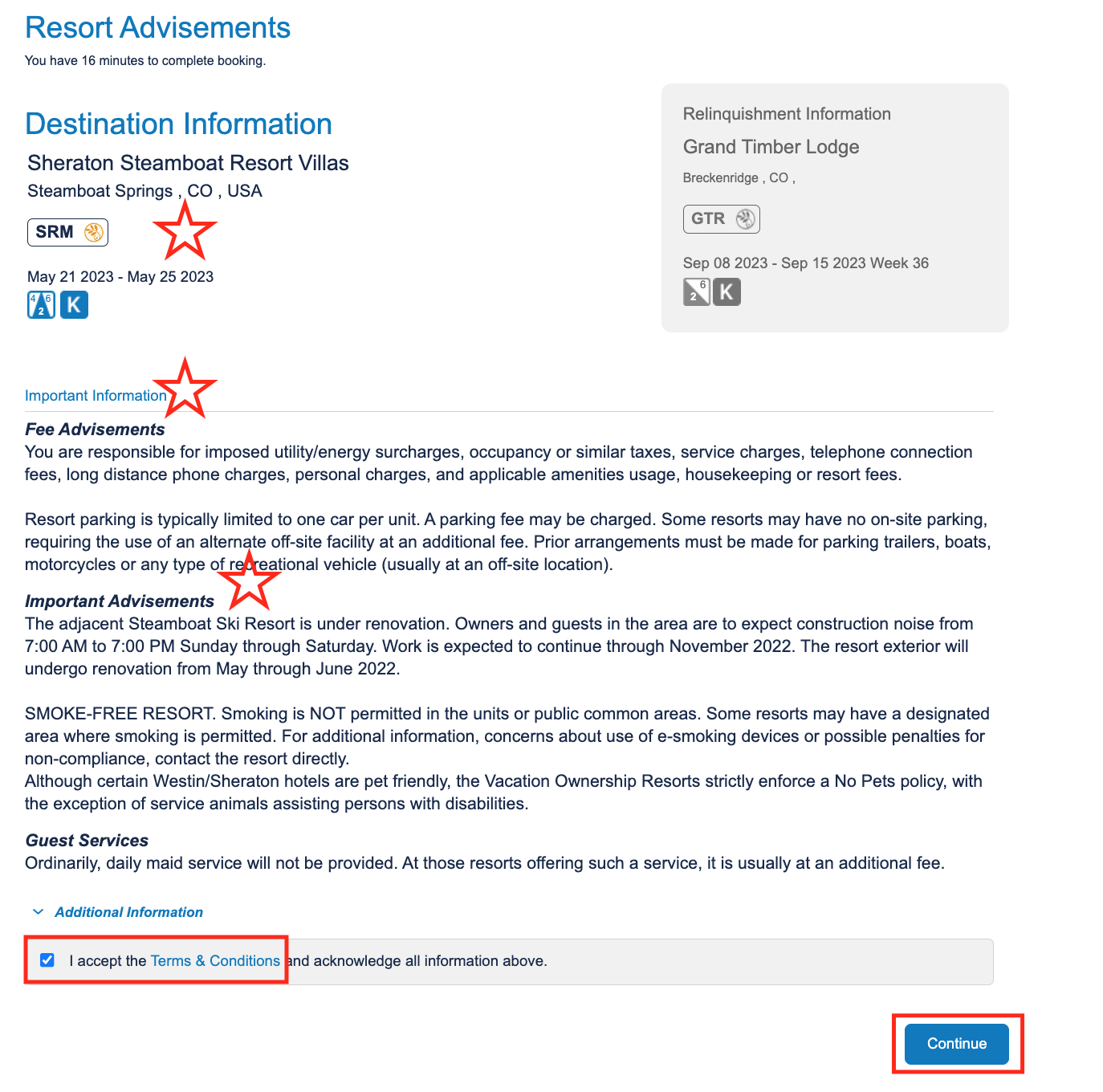
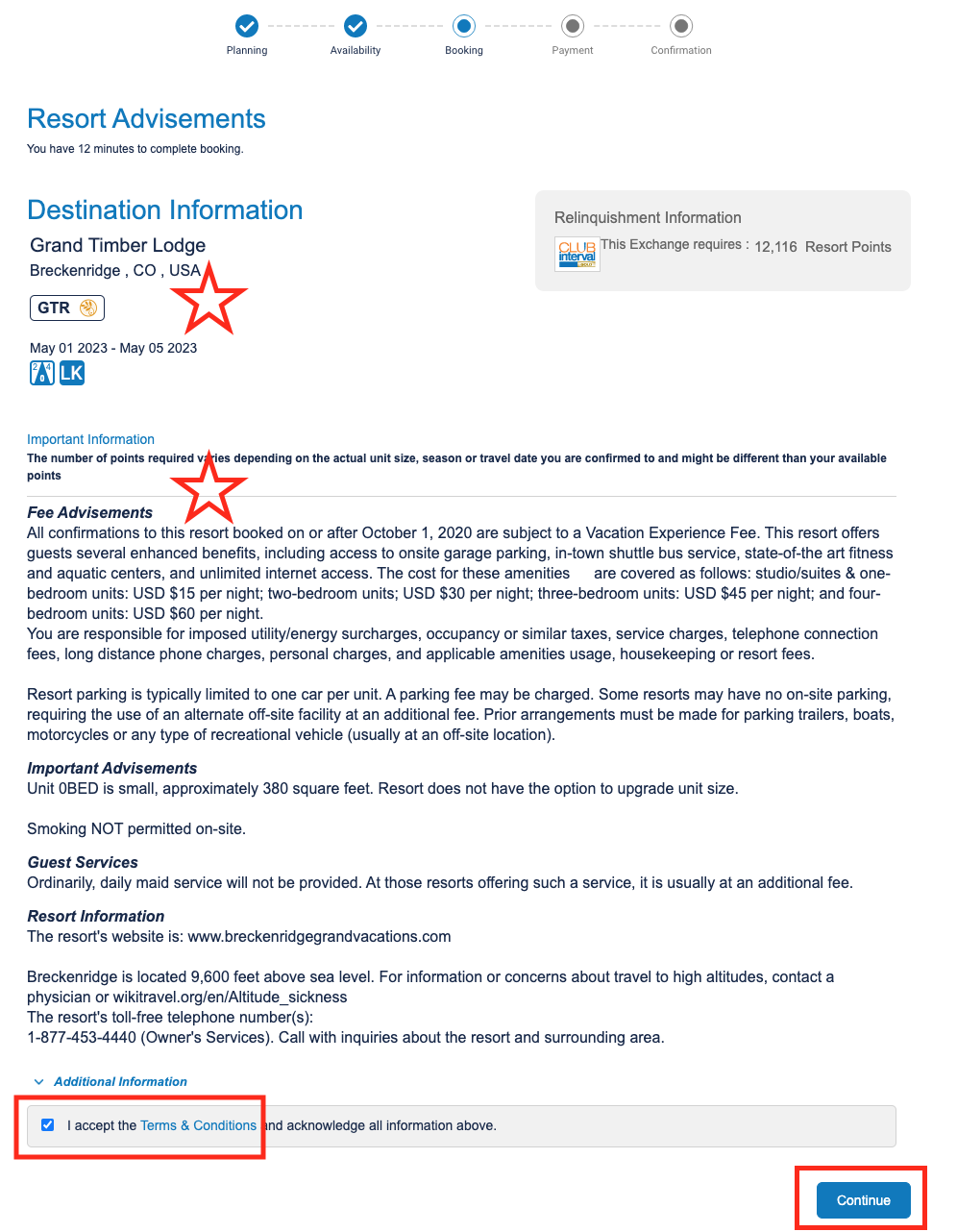
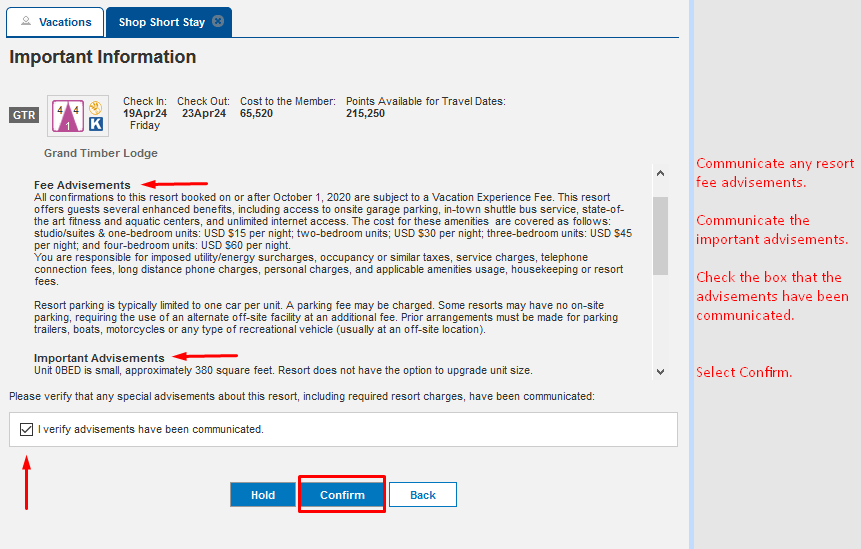
- Read the Important Advisements; accept the Terms and Conditions; select ‘Continue’
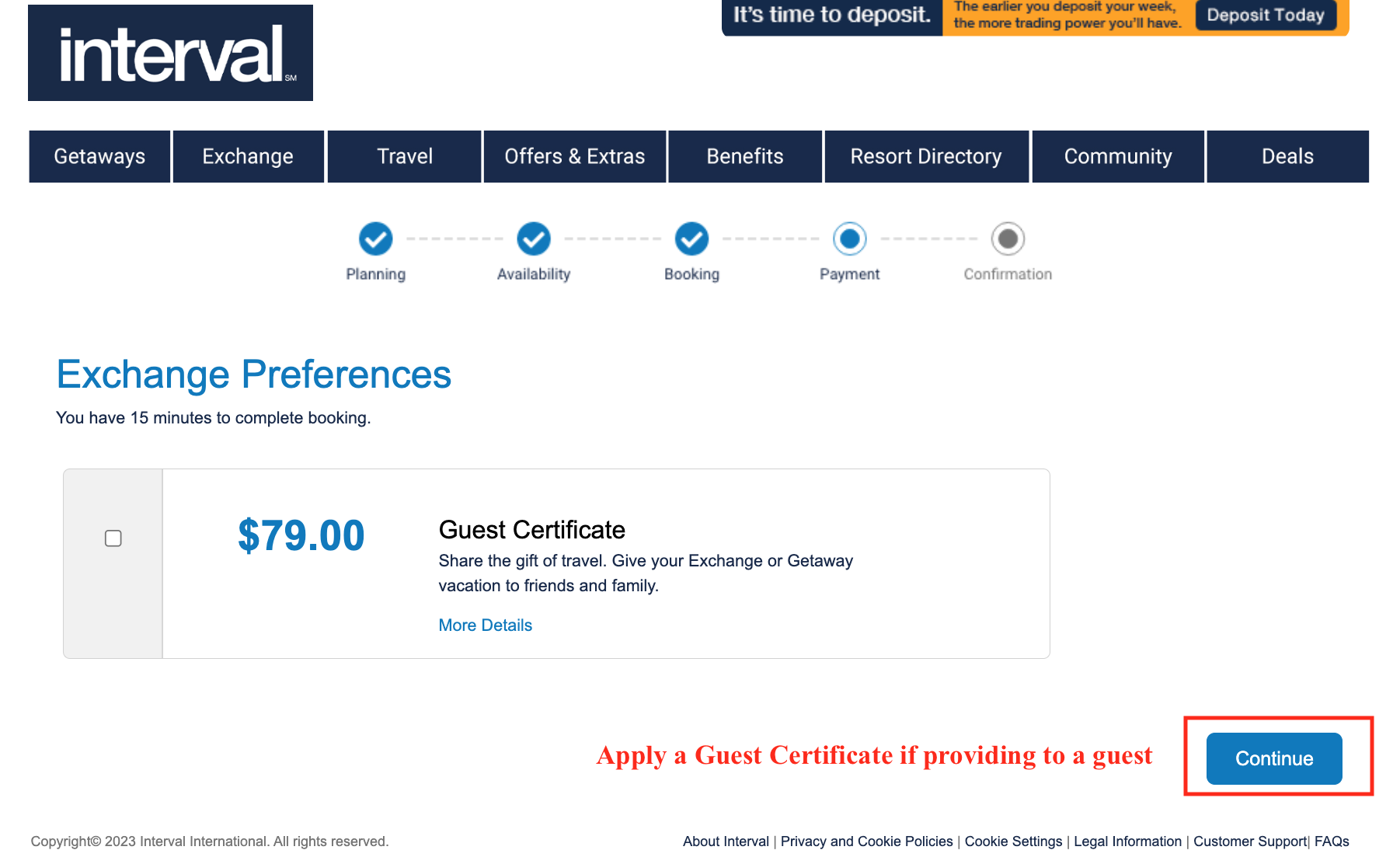
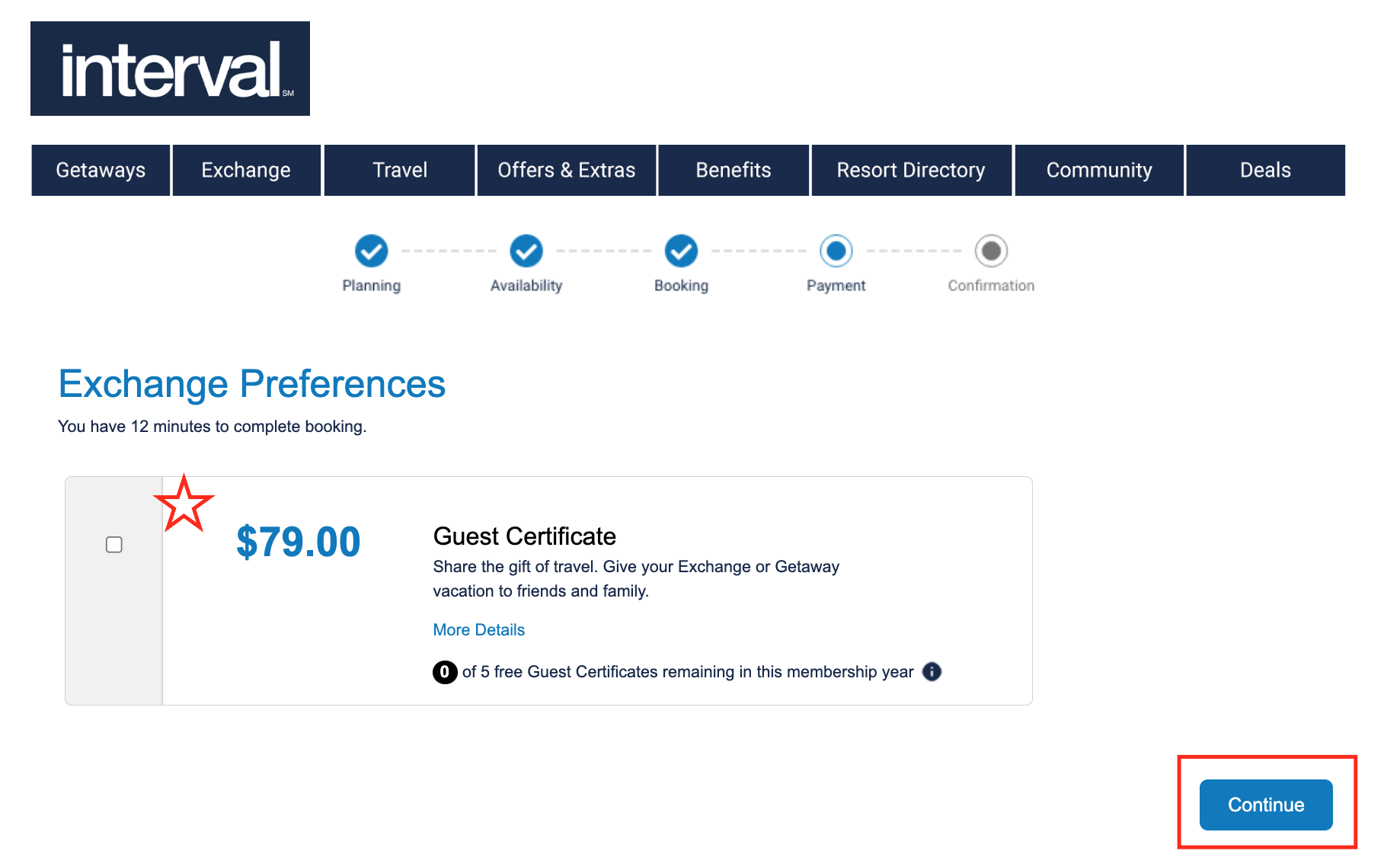
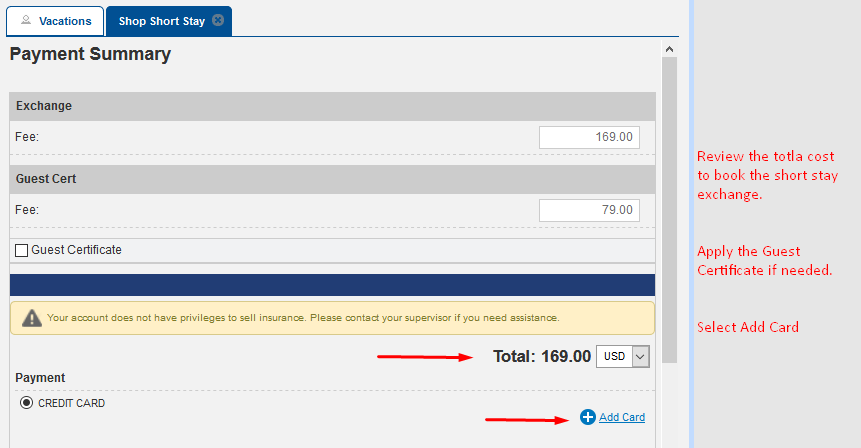
- Select box for Guest Certificate if necessary and ‘Continue’
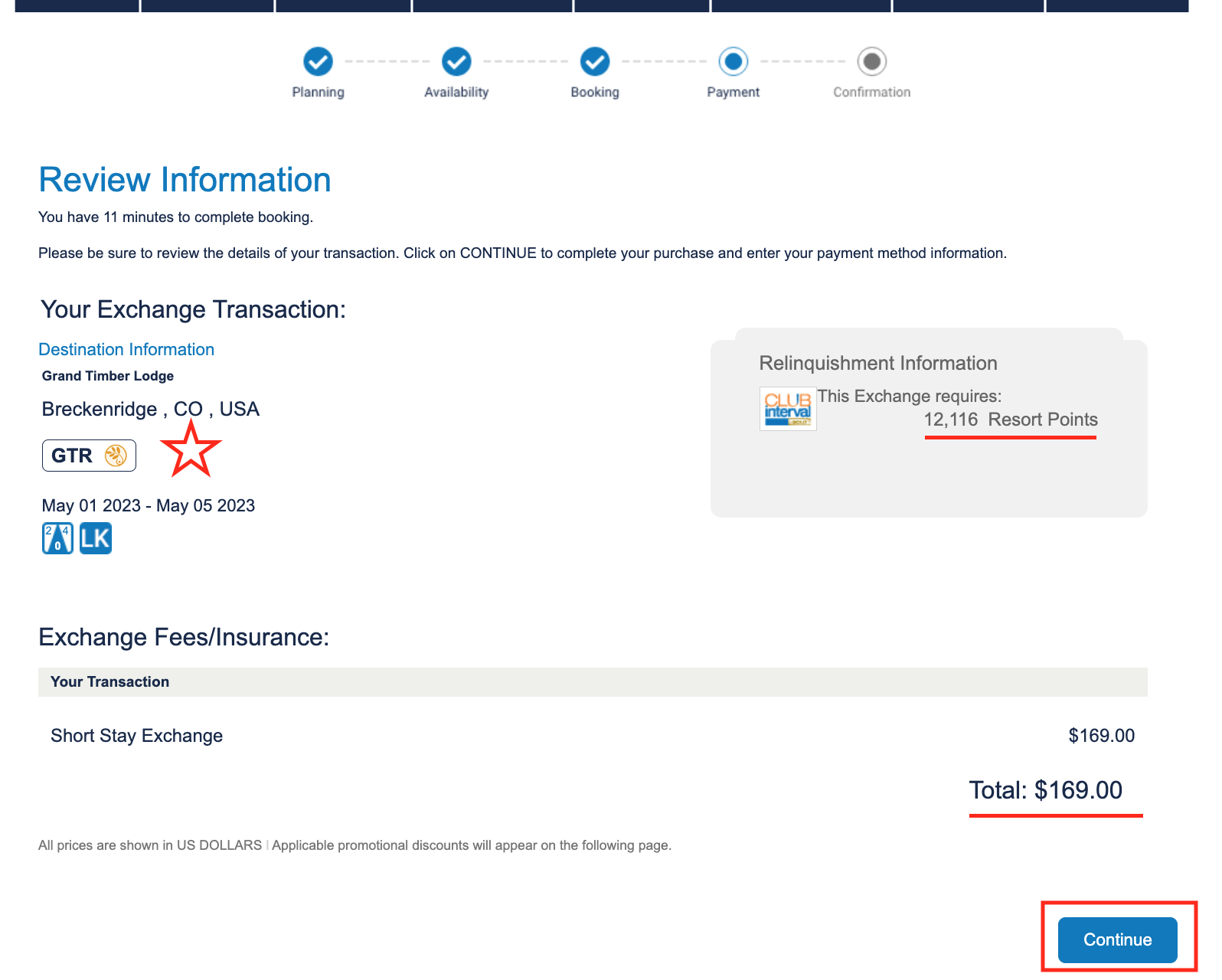
- Review the booking, points relinquished, price and ‘Continue’
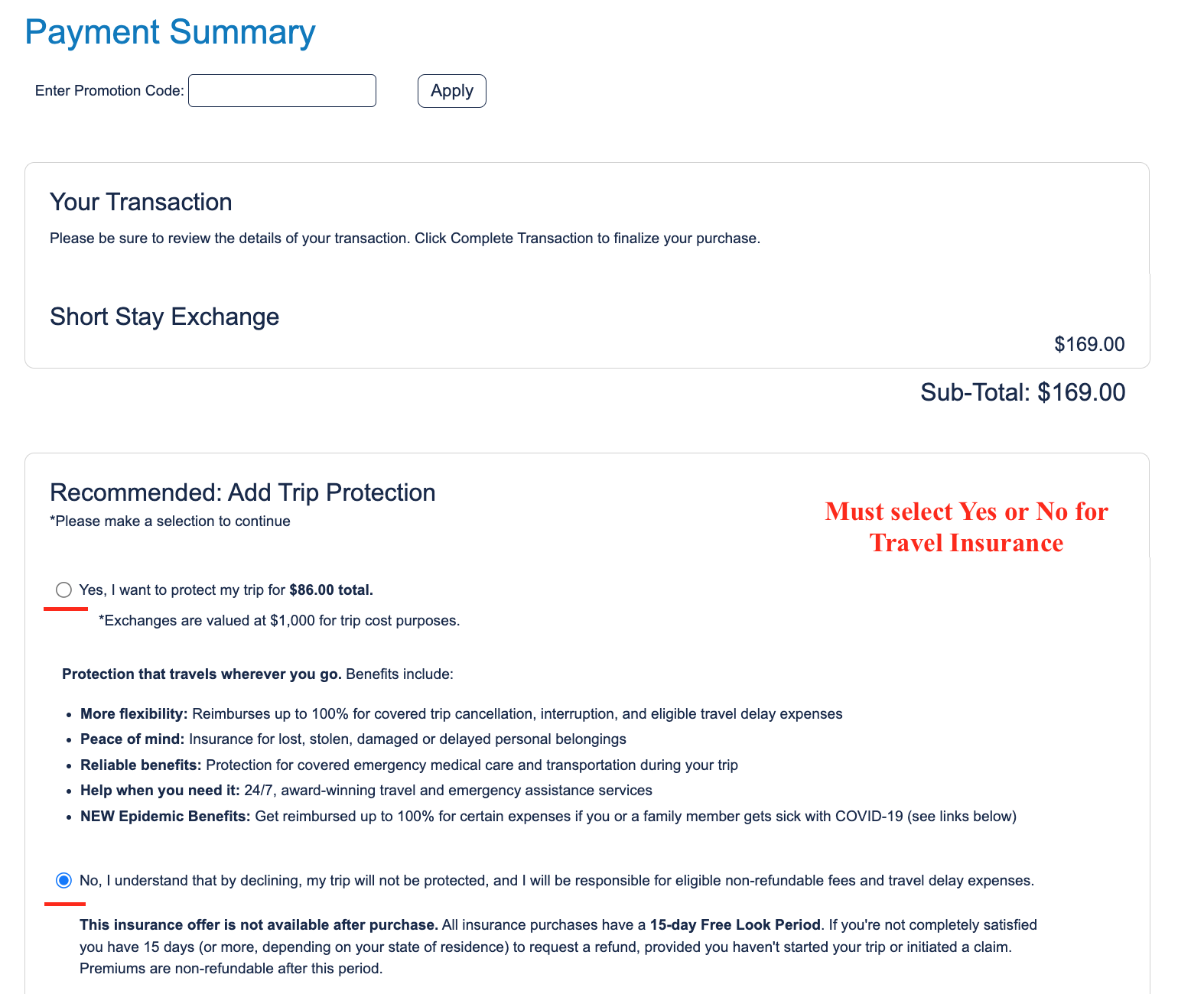
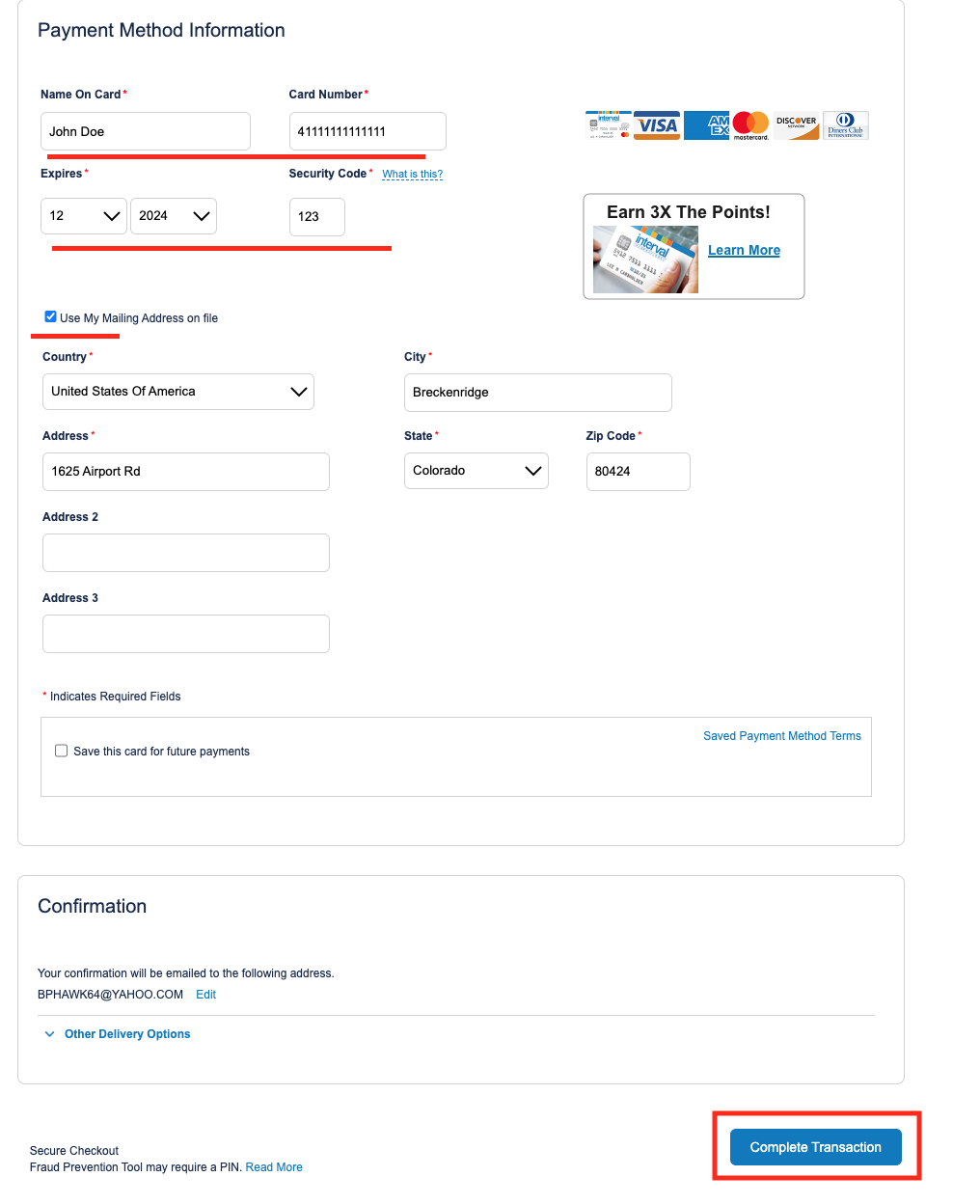
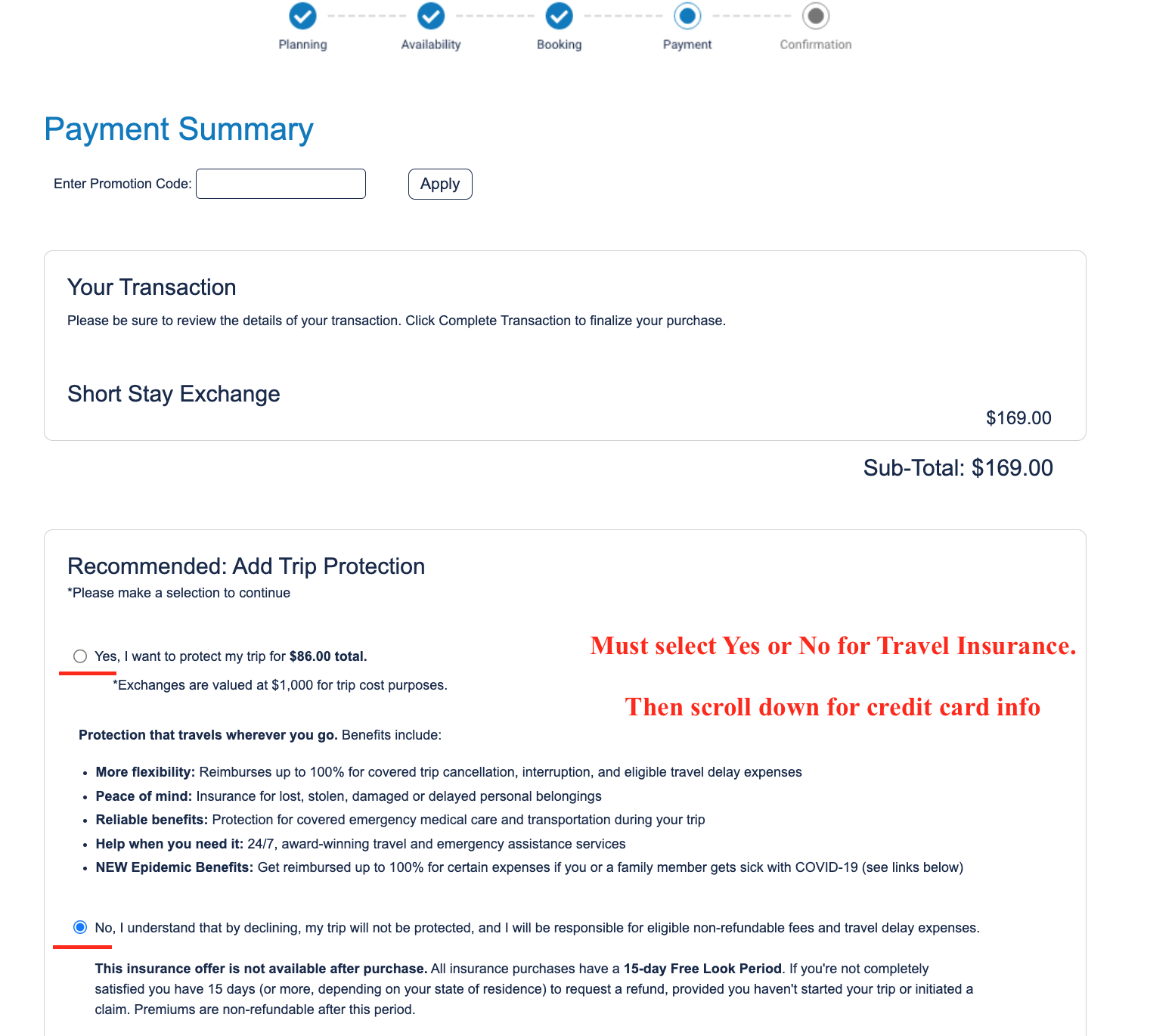
- Select Yes or No for Travel insurance and scroll down to enter credit card
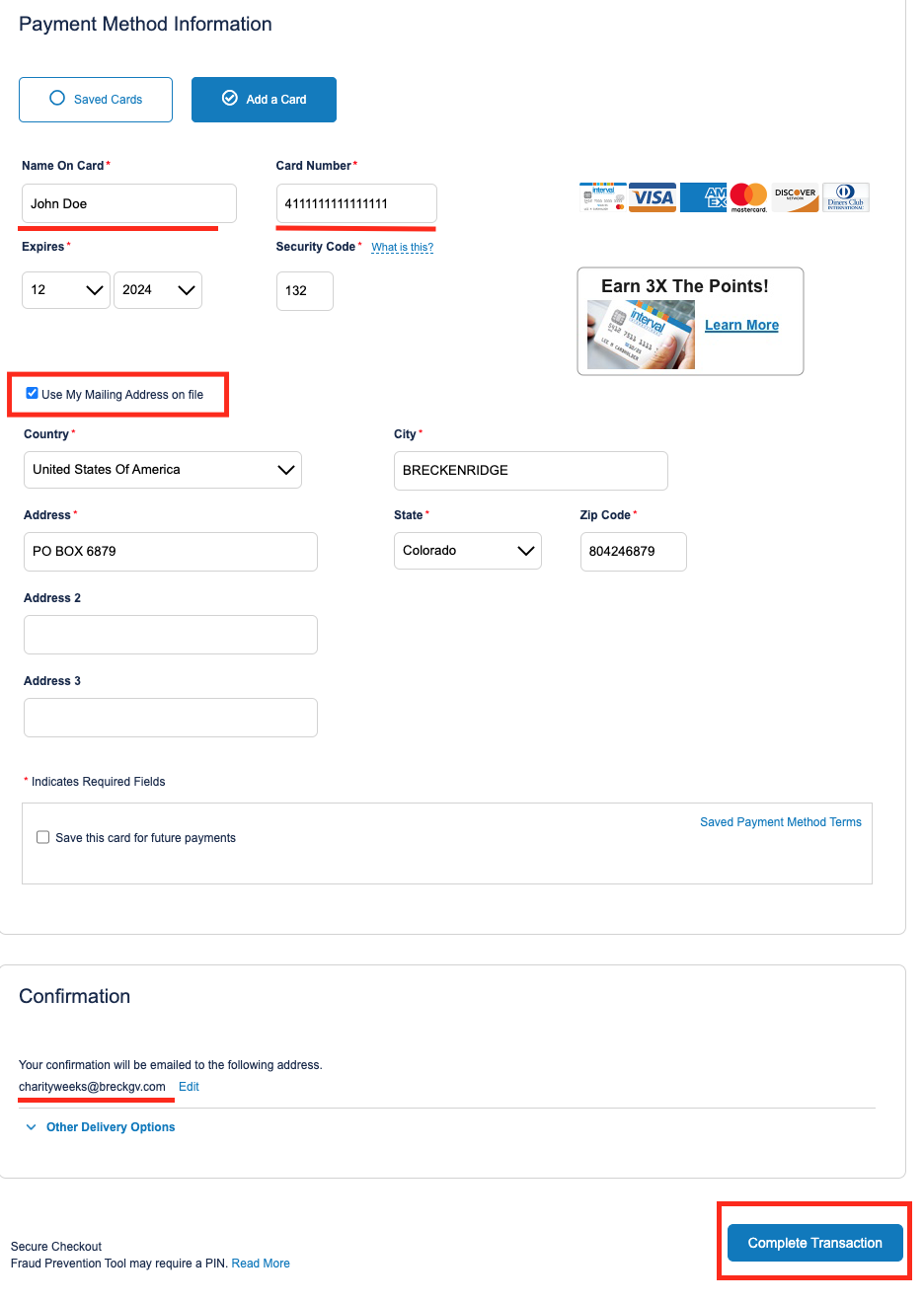
- Select ‘Complete Transaction’
CIG Short Stay
- Sign into intervalworld.com
- Hover over ‘Exchange’ in the bar and scroll down to ‘My Units’
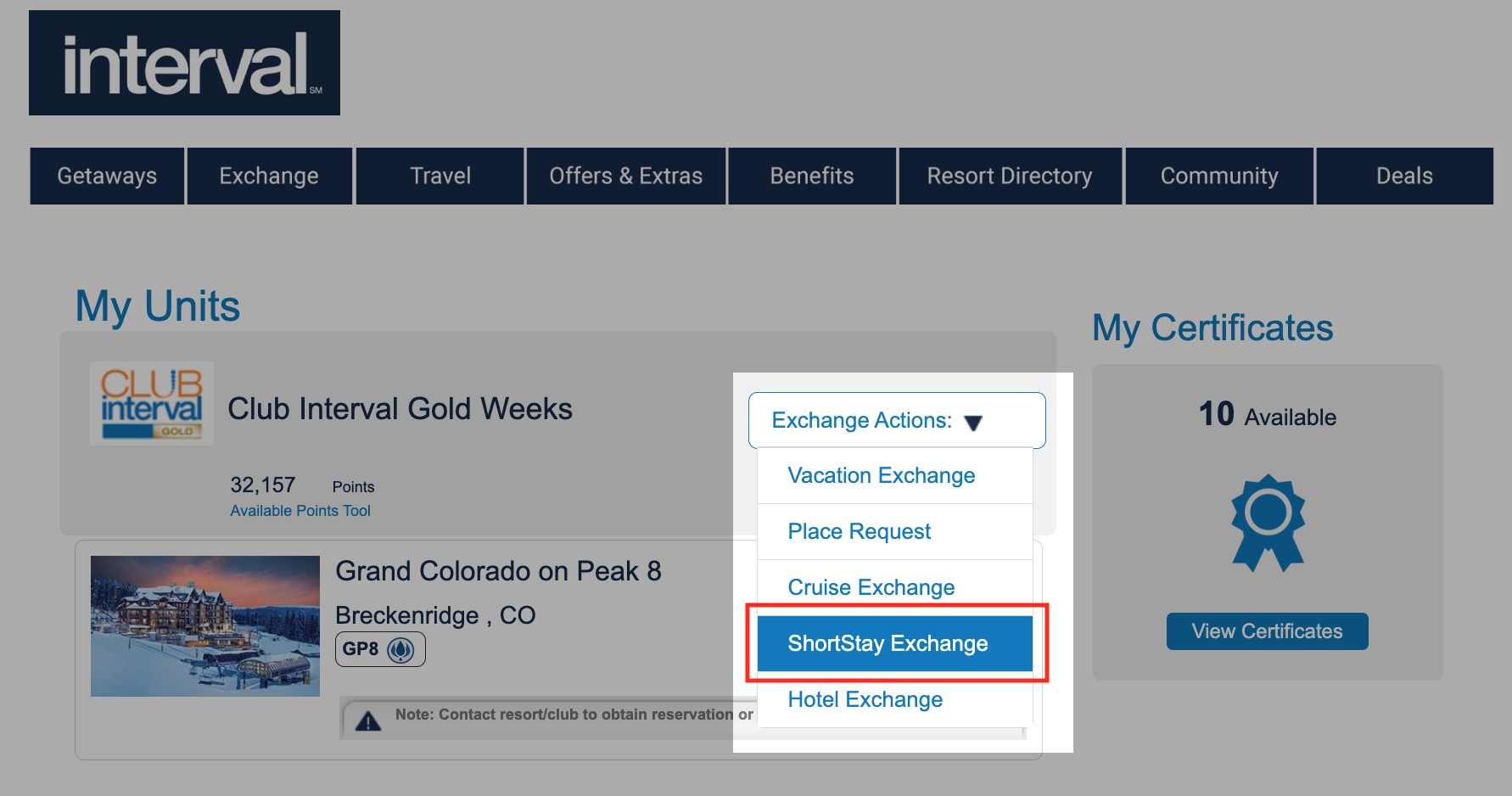
- Select the ‘Exchange Actions’ menu and scroll down to ‘ShortStay Exchange’
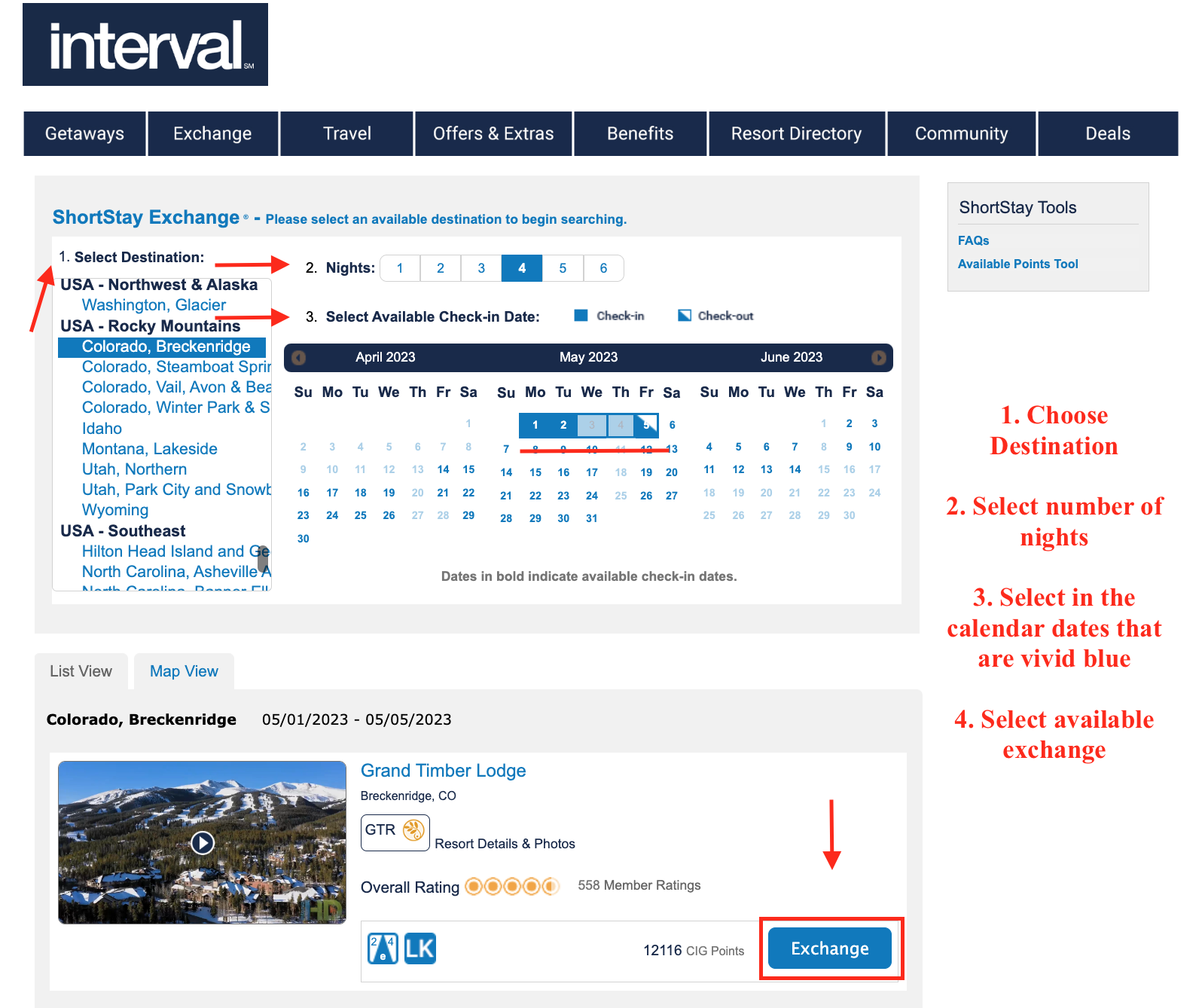
- From left to right to center of page:
- Select destination
- Select number of nights
- Select available check-in date
- Review resorts, unit sizes and select ‘Exchange’
- Review booking information and scroll down to ‘Continue”
- Read the Important Advisements; accept the Terms and Conditions; select ‘Continue’
- Select box for Guest Certificate if necessary and ‘Continue’
- Review the booking, points relinquished, price and ‘Continue’
- Select Yes or No for Travel insurance and scroll down to enter credit card
- Select ‘Complete Transaction’
I-Services
+
Basic Short Stay
CIG Short Stay
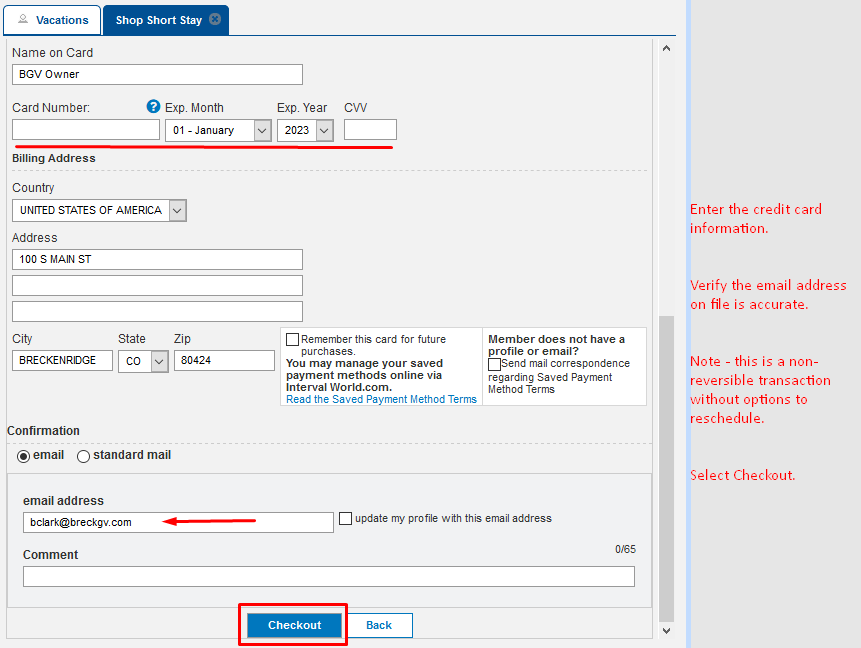
EASy & TSW
+
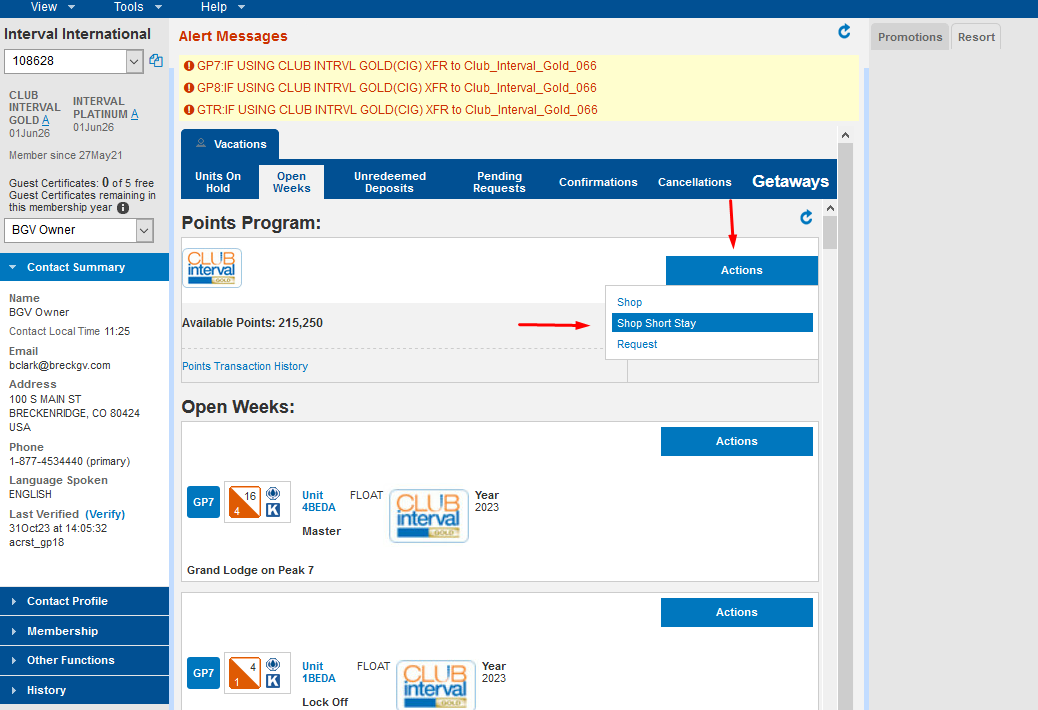
EASy SS
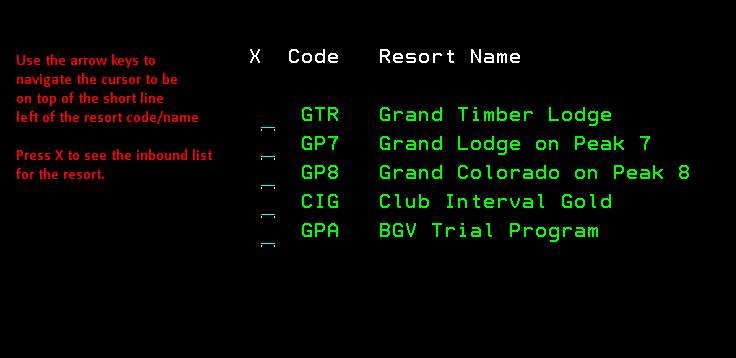
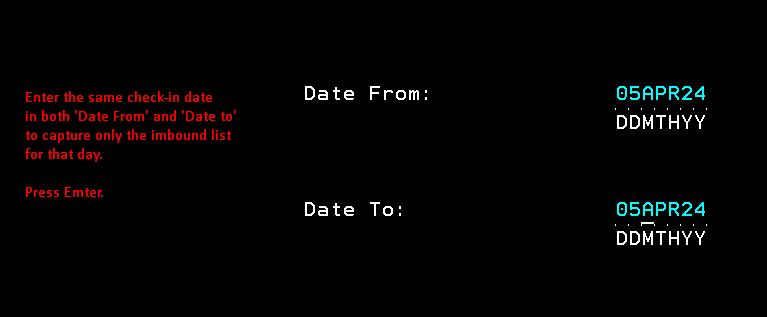
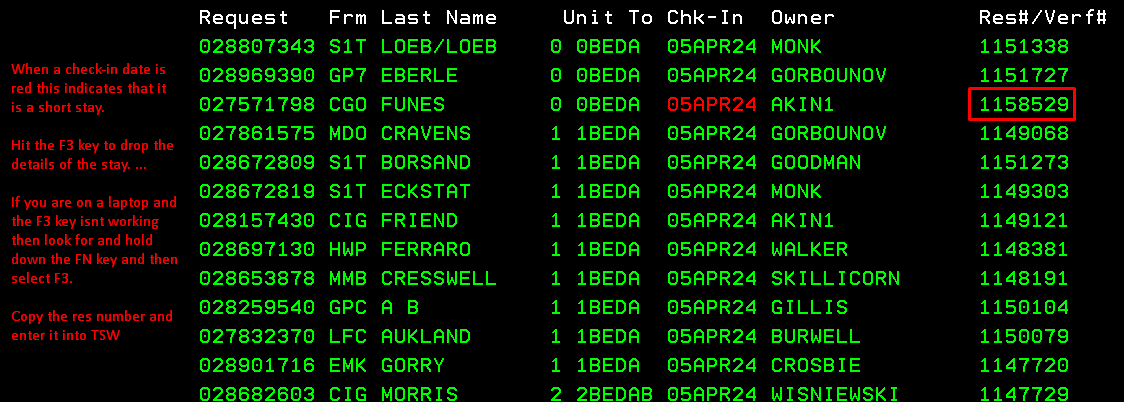
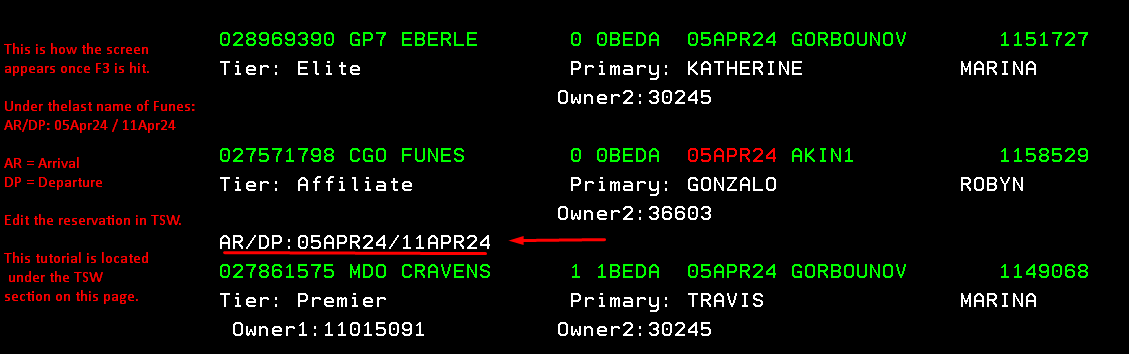
TSW SS
- Open the deposited reservation in TSW
- Enter the exchange info from EASy
- From the Guest Box select new
- Avoid the name fields and select Search
- First search for the guest – email works best
- If no file exists select new and create a customer file
- Make the customer file the primary on the reservation
- Delete the deposit file from the Guest Box
- Change the status to the correct Short Stay identifier
- Click the unit line and select Details below to show the contract number
- Use the contract number to pull the customer file used to deposit this week – return here in a moment
- From the reservation select the unit line and edit
- Change the check-in & check-out dates to reflect the AR/DP in EASy
- Search and then Book – the unit will be assigned automatically
- Using the deposit file & exchange res type, Book the newly open mg space
- Insert a note detailing the contract number of where the unit originated and the adjoining short stay res #
- Go back to the deposited customer file/contract and adjust usage to zero.