
Deposit Tutorials – E18
GTL:
- 3-Beds yield two deposits at most.
- MP & S yield max point value.
GL7 & GC8:
- Unit size = potential # of deposits.
- M & S = most II availability.
Back to Breck?:
- Basic trades back to home resort.
- Points will trade back to any contracted resort.
Deposit – Single Unit
Call Discovery
- Is the membership Basic or CIG?
- Is the membership valid?
- Which 7-night reservation is intended to deposit?
- Is the deposit late?
- What is their preference for depositing?
- → next tab
Owner File
- Confirm the reservation preference & deposit.
- Insert the deposit note in the owner file & follow the instructions.
- Exchange# – keep this line blank.
- Copy the deposit note & enter the reservation.
- → next tab
Reservation
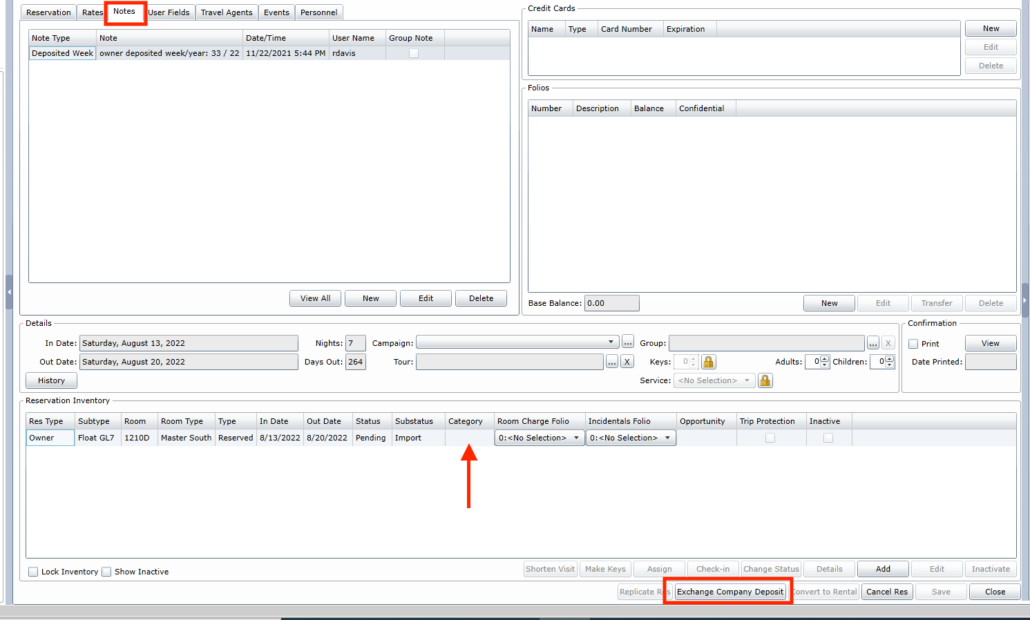
- Delete all prior notes. Insert deposit note & paste.
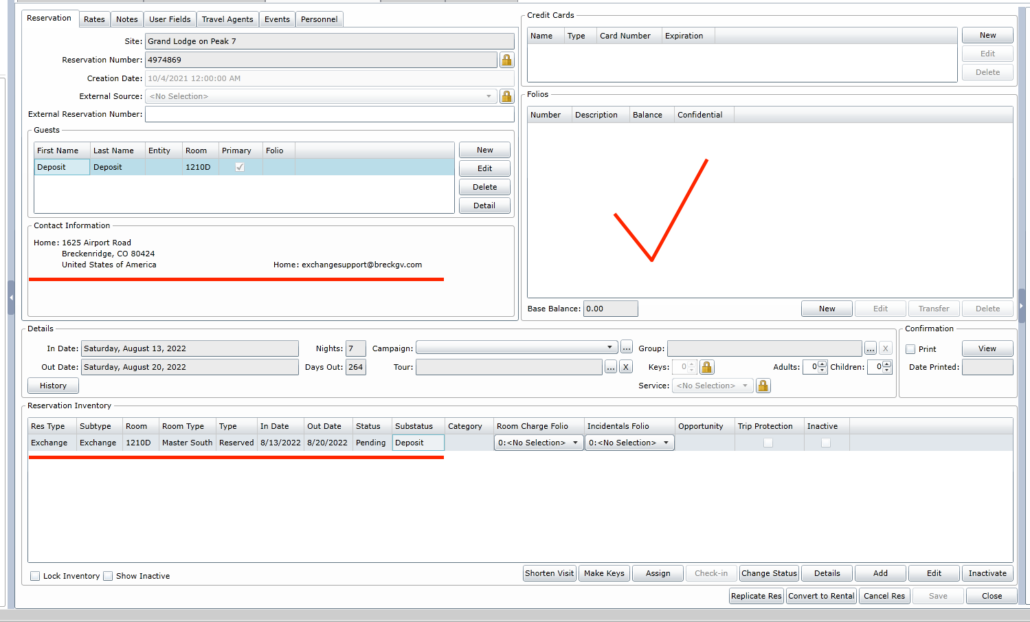
- Select the inventory line & select ‘Exchange Company Deposit.’
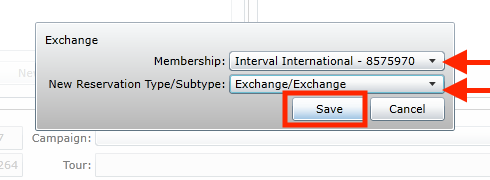
- In the pop-up window choose both drop-down menus & select II number & Exchange
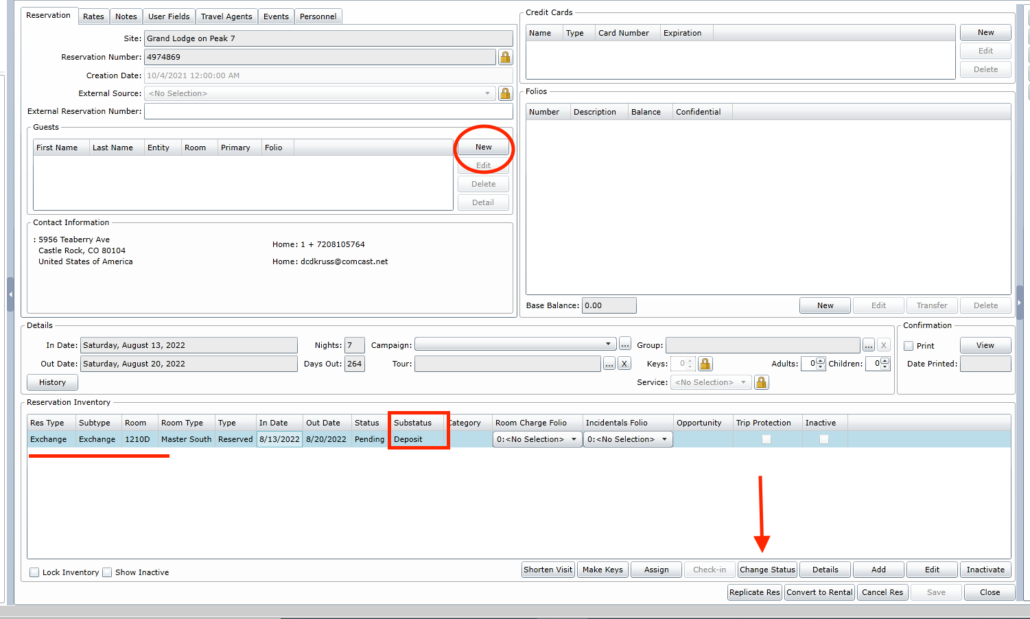
- Unlock the unit and select ‘Change Status’
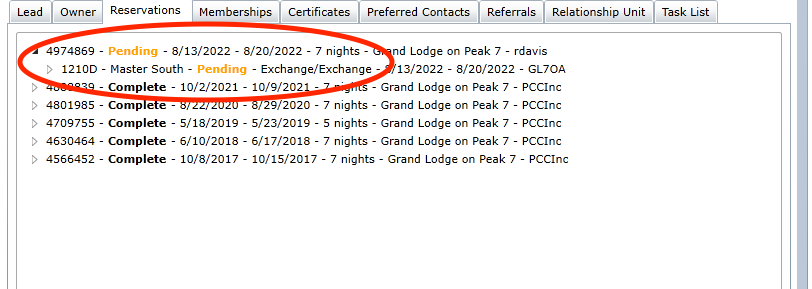
- In the pop-up window ignore the top item, but change the second item to ‘Deposit’
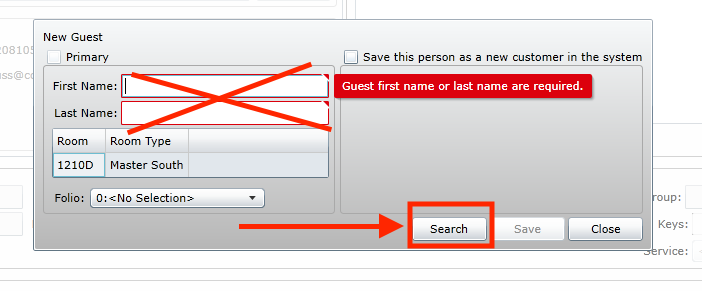
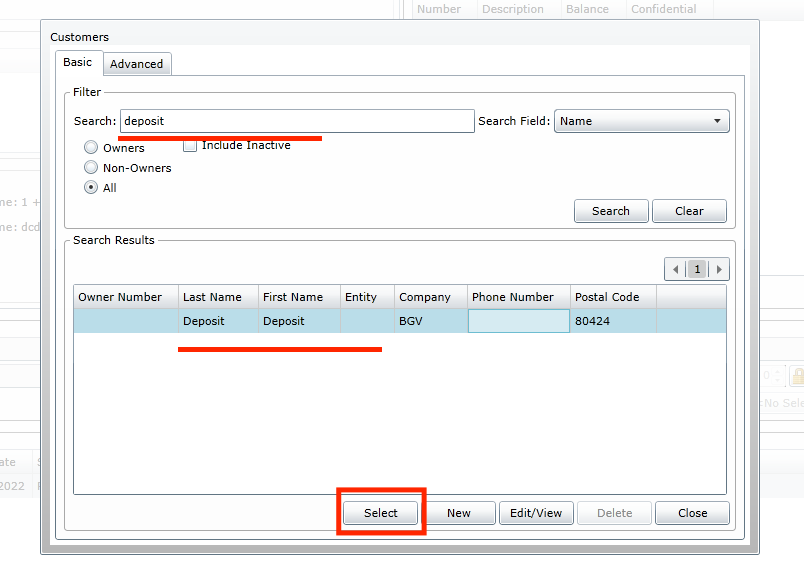
- In the guest box select ‘New’ and then select ‘Search’ on the bottom right.
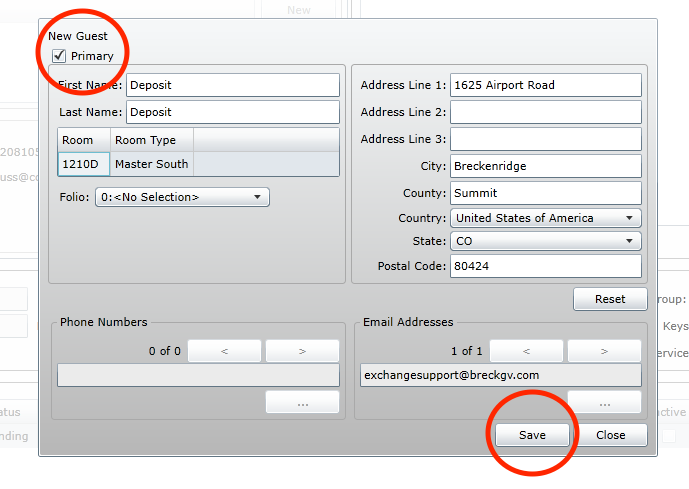
- Search for ‘Deposit, Deposit’ Save as the customer. Select ‘Primary’. Save & Close.
- → procedure complete.
Disclosures
Quote:
- Deposit expiration – 2 years from check out date.
- This is a non-reversible transaction.
- Point balance (if CIG)
Email:
- Select ‘Confirmation Email’ on right side column (may need to click arrow)
- Notate the email you’re about to send states ‘deposit’ & send.
- → procedure complete.

Deposit – Split
Call Discovery
- Is the membership Basic or CIG?
- Is the membership valid?
- Which 7-night reservation is intended to deposit?
- Is the deposit late?
- What is their preference for depositing?
- → next tab
Owner File
- Confirm the reservation preference & deposit.
- Insert deposit note in the owner file & follow instructions.
- Exchange# – keep blank.
- Copy deposit note & enter reservation.
- → next tab
Reservation(s)
- Delete all prior notes.
- Insert deposit note & paste.
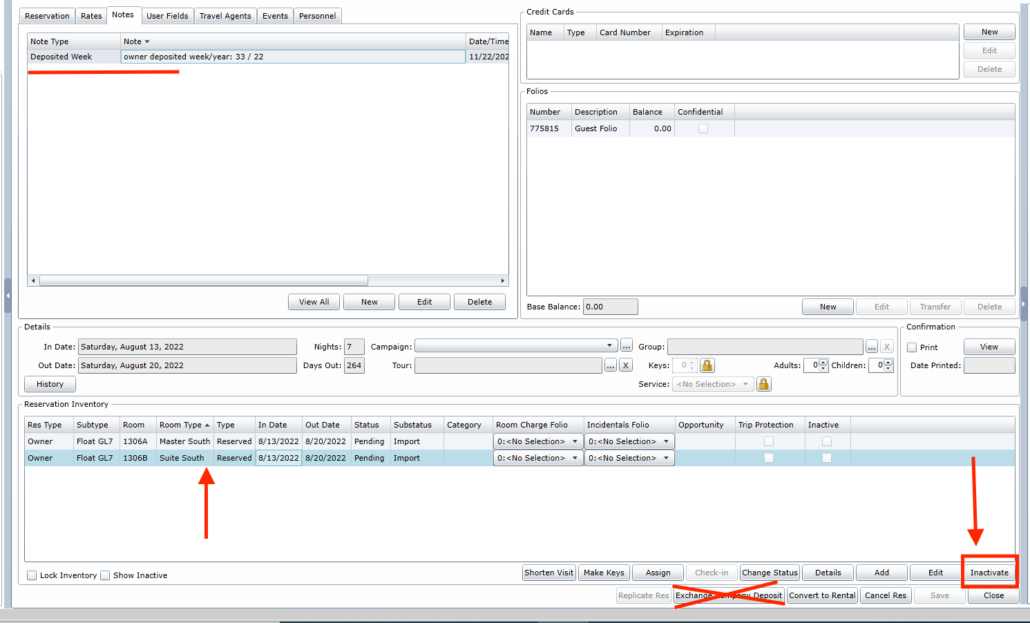
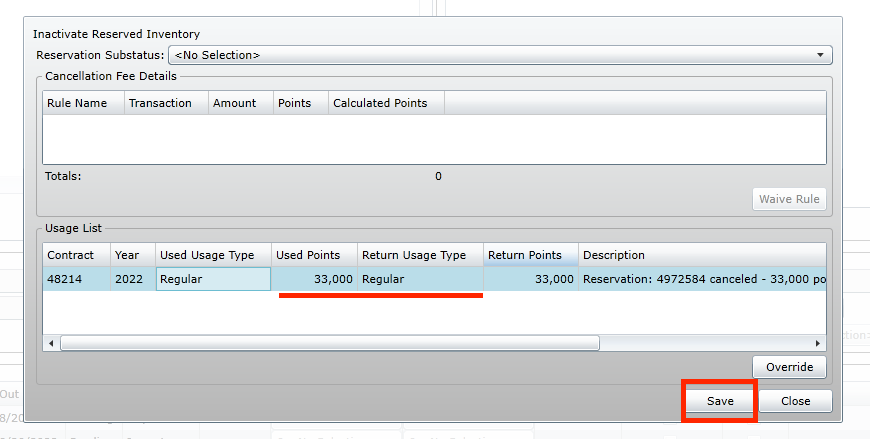
- Select room(s) and click ‘Inactivate.
- Click ‘Save’ to return the usage.
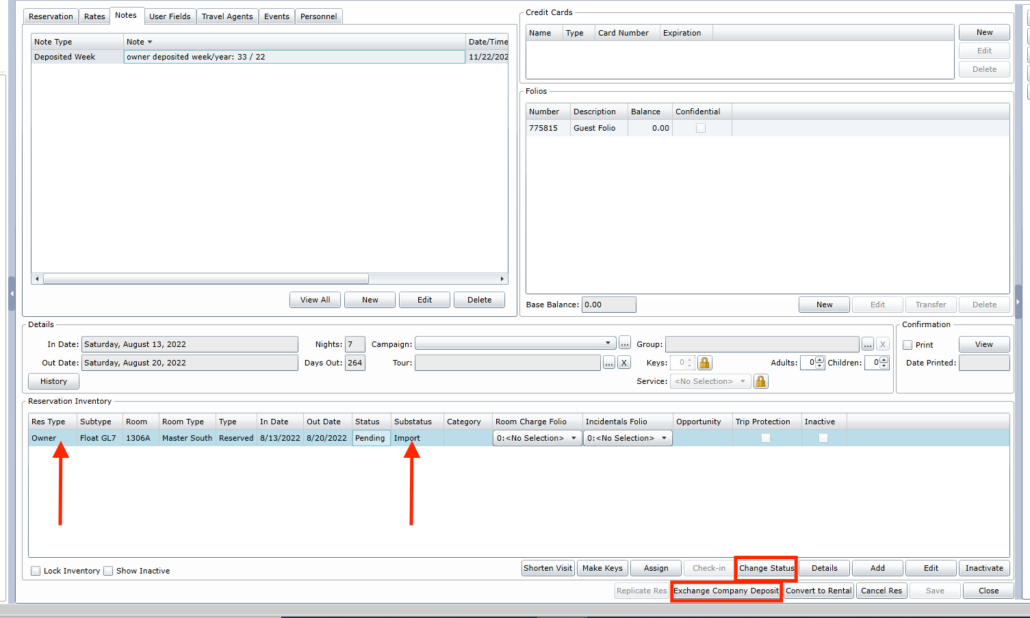
- In the first reservation click ‘Exchange Company Deposit’ and change the substatus to Deposit.
- Add the guest ‘Deposit, Deposit’ to the reservation.
- → next tab.
New Reservation
- From the Customer file select the Reservation Tab and click New
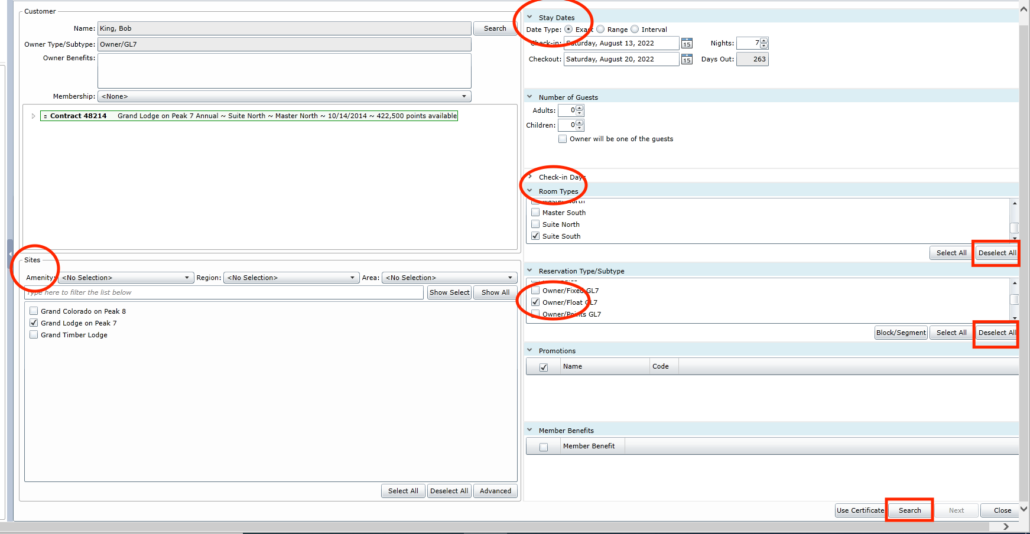
- Apply the information in Site, Dates, Room Type and Reservation – Must Choose Owner/Float
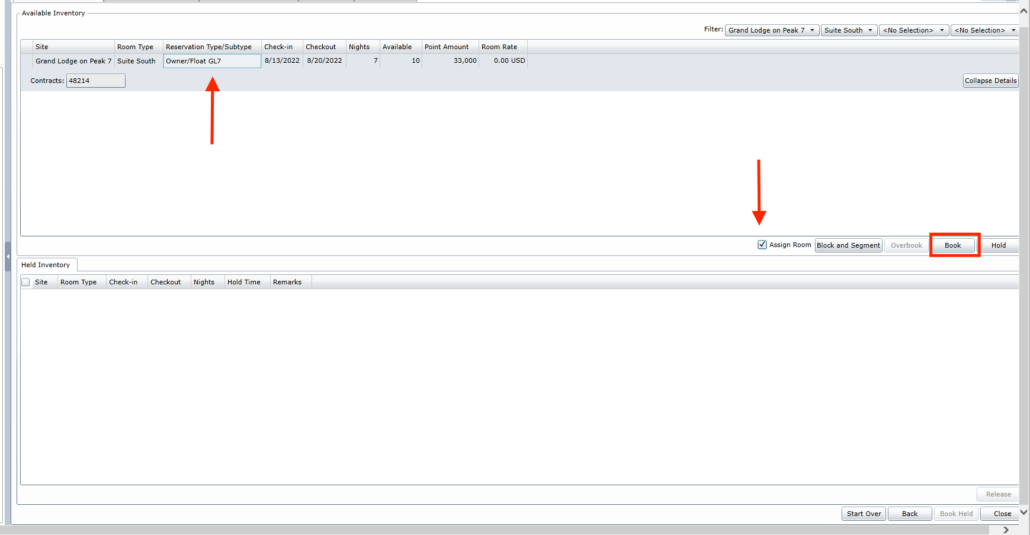
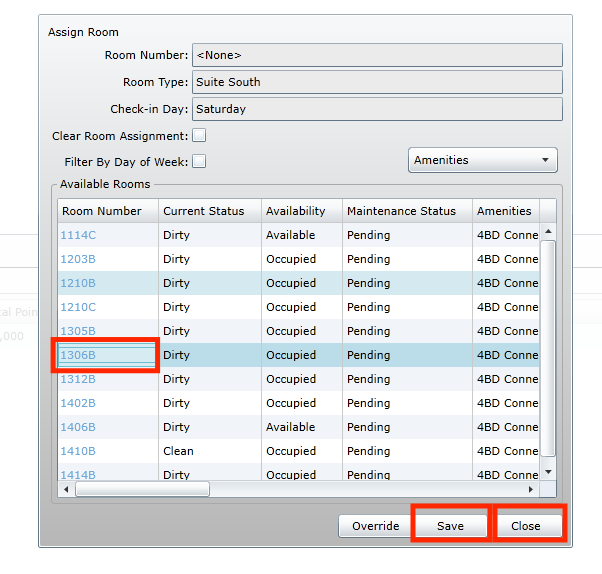
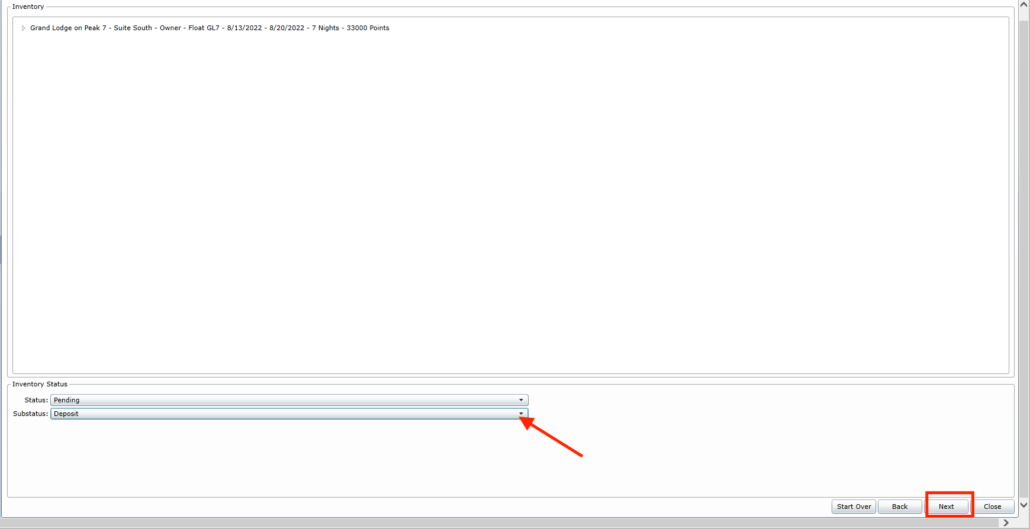
- Search. Select inventory, check Assign room and Book. Select room; Save & Close.
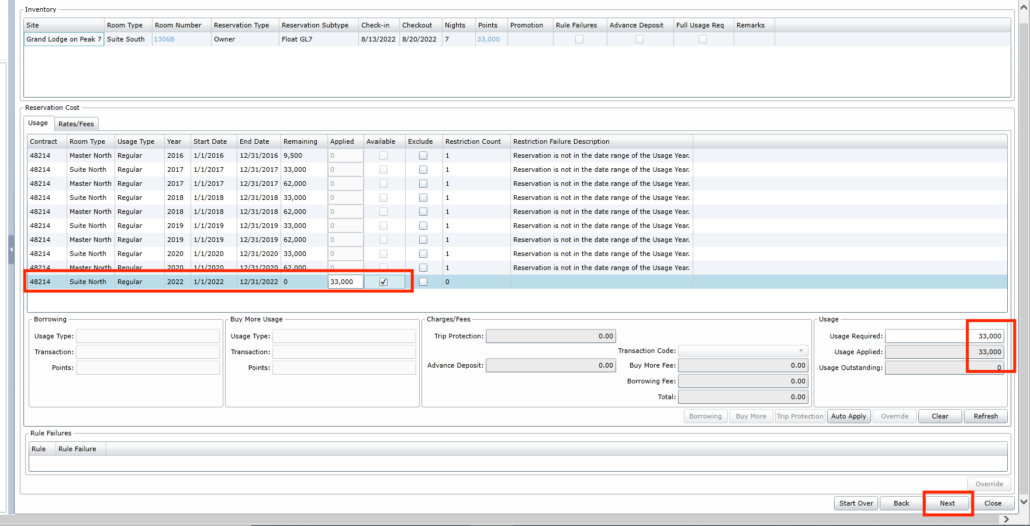
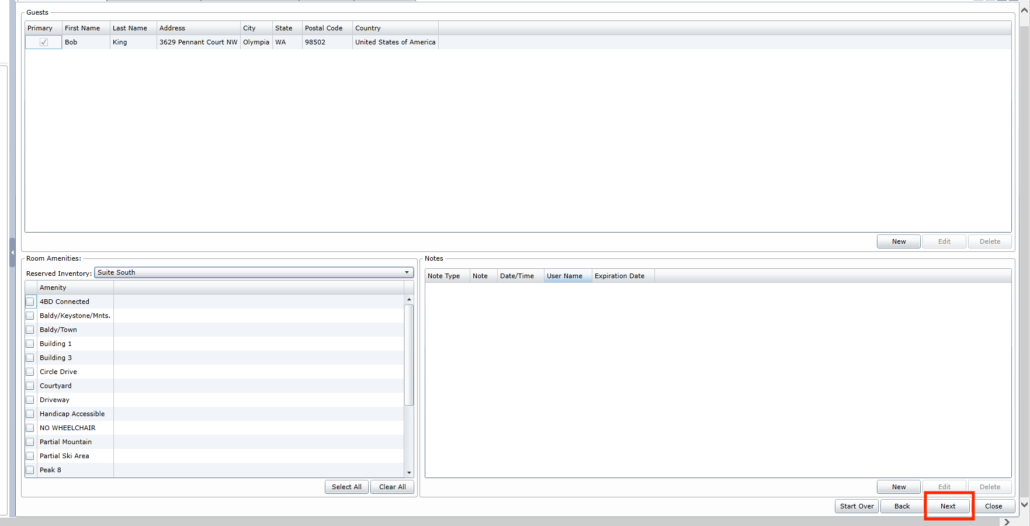
- Apply usage and select Next (you’ll select Next across a few pages)
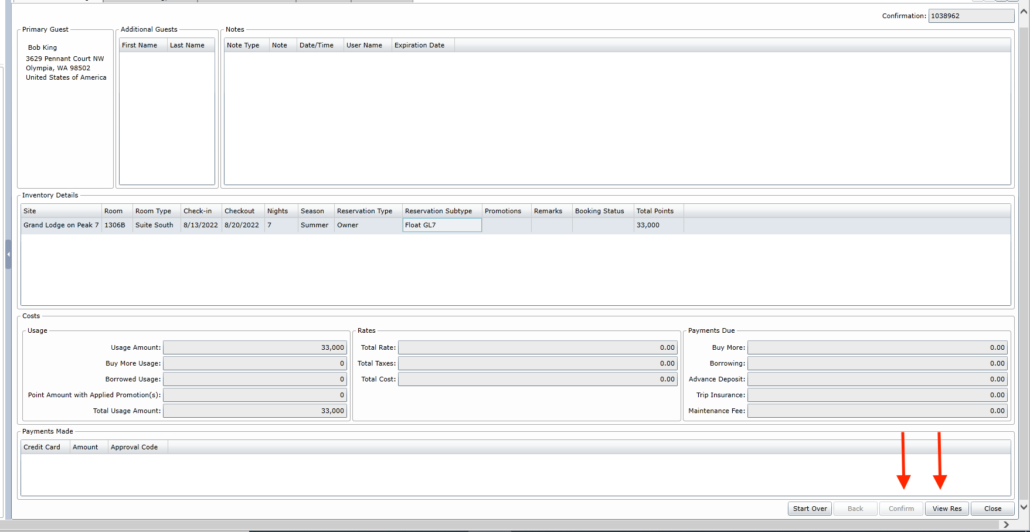
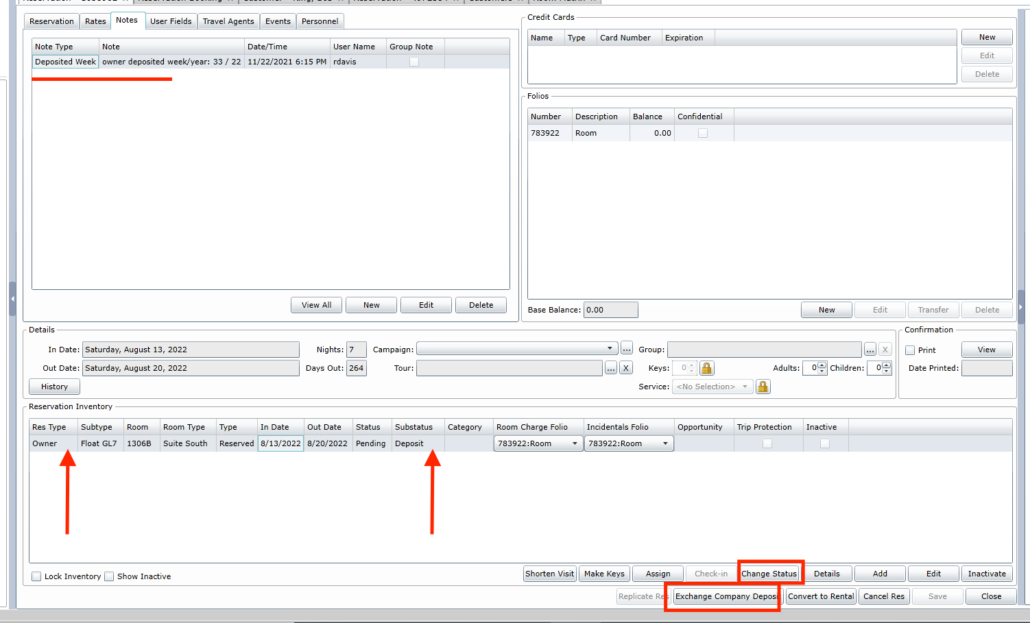
- Confirm & View Res. Paste Deposit Note
- Select Inventory line and click ‘Exchange Company Deposit’
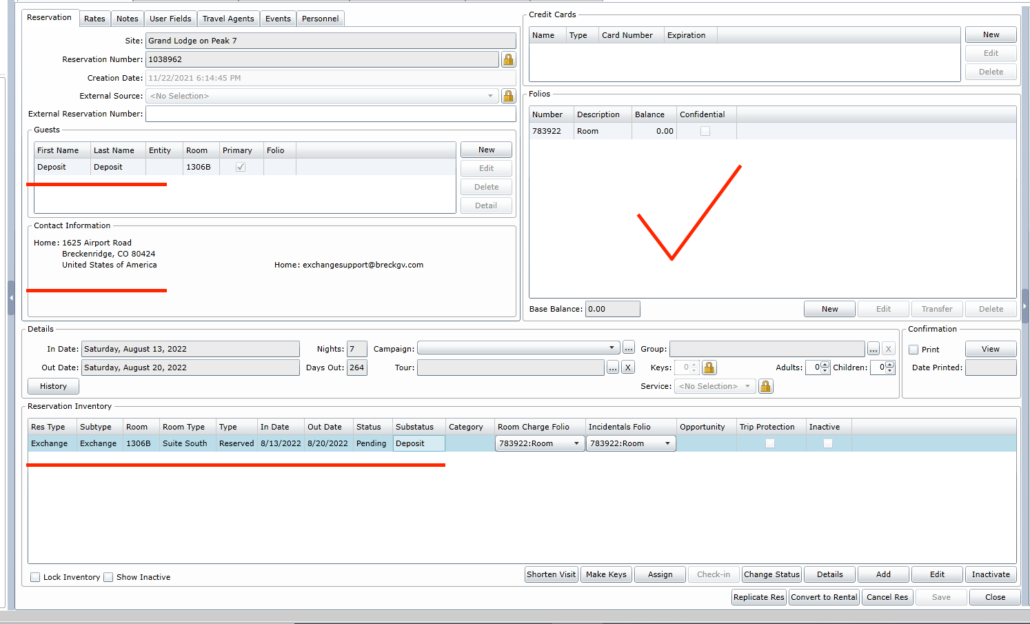
- Change Substatus to Deposit.
- Change guest to ‘Deposit, Deposit’
- → Procedure Complete.
Disclosures
Quote:
- Deposit expiration – 2 years from check out date.
- This is a non-reversible transaction.
- Point balance (if CIG)
Email:
- To confirm deposit by email select the ‘person’ next to the eraser to re-fill owner info (if erased).
- Make sure the res/sub type states deposit & correlating unit size.
- Select ‘More’ & load information.
- Notate the email you’re about to send states ‘deposit’.
- Send.
- → procedure complete.
Deposit – 20% RRF
Provide a Developer Week
SRIF’S cannot be deposited!
RRF’s cannot be deposited!
- If looking to deposit RRF the reservation must be outside 14 days.
- Provide a Developer Week.
- Insert Deposited Week Note.
- In the first line write: owner deposited date/year: DW/RRF/(year)
- Procedure Complete!
Deposit – Cruise
Basic for Cruise?
- Do not deposit! Res must be at least 90 days out!
- Which reservation is to exchange for the cruise?
- Provide the following:
- II cruise number: 1800.965.0029
- II membership number
- Reservation number
- Unit size
- Check-in date
- → procedure complete.
CIG Points for Cruise?
- Only deposit if for points!
- Verify which res to deposit.
- Calculate the point balance of deposit.
- Deposit reservation.
- Provide the following:
- II cruise number: 1.800.965.0029
- II membership number
- → procedure complete.
Cruise Fees & Info
Cruises are booked under two fees – II exchange fee & cruise direct fee. The cruise fee varies on a number of factors such as how many cabins, guests, cruise line & location.
- Cruise Exchange Fee: $199
- Cruise Discount: $200 – $800
CIG members reserving a cruise do so by leveraging a pre-determined tier of points; high the tier greater the discount.
- 15,000
- 25,000
- 60,000
- 90,000