BGV Owner Relations
  • IHPR
    • Imperial Option Owners
    • Resort Features
    • Property Map
    • Housekeeping
    • Seasons & Calendar of Weeks
    • Room Descriptions
    • Ownership Type Benefits
    • Reservation Amenities
    • Unit Inventory & Specs
    • Quick Guide
  • GC8
    • Resort Features
    • Property Map
    • Housekeeping
    • Seasons & Calendar of Weeks
    • Room Descriptions
    • Ownership Type Benefits
      • Estate Membership Credits
    • Reservation Amenities
    • Unit Inventory & Specs
    • Quick Guide
  • GL7
    • Resort Features
    • Property Map
    • Housekeeping
    • Seasons & Calendar of Weeks
    • Room Descriptions
    • Ownership Type Benefits
    • Reservation Amenities
    • Unit Inventory & Specs
    • Quick Guide
  • GTL
    • Resort Features
    • Property Map
      • GTL Ski Back Map
      • GTL to Snowflake Lift
      • GTL Shuttle Map
    • Housekeeping
    • Seasons & Calendar of Weeks
      • Partial Stays
    • Annual Reservation System
    • Room Descriptions
    • Ownership Type Benefits
    • Reservation Amenities
    • Unit Inventory & Specs
    • Quick Guide
  • Resources
    • Vacation Essentials
      • Staff Links
    • Application Links
    • Reservation Resources
    • Gift Basket
    • Rental Check & Tax Form Request
    • Breckenridge
    • Phones & Emails
      • Phone Tree
      • Requesting to Pull a Call
      • BGV Style Guide
      • CS Emails: Action and Response Protocol
      • Call Guide
      • Owner Communication Emails
    • ROC & Umbraco
    • Grand Central
    • Self Auditing/Auditing
      • Auditing Rules
    • Compensation
  • Owner
    • Owner Usage
      • Owner Weeks
      • Point Stays
      • Partial Stays
      • Usage Scenarios
      • High Demand Owner Weeks
    • Parking & Day Use
    • Bonus Time
    • Trade Forum
    • Contract Purchases & Provisions
    • Self-Managed Reservations
    • Owner Cards
    • HOA Dues
    • Owner Tutorials
    • Owner Blog
  • VRD
    • Owner Rental Program
    • Rental Income
      • PreferPay
    • Call Center
      • Call Center: Search & Book
      • Call Center: Modify & Cancel
    • Rental Promotions
    • Rate Calculator SOPs
    • Rental Bookings
    • Inventory
    • Reservation Preferences
  • ES
    • Interval Home Page
    • General Tutorials
      • Deposit Process
      • Bonus Weeks
      • Developer Weeks
      • Charity Donations
    • I-World Tutorials
      • Account & Sign-In
      • Searching Vacations
      • Placing Requests
    • I-Services
      • DW / Bulk Allocation
    • Exchange Support Index
  • Tours
    • Tour Process
    • Tour Cheat Sheet & Gifts
    • Tour Waves
    • Tour Campaigns
    • Tour Shuttle & Parking Info
    • Secondary Bookers
      • Tour Saves
      • Gift Changes
      • VIP Secondary Booker (Merge)
    • Friends and Family (Tour Referrals)
    • Courtesy Tours
  • GM
    • Guest Member Program
    • Package Types
      • OGE Package
      • GOEC Package (GM1)
      • GOEC+ Package (GM2)
      • OGVC Package (OG1)
      • OGVC+ Package (OG2)
    • Booking in Travel Click
    • GM Standard Stay Calc
    • GM Upgrade Stays (ROC)
    • GM Package Extensions
      • GM Package Extension Tutorial
    • Exit Tours
    • Gifts
    • GM Extra Gifts
    • Day Use For Guest Members
    • General Exceptions
    • GM Emails
  • BGV
    • Finale
      • Independence Townhomes
      • Victory Ridge
    • BGV Departments
    • Owner Relations
      • Staff Profiles
      • Remote Map
      • Staff Feedback
      • OR SPIF Nominations
      • Owner Relations Remote Policy
    • Training & Development
      • Mitti
      • Training Manual
      • Self-Development Resources
      • Training Feedback & Materials
    • SOSS
    • Owner Com
      • Quarterly Updates
    • VTO
  • Click to open the search input field Click to open the search input field Search
  • Menu Menu

ROC & Umbraco: Admin Portal

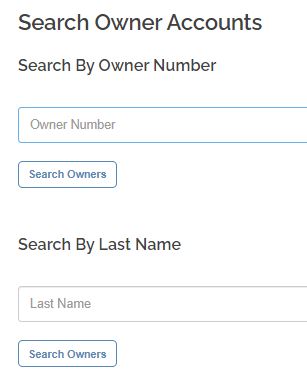
Search Accounts
  • Select this icon to search and log in to an owner’s Grand Central Account.

  • Search by Owner Number or Last Name.

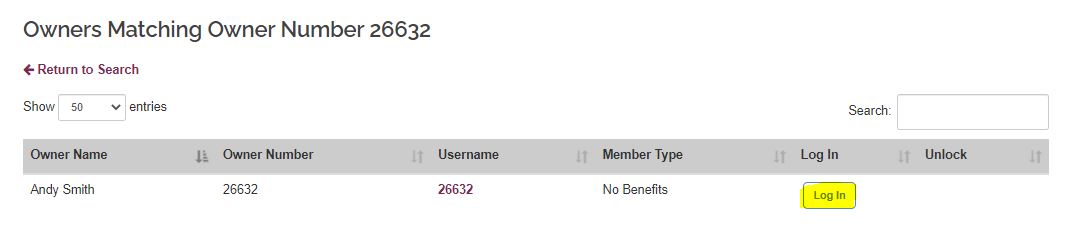
  • Click Log In to log into the owner’s account.
Create Owner Account
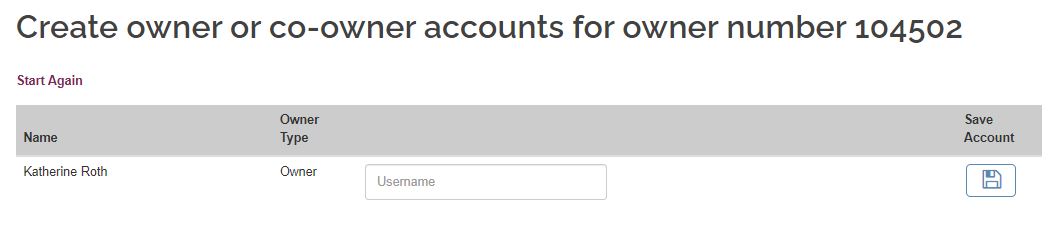
  • If the owner does not have a Grand Central account, select this icon to help them create one. 
  • Locate the owner by searching their owner number. 
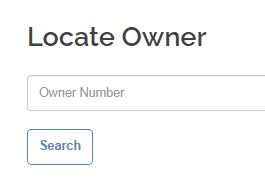
  • Type their desired username and click Save Account. You can relay the temporary password to the owner; they will also receive an email. 
Owner Profiles

Owner Profile is another way to access an owner’s Grand Central account. Gives a quick snapshot of ownership.

  • Click Owner Profiles icon
  • Search by owner number or last name

Features: 

  • Contact information, reward dollars, resort ownerships at top of page.
  • Owner Tours shows tour history
  • Log In button to log into Grand Central Account
  • Reset password
  • View existing Day Use reservations and waitlist
  • Book Day Use theaters or parking
Hold Units (DNB)

Hold Units, aka DNB, is an essential reservation tool! 

  • Prevents open units from displaying online (Owner Weeks, Bonus Time, and Club Points calendars)
  • Lets your BGV team know you are utilizing a unit in the room matrix
  • Does not prevent manual bookings in TSW

Search property, unit number, select unit and dates, click hold rooms to place a unit on hold. 
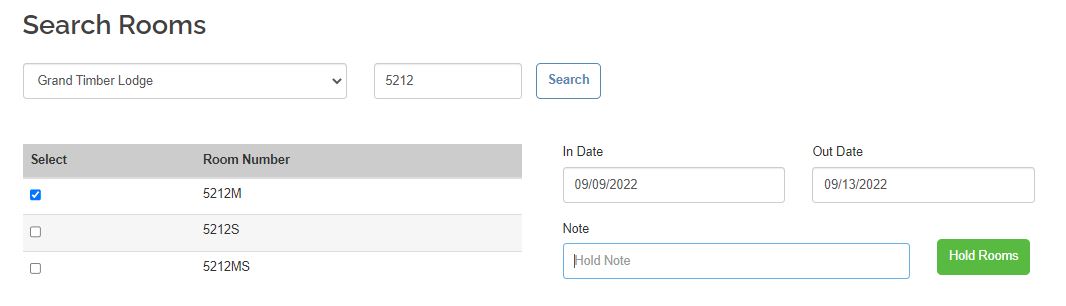
Check the Existing Holds section to see which units are currently held, or to extend or release a hold. 

Pre-Arrivals

Pre-Arrivals icon gives us access to the pre-registration owners access via their confirmation emails. Pre-registering speeds up the check-in process.

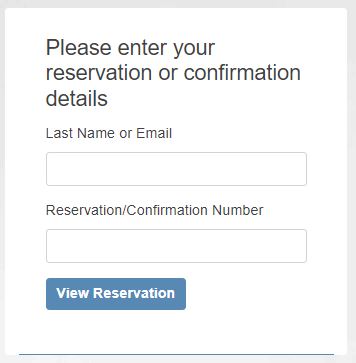
  • Click Pre-Reg icon

  • Enter Last Name or Email and Reservation Number. (Owners do not have to do this step when accessing through their email.)
Features: 

  • Summary of reservation property, dates, unit size, etc.
  • Add to Calendar
  • Update Contact Information
  • Add guests, vehicle info, amenities, special requests
  • Reservation Policies
Reservation Profiles
  • Click Reservation Profiles to manage reservation amenities.
  • Select property. Search by reservation number or last name. 
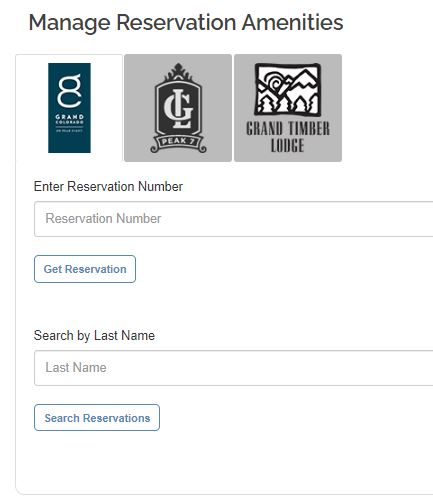
Features: 

  • Access pre-registration by clicking rez number at top.
  • Reservation summary
  • Book theater, add robes
  • Extra tools for concierge: parking override, ski lockers
Change Username
  • Click Search Owner Account
  • Search by owner number or last name
  • Click their existing username
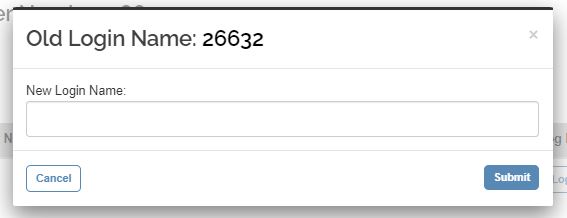
  • Enter their new login name, click submit. 
Reset Password
  • Click Owner Profiles
  • Search by owner number or last name
  • Click icon under Reset PW
  • Owner will receive this email to the address on file
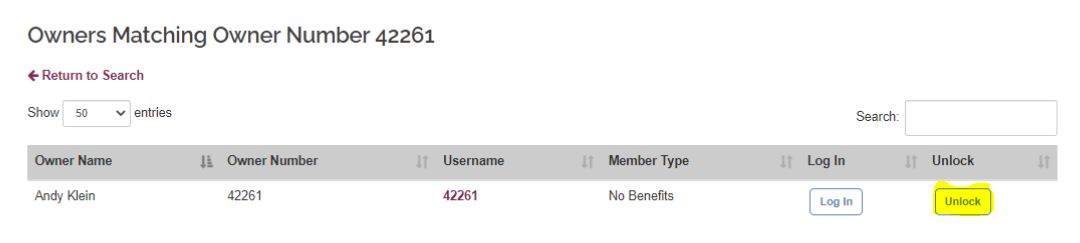
Unlock Account

Grand Central Locked Accounts

  • All accounts will now be locked out after 5 failed attempts to login
    • Captcha will display after 3 failed attempts
    • Accounts will be locked for 15 minutes
    • The owner of the account will get an email letting them know that their account has been locked
    • Owners can unlock their account by waiting 15 min or resetting their password.
  • You can unlock owners accounts via Umbraco, Owner Profile, unlock button
Remove Parking Restriction
GL7 and GC8 owners will receive a Day Use parking restriction if they cancel after 7 p.m. the day before their reservation.

To remove a restriction:

  • Click the Parking Restrictions icon.
  • Find your owner in the list of current restrictions.
  • Click their owner number.
  • Click the red Remove Restriction button.

Admin Password Update

OwnerCom, SOSS, and managers have the ability to update passwords via Umbraco backoffice

  1. Visit the Members tab in Umbraco
  2. Click the triangle by Members on the left side, then click All Members
  3. Search for your owner using the search tool. Click on their name.
  4. Click the Member icon in the top right corner.
  5. Click the Change Password button.
  6. Enter new password and confirm new password. Click save.
  7. On the first page, flip the “Password must be changed on the next login” tab. Click save.

Breckenridge Grand Vacations
Owner Support: 877-453-4440
1625 Airport Road, Breckenridge, CO 80424

Breckenridge Grand Vacations is not affiliated with Vail Resorts or any of Vail Resorts’ subsidiaries.

OUR FAMILY OF RESORTS
Imperial Hotel and Private Residences
Grand Colorado on Peak 8
Grand Lodge on Peak 7
Grand Timber Lodge

@ Copyright - BGV Owner Relations 2017 - Enfold Theme by Kriesi
  • Link to Rss this site
Scroll to top Scroll to top Scroll to top