PreferPay
“PreferPay” gives our Owners the option to have their rental revenue directly deposited into a checking account of their choice.
Timeline
PreferPay emails will be sent around the 23rd of the month AFTER their rental takes place.
- For example: June rentals will be invited to PreferPay around July 23
- Owners will have to select Direct Deposit for each rental
Walkthrough:
Step 1: Email
- Reference the email titled “Your BGV Rental Income Is Available”
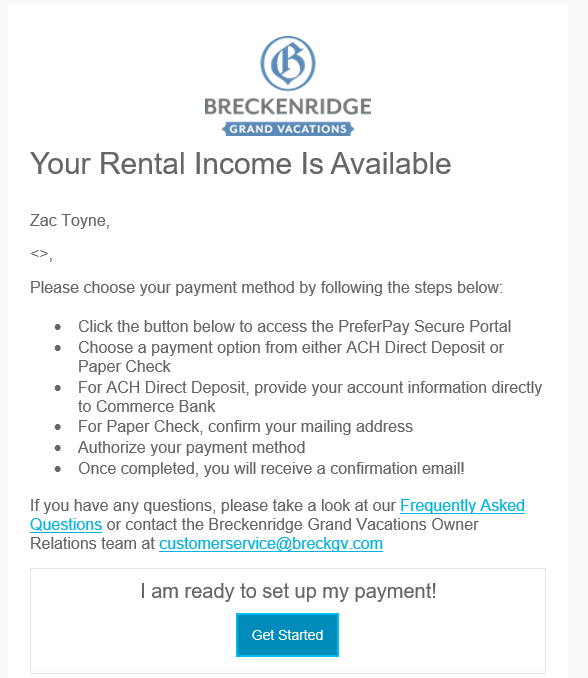
- Begin the process by selecting “Get Started”
Step 2: Log In
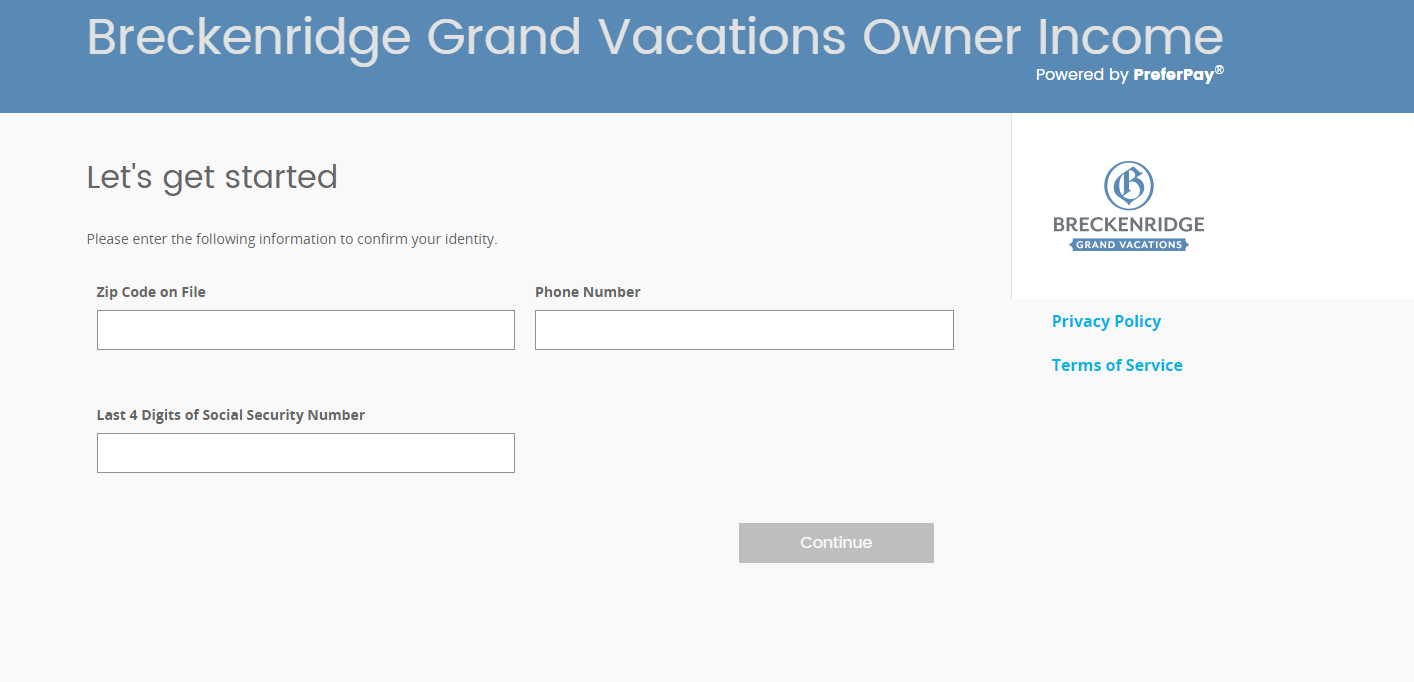
- Place the following information in the windows
- Ownership Zip Code
- Primary Phone Number
- Last 4 Digits of the Primary Social Security Number
Step 3: Homepage
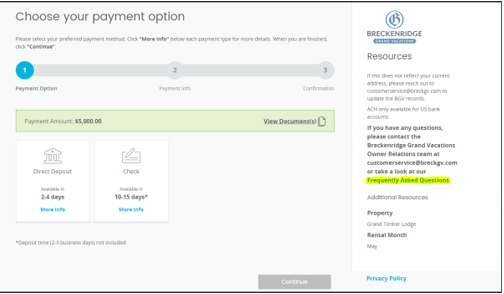
- Select your “Payment Method” on the home screen
- You may hit “View Documents” to view your rental income statement
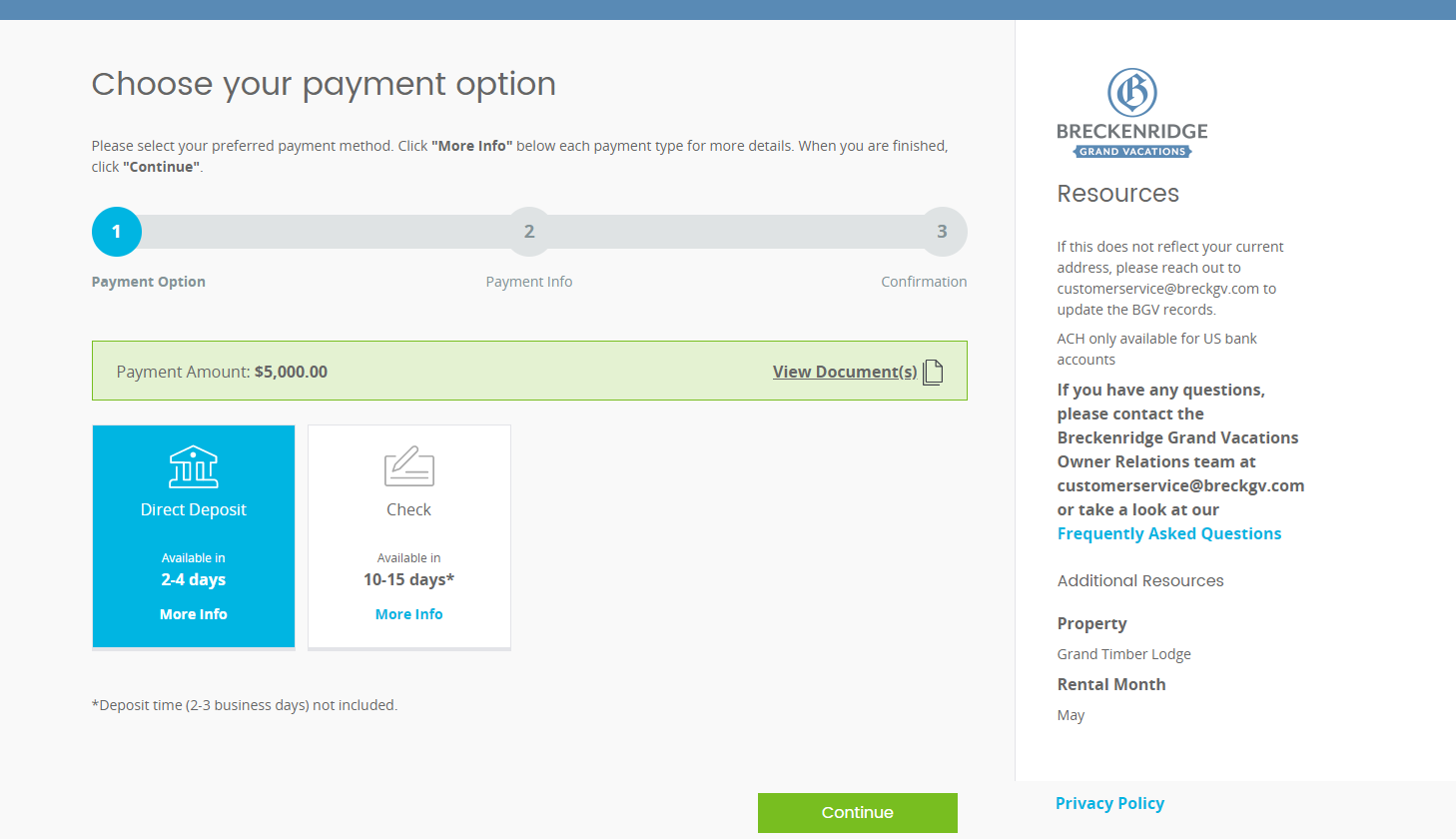
- For any questions, please refer to the “Frequently Asked Questions” link on your PreferPay Homepage!
Step 4: Account Information
- Enter your account information
- You cannot copy/paste your account number
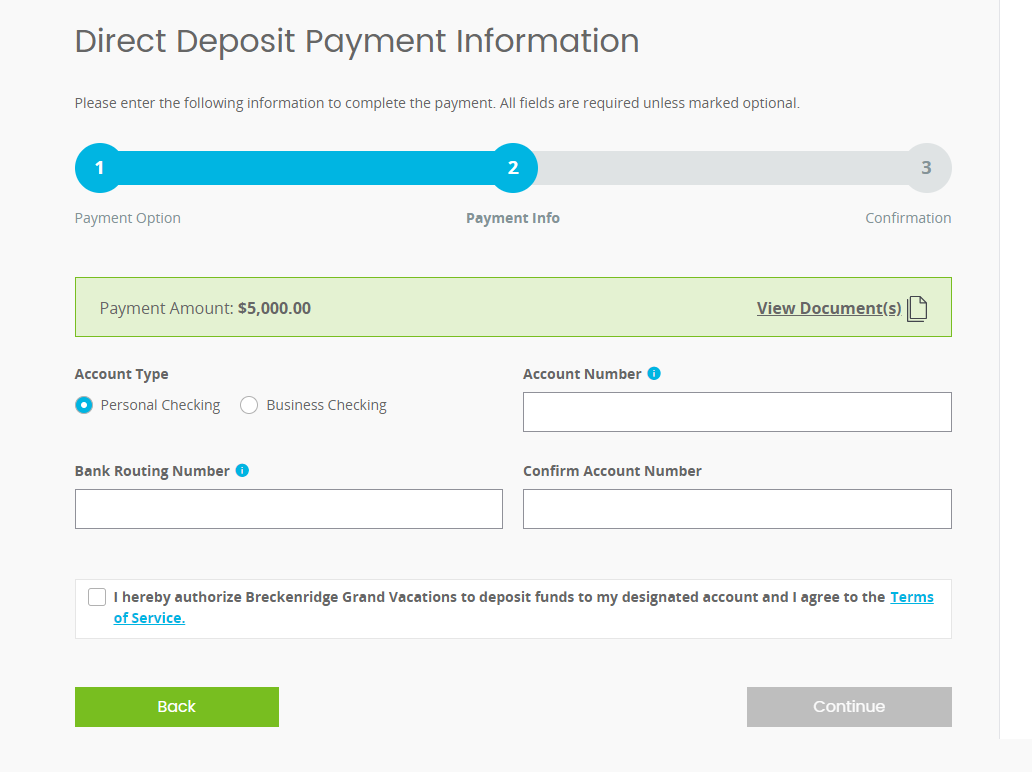
- Select the box to authorize the deposit
- Select “Continue”
Step 5: Account Confirmation
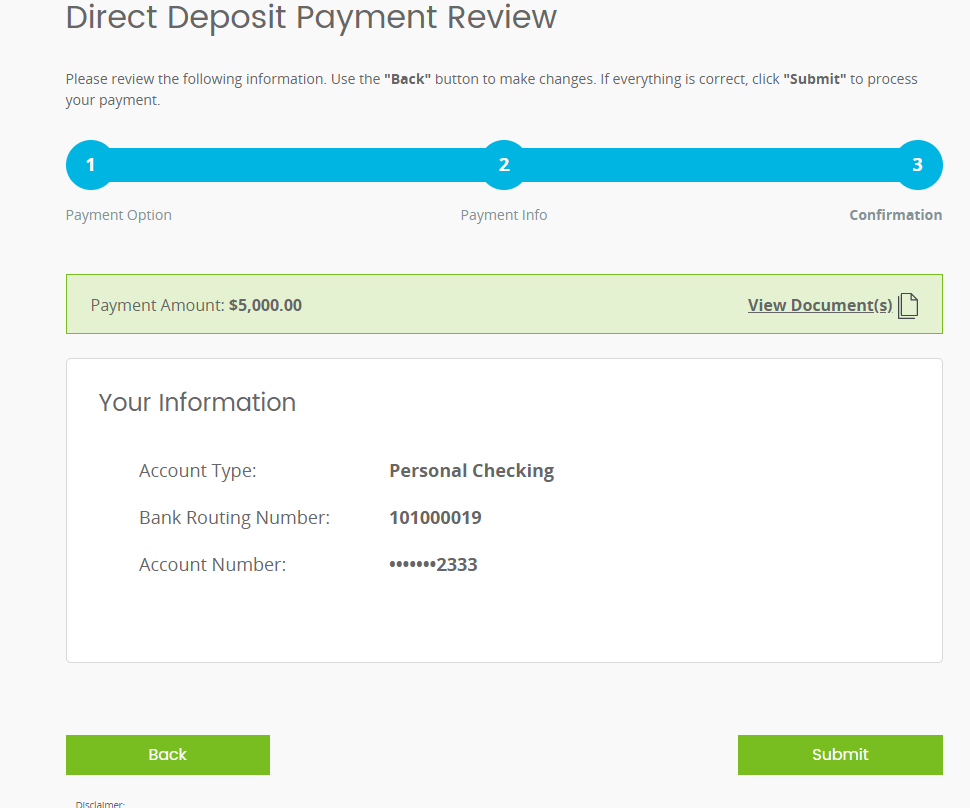
- Review your account information and confirm by selecting “Submit”
Step 6: Confirmation Call
- If your deposit is over $5,000, you will receive an automated phone call to the phone number provided as an additional security measure
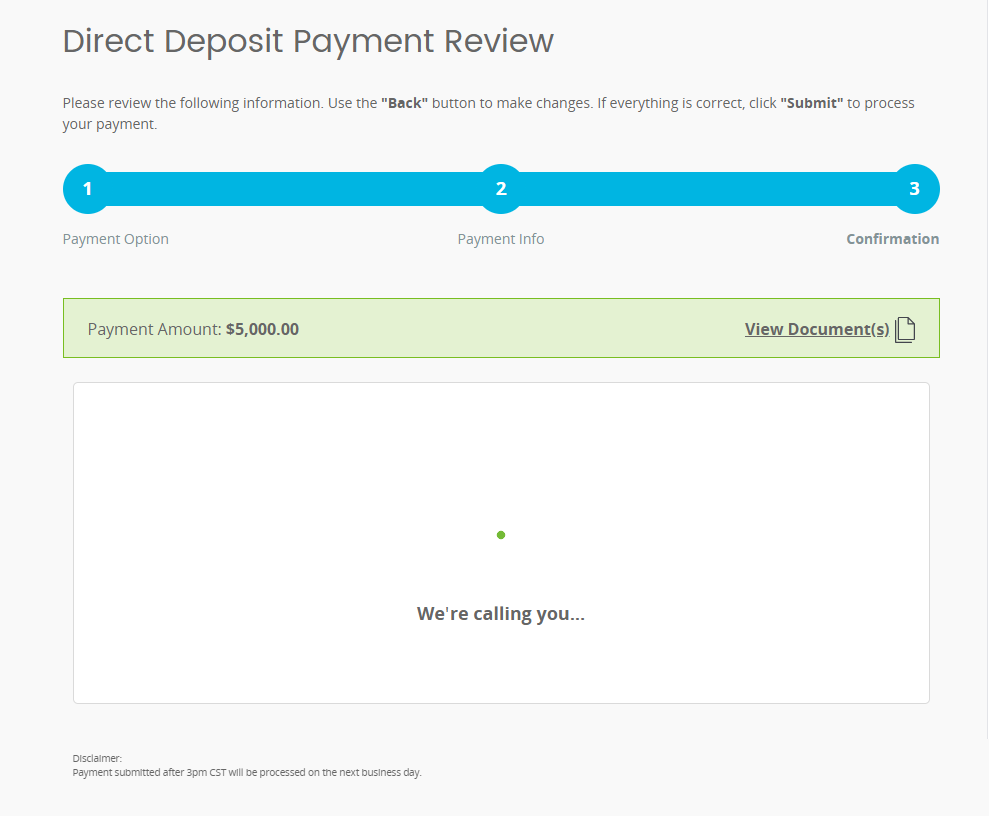
- Answer the phone call and confirm your information to initiate the deposit
- If the phone call is not answered, you will need to enter in your information again
Frequently Asked Questions
- If I do not have a Social Security Number, will I still be able to use PreferPay?
- You do need to have an active Social Security Number to use the Direct Deposit feature. You will always be able to have their revenue applied directly to their HOA or receive a physical check for payment.
- Are International Owner’s able to do Direct Deposit?
- Owners are required to have a United States banking account to receive Direct Deposit. International Owners without a United States bank account will still be able to have their revenue applied directly to their HOA’s or receive a physical check through the mail.
- What if I am not the Primary Owner?
- The login information for PreferPay will be based on the Primary Owner’s information.
- I never got this email. Will I still receive my revenue?
- All revenue will be distributed regardless of your PreferPay participation. If you do not participate in PreferPay, your revenue will be distributed to your HOA’s or through a physical check depending on your preference.
Communication Examples:
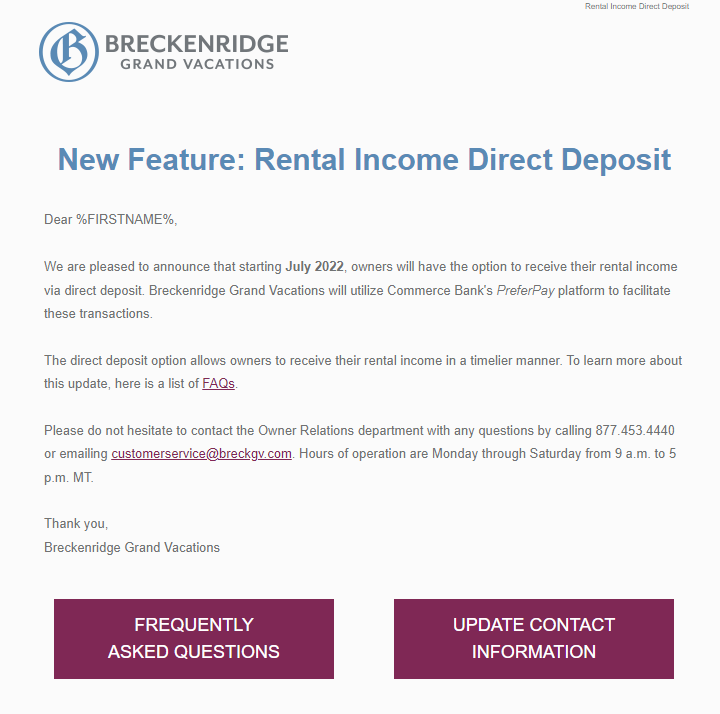
Initial Notice
- Initial email to the Owner notifying them about PreferPay
Invitation
- Initial email sent to the Owner notifying them they have revenue available for direct deposit
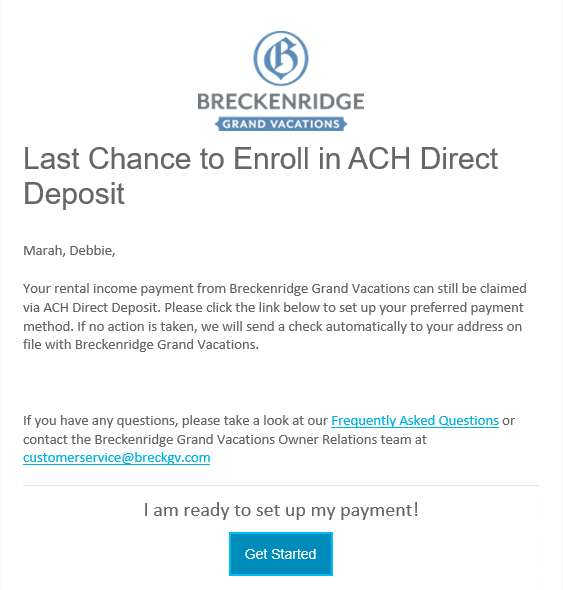
Invitation Reminder
- A reminder email sent to Owner’s who have not made a payment method selection
- Sent 24 hours in advance of window closing
Confirmation
- Sent to Owners after successful selection of their payment method
Link Expired
- Sent to Owners who did not participate in the payment method selection process
- A physical check will be sent to the Owner’s address on file within 10-15 days
Maximum Login Attempts
- Sent to Owners who exceeded 5 unsuccessful log in attempts
- A physical check will be sent to the Owner’s address on file within 10-15 days
Trouble Processing
- Sent to Owner’s who require further authorization for their direct deposit payment
- Follow the link on the email and complete the necessary information
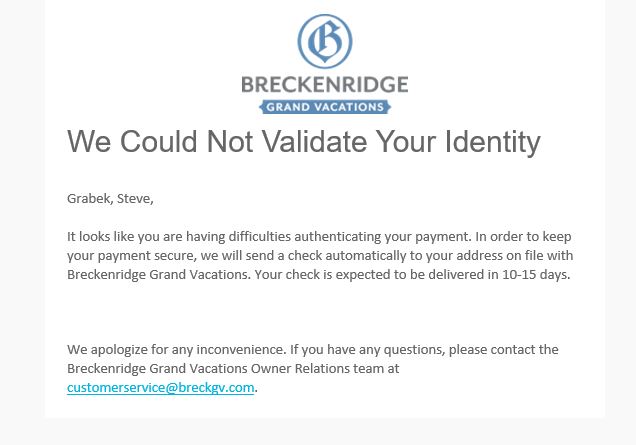
Fraud
- Sent to Owner’s who were unable to successfully authorize their direct deposit
- A physical check will be sent to the Owner’s address on file within 10-15 days
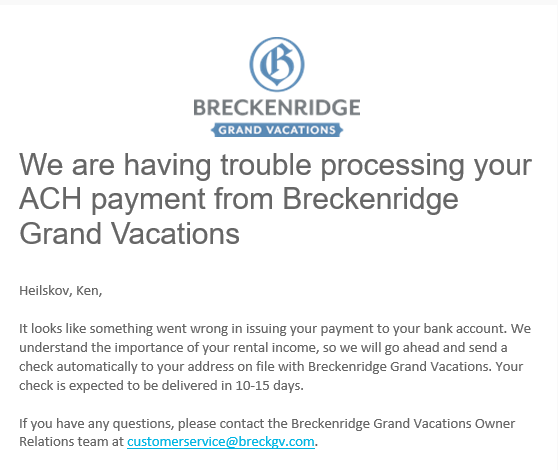
Return ACH
- Sent to Owners when the payment is unsuccessfully delivered to the account provided
- A physical check will be sent to the Owner’s address on file within 10-15 days